
A fictional café campaign needs two looks for the same walking presenter: one with a green jacket and another with a raincoat under a cloudy sky. Recording both takes may be best, but AI video modification can help preview a creative direction. Luma’s Ray3 Modify describes scene-aware changes and start/end keyframe controls, while the editor still must ensure the person’s motion and identity survive the transformation. This walkthrough produces a change brief and a temporal review sheet. The illustrated scenes do not represent measured Luma outputs, and changing clothing in a real documentary would need explicit disclosure.
Decide what changes and what must stay physically true
Before uploading footage, split the brief into locked facts and creative variables. Keep the presenter’s gait, timing, body position, facial identity, and camera path unchanged where possible. Allow only the jacket material, color, and surrounding weather to change. Mark frame intervals where the subject turns or crosses a doorway: those are likely to expose warping and misplaced edges. Luma’s Ray3 Modify announcement highlights wardrobe swap, environment swap, and relighting, but product marketing is not a promise that any particular take will survive perfectly. Do not treat a generated rainy exterior as proof of actual weather or venue conditions.
Start from owned, continuous source footage
Use a licensed short shot recorded by a consenting presenter. Prefer steady exposure, visible jacket boundaries, a continuous movement, and minimal occlusion. Save the untouched original plus an edit decision list identifying each requested alteration. Avoid a source with fast cuts, hands crossing the jacket every second, or logos the model could rewrite. Capture a frame at the beginning, center, and ending as the comparison anchors. If the source includes a real company logo or safety equipment, state that it must remain physically accurate. Never add new objects to a safety, insurance, or documentary video where the altered depiction would mislead viewers.

Choose Ray3 Modify controls supported by current documentation
The official Ray3 Modify release says Ray3 Modify in Dream Machine supports editing footage and adds start/end-frame control for transitions. The Ray3 product overview describes character references and transformations such as wardrobe or environment changes. These sources do not supply proof that a specific clip will preserve a particular seam or lighting condition. Work from the current product interface because older Ray2 and Ray3 documentation may differ. If a start or end keyframe is available in your mode, use it to anchor the intended first pose and final look. Confirm plan access and export options before treating a mockup as a deliverable.
Separate wardrobe, environment, and light changes
For the first pass, change the green jacket to a yellow raincoat while leaving the café background intact. For a second pass, keep the approved coat and shift the exterior lighting and weather. Changing both at once makes it hard to discover why a collar disappears or a shadow moves against the walking direction. Use a two-column shot note: original physical feature and proposed replacement. Label any AI-generated environment clearly in the internal handoff. An illustration can depict “source clip → wardrobe edit → environment edit” but should not suggest the model produced these exact photographs. Keep a clean source to roll back when continuity fails.
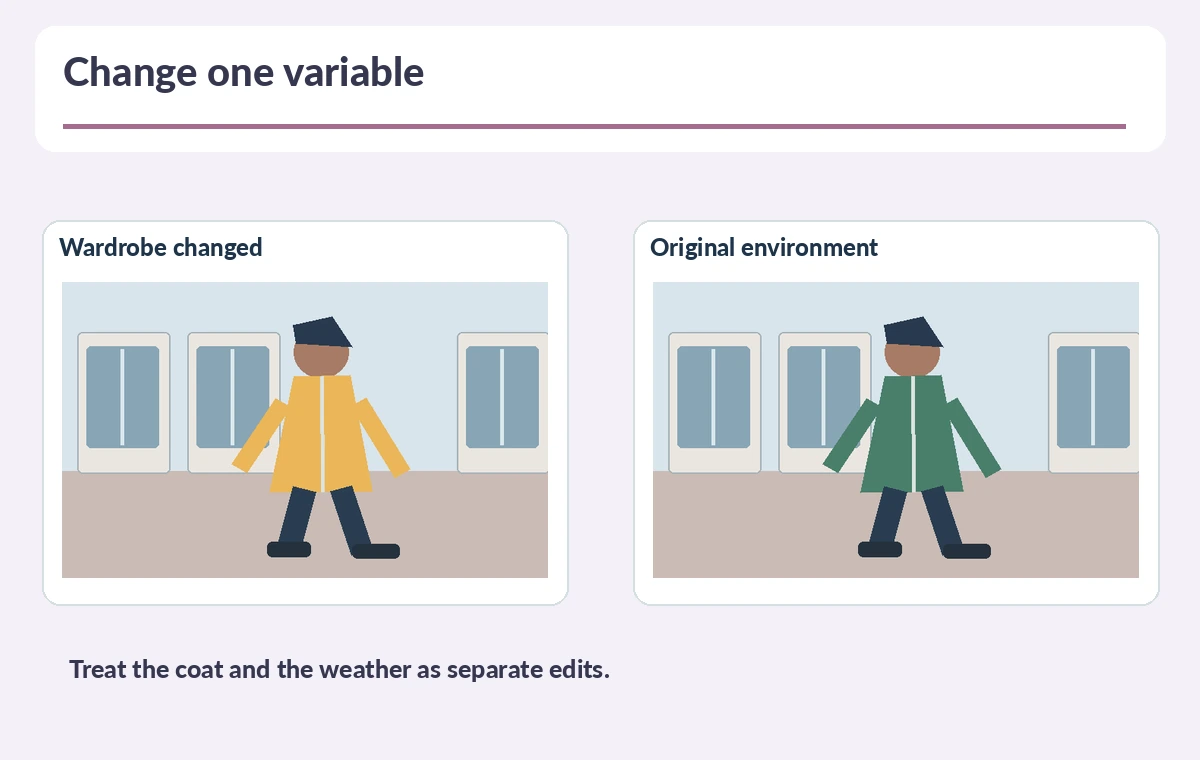
Use start and end anchors to test the same action
Identify the presenter’s starting heel position and ending location within the frame. If keyframes are exposed in the selected mode, create reference stills consistent with that same path; do not demand impossible teleports between unrelated poses. The official Ray3 Modify update emphasizes precise keyframe control, yet editors should inspect everything in between. Draw an overlay grid on three exported proof frames and compare subject scale, jacket length, hands, and scene lines. A correctly matched first and last frame does not guarantee the middle five seconds are coherent. If a transition becomes implausible, reduce the degree of visual change.
Run a temporal defect review before approving
Examine frames around hand-to-sleeve overlap, the walk past the window, and the final turn. Flag disappearing fingers, false shadows, repeating raindrops, and a coat seam that floats away from the torso. Compare audio timing with the original if sound is present. Use status words “accept,” “revise,” and “retake”; never invent a confidence percentage without a test protocol. Decide whether real reshooting is cheaper and more honest than repeated repairs. For catalog claims about real garments, an AI coat is a concept image and should not stand in for an accurate product photograph. Keep all observations tied to specific frames.

Publish with clear transformation records
Your handoff should include the source clip, performer permissions, one-page change brief, selected model path, exported proof, timestamped defect list, and a clear note saying the jacket and weather were digitally modified. Verify any commercial or publicity approvals independently of the tool subscription. Preserve a source version in the campaign archive and avoid claims about the original environment that the edited version contradicts. If this is an advertisement, have the product and legal reviewers approve the depiction before release. In this use case, useful AI is a controlled creative option that can be compared against a real retake, not a replacement for truthfulness.
How We Research
We checked Luma’s December 18, 2025 Ray3 Modify announcement and the Ray3 feature overview on October 28, 2026 for video-to-video transformations, character references, and start/end control. The café presenter, raincoat, and timeline examples are conceptual illustrations. We did not run Modify or evaluate output quality; plan-specific access and current modes require confirmation inside Dream Machine.
Frequently Asked Questions
A continuous licensed shot with a consenting performer and clear, inspectable wardrobe edges.
Ray3 Modify promotes wardrobe editing, but verify every frame and avoid changing the subject identity.
No. Review the intervening motion and seam continuity separately.
Not without clarity: the transformed scene is a constructed creative representation.
Reduce the requested change or return to conventional footage and reshoot.