
A neighborhood art fair needs concise social posts for several channels, but the organizer has confirmed only the opening date and location. The closing time, vendor list, and admission conditions are still being finalized. Hootsuite’s Wisdom, previously called OwlyGPT, can draft social content using brand context and supplied materials. This hypothetical guide explains how to get useful copy without treating a fluent caption as an authoritative event announcement, and how to keep the publish button separate from the writing stage.
Start with an event record the organizer actually approved
Prepare a simple factual brief with the exact event name, date, street address, approved opening hours, public contact, and any verified entry or accessibility instructions. Mark each unresolved field plainly: closing time pending, vendor lineup unconfirmed, or registration policy under review. Do not fill these gaps using last year’s program or a typical market schedule. Give each fact an owner who can approve or correct it before it appears on a public channel. Keep a dated copy of the approved brief.
Separate persuasive claims from logistical promises. It is fine to describe a creative afternoon if the tone suits the event, but not to promise free admission, indoor seating, wheelchair-accessible parking, or a particular artist unless the organizer confirmed it. An AI writer does not have privileged access to the committee’s live decisions. This fact inventory helps the social team reject captions that sound plausible but cannot be supported. Assign the final approver before generating any candidate copy.
Find Wisdom in Hootsuite’s current experience
Hootsuite’s October 2026 documentation identifies Wisdom as its social-first AI agent, formerly OwlyGPT. Its help pages distinguish the new Social OS interface from Classic workflows, which can present different menu paths. Wisdom can assist with ideas and captions and may use brand context from connected channels. That is useful for voice consistency but does not prove that a date or price is true. Work from the current documentation for the account’s interface rather than older OwlyWriter walkthroughs.
The product pages describe uploading documents and images as context for drafting. They also explain file limits and that document extraction uses text content. Before sharing a brief, remove private phone numbers, artist contract terms, and personal attendee information. Use an approved public-facing source wherever possible. A marketing workspace is not a substitute for the organization’s privacy policy, and source material should be appropriate for the account’s permission and retention settings.

Prompt for channel-specific variations, not invented details
Give Wisdom the verified brief and ask for three short versions: a straightforward announcement, a welcoming community reminder, and a concise day-of update. State in the prompt that unknown hours, vendor names, and fees must not be supplied or inferred. Request captions that identify the event, use a consistent accessible contact route, and make no promises beyond the source. If a question needs an answer the brief cannot support, leave it out or direct viewers to the official event information page.
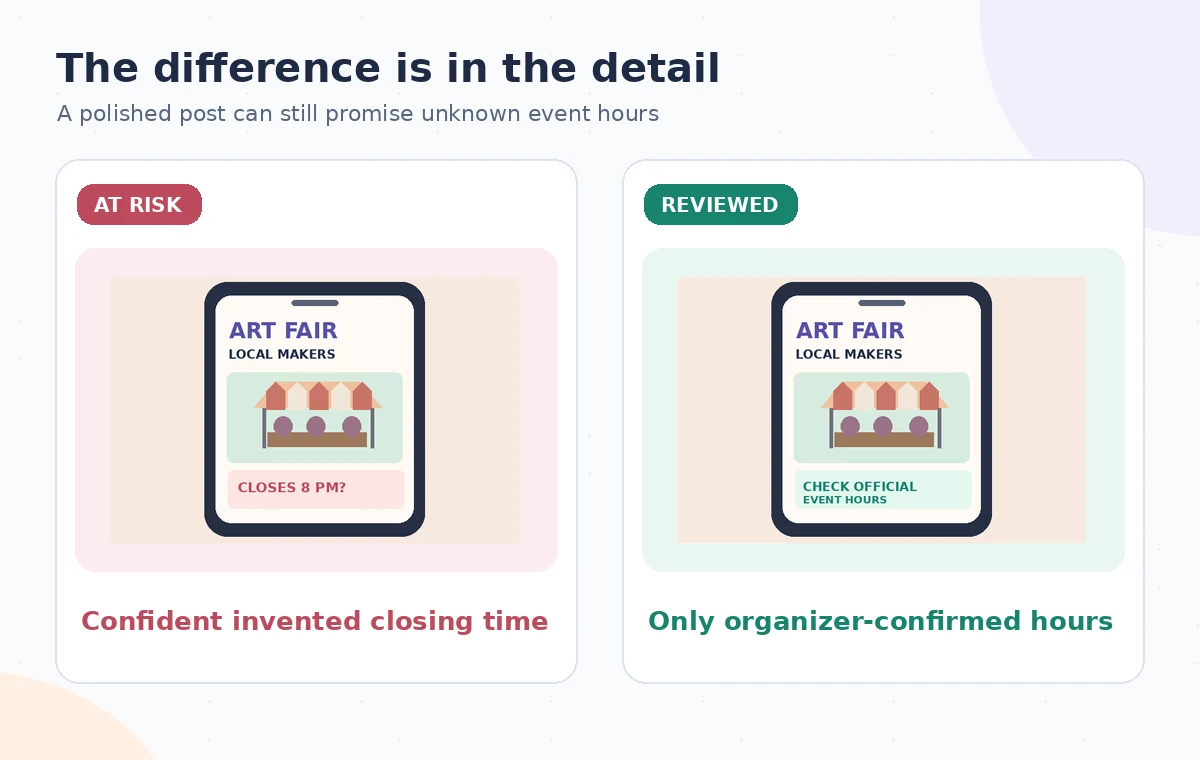
Avoid requesting synthetic quotations from visitors, invented reviews from artists, or exaggerated attendance claims. If the tool suggests a confident closing time anyway, do not patch it into the calendar as a placeholder. Reject that version or remove the unsupported clause. Compare tone separately from accuracy: a caption can feel perfectly on-brand and still be wrong. The accompanying diagram shows a model caption being routed through a human factual gate, not an actual Hootsuite screen.
Use the AI tool selection checklist
Audit every factual token in the proposed text
Read the generated captions against the organizer brief with a checklist: date, time, venue, price, eligibility, lineup, contact route, and any links. Double-check small words such as only, free, all, and guaranteed, because they can turn a cautious announcement into an unsupported commitment. Verify whether the venue name includes a building wing or an outdoor entrance. For event accessibility, use the venue’s published statement and do not improvise service promises.
Test each URL and ensure it leads to the currently approved event page rather than an outdated poster. Check any hashtags for ambiguity or irrelevant associations. Image captions and alt text should describe the actual image used; do not invent details about people in a photo. If a post contains an AI-generated image, follow the platform’s applicable disclosure rules and the organizer’s creative policy. Keep a revision log noting what was changed and who confirmed the correction.
Adjust copy to the platform without changing meaning
A short message for a rapid-update feed may need fewer words than a community Facebook post, but both must carry identical essential facts. Rewrite the sentence structure for readability without dropping the full date or altering a confirmed entrance. If the platform has character limits or link formatting requirements, preview the final post in its target layout. Check line breaks on mobile and read alt text independently of decorative graphics. An eye-catching post that hides the key logistics below a truncation point is not effective.
Do not interpret Hootsuite’s AI text as analytics evidence that a certain phrase will reach more people. Wisdom can help propose wording, but this hypothetical guide does not measure engagement or conversion. Use a small set of varied, approved captions rather than blasting every platform with nearly identical generated copy. A human editor should be able to explain the audience goal of each version and show exactly which facts it communicates.
Plan a safer multi-tool workflow
Keep approval, scheduling and publishing separate
Hootsuite offers planning and scheduling features, and its support pages describe how content can be created in a calendar. For this workflow, a draft is not scheduled simply because it exists in Wisdom’s conversation. Route the preferred caption to the event organizer, who checks it against the latest brief, then require an authorized social manager to set the publication time. Confirm the destination account: posting a local notice to a different organization or location may cause real confusion.
Schedule only after the approved opening information is stable. If the closing time remains unknown, leave it out rather than guessing. Review the calendar’s time zone and each network’s preview, then note the approval record. A scheduled post is not the same as a successfully published one; verify delivery in the target account. If a schedule change arrives, update the source of truth first, then identify and correct every queued message that repeats the old value.

Prepare a correction path for real-world updates
Community events change when weather, vendors, or building access conditions shift. Decide who can pause a scheduled message and who provides authoritative updates. Create a short correction template that distinguishes confirmed facts from pending decisions and links readers to the official page. Avoid silently editing a message in a way that disguises a consequential change, especially if the original post gave inaccurate directions or prices. Keep records needed for responsible communication.
The official pages document Wisdom’s content support and Hootsuite’s calendar behavior; they do not establish the factual truth of any particular fair. This scenario is illustrative, no actual organizer brief was uploaded, and no social content was published. The practical standard is simple: AI proposes copy, the organizer owns the facts, and the social manager controls the release. That division prevents a creative draft from accidentally becoming a public commitment.
How We Research
We checked the named vendor documentation: Hootsuite Help: Get started with Wisdom and Hootsuite Help: Create content with Wisdom and Hootsuite Help: Create and schedule content in a calendar. We compared its stated user controls, availability warnings, workflow stages and limitations against the concrete scenario described here. We then developed original educational diagrams and a separate human-review procedure for the materials that need independent evidence. The scenario is hypothetical: we did not sign into a paid account, upload a real customer asset, operate the feature on the example, or measure output quality. The figures are schematic, not actual interface captures or recorded processing results. Product menus, permissions and plans can change; verify the current installed edition and applicable policies before relying on this method.
Frequently Asked Questions
Hootsuite’s current documentation describes Wisdom as formerly OwlyGPT. Interface names differ between Social OS and Classic experiences.
Hootsuite describes using uploaded documents and brand context to support content creation, subject to account and upload limitations.
Not reliably. Supply organizer-approved hours and omit fields that are still unknown.
No. Drafting, approval, scheduling, and publication are distinct workflow stages that a team should verify.
Avoid sharing personal data that is unnecessary for public captions. Check organizational privacy requirements and use a sanitized event brief.