
A public seed library wants a lightweight online helper that explains how to read seed packets and find the official borrowing rules. Staff do not want to maintain an inventory system or collect patrons’ borrowing histories. Google Opal supports visual, no-code AI mini-apps assembled from connected steps and prompts. This hypothetical tutorial designs a limited educational prototype, emphasizes test cases that expose fabricated availability claims, and treats sharing controls as part of the product design rather than an afterthought.
Define a purpose that does not need private records
Write the mini-app’s job in one line: help visitors understand publicly posted seed categories and direct them to the seed library’s verified catalog. Avoid building an account portal, check-out ledger, or personalized recommendation system that would need patron identities. Choose minimal input fields, such as a general growing interest and whether the visitor wants packet-reading guidance. Do not ask for a street address, phone number, borrowing history, or personal profile. Use a fictional sample catalog while testing the structure.
Prepare a source sheet with the library’s publicly approved rules, opening hours, and catalog URL. Mark live seed availability as unknown unless the staff have an authoritative, maintained stock feed; a static instruction page cannot know which packets are on the shelf this afternoon. Keep practical growing advice framed as general learning rather than a promise that any seed will perform in a specific climate. The purpose is a helpful front door to official information, not an unattended inventory clerk.
Create an Opal and examine its visual editor
Google’s Opal documentation describes making a mini-app by natural-language prompting or by manually arranging steps in a visual editor. An Opal can contain connected inputs, model steps, and outputs, and the editor lets a creator follow those connections. Start a new experiment or remix a Google Gallery example only after inspecting what the inherited workflow does. A gallery app can be a useful learning scaffold, but it is not necessarily configured for a library’s data rules.
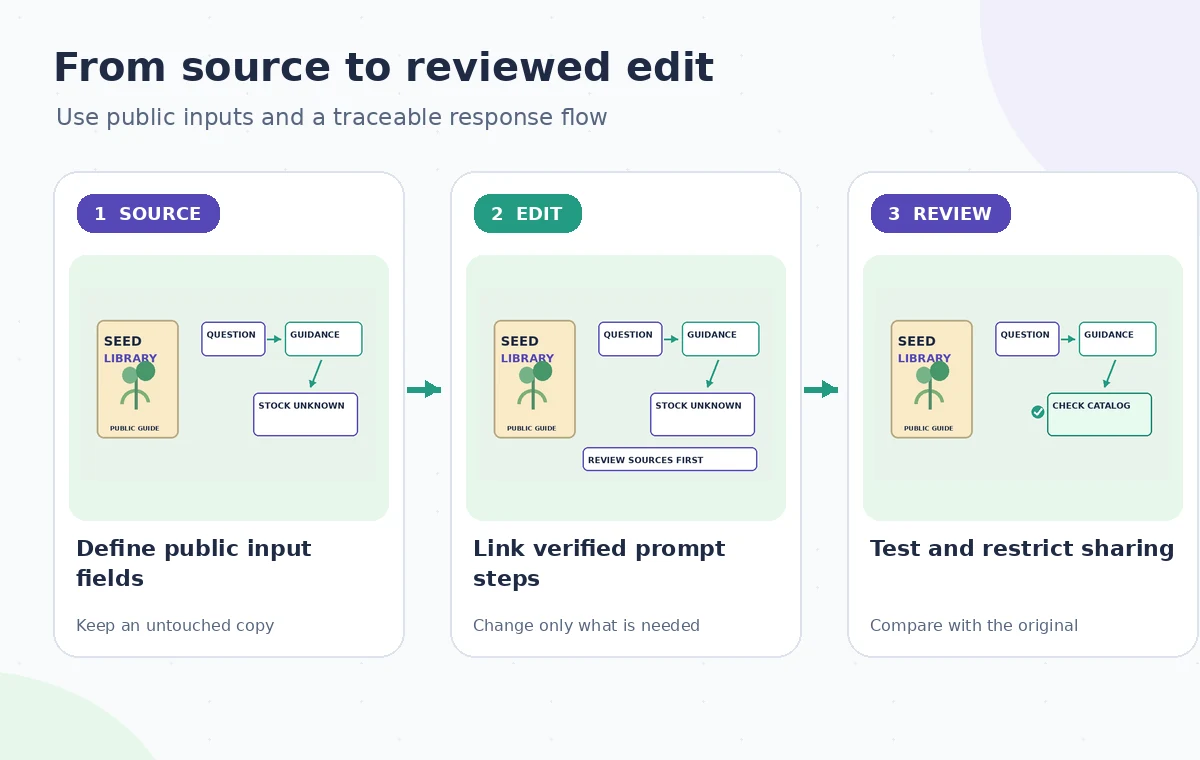
Lay out three logical stages: accept a harmless question, provide guidance from approved public information, and display a result with a link back to the real catalog. Name each step according to its job, such as Visitor question, Approved guidance, and Public answer. Opal’s editor can execute steps for testing, and some stages depend on previous stages. Keep the topology simple enough that staff can trace exactly where an unsupported assertion could enter the answer.
Make uncertainty an explicit output condition
In the prompt that prepares the answer, instruct the model to distinguish known library policies from examples and uncertain stock information. If a visitor asks whether basil seeds are currently available, the correct response in this prototype is that shelf inventory was not verified, followed by the official contact or catalog route. Never let the model infer stock from past popularity or the example seed list. Ask for plain language, a link to the rules, and a brief note about what the app cannot confirm.
Avoid framing the prompt as if it has access to live borrowing systems. Do not paste patron logs into a prompt or connect an unauthorized data source. A reply should be useful even when the question is out of scope: explain that the mini-app cannot process borrowing transactions, cannot reserve packets, and cannot guarantee gardening outcomes. The flow image illustrates these intended branches; it is not a screenshot of an operational Opal app or proof that Google enforces these business constraints automatically.
Use the AI tool selection checklist
Test the flow from each step and the end-user preview
Use the editor’s step controls to inspect intermediate outputs, then switch to the app preview to try the whole interaction. Test an ordinary request about reading germination information, a request for today’s basil stock, an attempt to submit a person’s address, and a question about a library policy omitted from the source sheet. For each, note what the app said and whether it pointed to a verified source. Use dummy inputs, not real patron records, during these checks.
Create a simple acceptance sheet: no collection of identifying information, no unsupported inventory claims, clear source links, and respectful responses when rules are unknown. Inspect whether earlier steps accidentally contaminate later answers with fabricated facts. Revise the prompt and retest after every structural change. If the mini-app cannot reliably handle a class of questions, narrow the stated scope or have the public site explain the topic directly instead of pretending the assistant can solve it.

Keep app sharing permissions deliberate
Google’s Opal overview says apps are not shared by default until the creator chooses to share them. The sharing options can give others view or edit access, and publishing produces a link through which people can try the app. Google’s documentation also warns that shared access can expose the app’s prompts and content to collaborators. Review each permission before selecting Share app. Internal prompts should not contain personal data, confidential credentials, or administrative instructions the organization would not release.
Start with the smallest trusted reviewer group. A public link can reach people outside the library, so test it with a separate account and confirm the visible information and permissions. Do not mistake a private preview for a deployed public service. Set a named owner who can change, unshare, or retire the mini-app if information becomes outdated. Hosting convenience does not remove the need for accessibility, privacy, and content governance reviews.
Plan a safer multi-tool workflow
Inspect the actual answer, not just the flow diagram
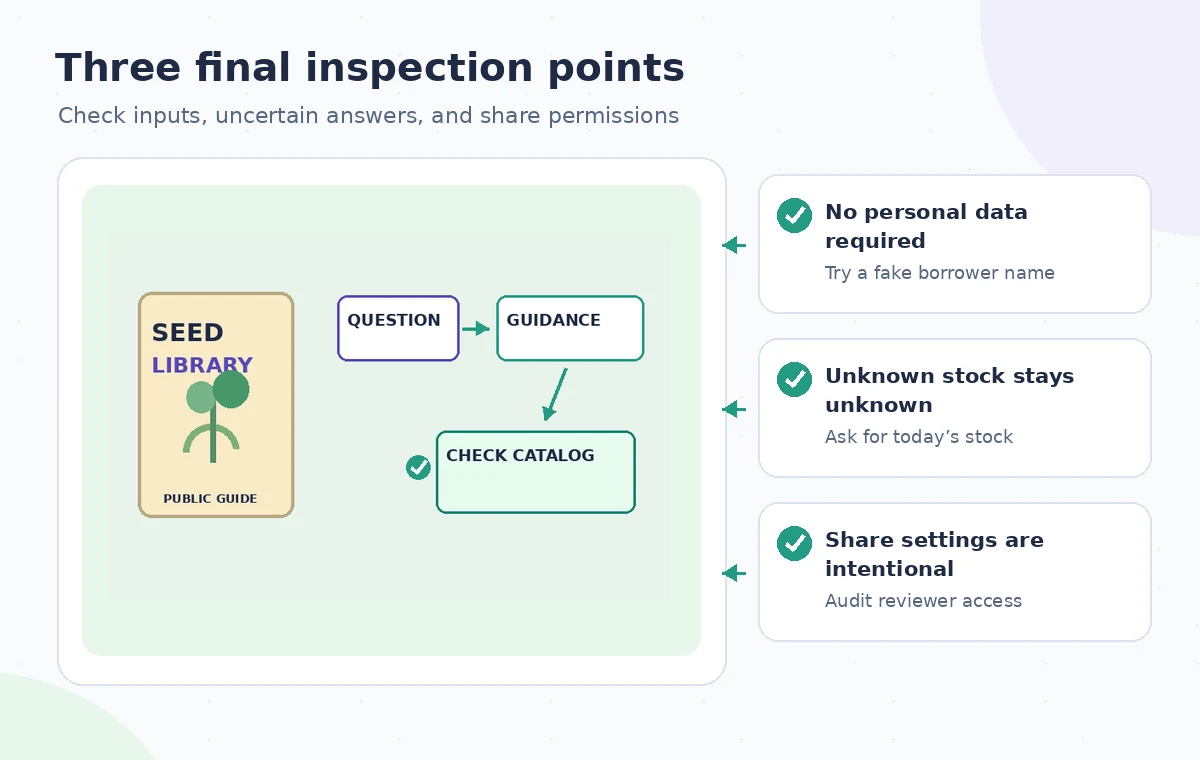
A visual workflow can appear logically correct while still producing an inaccurate final sentence. Read example results for clear wording, usable links, and honest uncertainty. Verify that a request about out-of-stock items leads to the official catalog rather than an invented list. For accessibility, test the text order and interaction with the organization’s supported devices and assistive technologies. A neat series of nodes is not evidence that the final experience works for everyone.
Have a staff member unfamiliar with the prototype answer three simple questions using the preview: where to check current stock, how to read a seed label, and where to find official borrowing rules. Record where they get lost. Remove any misleading call to action such as Reserve now if the Opal cannot actually reserve seeds. Recheck the app after modifications, because changing one prompt can affect outputs beyond the place where the edit occurred.
Decide whether a mini-app is justified at all
A static FAQ may serve the library better if the public information is short and rarely changes. Choose Opal only if its multi-step interaction makes the guidance clearer than a well-structured webpage. Before launch, designate an owner for source updates, a process for handling erroneous suggestions, and a routine review of sharing settings. Keep the source sheet and successful dummy tests so future maintainers can understand the scope without recreating the original prompting session.
The official Google documentation supports the existence of Opal’s prompt-based editor, preview, and sharing features; it does not validate the imaginary seed-library app. No real library data was uploaded and no public Opal was deployed for this article. The examples and illustrations are conceptual. The recommended result is a tested, deliberately limited prototype that sends visitors to authoritative information instead of presenting probabilistic text as a live inventory database.
How We Research
We checked the named vendor documentation: Google for Developers: Opal overview and Google for Developers: Opal home and mini-app introduction. We compared its stated user controls, availability warnings, workflow stages and limitations against the concrete scenario described here. We then developed original educational diagrams and a separate human-review procedure for the materials that need independent evidence. The scenario is hypothetical: we did not sign into a paid account, upload a real customer asset, operate the feature on the example, or measure output quality. The figures are schematic, not actual interface captures or recorded processing results. Product menus, permissions and plans can change; verify the current installed edition and applicable policies before relying on this method.
Frequently Asked Questions
Google describes creating and editing mini-apps through natural-language instructions and a visual step editor.
Yes. The editor allows steps to be added and connected, with individual testing and whole-app preview.
Not unless the app has an authorized, reliable source for that information. This guide deliberately avoids claiming live stock awareness.
Google states that an Opal is not shared by default; creators choose sharing and publishing controls.
Google warns that sharing an Opal can reveal its content and prompts to people with access. Keep secrets and borrower data out.