
Understand Notion AI seat prices, Standard and Select credits, Custom Agent overages and the October–November 2026 rollout before budgeting. This guide distinguishes documented product capabilities from editorial decision criteria; any purchase or automation still needs confirmation in the active workspace.
Start with the plan, not the word AI
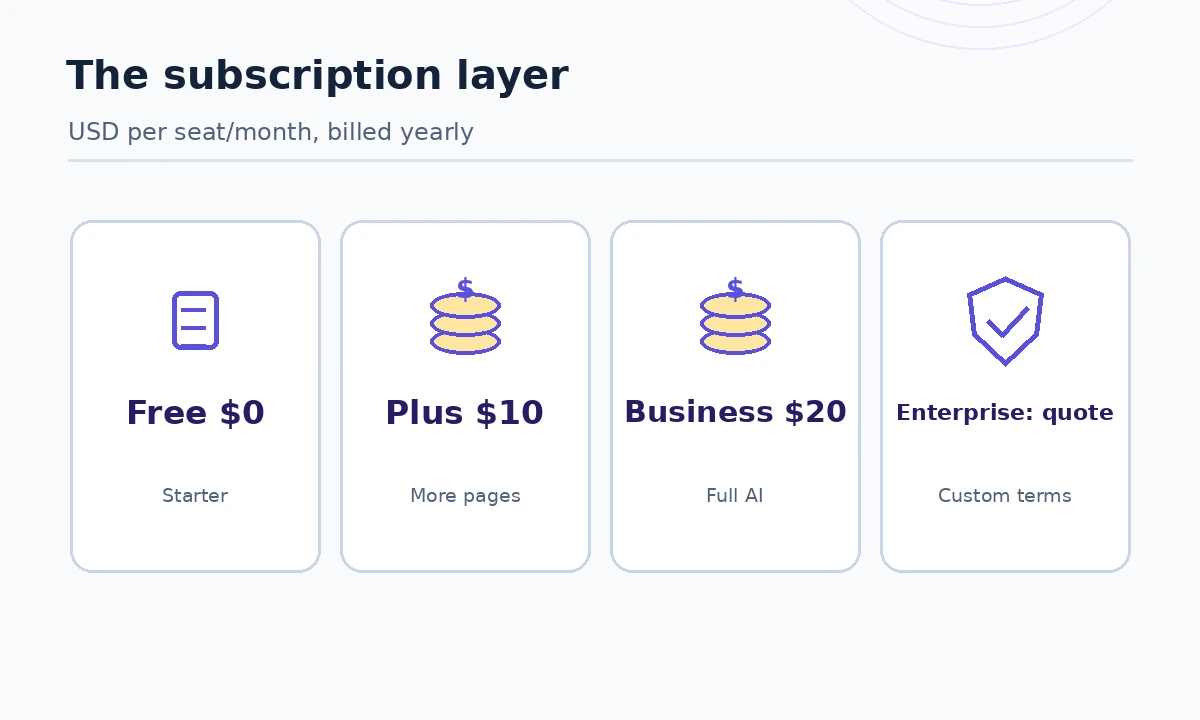
Notion AI pricing is easy to misread because the subscription, the included AI allowance, and extra workspace credits are different purchase decisions. Notion’s current pricing comparison lists Free at $0, Plus at $10 per seat per month, Business at $20 per seat per month, and Enterprise by quote in its displayed annual-billing comparison. Monthly billing can be different. These figures refer to the Notion workspace tier, not to a standalone AI chatbot license. If you already have Notion, calculate the incremental change from your existing tier rather than pretending the whole Business fee is an AI surcharge.
Free and Plus show limited trials for important AI capabilities; ongoing Notion Agent, AI Meeting Notes and Enterprise Search access is tied to qualifying higher tiers. A small team might sensibly stay on Plus if it mainly needs documents and databases. A company that relies on agent search over its shared wiki has a different question: whether enough staff need Business to justify the upgrade.
What comes with Business and Enterprise
Business is the first serious AI evaluation tier. Its workspace includes core agent experiences, meeting notes and connected knowledge search subject to feature eligibility, fair use, permissions and credits. Enterprise adds contracted controls and terms that are not fully described by a public per-seat price. An Enterprise quote should identify both the subscription commitment and the AI usage terms; do not infer that unlimited AI work follows from the word Enterprise.
Notion’s AI security documentation explains a useful difference: Free, Plus and Business AI providers retain data for no more than 30 days, whereas Enterprise generally uses zero-data-retention models but allows certain non-zero-retention models only through owner opt-in. This is a purchasing requirement for sensitive teams, not an automatic promise of compliance for your workflow.
The October 2026 credit change matters
Notion published a new credit structure with different effective dates: new Business and Enterprise workspaces transition starting October 19, 2026, while existing workspaces transition November 2, 2026. On October 27 a long-standing subscriber may therefore still see a different billing interface from a newly created workspace. This article describes the announced system and tells owners to confirm their own Settings → Notion AI → Usage screen before making commitments.
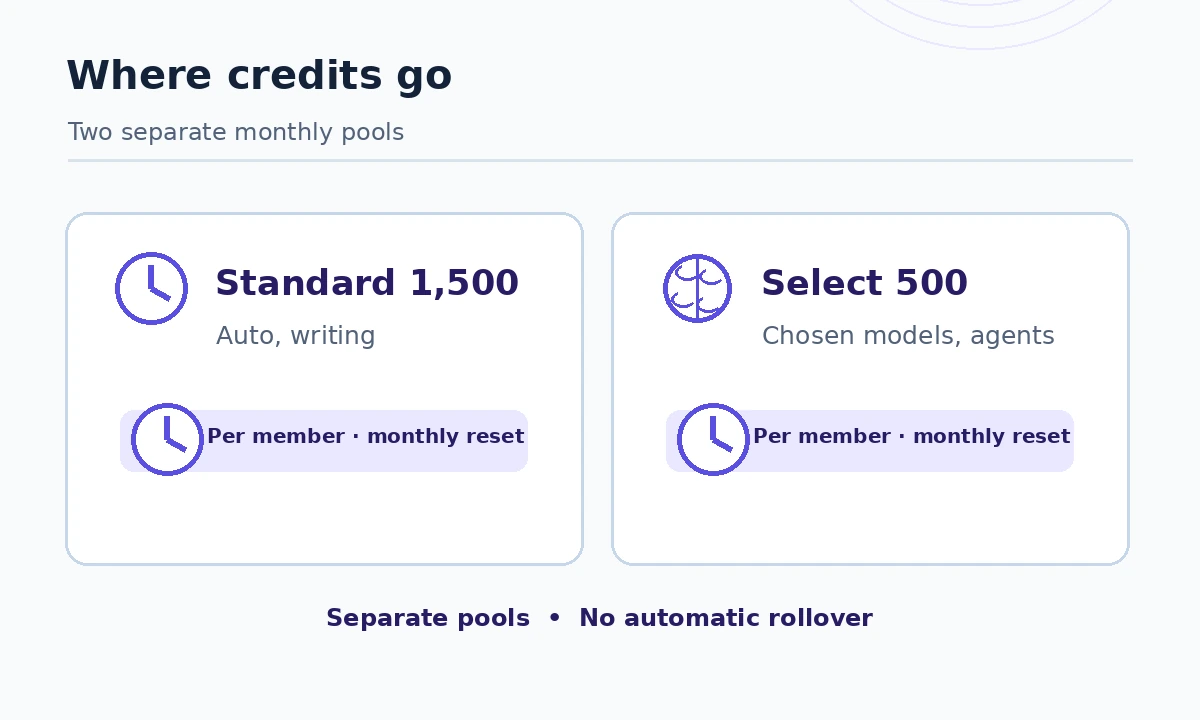
Under the published default allowances, each member receives 1,500 Standard credits and 500 Select credits a month, in separate, nontransferable pools that do not roll over. Standard covers work using Notion’s automatic model choice, such as agent chat, writing and translation. Select covers manually selected models and owner-funded Custom Agents. Notion cautions that allowances can vary by purchase arrangement. A monthly quota is not a guaranteed number of prompts: complex work draws differently.
Calculate a seat budget without false precision
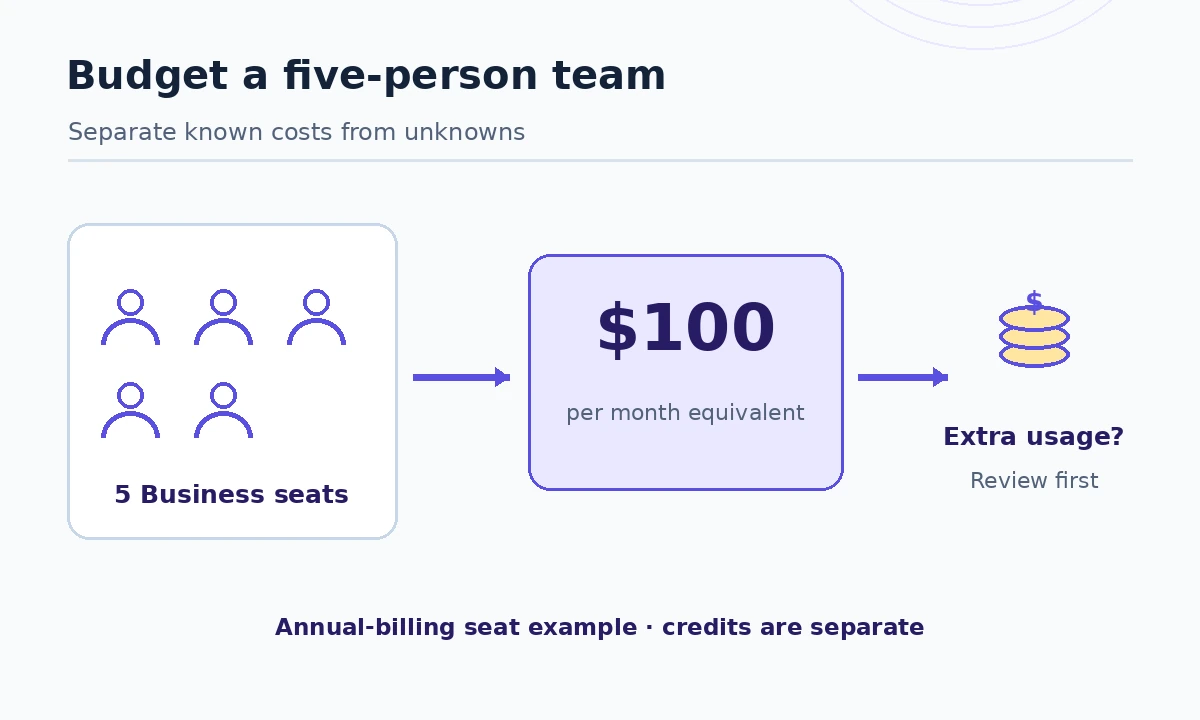
For an illustrative team of five buying Business at the displayed $20 per seat per month on annual billing, the recurring subscription equivalent is 5 × $20 = $100 per month, or $1,200 across twelve billed months. This is a scenario, not an invoice quote: verify currency, tax, billing cycle, member roles, discounts and contract minimums. The team’s nominal pools would be five separate Standard allowances and five separate Select allowances, not one unrestricted shared bucket of 10,000 interchangeable credits.
A team with two power users should not assume it can move unused included credits from three colleagues to those two. Instead, identify who creates agents, whether admin-funded workspace credits are authorized and whether a workload can use a cheaper model route. Make the budget sheet show subscription base, additional usage allowance, owner and review date as separate columns.
When Custom Agents add cost
The Custom Agent credit guide says an agent uses its owner’s Select credits by default, then approved additional pools; admins can instead fund agents from a workspace budget. Each run varies with how much information it reads, the models selected, the number of steps and the frequency. An automated task that reads ten databases and posts updates is not the same unit of work as answering a brief question.
Notion separately advertises workspace Notion credits at $10 per 1,000 credits, with monthly bundles that reset and do not roll over. Treat that as an extra usage price, not the seat price and not evidence that 1,000 credits always buy 1,000 interactions. Set agent-level spending caps and a reviewer for actions that create, edit or notify anyone. For a pilot, record the credits consumed by three real recurring workflows rather than guessing from output volume.
A purchase decision in three scenarios
Solo writer: begin with Free or Plus and trial the AI features before paying for Business solely to rewrite paragraphs. Five-person operations team: consider Business when source-grounded workspace search, meeting summaries and database updates replace real manual effort. Regulated department: request an Enterprise security review, including provider retention settings, external integrations, access reviews and any nonstandard contract terms, before loading confidential data.
Across all three cases, count avoided tasks after human review, not raw generated text. If an agent’s draft requires the same time to check as manual work, more credits will not create a good return. A practical acceptance rule is that a task must have a stable input, a clearly defined final state and someone accountable for mistakes.
Before checkout: verify the workspace-specific offer
Open Notion’s public plans page, then inspect Settings → Notion AI → Usage in the actual workspace. Record whether this is a new or existing workspace, the current plan, included pools, the proposed billing interval, the agent’s funding source and who can approve overages. Create a redacted screenshot for the finance approver if appropriate. Do not enter card details until the contract and billing interface agree.
Check the effects of invitations and contractors: a public price shown per seat does not tell you which workspace roles are chargeable under your configuration. For a reproducible comparison, keep all alternatives on the same billing term and number of active paying members. Use a 30-day decision window that captures at least one full recurring workflow.
How We Research
We reviewed the following manufacturer-maintained primary sources on October 27, 2026: Notion plans, included credits and dates, Custom Agent credit allocation, Notion AI security. We compared documented eligibility, current feature descriptions and any published limits against the buying or implementation question this page answers. Figures and credits refer only to the billing views and transition dates specifically identified above; they may vary by seat, country, contract or workspace migration. Our check was a documentation review and workflow design exercise: we did not buy accounts, perform hands-on accuracy benchmarking, interview customers or measure savings. Suggested pilots are reader-run exercises, not results that LabFin claims to have observed.
Frequently Asked Questions
No. The listed $20 per seat per month is the Business workspace tier under the displayed annual-billing comparison, not an isolated AI add-on.
The new published default is 1,500 Standard and 500 Select credits per member each month, in separate pools; confirm your workspace arrangement and transition date.
Notion lists October 19, 2026 for new Business and Enterprise workspaces and November 2, 2026 for existing workspaces.
No. The two included monthly pools are individual and nontransferable; admins can separately authorize shared Notion credits.
Not necessarily. Notion says most Enterprise models have zero provider retention, while certain other models require an explicit workspace-owner opt-in.