
People still search for NotebookLM pricing, but Google renamed the product Gemini Notebook on July 16, 2026. It remains a standalone, source-grounded notebook experience, and its limits now require special care. In September 2026 Google introduced compute-based usage quotas, so a count of “fifty chats per day” from an older tutorial may no longer describe what your account can do.
This article addresses a narrower question than general Google AI subscription pricing: how many notebooks and sources you can organize, why chat or Studio work may hit a limit, and when a higher plan actually improves a research workflow. All figures below are an October 26, 2026 reading of Google’s official documentation, not a promise that quotas will remain fixed.
Recognize the renamed product first
Google’s July 2026 announcement says NotebookLM is now Gemini Notebook. It describes the same standalone product continuing with closer integration across the Gemini ecosystem. That is distinct from simply creating a chat in the Gemini app. Notebook workflows are centered on uploaded or imported sources and the ability to inspect what the assistant uses in an answer.
Before selecting a plan, confirm you are looking at the Gemini Notebook help pages rather than an old NotebookLM feature matrix or generic Gemini app quotas. AI Plus, AI Pro and AI Ultra are broader Google plans that also change notebook entitlements. Availability of some advanced features depends on device, region and account type.
Compare notebook and source caps
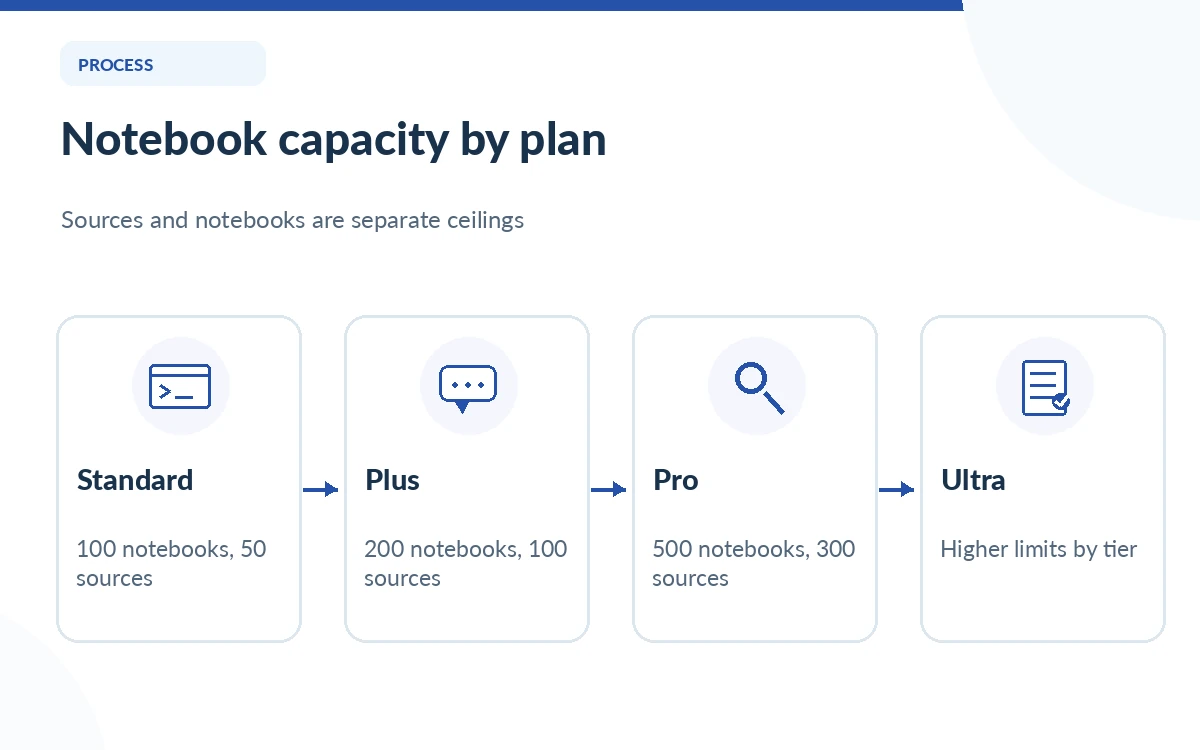
Google’s current consumer plan help table lists 100 notebooks for Standard, 200 for Plus and 500 for Pro and Ultra. It lists 50 sources per notebook for Standard, 100 for Plus, 300 for Pro, and higher caps for Ultra tiers depending on the storage configuration. These are specific, inspectable capacity limits and easier to plan around than vague descriptions such as “more AI.”
For example, a student with twelve courses might be below the 100-notebook Standard limit, while a research assistant whose principal notebook needs 75 distinct sources would exceed the Standard 50-source cap. The relevant question is whether a single source collection must remain together. Splitting a project into multiple notebooks may be workable, but it may also fragment the evidence you want the assistant to compare.
Understand the September compute-based quotas
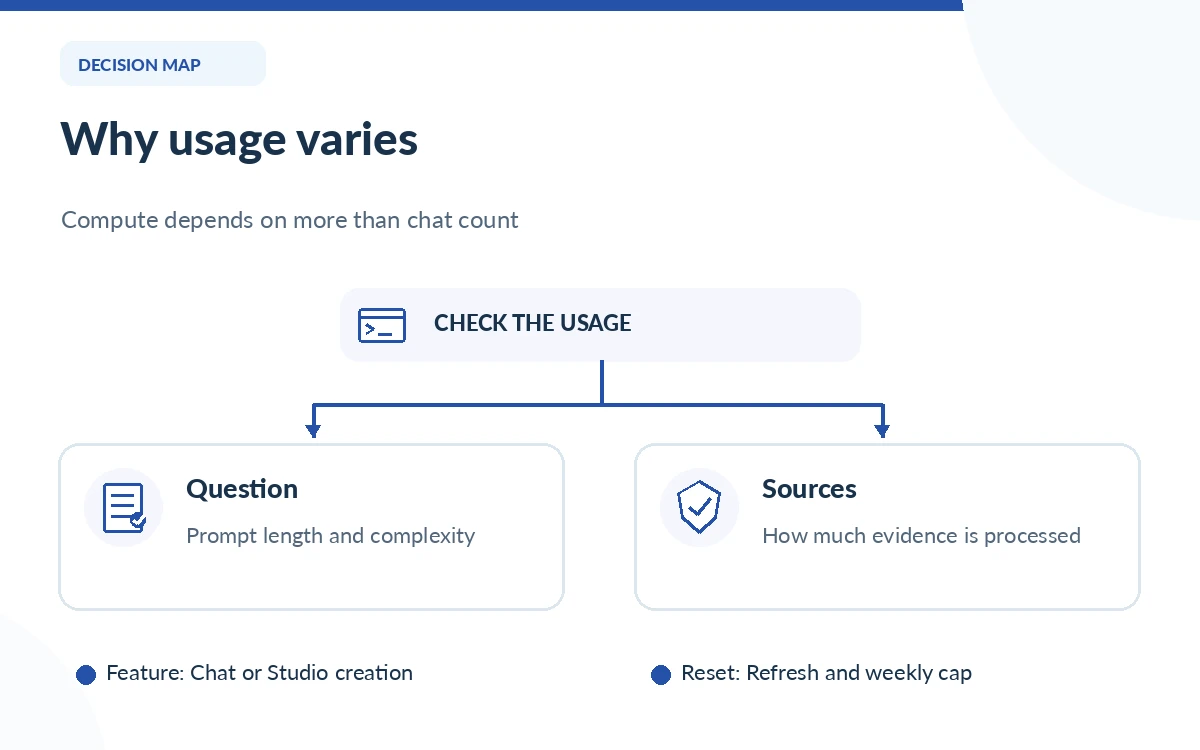
Google’s October help center says Gemini Notebook usage now depends on computational complexity. Prompt complexity, model selection, feature use and chat length contribute to the allowance. When a limit is reached, usage can refresh every five hours until the user reaches a weekly limit. The current support article describes Standard access plus higher relative limits for AI Plus and Pro rather than guaranteeing a fixed number of identical questions.
The same page describes Plus as two times the standard compute allowance and Pro as four times standard; Ultra may be five or twenty times Pro depending on subscription. Those multipliers are relative allocation descriptions, not a guarantee that every user can complete exactly twice or four times as many chats. Heavy source analysis can consume more compute than a simple factual question.
Find the usage meter before upgrading
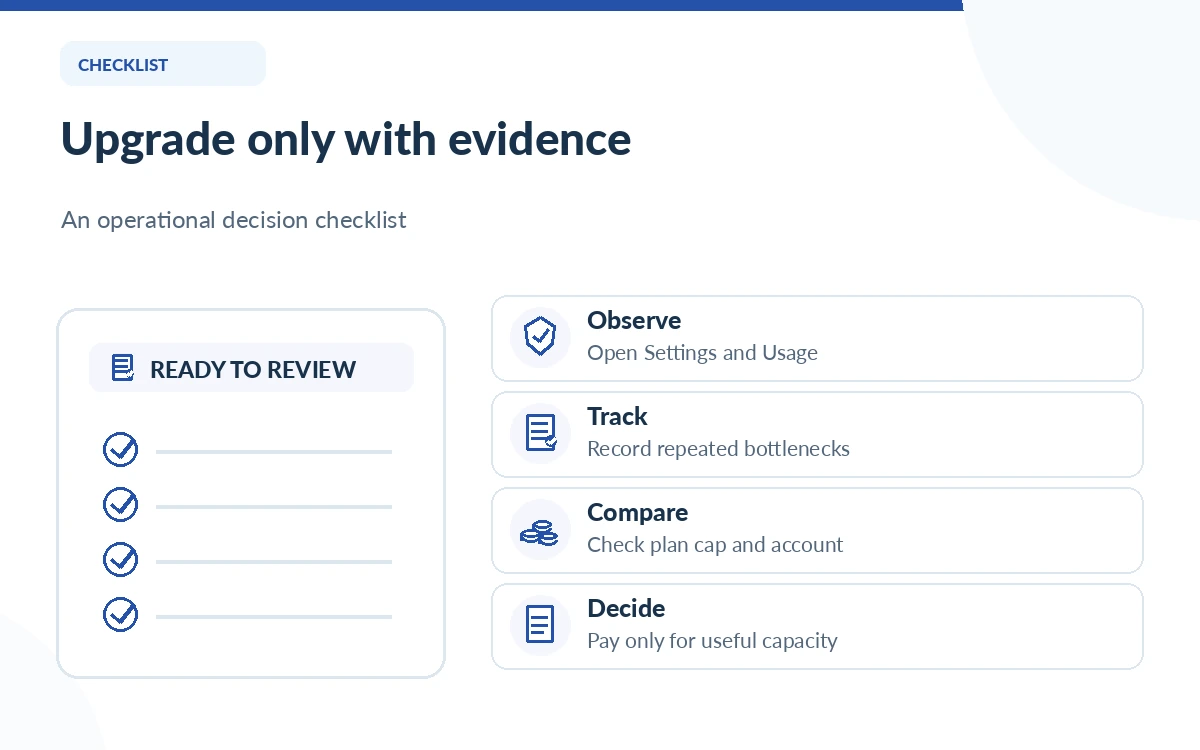
On the web, Google directs users to open the notebook, select Settings and then Usage to review the remaining allowance. The chat area can also display how much usage remains and when limits reset. Studio generation indicates expected usage before producing outputs. This is a better guide for a repeat researcher than extrapolating from a plan description or a screenshot of someone else’s dashboard.
Track what triggers a limit during your actual workload: long source comparisons, repeated media summaries or many small chats. If you only hit a limit during one unusually busy day, waiting for a refresh may be reasonable. If multiple colleagues require steady throughput, consumer subscriptions may not be the appropriate organizational route; check qualifying Google Workspace plans and their data terms.
Use the source limit intelligently
Gemini Notebook supports Google documents, PDFs, public URLs, eligible YouTube material, text and other document formats. Google says an imported source may be up to 500,000 words or 200 MB for uploads, subject to source-type limitations. These are size ceilings, not a suggestion to upload every available document regardless of relevance.
Select a tight evidence set: current primary documents, dated methodology, counterexamples and any controlling policy. Remove near-duplicates, label revised files clearly and decide whether separate topics belong in separate notebooks. More sources can improve coverage, but a noisy notebook with conflicting editions can make source-based conclusions harder to audit.
Decide whether Plus, Pro or Ultra is warranted
An upgrade is rational when you repeatedly hit a documented cap that blocks a valuable task. Plus offers larger notebook/source allowances than Standard; Pro raises them further and brings additional AI access. Ultra is aimed at much heavier use and has tier-specific limits. The expense should be judged against your recurring research workload, not a fear of missing advanced features that you never use.
Keep price comparisons separate from capability comparisons. Google’s broader plan prices and promotions can change, and a single Google AI plan may fund features beyond Gemini Notebook. Calculate how often you exceed a notebook cap, how many reports or source sets you need, and whether an existing Workspace license already covers your needs. Check the official checkout before quoting a US price to colleagues.
Protect sources and document limitations
Google’s consumer help states that Gemini Notebook data is not used to train the product unless the user provides feedback, while Workspace and education offerings have additional data-handling protections described in their own documentation. Nonetheless, a team should validate account terms and organizational approval before importing contracts, student records or personal information. A source-grounded answer can still omit qualifications or misread a passage.
For a useful notebook, keep a source inventory, verify decisive citations against original files, and record the date when the evidence was last refreshed. A paid quota does not make an output legally compliant, factually perfect or safe to distribute. The strongest workflow pairs the notebook’s convenience with human source review and a clear decision about which material may be uploaded.
How We Research
We checked Google’s July 16, 2026 rename announcement, current plan and source-cap comparison, September 2026 compute-based usage explanation, and source import guidance on October 26, 2026. We did not log into a paid Notebook account or measure compute consumed per query; eligibility and UI allowances vary.
Frequently Asked Questions
Yes. Google announced the rename on July 16, 2026 and says it remains a standalone source-grounded notebook product.
Google currently lists 50 sources per notebook for Standard access, subject to change.
No. Google describes compute-based limits since September 2026, and different questions and features can consume different amounts.
In the web experience, use Settings then Usage; chat and Studio features also provide usage indicators.
Not necessarily. Check the reset time and your recurring workload, then choose a higher plan only if it repeatedly removes a meaningful bottleneck.