
An independent creator has a short instrumental theme for a personal project. Its main motif feels complete, but it stops abruptly after a bright, busy chorus. A calmer ending could help the music land. Suno’s Extend feature can continue an existing song from a chosen point, while its editor documents section-extension and fade controls. This article uses an imagined theme that the creator owns and is authorized to work with. It does not claim that a particular continuation was generated, selected, downloaded or licensed for commercial use.
Define what a gentle ending means musically
Before generating another bar, write a short arrangement brief. A gentle ending may mean fewer instruments, a slower perceived pulse, softened percussion, a sustained final harmony or a simple return to the main motif. It does not necessarily mean lowering volume immediately; an overly abrupt drop can sound like two unrelated tracks joined. Identify one distinctive figure in the original music that should survive into the outro, such as a three-note piano shape or a restrained guitar arpeggio. Decide whether the last audible event should be a chord tail, a natural decay or a fade. This musical goal gives you a basis for comparing candidate extensions instead of choosing whatever sounds most elaborate.
Confirm the source and the rights that matter
Only work with your own track or a source you have permission to upload, edit and use under the applicable platform terms. Owning a melody, owning a sound recording and having commercial usage rights in a generated output are separate questions; a feature button does not settle them. Keep the original composition and session files outside the platform. If a project is destined for client work or a public release, review the current account tier, Suno terms and any relevant rights disclosures before relying on a specific download or distribution permission. Do not build this workflow around an assumed commercial entitlement simply because a sample sounds attractive.
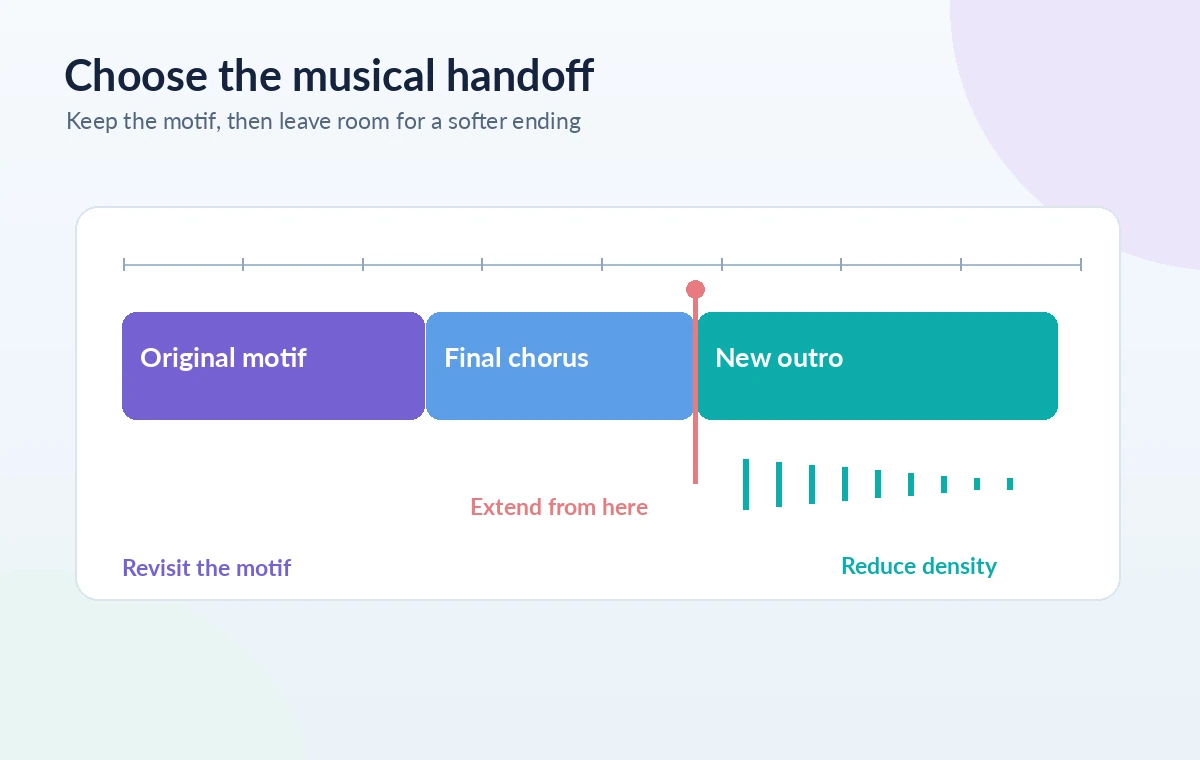
Pick a handoff point with room for the transition
Suno’s official Extend guide explains selecting Remix/Edit, choosing Extend and adjusting the point from which the new music proceeds. The editor documentation also describes an extend action at the end of the timeline. Treat the interface as version-dependent and use the path available in your current workspace. Aim to preserve the recognizable motif while leaving enough musical motion for the new ending to respond to. Extending from the middle of a hard drum fill can produce an awkward seam; extending just before a natural cadence may give the model a clearer harmonic cue. Preview the chosen cutoff carefully and note whether a cymbal tail or melody note needs to continue across it.
Write a concrete style direction, not a vague mood word
Describe the desired instrumentation, dynamics, rhythm and ending behavior. A prompt might request a sparse piano reprise, brushed percussion dropping away, warm sustained pads, and a final resolved chord with a natural decay. Avoid demanding a precise number of bars or guaranteed chord voicing unless the platform documents that control: prompts express an intention, not a deterministic edit command. If the source is instrumental, keep instructions focused on arrangement rather than inventing lyrics. Write the intention in plain musical terms and avoid named-artist imitation. Consider two distinct directions, such as a piano-led cadence and a guitar-led cadence, to test which best respects the original theme’s identity.
Compare extension candidates using one musical rubric
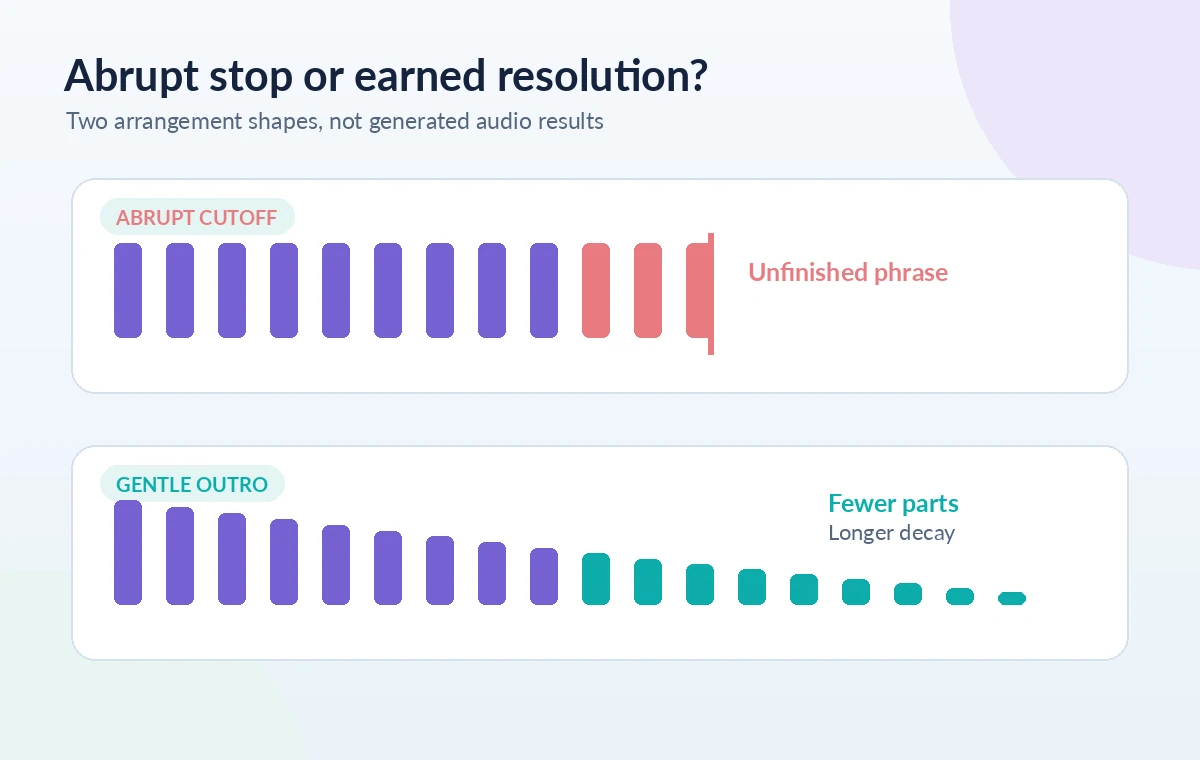
Use the same short scorecard for each candidate: does the motif remain identifiable, does the harmonic direction make sense, is the groove calming, does the last chord settle naturally, and does the entrance from the source sound connected? Listen from well before the handoff. A generated outro that works in isolation may introduce a new drum kit or room texture that makes the edit obvious. Likewise, an apparently elegant fade may cut off the final note before it resolves. The diagram contrasts a sudden cutoff with a staged de-escalation; those curves are design illustrations, not claims about a specific Suno output. Keep the source version identifiable while comparing multiple options.
Use Get Whole Song and inspect the joined version
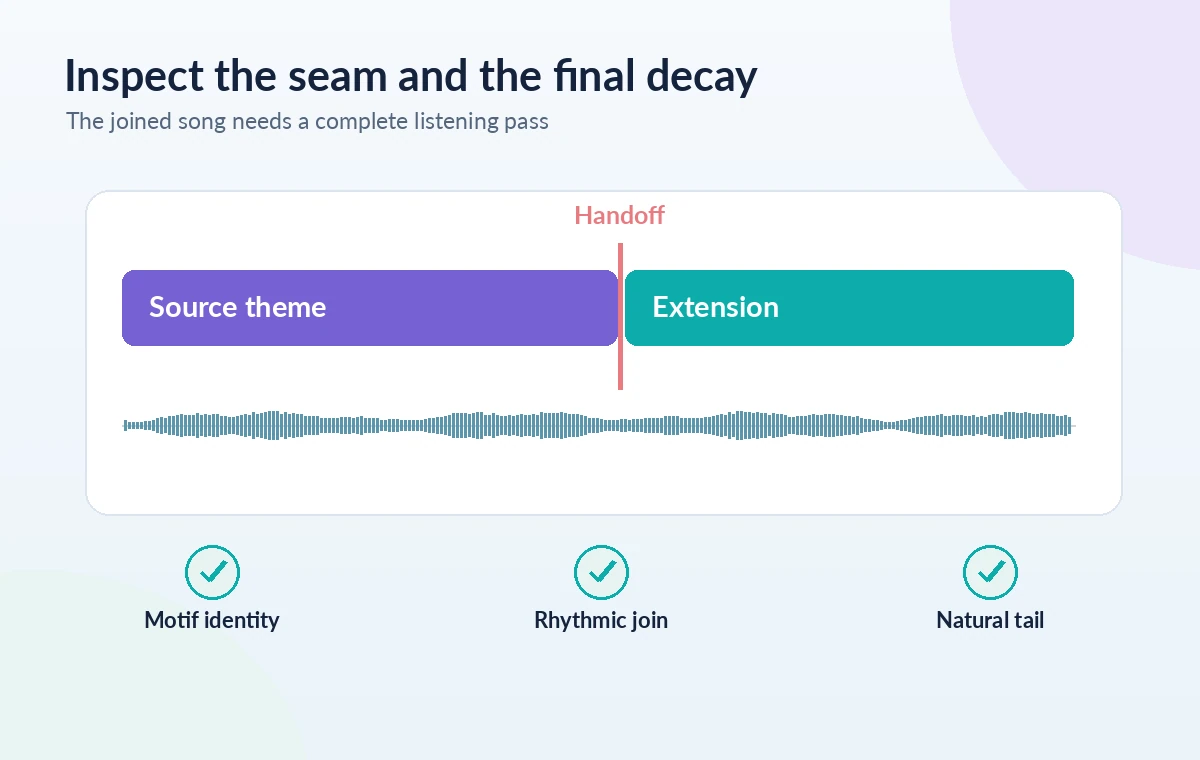
Suno’s Extend help describes the Get Whole Song action for stitching a chosen continuation to the original. If that path is present in your interface, review the complete joined playback rather than judging the extension clip alone. The first task is to locate the seam: listen for a jump in ambience, changed instrument timbre, a rhythmic hiccup, duplicated beat, or a melody note re-attacking unexpectedly. Compare the section on both sides of the join at a consistent listening level. Do not mistake the service’s ability to assemble a file for an assurance that the musical join is seamless. A small imperfection may require choosing a different handoff point or candidate.
Refine the tail and avoid a false sense of precision
The Suno editor documentation discusses fade handles as well as section changes; those controls can be useful for adjusting a final decay where available. A fade should support a deliberate ending, not hide an unresolved chord or a jarring rhythmic break. Let the bass and harmony establish closure before thinning out the arrangement. Check the final seconds on headphones and a small speaker: low sustained notes may linger differently across playback systems. If the new outro is too active, rethink the requested orchestration and try again instead of applying an extreme fade. Save the chosen version and document which aspects remain human editorial judgments.
Store the arrangement decision with the project
Keep the original musical sketch, an edit-point note, the text prompt used for the chosen direction, and the resulting version only when your account genuinely permits downloading it. Note what you changed and what still needs review. Before publishing, confirm the applicable Suno terms and the permissions of any other source material; do not call a result royalty-free or commercially cleared without evidence specific to the account and context. Run one final listen from the opening motif to the last decay to ensure the soft ending feels earned. The practical deliverable is an arrangement choice the creator can defend, not a supposedly proven generation success.
How We Research
We compared Suno’s official Extend walkthrough with its Song Editor documentation to distinguish clip continuation, joining the full song and optional fade editing. The help text describes feature behavior, not guaranteed musical quality or rights. We did not sign into Suno, generate samples, perform subjective audio tests or establish commercial licenses; the pictured motif and arrangement timeline are conceptual. Our primary documentation sources: Suno: how to make a song longer with Extend; Suno: Song Editor and fade controls; Suno: how changes to an ending work. Documentation may change, so verify current plan and interface details before following the steps.
Frequently Asked Questions
Yes. Suno documents choosing an extension point and generating a continuation; the exact available workflow can differ across editor views.
A specific arrangement prompt can request one, but a calm result is not guaranteed. Compare candidates for continuity, texture and harmonic resolution.
The official Extend guide describes it as the action that stitches the chosen continuation to the original track for whole-song review.
Suno documents fade-in and fade-out handles in its Song Editor. Verify the current interface and listen to the decay instead of assuming a fade fixes a bad transition.
No. Rights depend on the source material, current service terms and your account situation. Review them before releasing or selling the result.