
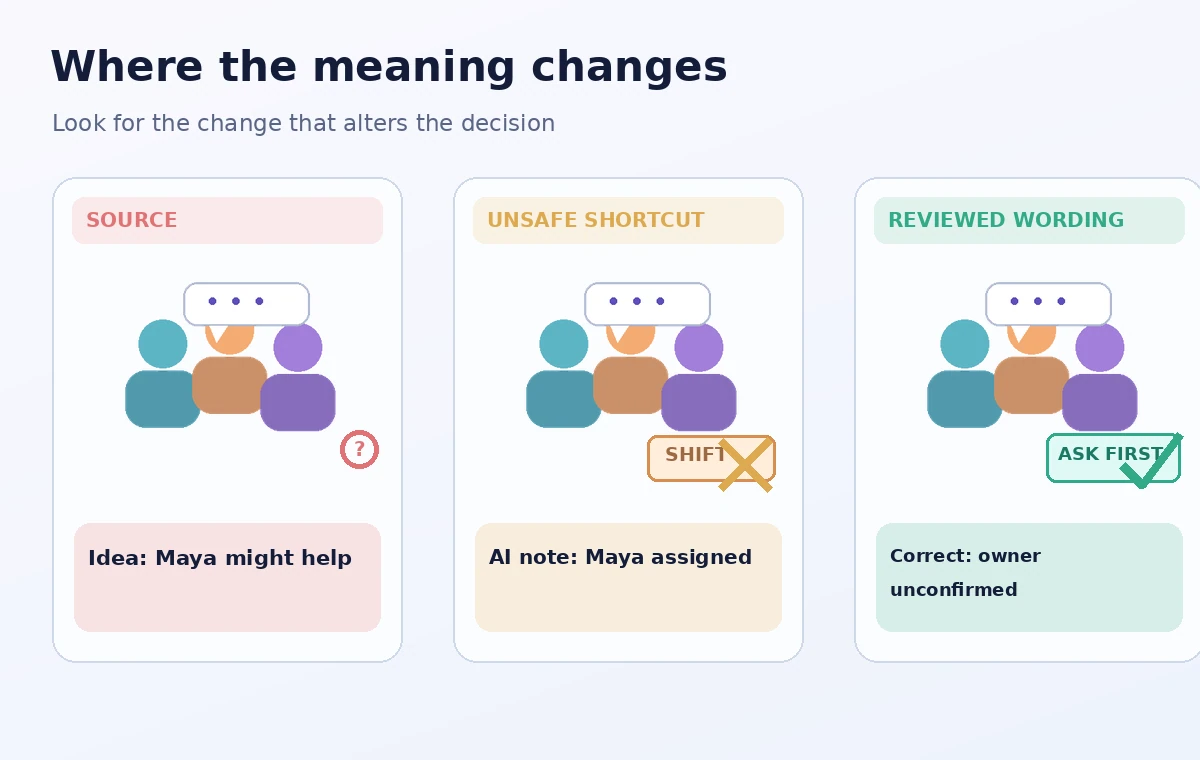
A community pantry needs to coordinate a Saturday pickup. During a fictional Slack huddle, one volunteer says that Maya might be able to drive if her other appointment changes. Another person suggests moving the pickup window. Neither point is a confirmed decision. If an AI note calls Maya the assigned driver, staff may stop looking for coverage that has never been accepted.
Slack offers AI-generated huddle notes on eligible paid plans, with notices when notes and transcription start. Slack says the resulting notes and action items appear in a canvas associated with the huddle thread. The feature can support a handoff, but it does not establish consent for a shift or guarantee a faithful summary. Treat the transcript and generated list as review material rather than a scheduling system.
Decide what the huddle is allowed to record
Before the call, name the meeting goal, expected attendees, and information that should stay out of an AI transcript. A pickup huddle usually needs an availability window, a collection location already approved by the pantry, and contact responsibility. It generally does not require sharing private medical reasons, household circumstances, or unrelated donor information. Follow the organization’s policy and relevant recording rules.
Tell participants that notes may be generated and clarify who will be able to read the result. Slack states that all huddle participants are notified when AI notes start or stop, and admins can limit the feature. Do not assume the availability of the feature or that every attendee is comfortable with it. Have a manual notes alternative if the meeting cannot use AI capture.
Start the feature deliberately, not by assumption
Slack describes a control for starting AI notes and transcription during a huddle, along with ways to stop or cancel capture. Check the state in the actual call before speaking about sensitive matters. Some channels can be configured for automatic huddle notes; if that setting exists, review it beforehand so nobody is surprised by a recording-related workflow.
The feature is for members on eligible plans and cannot be used for huddles with external people or guests, according to Slack. For mixed internal and external pickup discussions, plan a manual written summary instead. The goal is informed participation and clear action records, not maximizing the number of conversations captured automatically.

Label statements as offers, possibilities, or decisions
In the fictional meeting, Maya might drive is a possibility, not a commitment. Ask the note-taker to make a simple three-column check: speaker wording, proposed interpretation, and status. An explicit I can take the 9 a.m. pickup is different from let me check. That distinction belongs in the follow-up even if the generated recap uses both statements under action items.
Listen to the relevant source passage or refer back to a verified meeting record before assigning ownership. If the audio is unclear or the transcription drops a qualifier, mark the item unresolved. Where the huddle record does not support an assignment, ask the person directly in an appropriate channel. No one should receive an operational shift solely because an AI-summarized sentence looked decisive.
Correct the canvas before reusing its action list
After the huddle, Slack places the AI-generated notes in a canvas in the huddle thread. Open that canvas and review the proposed action items with the people responsible for the handoff. Replace Maya — driver with Driver — confirmation pending until Maya explicitly accepts. If the pickup time was only discussed, label it proposed rather than published.
Check that no participant was attributed a statement they did not make. The unsafe and revised examples are invented teaching phrases, not actual AI output from Slack. A reliable note should preserve a conditional word even when removing it would make the sentence shorter. Retain an item as an open question rather than fabricating an answer to complete the table.
Verify who can see the notes and transcript
Slack says anyone with access to the channel or direct message where the huddle occurred can view the notes canvas, and transcripts are embedded there. Before sharing a link outside the coordination group, assess who can access that conversation. A transcript can reveal more incidental personal material than a final handoff needs, so publish a minimal approved summary when that will suffice.
Review your workplace retention rules and admin permissions. Slack provides administrator controls for AI feature access, and the exact settings depend on the paid plan and organization configuration. A note appearing in a canvas is not an instruction to copy it into an unrestricted channel. If an accidental disclosure occurs, use the organization’s established response process.
Reconcile the notes with the real shift roster
Use the existing roster as the source of accepted assignments. Compare each AI-generated action item with a confirmed volunteer response and a recorded coordinator update. An open pickup slot should remain open until someone accepts it. Track three statuses: Proposed, Accepted, and Published to roster, with the final transition owned by the coordinator.
In the hypothetical scenario, the safe recap says that a driver is still needed and Maya may respond later. This is less gratifying than a complete schedule, but it prevents a real staffing gap from being hidden. Check that any pickup time, location, or accessibility requirement in the recap matches the already approved operational plan.
Combine AI Tools With Source Checks
Send a concise reviewed handoff, not raw assumptions
Have the huddle host and roster owner sign off on a short handoff containing confirmed pickup details, accepted assignments, unresolved questions, and a person to contact. Link the approved roster rather than reproducing personal phone numbers. Use the canvas as a starting record and a reference when permitted, not as the definitive staffing database.
The publication test is whether a new coordinator can tell which duties have been accepted and which still need confirmation. If an idea remains unassigned, that status should be the most visible detail. AI note-taking can help people remember the discussion, but only people can accept a shift or approve a schedule.

How We Research
We checked the following named official pages on November 4, 2026: Slack — Use AI to take huddle notes; Slack — Manage access to AI features. We extracted the documented feature boundaries, interface terminology, eligibility conditions, and sharing or reference limits that apply to this specific workflow. The scenario values and sample wording are hypothetical teaching examples; we did not access a product account, conduct a hands-on test, interview participants, measure outcomes, or verify any fictional approval. We compared each draft step with the source documentation and designed source-by-source human checks for claims the products cannot independently establish. Available controls, licenses, and screen labels may differ by account or rollout, so confirm your own environment before use.
Frequently Asked Questions
Typically someone starts them; some channels can use automatic notes if permitted. Check the actual setting and notifications.
Slack says AI huddle notes are not supported when external people or guests are in the huddle.
It can suggest an action item, but a real assignment requires the volunteer’s acceptance and roster-owner confirmation.
Slack documents a canvas in the huddle thread. Review its contents and access scope before wider sharing.
Mark it as open, ask the named person to confirm, and update the official roster only after acceptance.