
A fictional facilities team holds a bilingual briefing before volunteers prepare a community hall. The two languages are not interchangeable for every safety term: ‘keep the emergency exit unobstructed’ must never become the vague instruction ‘use the emergency exit.’ Microsoft Teams offers an Interpreter agent for real-time speech-to-speech translation in eligible meetings and calls. Translation can improve participation, but it is not certification that everyone understood a critical instruction. This example introduces a glossary, short spoken checks, consent and a backup interpreter plan. No live Teams call, actual participants or translation accuracy measurements are claimed.
Decide whether live AI translation fits this meeting
Separate the agenda into routine coordination, such as delivery times, and high-stakes directions, such as emergency exits, electrical hazards or evacuation roles. Routine conversation may benefit from real-time interpretation. Safety-critical material must also be available in a verified written version and have a designated person who can answer questions. Before starting, obtain approval for the language arrangement, identify which attendees need interpretation and provide a route to raise concerns privately. Do not plan to deliver required training solely through an unreviewed live AI voice. Some people may need captions, written summaries or professional interpretation rather than synthesized speech.
Check licensing and participant eligibility
Microsoft’s current support page states that Interpreter requires eligible Microsoft Copilot licensing, includes an allowance of interpretation hours per licensed person, and may be limited by capacity beyond it. It also says cross-organization participants need verified Microsoft 365 accounts with valid licenses; anonymous or guest attendees cannot use Interpreter in that documented situation. Confirm the meeting type, languages and admin policies in the actual tenant before promising access. If a volunteer joins with a personal anonymous link, plan an alternative. Do not quote an old price sheet or assume one licensed organizer grants the service to every participant.
Prepare a two-language safety glossary
Write the exact approved terms and instructions in both languages and ask qualified bilingual staff to validate them. Include emergency exit, clear doorway, first-aid kit, power isolation and the titles of people authorized to stop work. Define words that have multiple plausible meanings; ‘clear’ can describe visibility, emptiness or permission. Include a short map showing the real exits, approved by facilities staff. Make the original and translated statements easy to compare in writing. Keep personal information out of test phrases and do not ask the AI to invent local safety procedures. The glossary remains the authority when an interpretation sounds ambiguous.
Explain the voice and processing choices to participants
Teams’ support documentation describes speech recognition, translation, synthetic voice output and cloud processing. It also says a speaker’s voice may be simulated or a predefined voice may be used, depending on choices and organization policy. Explain what interpretation does before switching it on and allow participants to raise concerns about voice similarity or processing. Check the applicable notices and admin controls with the organization; do not assert that a meeting has consent merely because the feature is available. Provide an alternative participation method for someone who declines a particular processing or voice option.
Enable Interpreter and verify language direction
Within an eligible Teams meeting or call, use the documented Interpreter settings and choose the relevant listening language, subject to your tenant’s controls. Perform a brief non-sensitive check before operational instructions. Ask one speaker to say a short approved phrase and have a bilingual reviewer confirm the perceived meaning. Test both directions if the meeting expects questions from speakers of each language. Avoid assuming that everyone hears the same translated audio; individual preferences and licensing can differ. If access fails, switch to the prepared human-supported channel rather than delaying a safety decision while troubleshooting the AI.

Catch the meaning-changing translation risk
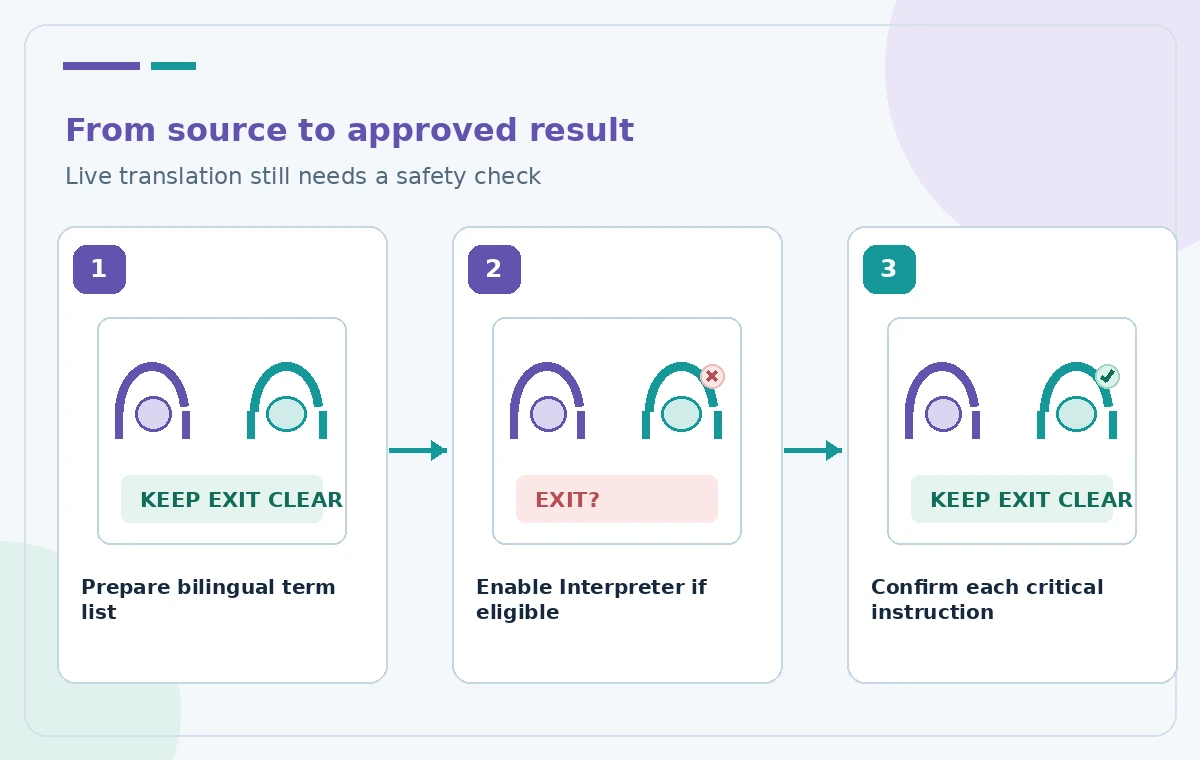
The illustrated middle state deliberately shortens ‘Keep the emergency exit clear’ into an ambiguous phrase. This is a hypothetical failure mode, not an observed Teams output. At each critical point, pause and ask the participant to restate the action in their own words or select the corresponding item from the approved written checklist. Explicitly separate ‘do not block this door’ from ‘go through this door now.’ Confirm any numbers, chemical names or location codes aloud and in writing. Never rely on the synthetic voice’s confident tone as proof of correct translation or comprehension.
Moderate the conversation for interpretation
Use one speaker at a time during complex instructions and leave a little room between steps. Call speakers by role if the meeting has multiple voices. Share the approved diagram or short written line before discussing it so the listener has context. Repeat questions that could imply a change to procedure, and have the responsible officer approve any actual change. Microsoft describes support for multiple speakers and automatic language detection, but real conditions such as background noise, overlapping voices and specialized jargon still warrant a human check. If the instructions are essential, assign a bilingual monitor to note and resolve ambiguities.
Keep a manual fallback for failures and exclusions
Plan a phone line, written translations or an authorized human interpreter for attendees who cannot access the agent or whose language is not supported. An on-site safety officer should be able to pause work without depending on the translation interface. Do not ask an anonymous guest to create an unrelated account or reveal private information to satisfy a meeting setup. If the AI service becomes unavailable midway, read the approved bilingual notice and verify understanding before proceeding. Document any incident of conflicting meaning for follow-up, rather than making up a claim of flawless interpretation.
Close with the approved bilingual record
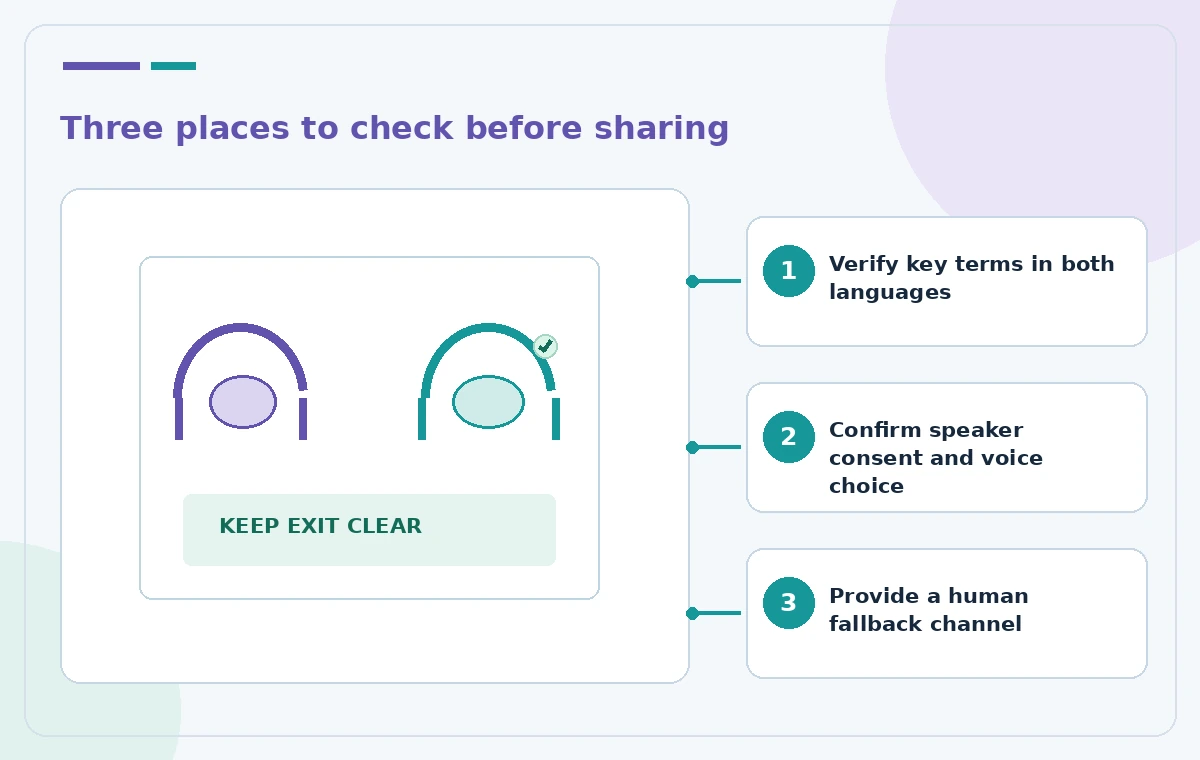
After the briefing, distribute only the approved written actions, contacts and location notes, in both languages where required. Confirm that the report distinguishes actual decisions from translated discussion and that sensitive participant audio or voice data is handled according to organizational policy. Ask a bilingual reviewer to approve the final instruction list. Record unresolved terms and whether a future session requires professional interpretation. This hypothetical workflow makes no claim that Interpreter replaces legal accessibility accommodations, safety training, human translation or local compliance obligations. It demonstrates a careful way to use the feature while retaining human accountability.
How We Research
We reviewed these named official developer resources: Microsoft Support — Interpreter in Microsoft Teams meetings and calls. We checked the documented feature entry points, eligible platforms, administrator or licensing controls, and known sharing or source limitations against the tutorial steps. Editorial examples were designed as hypothetical failure-mode checks, not reports of hands-on testing. We did not have a live account, source files from a museum or nonprofit, user interviews, access to private records, or measured model outputs. Every illustration is original explanatory artwork rather than a vendor screenshot or measured before/after result. Features and entitlements can change. A responsible editor should confirm current product documentation, applicable organizational policy, and the original evidence before putting the workflow into consequential use.
Frequently Asked Questions
No. Licensing, meeting eligibility and admin policy matter; anonymous or guest participants have documented restrictions.
Microsoft describes simulated or predefined voice options subject to preference and administrator policy.
No. Provide verified written instructions and independent comprehension checks for critical actions.
Plan an authorized alternative, such as written bilingual materials or a human interpreter.
No. Explain the feature, consult organizational policy, and provide appropriate choices or alternatives.