
Microsoft Designer is best understood as a lightweight visual production tool, not a replacement for a design system or an enterprise creative suite. It can draft a social image, invitation or custom illustration from a description and then let you revise the result. The useful question is whether your finished graphic remains readable, accurate and appropriate for its audience.
The interface changed substantially: Microsoft’s support documentation says the legacy editor was retired beginning October 20, 2025. Old tutorials showing brand kits and stock-video workflows can therefore mislead readers. This guide uses the current creation and editing paths and adds an explicit publication check.
Check access and use the current Designer experience
Microsoft’s official help describes a personal-account-oriented product, while its consumer marketing pages offer a free entry point with monthly AI credits. One help page also gives more restrictive language about Microsoft 365 Personal or Family access. Because these pages do not perfectly align, sign in to the current Designer app to confirm the tools your actual account displays rather than buying a plan based on an old screenshot.
Begin at designer.microsoft.com, select a creation path and look for Create with AI, Edit with AI or a blank design surface. Do not look for the retired brand-kit management controls. Availability can vary by account, region and age eligibility; an absent button is not evidence that a third-party download is required.
Start with one real output, not a vague artistic prompt
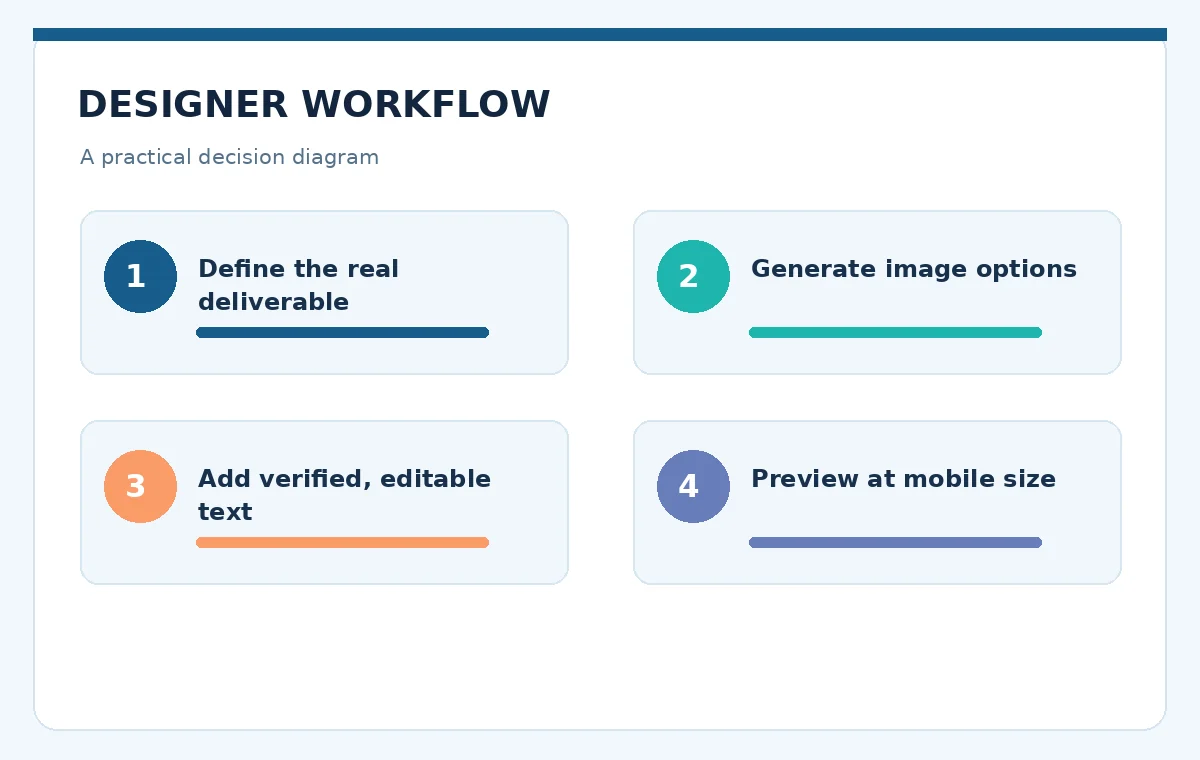
Choose a specific deliverable, such as a square community-event announcement. Write its audience, publication channel, safe area, required factual copy, color direction and image subject. Keep factual details outside the image prompt until you can verify them; a beautiful card with an incorrect venue address is unusable regardless of visual quality.
A practical starting prompt is: ‘Friendly editorial illustration of a neighborhood book swap, soft teal and coral palette, clear empty space at top for a headline, no generated lettering, square composition.’ Generate options, choose one with clean space and add the verified event title as editable text later.
Generate the illustration, then edit deliberately
Microsoft’s current documentation describes generating custom images, stickers and other visuals from text. Treat the result as source art. Examine hands, signs, repetitive patterns, cropped objects and accidental brand marks before you build a layout around it. Repeating the prompt endlessly is not a reliable way to fix a single detail.
When a small region needs correction, use the available editing or background-removal tools and then compare the edited image with the original. Save the source prompt and a copy of the accepted version. That record helps you see whether an edit improved the asset or quietly introduced a new defect.
Build a readable social card using editable text
Move from image generation to typography. Add the headline, supporting line and verified call to action as separate editable text elements, not text baked into an illustration. Give the headline a consistent visual hierarchy and protect it from busy backgrounds. If the image competes with the main message, reduce contrast behind the text or change the composition.
Preview at the size people will actually see on a phone. A graphic that looks balanced at full desktop resolution can become illegible in a feed. Ask someone unfamiliar with the event to state the subject, date and action in five seconds. If they cannot, revise the design rather than the prompt alone.
Understand what disappeared with the legacy editor
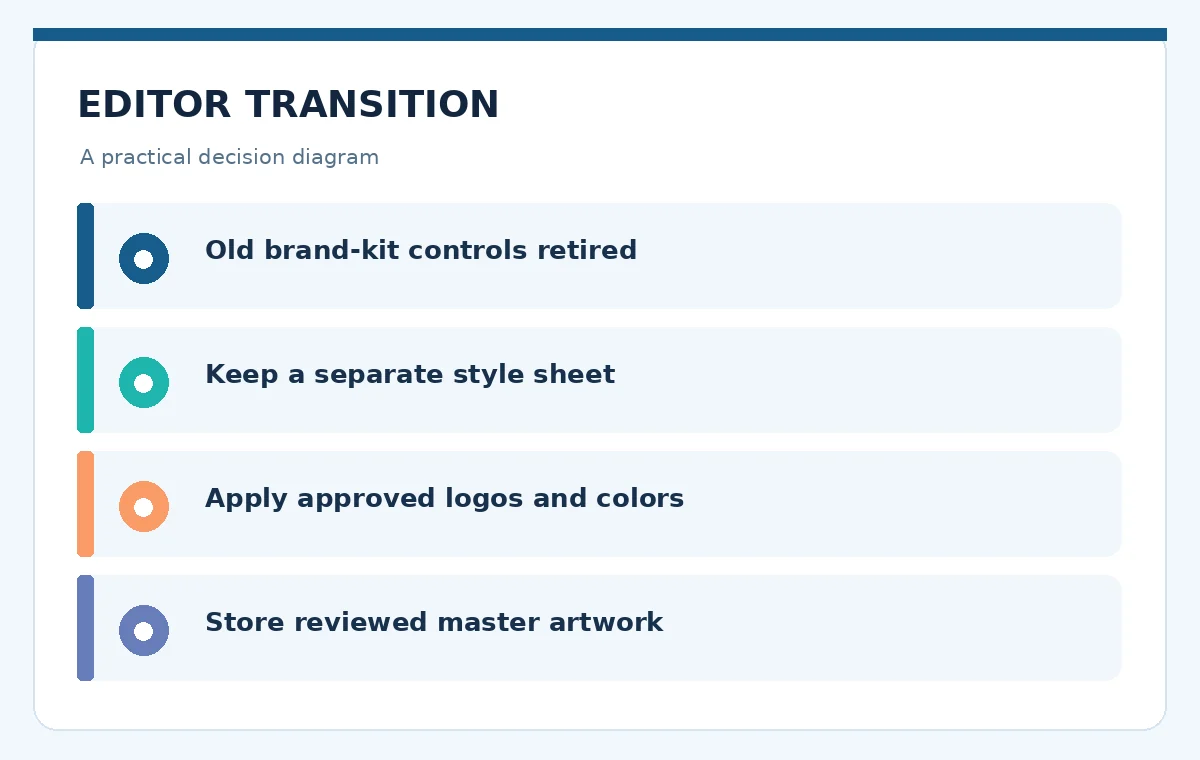
Microsoft states that the legacy visual editor migration removed prior brand kits and stock video access. This matters for organizations following older training material, especially when they expect reusable color, logo and typography rules inside Designer. Do not promise those exact legacy controls are still present simply because an archived tutorial mentions them.
If recurring brand production is essential, maintain a separate approved style sheet containing color values, fonts, safe margins and logo use. You can still use Designer to create assets, but the team should validate them against the external brand sheet and store approved masters in a managed shared location.
Review image rights, privacy and sensitive content
Avoid uploading private customer photos, confidential layouts or unreleased campaigns until you have assessed the service’s account and data policies. Consent and customer authorization remain necessary even when a product offers convenient one-click transformations. Do not remove a disclosure, safety mark or factual feature just because an AI editor can.
For commercial work, check current terms for your particular plan and asset type. Generated imagery may contain recognizable logos or plausible but invented products. Require a human sign-off for brand similarities, personal likenesses and claims implied by the final image. Design convenience is not a rights clearance process.
Export once and run the final audience test
Check the final dimensions, file format, readable type and cropping for the exact destination. Review a mobile preview, a grayscale version for basic hierarchy and the source file for future revisions. Keep alt text factual: describe the scene and essential meaning rather than claiming the AI made a perfectly accurate depiction.
For an event card, verify the real venue address, time zone, registration link and organizer before posting. If the graphic is only decorative, do not repeat every word in the alt text; if the graphic communicates unique information, include that information in accessible text nearby. A successful export is one readers can understand, not merely one that downloaded.

When to use a different tool instead
Designer is attractive for a quick illustration, personal card or simple social graphic. If you need strict brand governance across a large team, editable complex vectors, precise prepress output or advanced layered photography, a more specialized product may be appropriate. Match the software to the deliverable, not the number of AI features on its landing page.
Before paying for another tool, list three tasks that current Designer cannot complete under your account. Test the alternatives against those same requirements. This prevents replacing a nearly finished workflow with a more expensive suite that still needs manual fact-checking, accessibility work and publication approval.
How We Research
Research checked October 27, 2026. We distinguished the Microsoft Designer current editor and support FAQ from older brand-kit instructions, noted inconsistencies in eligibility language, and did not pretend we logged into a paid account. Primary sources: support.microsoft.com (official product page); support.microsoft.com (documentation); www.microsoft.com (documentation). Feature availability, pricing and credit consumption may change; verify the vendor checkout or account dashboard before acting on financial or licensing details.
Frequently Asked Questions
Microsoft advertises a free entry point with limited AI credits. Account eligibility and the availability of specific actions can vary, so inspect the current sign-in experience before relying on any single feature.
Microsoft says the legacy editor migration removed its previous brand-kit functionality. Use a separately maintained brand guide and verify whether any different branding features appear in your current account.
Not for complex layered photo work or precise editable vector production. Its strength is faster creation of straightforward consumer graphics, which still require human layout and rights review.
Potentially, subject to current product terms and your client’s rights requirements. Verify account access, original inputs, licensing and likeness permissions before treating outputs as approved commercial assets.
Generate the illustration without important wording, then add verified copy in editable text boxes. Proofread at mobile size and confirm dates, addresses and URLs against their authoritative source.