
Make.com pricing depends on both subscription tier and the amount of work a scenario performs. A “run” is not necessarily one billable unit: actions inside scenarios may consume multiple credits, and AI features can add token-sensitive usage. This guide answers the pricing question directly with plan figures, clear arithmetic and upgrade decisions. It is not another broad Make review or a vendor-neutral comparison of every automation builder.
Start with the official plan ladder
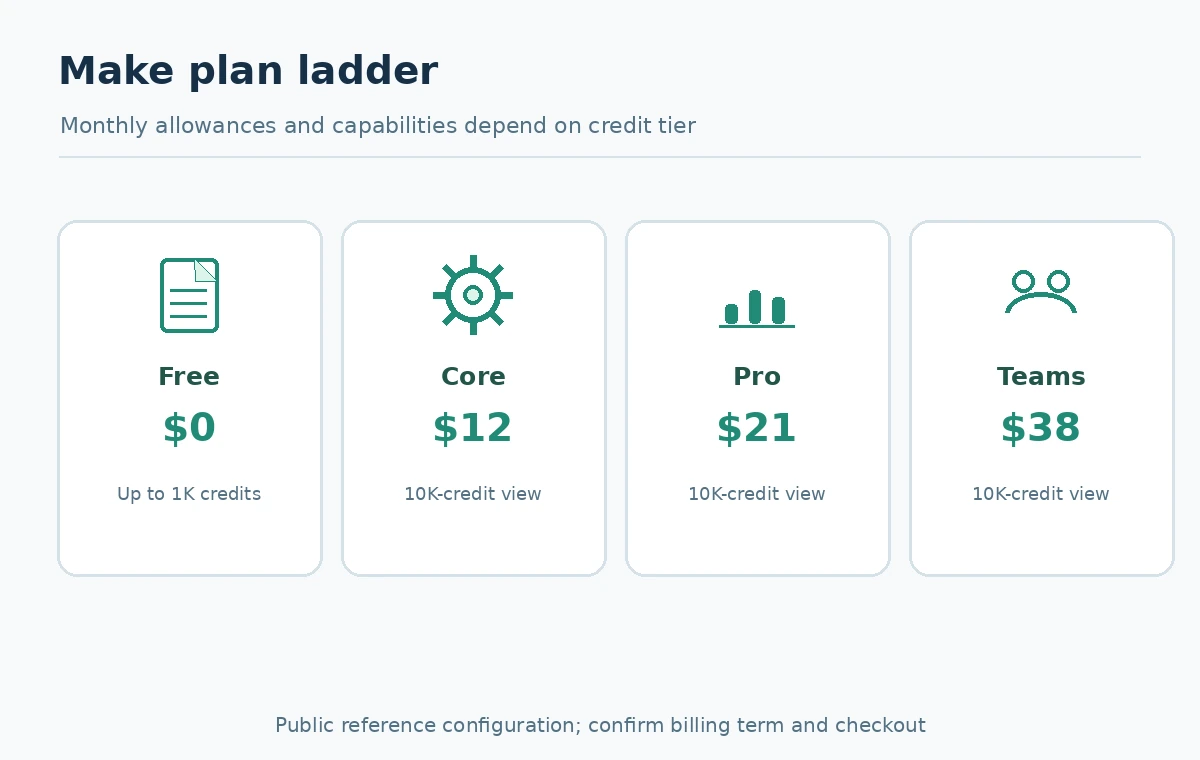
Make’s public pricing listing, reviewed October 27, 2026, displays a Free option with up to 1,000 monthly credits. At the displayed 10,000-credits-per-month configuration, Core is listed at $12 per month, Pro at $21 and Teams at $38; Enterprise is quoted individually. These are reference figures on the publicly shown configuration, not a commitment that taxes, region, renewal term or selected credit volume will match every checkout.
The practical distinction is not simply “more credits.” Free is a low-volume sandbox with limited scheduling. Core supports more active scenarios, faster scheduled runs and API access. Pro adds higher-level operational conveniences such as custom variables and fuller run-log search; Teams adds collaboration and roles. A solo builder may not need shared administration, while a company maintaining many production integrations should factor audit, access and troubleshooting into its real cost.
Credits are not identical to scenario executions
In Make’s terminology, a scenario is a workflow and an operation is a module executing against data. The credits documentation explains that most ordinary module operations consume one credit each. A scenario that fetches a record, transforms a field, creates a row and sends a notification typically involves multiple counted module executions. Iterators or several returned bundles can multiply activity; one visible scenario run may contain many operations.
Make specifies important exceptions: a Router module and designated error handlers do not directly consume standard action credits, while other transformations, polling checks or app modules may. Avoid simplistic declarations that every single visual circle always costs exactly one credit. Inspect the actual credit view in Scenario Builder or run history. Estimate based on the modules and bundles involved in the specific automation, not a rounded claim that “one automation equals one credit.”
AI features can change the effective meter
Make changed its billing terminology from operations to credits in 2025. For most non-AI apps, one operation still maps to one credit. With a custom external model connection, Make often counts the module operation while you separately pay the model provider for tokens. Make’s own AI Provider or automatically selected AI services can instead apply dynamic credit use based on tokens, model choice or processing requirements, as the provider explains.
This creates two budget lines for some designs: Make platform credits and external model-API fees. Do not treat a scenario calling an LLM as included in the basic subscription unless the exact connection type and billing terms make that clear. In your worksheet, label each AI module as fixed credit, dynamic credit or external vendor cost. Test a representative input with your own permitted sample data to learn its actual usage before projecting production scale.
Build a transparent three-scenario estimate
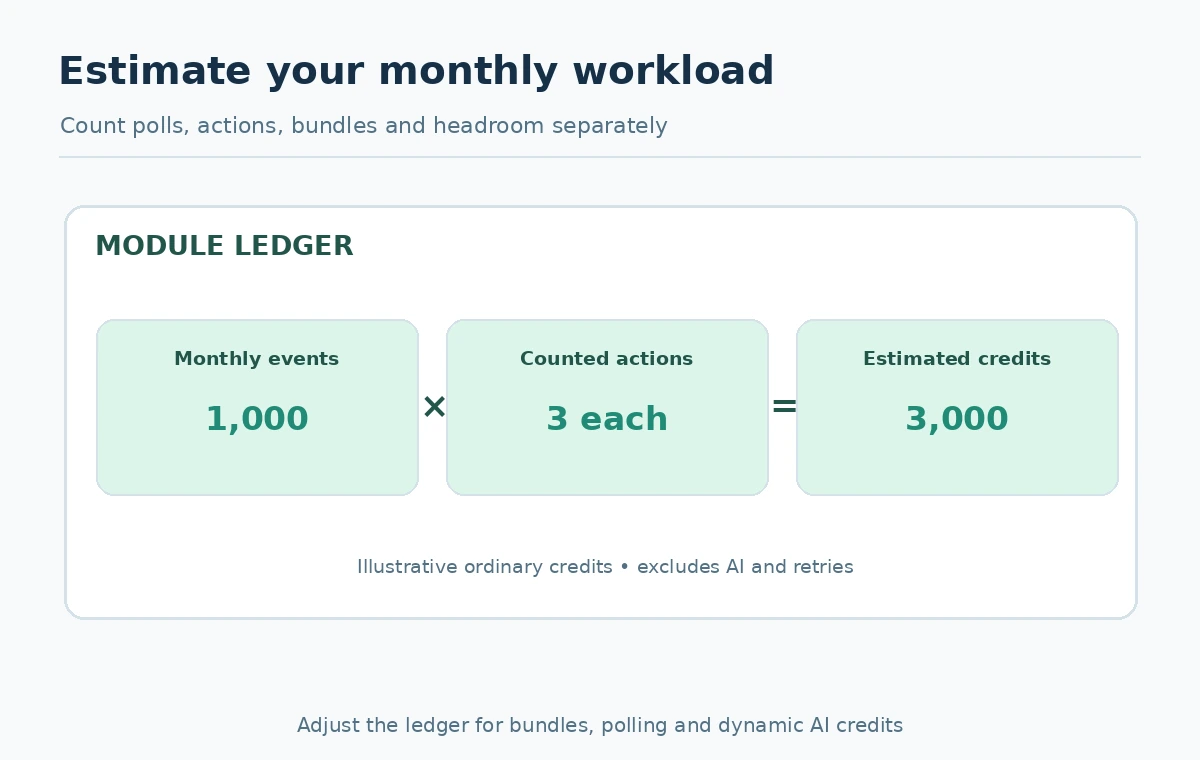
For an illustrative workflow that receives one webhook, performs one ordinary lookup, creates one CRM record and sends one notification, start with the counted modules shown in history rather than a blanket formula. If, in a simplified budget, three counted operations occur per accepted event and you process 1,000 events, that would suggest about 3,000 ordinary credits, before any extra polling, loops, retries or dynamic AI charges. This is an assumption-driven example, not verified consumption from a live Make account.
For a second hypothetical flow, one polling check every 15 minutes produces roughly 2,880 checks during a 30-day month, even before processing changed records, if one counted check occurs at each interval. With real schedules, actual module accounting can differ. For a third flow, imagine an iterator splitting one event into ten items and running two ordinary app modules per item; those item-level operations can overwhelm the fixed setup steps. Build a per-module ledger to see where growth actually happens.

Use a worksheet that survives workflow changes
Create columns for module name, runs per month, bundles per run, fixed credits per operation, AI dynamic-credit estimate, external API charge and whether retries apply. Multiply only when the unit is known. For example, a per-bundle action that fires twice for each of 400 submitted orders could produce 800 ordinary operations. If model-token costs are unknown, keep them as an explicit unknown instead of inserting a false all-inclusive estimate.
Next add headroom for unexpected volume and an alert before the quota is exhausted. Make documents options for purchasing additional credits and upgrading depending on plan. The vendor also warns that scenarios stop running when credits are depleted, subject to applicable queues and resume behavior. That is an operational risk as well as a price question. Record who receives a low-credit alert and whether failure to process new leads is acceptable for even a few hours.
Pick a plan by constraints, not vanity usage
Choose Free to learn routing and module behavior with disposable records at very low volume. Consider Core when the workflow requires minute-level scheduled scenarios, API access or more active scenarios. Consider Pro when operators genuinely need custom variables or advanced log search to diagnose production incidents. Teams makes more sense when colleagues need defined shared permissions and template collaboration. Check the actual plan comparison before assigning features to an organization.
An upgrade is justified when the current plan’s capacity or operational capability blocks a real use case, not simply because one scenario looks complicated on canvas. A complicated but rarely run scenario might fit comfortably; a tiny polling scenario may consume a surprising volume of credits. Determine whether your cost pressure is credit volume, AI usage or a missing feature. Those are separate remedies and may point to different changes.
Compare billing periods without false savings claims
Make allows configuration by credit volume and payment period. A displayed monthly figure on one 10,000-credit setting does not establish the price for a different allowance or a month-to-month subscription. When making a purchase worksheet, note the site’s displayed terms, required commitment, renewal amount, possible overage purchases and applicable taxes. Annual savings should be calculated against a comparable monthly option, not asserted from a promotional banner alone.
Before committing, save the cart or quote for the exact workspace. Forecast a low, typical and high month; include failures, tests, file sizes or long AI prompts if they are relevant to your workload. For workflows handling regulated or customer information, the cost of reviewing privacy and account access may matter more than a small price difference. There is no verified single “cost per automation” independent of your design.
Avoid these avoidable billing surprises
Watch frequent polling, high-bundle iterators, repeated lookup calls, test reruns, dynamic AI modules and exception paths. Build an idempotency key where a retry could cause two writes, and route failed items to a queue rather than repeatedly rerunning a whole scenario. Check run history after any new filter, branch or schedule change. These engineering choices can reduce workload without changing vendors or compromising required correctness.
Finally, decide who owns the credit budget and who can change a production scenario. A predictable cost forecast has three inputs: known workflow structure, real observed module activity and the current provider billing terms. Start from the free plan only if it has the permissions and timing necessary for your pilot. Scale after the credit ledger is credible rather than assuming every low advertised sticker price guarantees a low bill.
How We Research
For this article, we reviewed current official documentation on October 27, 2026: official Make pricing, credits explained, operations explained. We derived the decision framework and worked examples from the stated product behavior and disclosed assumptions. Illustrative computations are not readings from a paid account or claims of hands-on tests; no user subscriptions, live writes or customer data were involved. Prices, access, rollouts, tax and billing choices can change; recheck the cited first-party pages and actual account settings before purchasing or deploying.
Frequently Asked Questions
Make now bills in credits. Operations describe module activity; most standard operations consume one credit.
The official public listing shows up to 1,000 credits per month for Free; check its timing and workspace restrictions.
Make lists Router modules among exceptions that do not directly consume ordinary module credits.
No. External AI provider connections can involve separate model-provider charges, while some Make-native AI features use dynamic credits.
Yes. Polling frequency, many bundles, repeated operations or AI usage can raise total consumption despite few visible modules.