
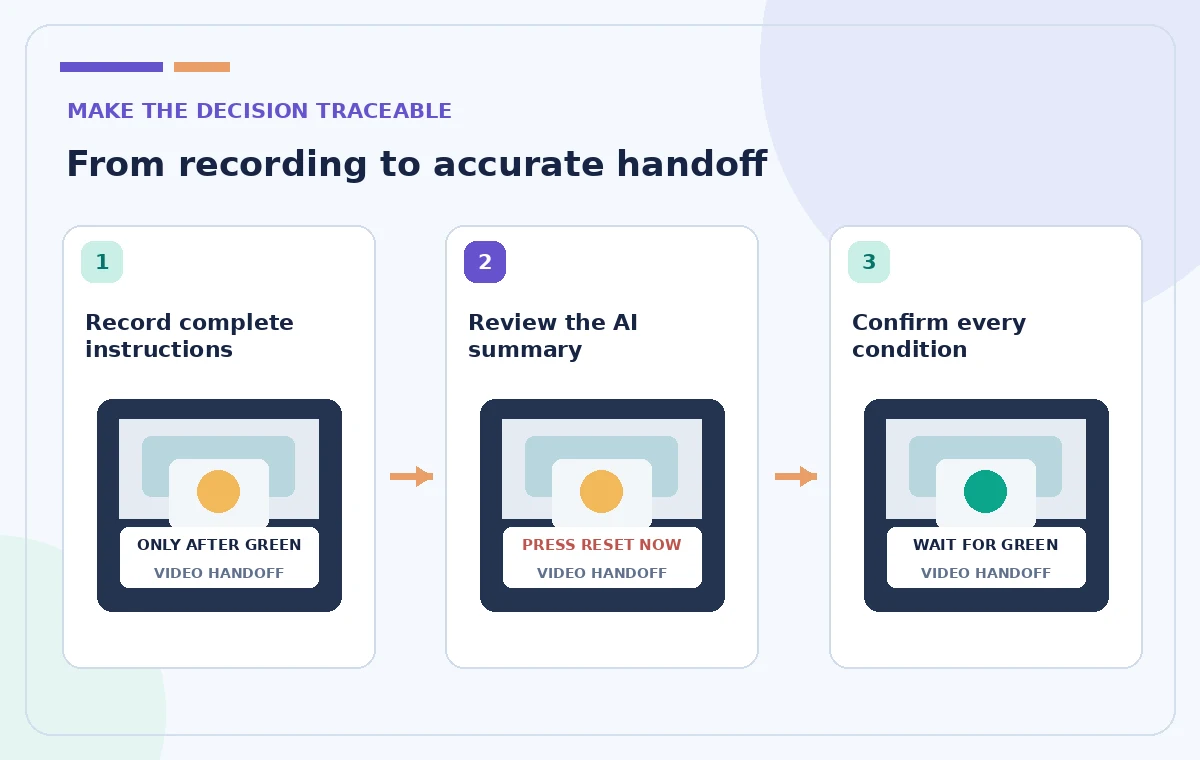
A supervisor records a Loom showing how to reset a training device after a fault. The video includes an essential condition: press Reset only after the status indicator turns green and the equipment is stopped. A short AI-generated description could omit that qualifier while still sounding fluent. Loom AI Auto Summaries can draft the description from a transcript on eligible plans; the editor must verify its operational meaning. This hypothetical workflow uses fictional equipment and deliberately does not provide real machinery repair instructions. The aim is a source-checked handoff, not automated safety authorization.
Identify the instruction that must survive shortening
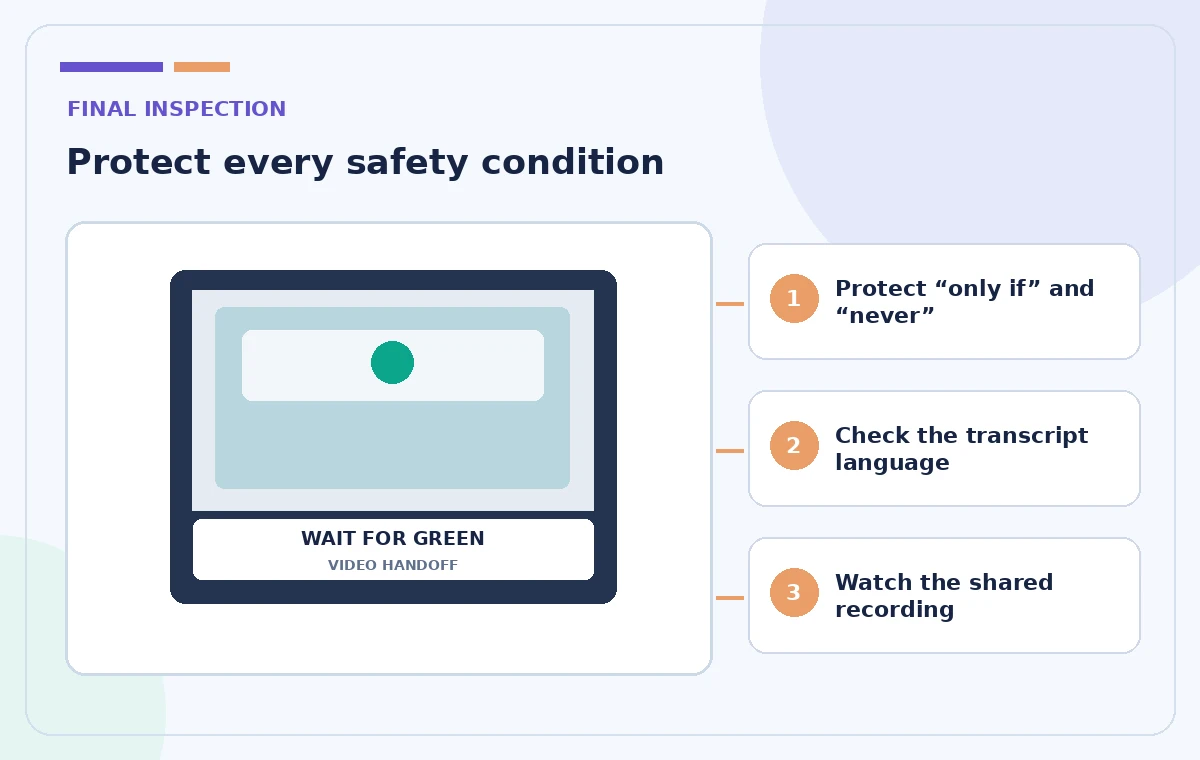
Before generating a summary, write down the non-negotiable facts from the approved training script: stop condition, status indicator, authorized operator, and escalation route. Put qualifiers such as ‘only after,’ ‘do not,’ and ‘unless’ in a small checklist. Those are easy to drop during condensation and often carry most of the safety meaning. Separate description copy from the full procedure; the summary can orient viewers, but it cannot replace required training or the approved manual. If the source video does not demonstrate the warning clearly, re-record the segment rather than asking AI to invent missing safety detail.
Confirm plan eligibility and recording conditions
Atlassian documents AI auto summaries for Loom Business + AI and Enterprise. An auto title is a different feature and is available more broadly, so a generated title does not prove summaries are included. Auto summaries rely on the video’s transcript and generally do not appear if there is no speech, the recording is too short, or the description was edited before generation. Loom also documents mobile recording limitations. Because vendor pages can describe different minimum recording thresholds for related AI features, record a substantial spoken demonstration and verify your workspace’s current eligibility rather than promising a precise universal duration.
Record an accurate demonstration
Use a fictional training environment with no secret credentials, personal employee data, or live industrial controls. Speak the essential warning clearly, show the indicator state, and pause long enough for a viewer to observe the transition. If a screen shows green while narration says amber, fix the recording before summarizing it. Mention the correct version of the training manual by name. Keep the sequence chronological so the transcript and picture reinforce one another. No summarization tool can determine whether a device is truly safe to operate; that question belongs to the designated equipment and safety owners.
Review what Loom generated
Open the video after its transcript and summary have processed. Loom describes placing an AI-generated summary in the description below the video; you can edit or delete it if dissatisfied. Read the entire description before sending a link. Compare the first sentence to the exact objective of the recording, then check the order of actions, all warnings, and any claims of a successful outcome. An instruction that reads ‘reset the system to clear a warning’ may be misleading if the real script says to wait for a confirmed stopped state before touching Reset. Replace vague verbs with the approved phrasing.
Audit source transcript before blaming the summary
Auto summaries derive from a transcript, so a transcription error can propagate into the description. Open the transcript and confirm critical nouns, numbers, and negatives. Atlassian notes that Loom detects a video’s language from early audio and provides controls to adjust transcription language for a recording. If the clip contains accents, mixed languages, or noisy equipment sounds, review the text character by character around safety conditions. Do not assume a fluent summary accurately represents muffled speech. Correct the source or create a manual description when automated text cannot be verified.

Distinguish a handoff summary from a procedure
A good description says what the viewer will learn, the prerequisite, and where to find the current approved instruction. It should not be a standalone substitute for a safety checklist. Draft a short example: ‘Demonstrates the training-only reset sequence after the indicator is green and the device is stopped. Follow the current approved operator guide; report unexpected status colors to the supervisor.’ Keep this plainly editorial and do not add unverified device specifications. If the video is one part of a longer course, label the audience and indicate that live use requires separate authorization.
Test the summary with a negative reading
Ask a reviewer to interpret the description without watching the video, then ask whether someone could reasonably act too early. If the wording implies a reset is allowed in any state, it fails the test. Next, watch the full recording with the summary visible and mark mismatches between spoken and written sequence. Pay particular attention to conditions that appear in only one place and to silent but crucial visual cues. This adversarial review is more effective than asking whether a paragraph ‘sounds professional.’ Approve only a description that points back to the actual demonstrated and authorized process.
Review permissions and later revisions
Before sharing the Loom link, confirm the recording’s audience, workspace controls, and any embedded sensitive information. Edit the summary if a policy changes, but also replace or revise the underlying recording when it becomes outdated. Include a version or review date where the handoff process requires it. Loom’s AI controls and account permissions may change, so confirm their current availability in your organization’s settings. If the summary regenerates after a transcript language change, review every changed sentence again. A once-approved description does not stay trustworthy after its source or policy changes.
Choose success criteria that measure meaning
The outcome is not fewer words at any cost. A useful AI summary preserves the controlling condition, names the correct audience, and prevents users from mistaking a demonstration for authorization to operate machinery. Do not claim measured generation accuracy or time savings from this hypothetical guide. If staff repeatedly misunderstand the shortened description, prefer a human-written one and consider improving the original training content. The record of approval should identify the human reviewer and the manual version. Automation reduces first-draft work; accountability for the safety message remains with the training owner.
How We Research
Our research for this tutorial consisted of reading the official vendor documentation: Atlassian Loom Help — How auto titles, summaries and chapters work; Atlassian Loom Help — Manually regenerate transcripts or edit AI features. We identified documented feature names, user controls, access and plan restrictions, and operations requiring independent human approval. We then wrote the illustrative scenario and its review checklist; we did not conduct live product tests, upload any confidential data, measure AI accuracy, or seek real user consent. The artwork is original conceptual instructional design, not product screenshots or measured model output. Documentation and subscription terms can change, so confirm current controls in your own account. Physical safety, published event details, permissions, and factual approval are always the responsibility of the relevant human owner.
Frequently Asked Questions
Atlassian lists Auto Summaries for Business + AI and Enterprise, not Starter.
Check plan access, transcript presence, recording conditions, and whether the description was edited before processing.
No. It should orient viewers and point to the approved procedure, not create operational instructions.
Negatives, conditions, timings, and restrictions such as only after, never, and unless.
Yes. Loom documents that video descriptions containing generated summaries can be edited or deleted.