
An operations team needs a short safety-training video, but every instruction must come from its actual approved policy rather than a plausible AI guess. HeyGen’s Video Agent offers Chat Mode for collaboratively refining the video plan and Autopilot Mode for a faster, more automated build. Those modes differ in how much review happens before generation; neither is an authority on workplace procedure. This guide uses a fictional ladder-inspection lesson to show how to lock the script, choose a mode, and verify the result. No workplace regulation or safety certification is inferred from the conceptual illustrations.
Start from an approved source, not a generic prompt
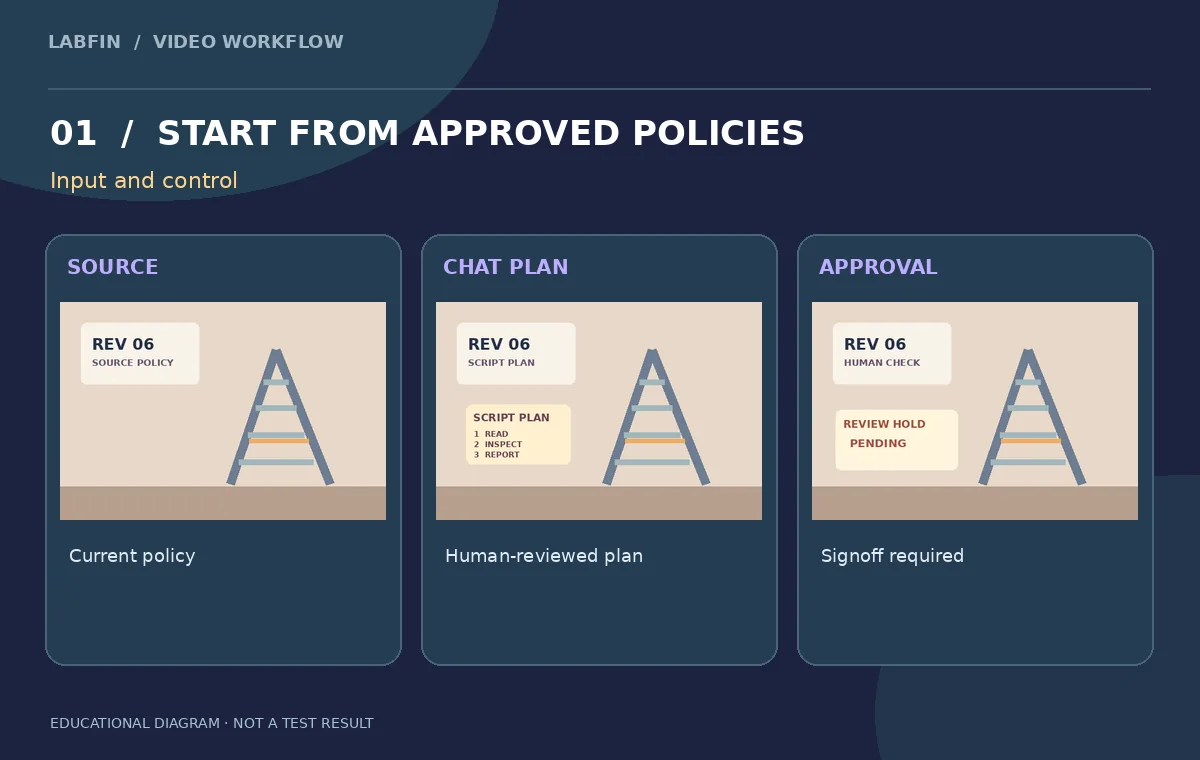
Collect the current inspection checklist from the organization’s safety owner and write the document title, revision number, and responsible approver on a source sheet. For this teaching scenario, the planned visual sequence is: read the posted procedure, inspect the ladder before use, and report or remove damaged equipment following the employer’s actual rules. These are story beats, not a substitute for training or an exhaustive safety protocol. Never allow the agent to create company-specific load limits, regulatory citations, emergency numbers, or equipment requirements from imagination. Mark any missing fact as “source required” before selecting an avatar or template.
Understand the two production modes
HeyGen’s Video Agent help describes Chat Mode as a collaborative process for refining the video plan before generation. Autopilot lets the agent research and assemble a plan and begin producing the project with less intervention. Both can build scripts, visuals, narration, and transitions. For a policy-controlled video, prefer the mode that gives the owner an explicit pre-generation checkpoint. Autopilot might be acceptable for a low-risk creative concept, but its automated research and polished narration do not make instructions accurate or authorized. This example evaluates governance, not which mode is aesthetically superior.
Write a bounded thirty-to-forty-five-second brief
Use one paragraph stating the intended audience, purpose, three approved messages, desired tone, required captions, and the single call to action. Include an exact script if the organization requires word-for-word adherence; HeyGen’s prompting guide says a supplied script can help constrain a scene-by-scene build. Keep each scene focused on one observable idea and avoid adding claims such as “guaranteed safe” or “compliant everywhere.” Set the expected final deliverable as a short landscape training clip plus a transcript, not a certification exam or a substitute for staff supervision.
Use Chat Mode as a reviewable blueprint
Ask Video Agent to produce a storyboard outline before generating media. Review the proposed script for omitted warnings, made-up company names, inaccurate image details, and whether the suggested visuals reflect the source document. If it proposes a step not in the authorized checklist, delete it or request a source rather than accepting a plausible-sounding correction. Keep screenshots or exported text of the revised plan. Assign one editor to check language and one subject-matter owner to approve technical accuracy. A plan that has been discussed in chat still needs a named human signoff before the team spends credits on a rendered video.
Treat Autopilot research as a draft, not a fact checker
Autopilot is designed to reduce manual setup; that benefit may also reduce the number of chances to spot a bad claim before a polished clip exists. Compare its proposed sequence against the same approved reference, and stop if an invented regulation or unsupported safety claim appears. Do not treat scene polish, professional voices, or automatically produced captions as evidence of correct guidance. For a fair comparison, give Chat and Autopilot the same source brief and evaluate the required review work. Keep any actual generation cost in a separate dated note; the vendor’s FAQ indicates planning and generation have different credit implications.

Review avatars, consent, and visual demonstrations
Use a licensed avatar and authorized voice. If depicting a person inspecting equipment, verify that the visuals show only actions endorsed by the policy owner. Generative systems can introduce extra gestures, wrong tools, unsafe handling, or an invented company uniform that looks official. Maintain separate checks for the spoken words and the visual message; the narration can be correct while an animated sequence suggests an incorrect technique. Never fabricate the image of a real employee or trainer without rights and permission. Use illustrative captions where necessary to clarify that a scene is staged and not evidence of actual employee conduct.
Check captions, timing, and costs before publishing
Listen to the entire clip with its subtitles visible and again without sound. Check terminology against the policy glossary, inspect punctuation and timing, and ensure the final call to action points to an accessible and current source. Credit costs may differ by mode, avatar model, video duration, and plan; HeyGen’s FAQ notes that discussing a plan does not consume credits in the same way as media generation. Record the on-screen estimate for your account rather than publishing a fixed price based on a dated tutorial. Keep both a final transcript and a changelog of every post-generation correction.

Release only with accountable ownership
The signoff sheet should list the source policy revision, script approver, person responsible for avatar and voice rights, accessibility reviewer, and date for scheduled revalidation. Include a link to the policy itself so employees can read the full process. If the policy changes, withdraw or replace the video rather than assuming the AI agent will update it automatically. For an internal lesson, permissions and retention settings matter as much as video quality. Our diagrams illustrate a review workflow, not a real safety-certified training production or a measured comparison of HeyGen modes.
How We Research
This HeyGen Video Agent workflow was prepared as independent editorial guidance grounded in these primary sources: HeyGen: Get started with Video Agent; HeyGen Video Agent Prompting Guide; HeyGen Video Agent FAQ. The example is a fictional workplace safety video describing a three-step ladder inspection, with a human-approved script and three illustrative storyboard cards. All accompanying graphics are original conceptual teaching illustrations; they are not vendor screenshots, actual outputs, measured benchmarks, or evidence that a live software project was run. We compared documented capabilities and limitations, defined a scenario with observable pass-or-fail checks, and identified practical areas requiring human verification including source rights, factual content, consent, accessibility, and continuity. We did not purchase an account, upload private footage, or measure performance. Readers should verify current account access and controls, preserve originals, and test their own exported media before release.
Frequently Asked Questions
Chat Mode supports collaborative plan refinement before generation, whereas Autopilot automates more of the research and production flow.
No. A responsible human must compare it against current authorized documents and explicitly approve the script and demonstrations.
HeyGen describes planning chat separately from media generation; confirm current usage terms and the displayed estimate for your account.
No. Obtain appropriate likeness and voice authorization and follow organizational data and employment policies.
Record the source revision, approved script, review owners, avatar rights, caption check, publication date, and revalidation date.