
An illustrator needs one coherent reference image of a blue desk clock in a warm studio before a short promotional video is planned. Google Flow now supports image creation and editing within projects, with visual ingredients and a history of edited versions. The useful skill is not guessing a perfect prompt: it is keeping the original product reference separate from the proposed scene, tracking changes and selecting an approved image that can later be used as a video ingredient. This is an up-to-date Flow workflow, not an obsolete instruction for Google Whisk.
Start with a reference brief that assigns each image a job
Prepare one authorized source image of the clock, one room or lighting reference and a separate color palette. Write down which properties must remain stable: dial shape, two hands, position of the handle and blue body. Mark lighting and backdrop as adjustable. This avoids the common problem of treating every uploaded photo as an instruction to copy every visible object. A useful review checklist distinguishes “reference fact” from “creative interpretation”; if the clock is a real product, preserve an original packshot as the factual record. If it is fictional concept art, label it as such. The diagram shows three illustrated reference roles feeding a proposed creative result; it is not a screenshot of Google Flow or a claim about guaranteed output fidelity.
Generate an image in Flow rather than following discontinued Whisk steps
Google’s current Flow image creation and editing documentation describes image generation inside a Flow project, selection of image mode, available model and output settings, and optional prompt ingredients. It also describes an Agent path that can request variations. Enter a concise prompt with the source roles: “Use the blue clock as object reference; place it on the warm studio table; keep the clock body and hands unchanged; leave clear space for text.” Choose the intended aspect ratio based on the eventual placement, not because one model always makes a better image. Product options can depend on region and account. Critically, Google discontinued standalone Whisk on April 30, 2026 and moved its strongest capabilities into Flow, so a current guide should not tell readers to open the old Whisk library.

Inspect object fidelity and the environmental changes separately
On each generated variation, ask whether the clock is still identifiable and whether its hands, numbers, shadows and silhouette agree with the approved reference. The background can change from light wood to a darker desk, but it must not imply that an actual purchased product was photographed in that studio. Use a simple two-column review: “must match source” and “may change for concept.” At a mobile thumbnail size, test the clock silhouette and blank space for a headline. At full size, inspect the dial, lettering, stand and reflections. Do not say that reference ingredients lock the object exactly; visual models can reinterpret input images. The illustrated comparison is a quality-control scenario, not a real model output.
Use history and version stacks without overwriting the source
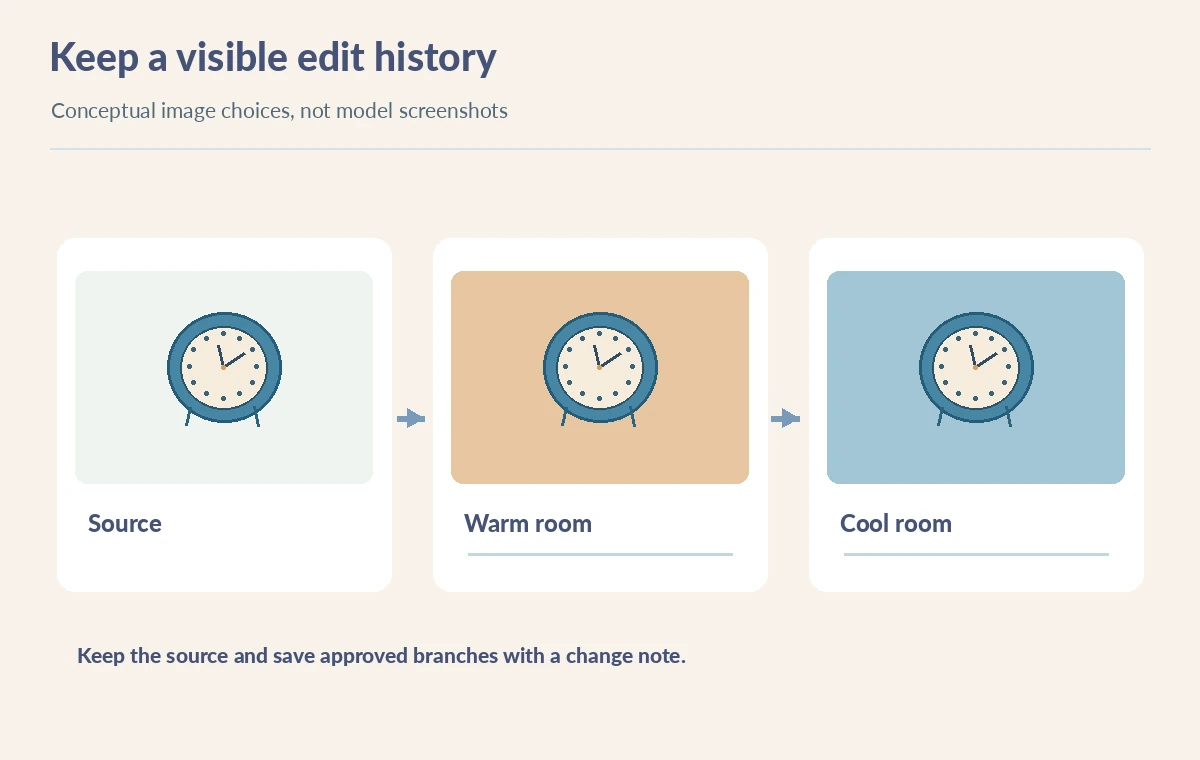
The Google Flow help page says previous edited versions and prompts can be found in the History panel; when working with an older version as a new ingredient, it may need to be saved into the project first. This supports a controlled branching process: initial clock, alternate lighting, and approved room composition. Rename files locally using meaningful editorial concepts such as “warm daylight” or “blue wall variant,” and attach a brief note about what changed. Do not treat a version stack as a guarantee that a product’s identity remains stable. Always compare the branch with the untouched source. Our version illustration shows hypothetical design changes only, with no fabricated model success rates or undocumented UI controls.
Choose an image for a video ingredient only after image QA
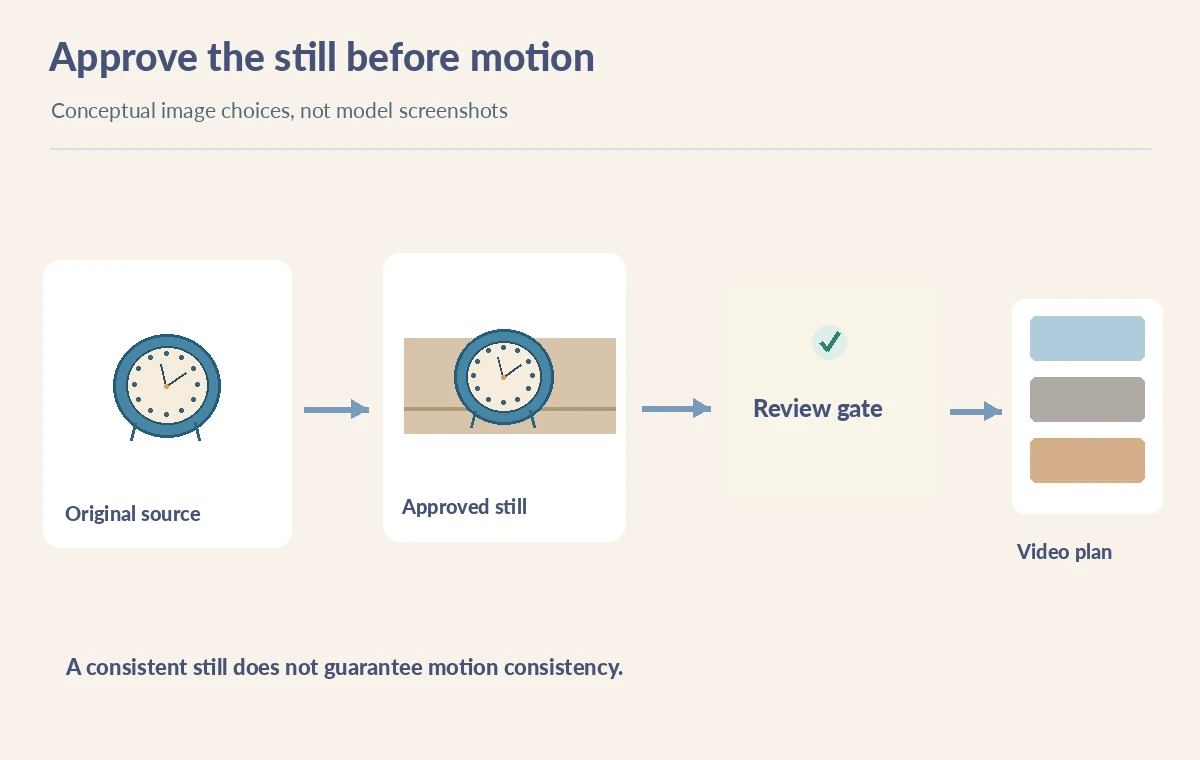
Flow can create stand-alone images and retain them in projects for later creative work, including video. A well-composed still is a useful ingredient, but it does not prove that motion will preserve the original clock or studio proportions. Approve the still image for subject fidelity, framing, rights and safe copy space first. Then write a separate motion brief that identifies what may move and what must stay fixed. Do not infer that the image model’s output size corresponds to the final video resolution. Record whether the still will be used as a concept reference, a precise starting frame, or simply a palette reference. Each role has a different acceptance test and should be communicated clearly to the video editor.
Respect provenance and third-party rights
Use only reference photos the team has permission to upload. Avoid real people’s likenesses, trademarks or identifiable private interiors unless rights and consent have been addressed. If the image will accompany factual reporting, disclose that it is an illustration and do not use it as evidence that a scene existed. For product marketing, compare the generated clock with a verified original packshot before placing it beside price or specification claims. Keep any visible text outside the generated image wherever possible. Source files, prompts and decision notes should be retained long enough for a revision or takedown request to be handled responsibly. A model-produced image may look convincing while still being an inaccurate product depiction.
Hand off an approved asset and its change record
Deliver the chosen image, source-reference list, usage permission notes, aspect ratio, crop preview, prompt history and a human approval comment. Include at least one rejected version to document a known failure mode, such as a changed clock dial. If you are repurposing the image for video, add a separate movement constraint sheet. Do not publish the entire unreviewed variation stack. The final scheme maps the editorial sequence from approved visual asset to an optional video planning stage, with an explicit approval gate in between. The practical outcome is an auditable image-to-video handoff rather than an unsubstantiated claim that Google Flow guarantees character or object consistency.
How We Research
On October 28, 2026 we reviewed Google Flow’s official image help and the Google Workspace notice retiring Whisk on April 30, 2026. These support image creation, reference ingredients, editing/history and the current product location. The clock, studio and version variations are original concept drawings. We did not generate images in Google Flow or verify any account-specific regional quota.
Frequently Asked Questions
No. Google discontinued the standalone Whisk service on April 30, 2026 and moved capabilities into Flow.
Yes. Google documents image generation and editing inside Flow projects.
The official instructions describe locating history versions and saving a version to the project before adding it as a reference.
No. Inspect product shape, text, colors and required details against the authorized source.
The approved still, permission notes, source roles, prompt history, crop and separate motion constraints.