
A passing check needs to reach the right consumer
A museum’s website workflow validates caption files for empty text, missing language codes, and unsupported line lengths. The QA step finishes with a pass or fail signal, while a later step prepares a reviewer report. Passing that signal through a random shell variable is unreliable because shell processes and GitHub workflow steps have different scopes. GitHub provides GITHUB_OUTPUT, a per-step environment file used to set named step outputs. The mechanism is ideal for a small, structured result such as caption_check=pass, but the signal does not establish that the underlying content is historically correct, legally cleared, or approved for publication. This is a made-up CI scenario, not a statement about a real museum repository.
Know the distinction from GITHUB_ENV and GITHUB_PATH
The environment files serve different purposes. GITHUB_ENV sets environment variables for subsequent steps in the job; GITHUB_PATH adds directories to the PATH for later steps; GITHUB_OUTPUT creates named outputs associated with the step that writes them. Use GITHUB_OUTPUT when a downstream step needs to reference the result explicitly as steps.step_id.outputs.output_name. Keeping the interface explicit makes it easier to review a workflow that has multiple tools and conditional paths. Do not use an output as a secret-storage channel or attach entire raw caption files to it. The payload should be a bounded status, count, or reference to reviewed evidence stored in a more appropriate artifact.
Give the producing step an ID
GitHub’s workflow-command documentation explains that a producing step needs an id so later steps can retrieve its output. For example, a step named caption_audit can run a validator that exits nonzero on a blocking failure and, after validation, append a single permitted result line to the file path in the GITHUB_OUTPUT environment variable. In a shell script, the documented pattern is echo “name=value” >> “$GITHUB_OUTPUT”. For production, prefer emitting a fixed value selected by tested program logic, not an unescaped string copied from a contributor-controlled caption. A later step refers to steps.caption_audit.outputs.name. This is a handoff, not an approval mechanism.
Make the validator failure path explicit
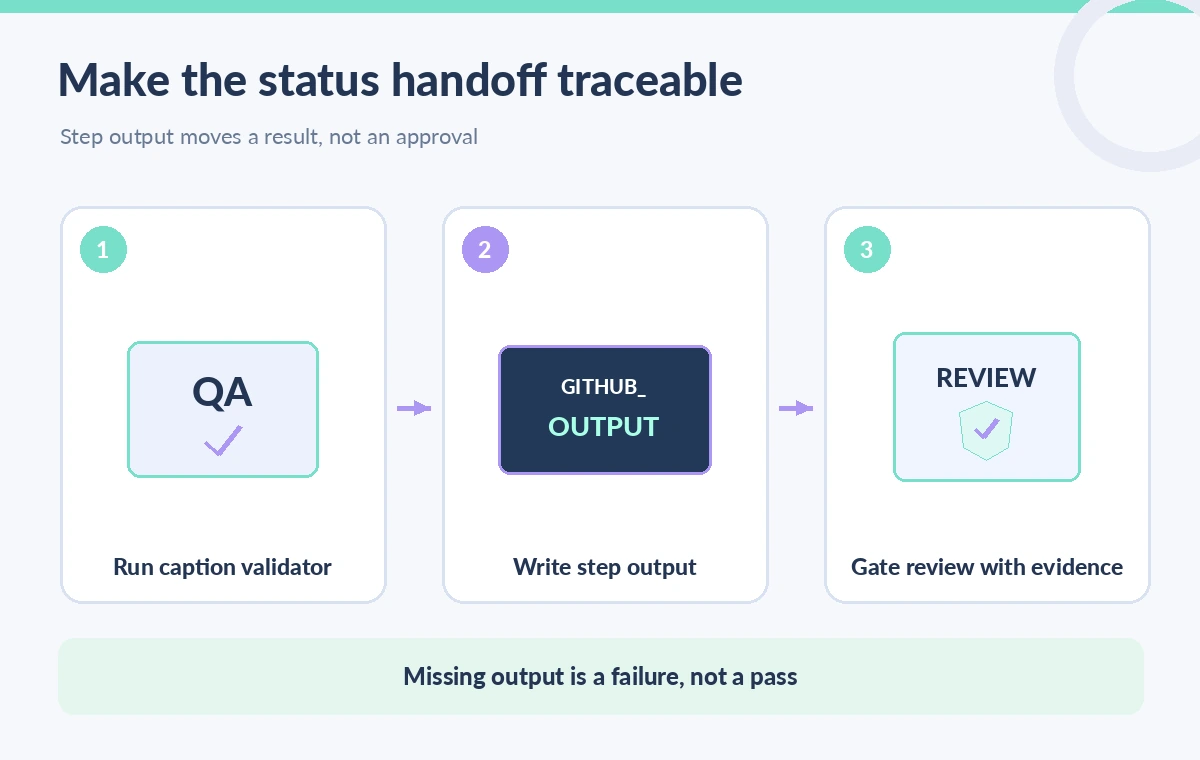
An important nuance is that a step that fails before writing its output may leave no output value. Design downstream conditions to treat missing, malformed, or unexpected status as failure, not success. The validation script should exit with a real nonzero code for blocking errors and write detailed evidence to an artifact only where access rules permit. Define a tight vocabulary such as pass, fail, or review, and reject anything else. If a check is optional, state that in the workflow; do not call a skipped result “passed.” The process diagram separates running the validator, writing a bounded output, and gating a human review step based on actual evidence.
Understand output scope across jobs
A step output is available to subsequent steps through the steps context in the same job, subject to workflow evaluation rules. If a separate deployment job needs the value, GitHub documents that you must map relevant step outputs to job outputs and consume them through the needs context. That explicit mapping is different from expecting a shell environment variable to travel between machines or jobs. Also remember that an output string is not a trusted authorization token just because it crossed a GitHub workflow boundary. The receiving job still needs least-privilege permissions and, where appropriate, a protected environment and a human reviewer before public deployment.
Compare an ambient variable with a named result
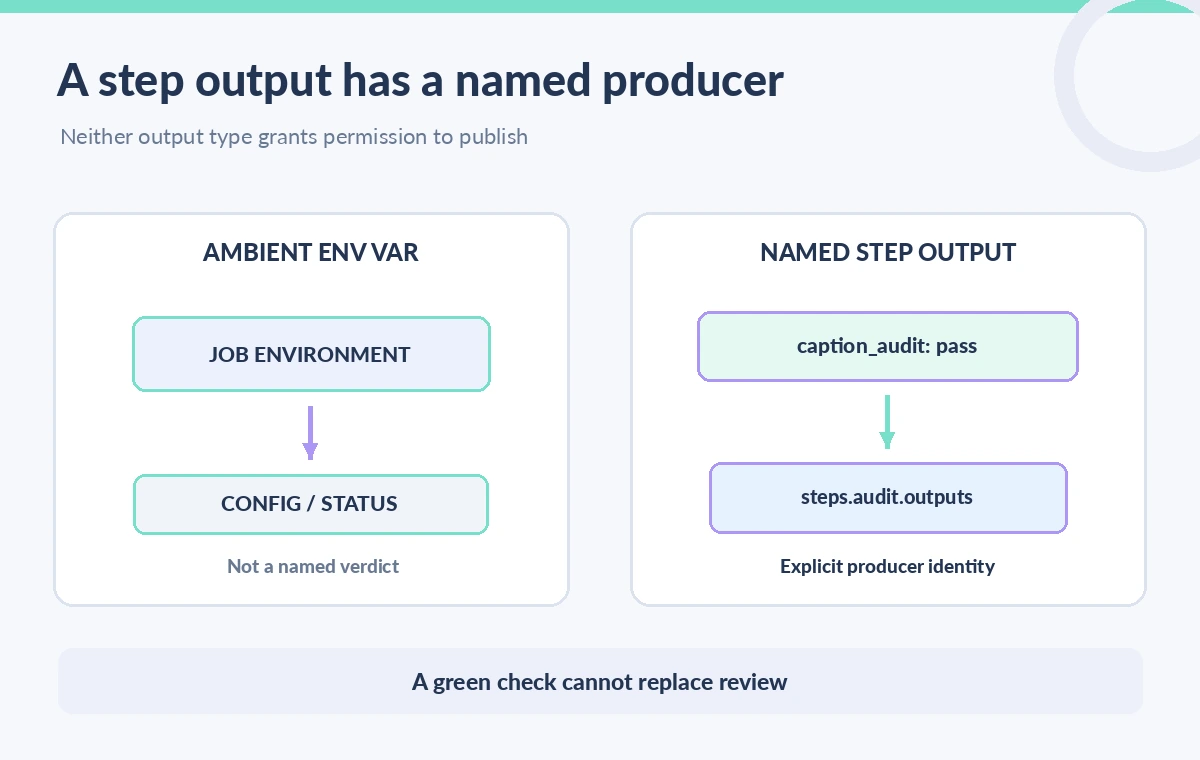
The side-by-side drawing contrasts an ambient environment variable carrying a status and an explicit named step output. An environment variable is useful for process configuration, but it does not automatically tell reviewers which checker produced a verdict. The step output creates a declared interface that can be referenced and tested. Neither route proves that the actual captions were inspected by a human or that all locales have valid attribution. If a workflow contains multiple parallel checks, define how their results are aggregated and ensure that a missing locale cannot disappear in a green summary. The illustration is conceptual and does not pretend to show GitHub’s live interface.
Treat user-controlled caption strings as untrusted
Caption text can come from pull requests, issue templates, or external translation services. It may include quotes, newlines, command-substitution characters, or misleading control text. Do not interpolate raw caption lines into a run script or write them directly to a command file. Parse and validate data using a safe program, then write only approved, fixed-format status strings to GITHUB_OUTPUT. GitHub also documents multiline output syntax using a delimiter, but warns that an arbitrary value may contain the delimiter; for arbitrary content, writing to a separate file is safer. Store test reports as appropriately scoped artifacts, avoiding passwords, signed URLs, private donor data, and unreviewed content in public logs.
Keep the release policy outside the output string
A machine check can establish facts such as the presence of expected language files or the absence of empty caption blocks. It cannot establish that a curator has signed off accuracy, the rights team has approved use, or the accessible experience meets the institution’s full requirements. Express those as separate release gates. Where GitHub environments offer reviewers, require approval independently from a textual pass output. Protect deployment credentials and give pull-request validation only the permissions it needs. If checks are skipped because of path filters or workflow conditions, treat that as missing evidence instead of accepting a stale output from a previous run. The most important control is not the status name but its provenance and scope.
Test the handoff with negative cases
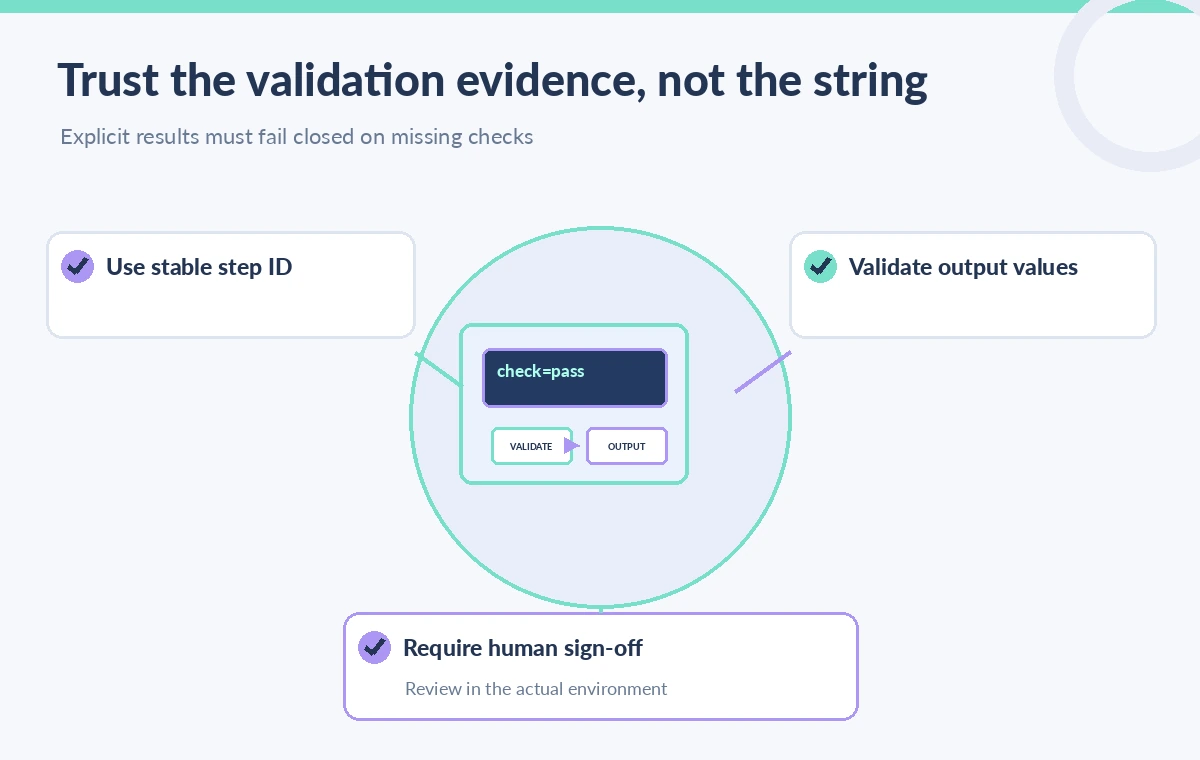
Before adopting the workflow, run a sample repository containing a valid caption file, a missing locale, an intentionally malformed file, and a skipped-check case. Confirm that the validator exits correctly, the named step output is available only where expected, and the downstream gate denies release if the value is absent. Separately test job-output mapping if the report is consumed in another job. Verify that raw contributor text never appears unescaped in shell commands or privileged logs. Inspect workflow permissions and reviewer requirements rather than only a green job summary. These are proposed acceptance tests, not results we observed on a deployed GitHub runner.
How We Research
Our primary named official sources were: GitHub Docs — Workflow commands and GITHUB_OUTPUT; GitHub Docs — Passing information between jobs; GitHub Docs — Security hardening for GitHub Actions. We checked GitHub’s workflow-command documentation and job-output guidance for file-based output syntax, step IDs, and scopes; we also reviewed GitHub security recommendations for workflows processing untrusted contribution data. We did not run a GitHub workflow or validate real captions. Outputs shown in diagrams are illustrative. Readers should verify current deployment-specific documentation and their own permissions before adopting a workflow. Any figures are original instructional diagrams, not actual vendor screenshots or observed results.
Frequently Asked Questions
No. GITHUB_OUTPUT sets named step outputs. GITHUB_ENV provides environment variables to later steps of the job.
Assign an id to the producing step, then refer to steps.<step_id>.outputs.<name> in the same job using GitHub expression syntax.
No. Map the step output to a declared job output, then access it through the needs context in a dependent job.
Use a separate access-controlled artifact for arbitrary or large content. GitHub warns that multiline output delimiters can collide with arbitrary values.
No. It is evidence of the defined machine check. Human accuracy, accessibility, and rights approvals are independent release conditions.