
A small conservation nonprofit builds its public documentation site on GitHub Actions. Dependency downloads make each run slower, so maintainers add a shared cache. Caching can improve speed, but restored bytes are not a trusted release artifact: a poisoned cache can influence code that later runs with stronger permissions. GitHub documents both cache-key matching and branch or trigger restrictions. This hypothetical walkthrough keeps the convenience of dependency caching separate from the evidence required to publish a safe build.
Separate caches from deliverable artifacts
Define which directories are expensive to regenerate and which files represent final build output. GitHub recommends caches for reusable dependencies and artifacts for files produced by a job. Do not treat a cached website bundle as a signed or approved release merely because a prior job saved it. The site source commit and dependency lockfile should remain the reference for the build.
Sketch the workflow as install, test, build, scan, review and publish. For each job, note whether it executes untrusted pull request changes, which token scopes it has and whether it reads shared cache directories. This trust map matters more than a cache hit percentage, especially when the release job can deploy a site or modify protected repository content.
Design keys around dependency identity
Include the operating system, package-manager ecosystem and a hash of the actual lockfile in the primary cache key. GitHub documents how a key and cache version are used to find exact hits, then prefix matches and restore-keys. A descriptive prefix alone is not enough to prove the restored packages match the present commit.
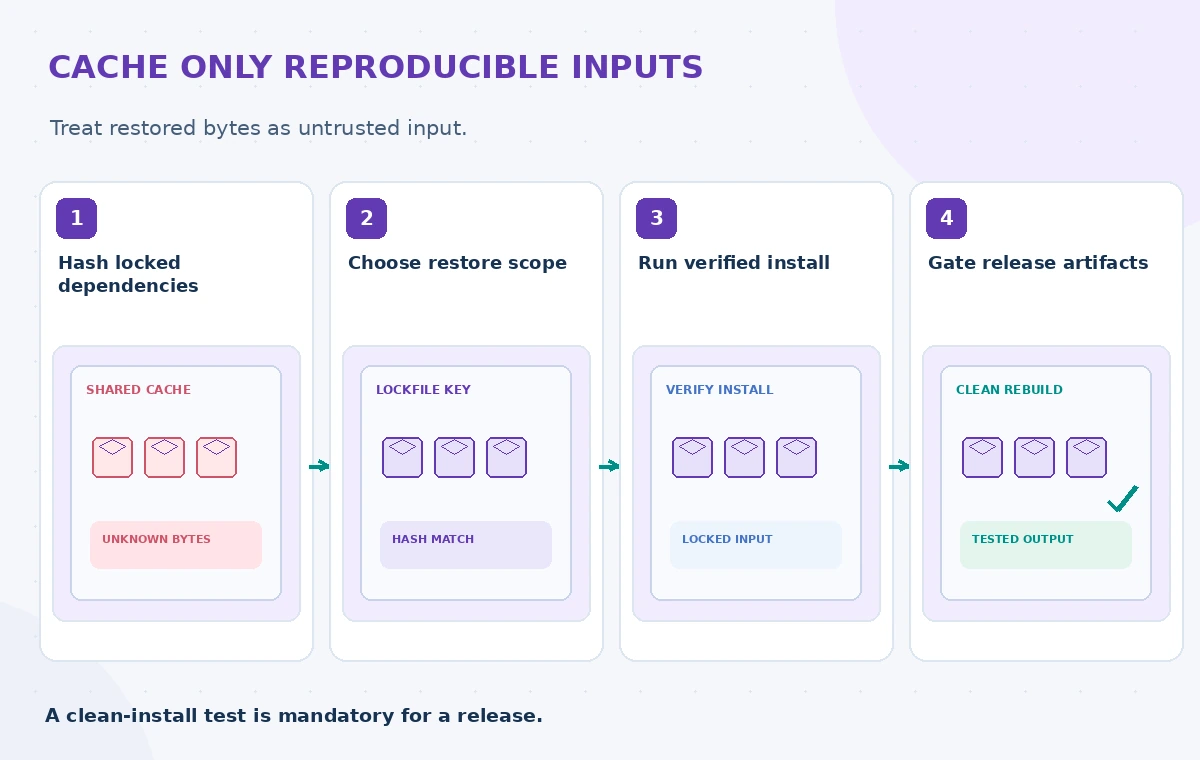
Treat restore-keys as a performance optimization that can retrieve a less specific cache. If an exact lockfile key is unavailable, an older compatible cache may still speed installation, but the package manager must reconcile it against the current lockfile and integrity data. Never skip the dependency verification step just because the restore succeeded.
Understand branch and pull request scope
GitHub explains that caches are scoped by branch or tag and can be available to pull request runs through base-branch rules. Anyone able to open a pull request may be able to read relevant cached bytes. Consequently, secrets, private configuration, access tokens and donor records do not belong in cache paths.
The default restrictions now limit writes to default-branch cache scope from lower-trust triggers, and GitHub documents options to override them. Do not relax this boundary for convenience. Keep low-trust pull request workflows read-only with respect to trusted cache scope, and prefer trusted push workflows for refreshing cache entries used by privileged jobs.
Avoid creating a cache-poisoning bridge
A malicious archive, replaced executable or manipulated dependency in a cache can run during a later build if the pipeline blindly executes restored files. GitHub explicitly warns that cache contents are not signed or verified. Cached directories should be treated as untrusted inputs even when their filenames look like a normal dependency tree.
Use the language package manager’s lockfile verification and integrity checks, rebuild generated executables as appropriate and pin reviewed workflow actions to immutable versions. When a public fork opens a pull request, avoid giving its code the ability to write cache contents consumed by a privileged publisher. A green test status does not certify a cached payload.
Make a cache miss a normal supported path
A healthy workflow must work without a cache. Test a clean install that retrieves dependencies from approved registries and produces the expected site output. Record whether build scripts or post-install hooks execute and what permissions they inherit. If the clean build fails but a cached build passes, the cache is hiding a reproducibility problem.
Measure success by correctness first and speed second. For example, compare artifact digests or source inventories generated from controlled clean and cached builds rather than assuming equal command exit codes mean the outputs are equivalent. Never claim any improvement percentage without a real run with the same inputs, network conditions and test set.
Keep trusted release jobs out of low-trust paths
Release publishing should have a separate permission boundary and explicit approval where necessary. It must not execute freshly restored code that a less trusted workflow could alter without first validating it. Cache scoping alone is not a substitute for isolating runners, withholding deployment credentials and restricting publication triggers.
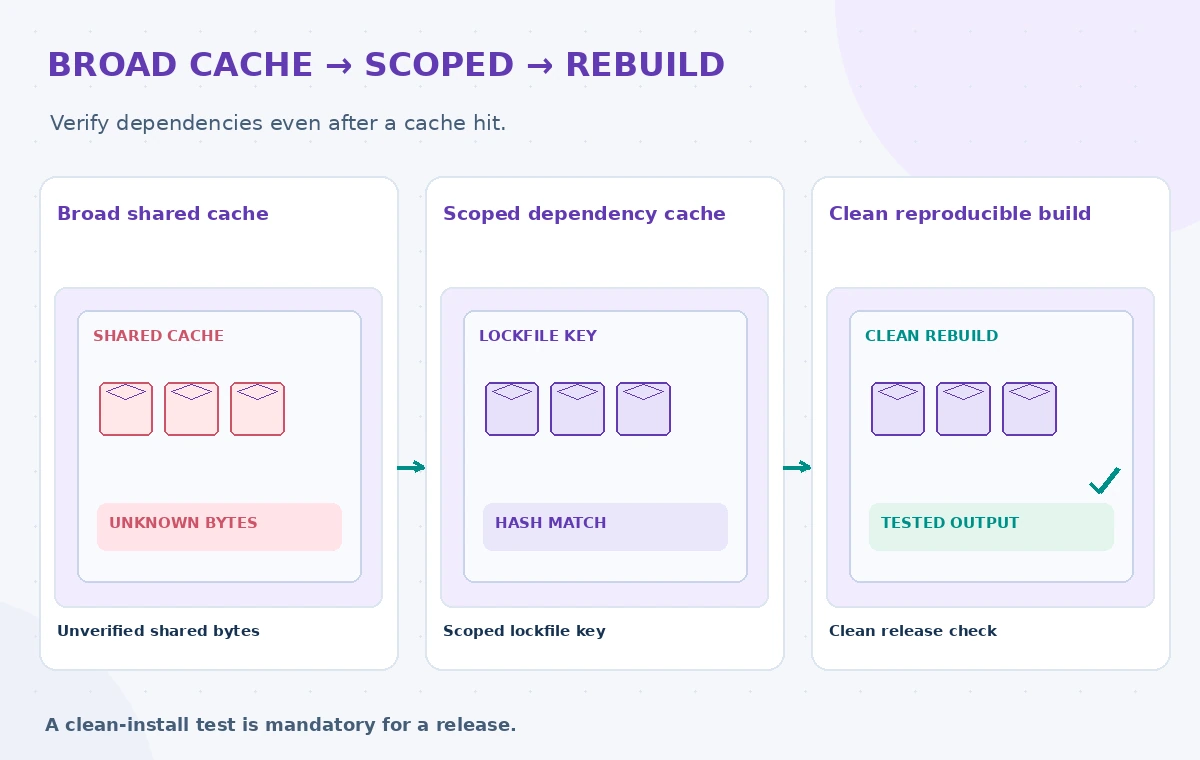
The comparison image shows a broad shared cache, a more specific dependency cache and a clean reproducible build. They are educational states, not measured GitHub screenshots. The safe outcome is not “the cache was hit”; it is “the release artifact was built from reviewed inputs, with integrity checks and appropriate permissions.”
Inspect retention, expiry and invalidation
GitHub cache entries can disappear or become unavailable because of eviction, expiration, key changes or scope rules. Do not build an operational process that assumes a specific entry will always be present. Update cache keys when the runtime, build architecture or critical dependency configuration changes.
When an incident suggests a compromised dependency, invalidate relevant caches and rebuild from reviewed locked dependencies. Keep enough logs to identify the commit, lockfile hash, key and branch involved without logging credentials. Treat cache cleanup and incident response as two distinct processes: deleting one cache entry does not by itself revoke any exposed secret.
Add a release checklist that tests the trust boundary
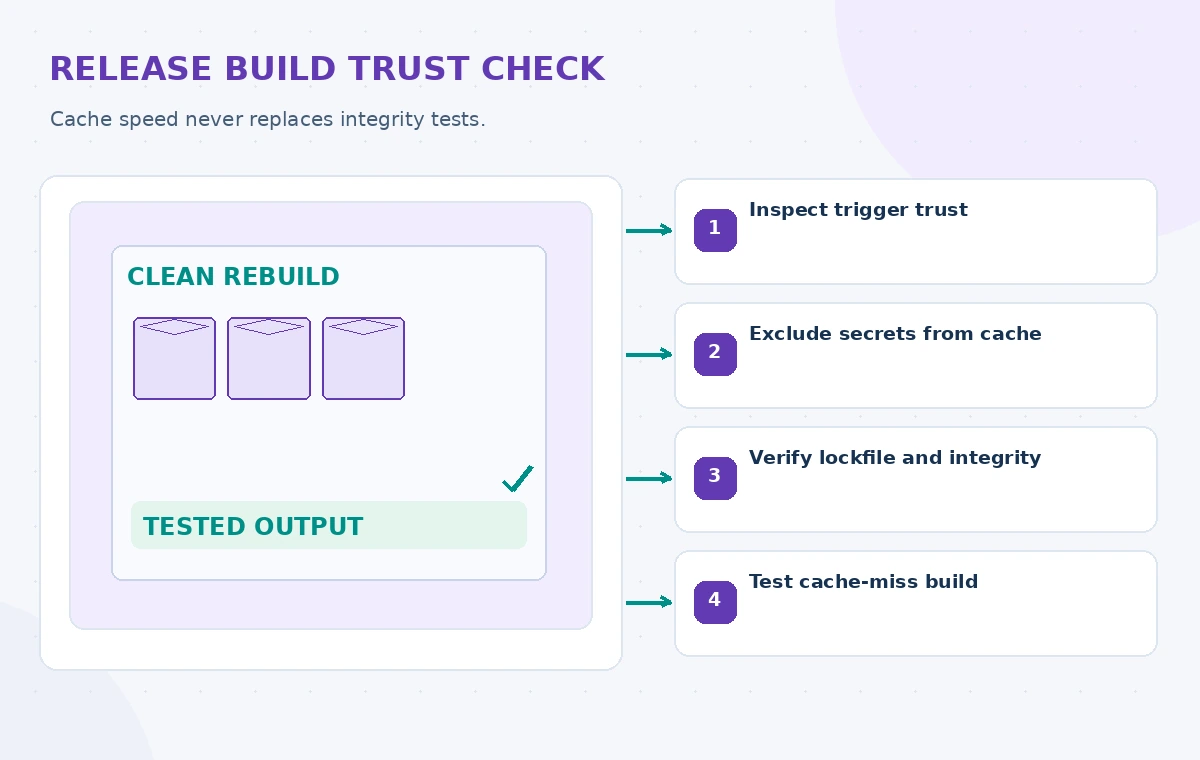
Review workflow triggers, cache path lists, restore-key breadth and credential exposure before every major CI refactor. Run a sample pull request from the least trusted permitted actor and verify it cannot publish or overwrite protected cache scope. Ensure that a build with an empty cache succeeds and still passes all release tests.
Record ownership for cache policy and document why each cached path is needed. If the dependency manager changes, revisit the policy instead of copying a generic YAML example. The workflow diagrams in this guide are invented to illustrate boundaries; they do not represent a scan of the nonprofit’s actual source or a benchmark of GitHub’s service.
How We Research
For this November 2026 article, we reviewed vendor documentation: GitHub: Dependency caching reference; GitHub: Dependency caching concepts; GitHub: Security hardening for GitHub Actions. We compared the documented inputs, outputs, workflow boundaries and limitations with a clearly hypothetical community-service use case. No private records were processed, paid API calls performed, real system benchmark measured, or permission granted on behalf of an organization. Every illustration is original explanatory artwork, not a vendor screenshot or experimental result. Before deployment, confirm the current API, feature eligibility, regional availability, security rules, source permissions and local operating requirements.
Frequently Asked Questions
No. GitHub warns that cached contents are not signed or verified; final artifacts require separate build and review controls.
It makes the primary cache identity depend on the declared dependency graph rather than only a broad project prefix.
Depending on GitHub’s documented branch scope, yes; therefore do not cache secrets or sensitive files.
Not necessarily. They are useful for performance, but any partially matching restore must still be verified by the package manager.
Treat that as a reproducibility defect. Require an independent clean-install path before publishing.