
An organizer remembers that volunteers discussed a 7:30 a.m. setup for a neighborhood arts fair. In another call, a team lead proposed 8:30 a.m. as a more realistic start. The summary sounds definite, but no one may have accepted either time. Before the organizer assigns shifts, the team needs to distinguish proposals, objections, and explicit commitments in the original conversations.
Fathom documents Ask Fathom for questioning meeting records, with account-wide search options available according to plan and permission scope. Its answers draw from meeting titles, summaries, transcripts, and attendees; they are useful leads, not signed attendance agreements. This example explains an evidence-first review for fictional calls and does not imply that any real volunteer was recorded or assigned.
Define the question in terms of agreement, not mentions
Do not ask only “What time is setup?” because the answer might select the most frequently repeated time. Ask which setup times were proposed, who explicitly agreed to a shift, and whether a final start was confirmed. Keep a decision table with proposal, accepted commitment, and unresolved status. The organizer should not mark a volunteer available because the person discussed a schedule or asked whether a shift was open.
Use a hypothetical sequence: first call proposes 7:30 a.m.; second call discusses 8:30 a.m.; neither contains an unambiguous owner commitment. A source-based answer should say that the time is still unconfirmed. It can identify the conversations to review and the question to ask next. This conservative reading prevents an AI-generated summary from becoming a de facto staffing roster.
Choose the correct Ask Fathom scope
Fathom’s official help describes Ask Fathom on individual recording pages and broader views including My Calls and Team Calls. It also describes folder-based questions on Team plans and account-wide questions within the user’s permitted call scope. Access and entitlement depend on plan and sharing settings; do not assume a person can query every organizational meeting.
Start with the event-planning calls in an authorized folder or known collection. An all-calls question may include unrelated discussions and confuse a similar event title with the current fair. Keep dates and meeting names in the query, and inspect whether the retrieved calls refer to the same location. Search coverage is not evidence that every relevant conversation was recorded or shared.
Ask for the evidence behind proposed times
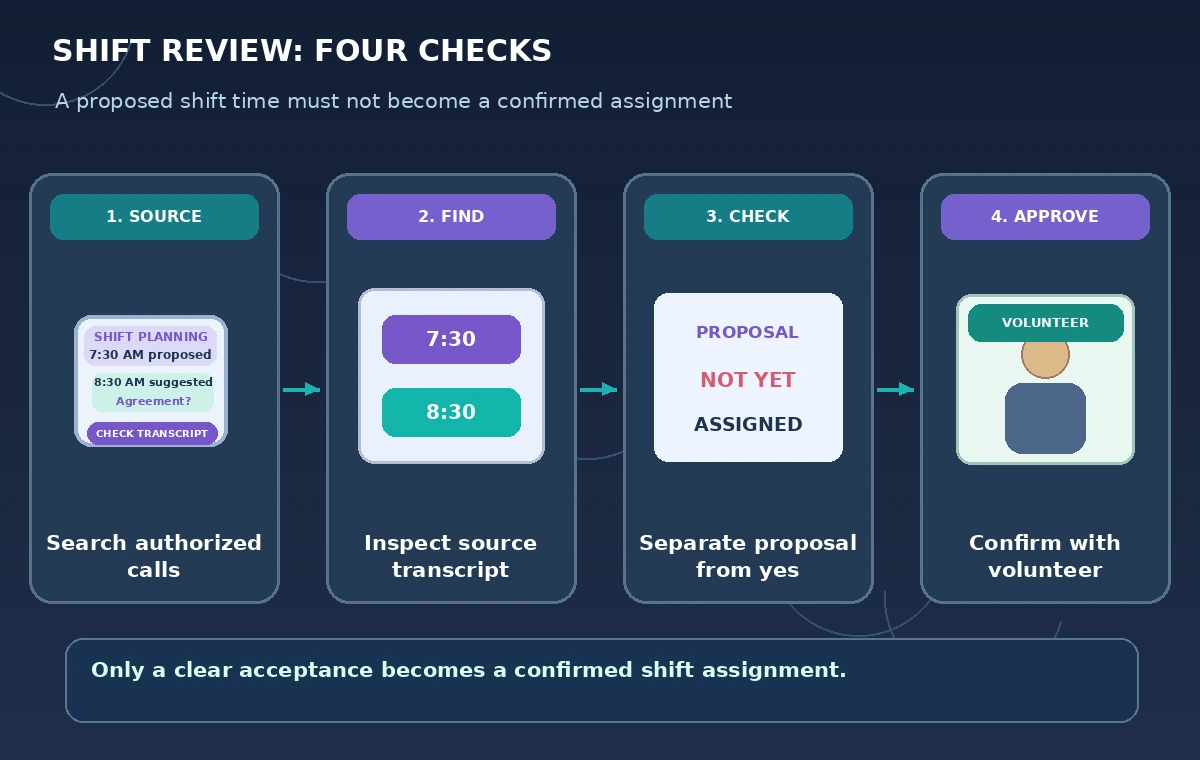
Prompt the assistant to list all mentioned setup times separately, identify the speaker’s wording, and flag whether the time was proposed, challenged, or accepted. Follow with “Which call and transcript moment supports this?” If Ask Fathom summarizes a team lead as having assigned a shift, locate the original exchange to check whether it was actually a question such as “Could you be there by 8:30?”
Fathom’s help says Ask Fathom draws on summaries and transcripts, among other meeting information. That can speed navigation, but summaries may omit hedges. For final scheduling decisions, review the underlying recording or transcript within the access granted to the organizer. A confident answer that does not include explicit agreement should not be written into the volunteer roster.
Build a commitment table without phantom owners
Create a sheet with proposed time, named speaker, exact response, recording reference, accepted shift, and follow-up owner. Only populate accepted shift when the volunteer has clearly consented to that specific start. “I might manage the early slot” goes into pending, not confirmed. Use a separate cell for later email confirmation, which may be stronger than a tentative conversation.
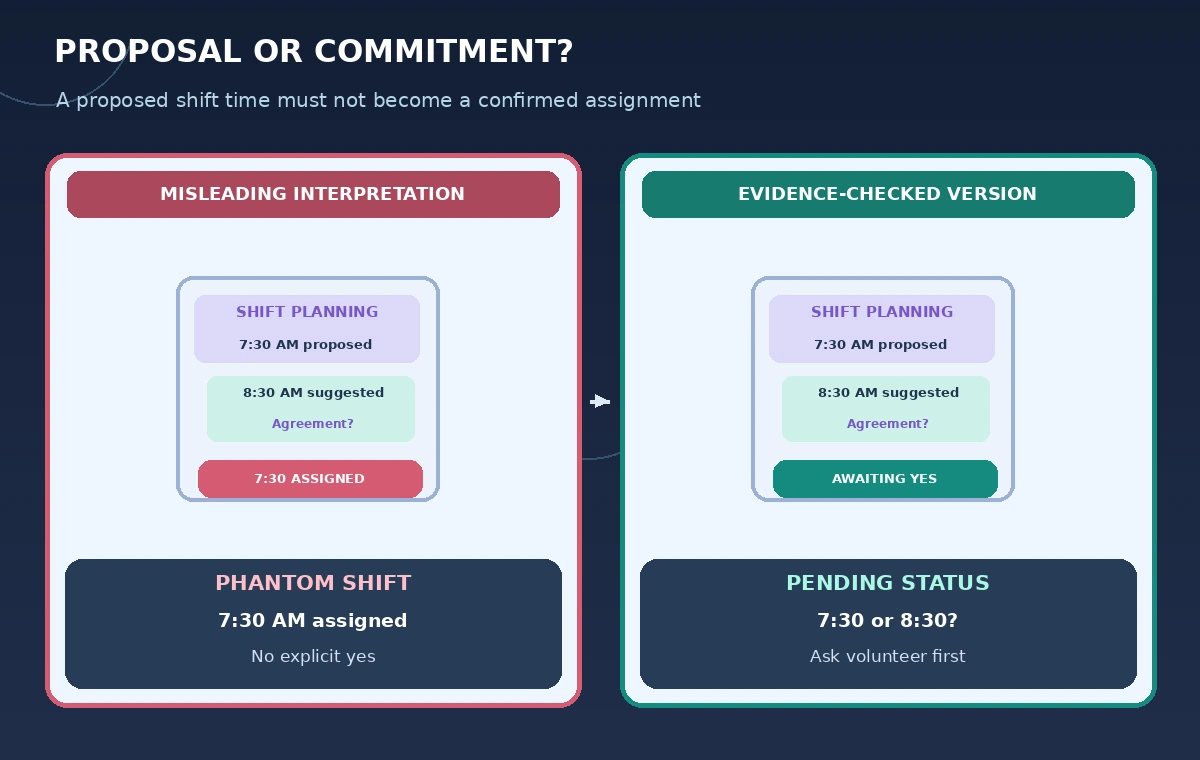
The comparison diagram contrasts a false roster showing someone committed at 7:30 with a reviewed roster that keeps that slot pending and records the later 8:30 option as a proposal. These are fictional examples, not Fathom output screenshots. The visual lesson is that the same words can be present in multiple calls without establishing a final decision.
Protect access to recordings and transcripts
Fathom documents multiple sharing levels for call recordings and links, including restricted sharing. Before using account-wide questions, ensure that team members have appropriate access to the calls. Do not forward an unrestricted recording link merely because it is convenient to support an AI-generated shift summary. A call may contain personal contact details or unrelated comments that should not be visible to all volunteers.
Check the recording rules and consent expectations applicable to the participants and location. A transcript is personal meeting data, not a public event announcement. Share only the verified shift schedule with volunteers, not a complete private planning conversation. Document any required approval for using or exporting the notes, and revoke overbroad links when they are no longer needed.
Account for history and incomplete coverage
Fathom’s Ask Fathom help notes that Ask history is not currently saved. If you need an audit trail, separately record the question, answer, source calls, and reviewer decision in an approved project document. Do not rely on returning to a question panel days later to reproduce the exact result. Save only the information permitted by your organization’s retention policy.
Fathom also states that it does not support uploading arbitrary external recordings for its normal analysis workflow. A planning conversation held by phone or in person may therefore fall outside the searchable meeting corpus. Add a “not in recorded calls” status rather than assuming that an absent statement was never made. Verify important commitments by contacting the people involved.
Send a confirmation request, not an announcement
Once the table distinguishes accepted and pending items, draft a simple follow-up: “We discussed 7:30 and 8:30 setup starts. Which time can you confirm?” The organizer should review and send it, and then update the roster only from the reply or another explicit confirmation. Avoid saying “You agreed to 7:30” when the source recording contains only a suggestion from someone else.
If a time has already been approved by the event director, keep that decision separate from whether individuals have volunteered for it. A confirmed event start does not populate individual attendance automatically. Mark assigned shifts, pending invitations, and unavailable volunteers with different statuses so that a copied AI summary cannot erase the distinction.
Review the final roster against primary evidence
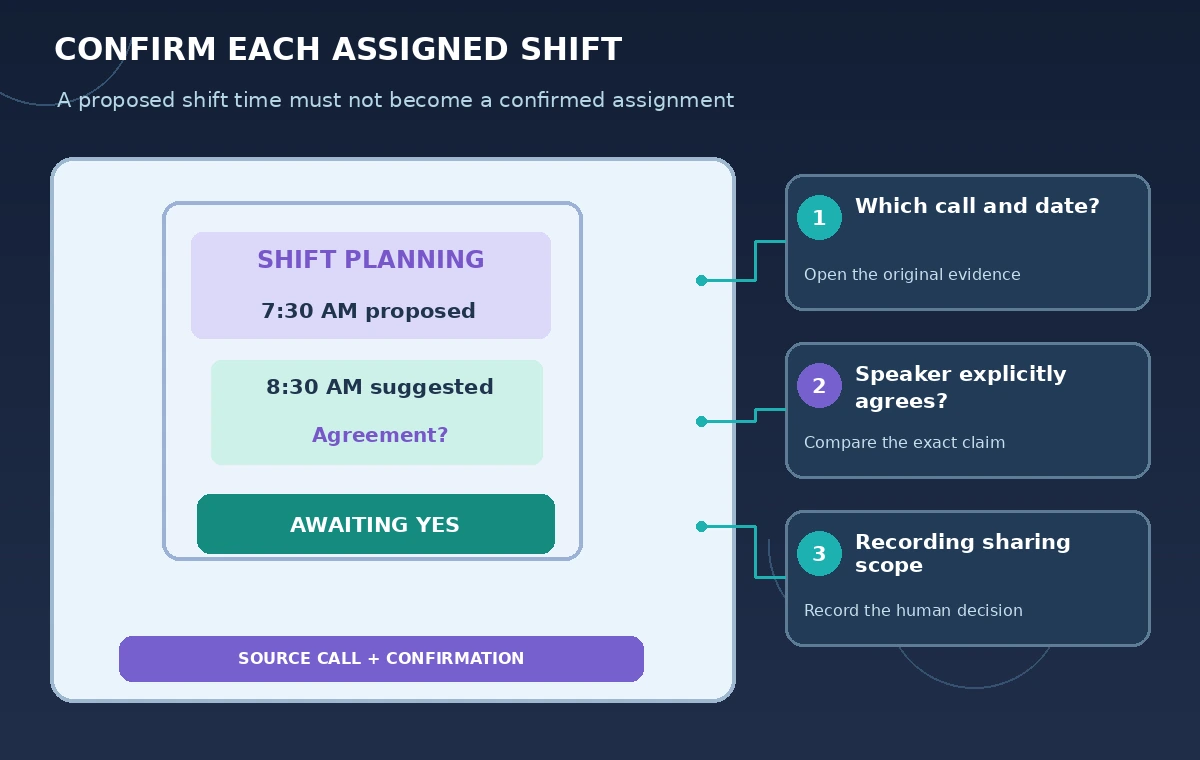
Before publishing a staff schedule, inspect source calls, written confirmations, and the event-approved timeline. Flag people without explicit assignments, ambiguous setup times, and calls outside the authorized search scope. Have a second organizer review the unresolved rows. The final published roster should contain only information the volunteers have permission to share and that the organizer has genuinely verified.
We checked Fathom’s official help on Ask scope, meeting sources, question history, sharing permissions, and external-recording limitations. We did not access a Fathom account, record meetings, or verify any volunteer commitment. All calls, times, speakers, and diagrams are hypothetical. Ask Fathom can accelerate discovery; a reliable roster still requires direct evidence and human confirmation.
How We Research
For the November 5, 2026 documentation review, we consulted these named official sources: Fathom Help: Using Ask Fathom; Fathom Help: Sharing call recordings; Fathom Help: Importing external recordings. We compared their stated feature capabilities and eligibility limits with the workflow described above. We did not run the named service or test real customer records; all cases, outputs, and diagrams are hypothetical. Check current product documentation, plan access, and organization policies before use.
Frequently Asked Questions
Fathom documents account-wide and folder-based question options, with access determined by plan and permissions.
No. Keep proposals separate from an individual volunteer’s explicit confirmation.
Fathom’s help states that Ask history is not currently saved; keep an approved evidence log when one is needed.
Fathom says its standard workflow does not support arbitrary uploaded calls; check current product documentation.
No. The scenario, quoted decisions, and illustrations are entirely hypothetical.