
A training-video presenter says one outdated room number in an otherwise usable take. Descript’s Regenerate tools can repair a short phrase and, for eligible video footage, synthesize matching visual performance. That convenience creates two separate obligations: preserve the actual approved script and obtain permission to modify a recognizable person’s face and voice. This hypothetical workflow fixes one line in a single-speaker, face-to-camera clip and compares the generated section to the original at the cut points. It does not pretend a regenerated video is an unaltered recording of what the presenter originally said.
Decide whether editing is appropriate at all
Confirm the room number against the current training schedule and ask the speaker or content owner to approve the corrected wording. If the line documents a historical statement, changing it could misrepresent the record; add an on-screen correction instead. For a procedural training video, a replacement may be appropriate when the organization needs viewers to hear the current number. Preserve the complete original take and a timecoded log showing what changed. A few seconds of synthetic speech and facial motion can be convincing, so plan a disclosure appropriate to the audience and purpose rather than silently presenting it as an untouched camera recording.
Verify the current Regenerate controls and prerequisites
Descript documents a Regenerate workflow in which a highlighted script selection can be replaced by generated audio, with Audio & video available for eligible video projects. Video regeneration is a beta capability and requires consent concerning the speaker’s likeness. The documentation also explains that generating changed words may require a custom AI speaker with consent and speech-generation permission. Do not confuse this with the separate Eye Contact tool or generic scene replacement. Check the live project’s plan and controls; if the video option is grayed out, use audio-only repair, a pickup recording, or a visible correction instead of treating the feature as universally available.

Choose a small selection entirely within one scene
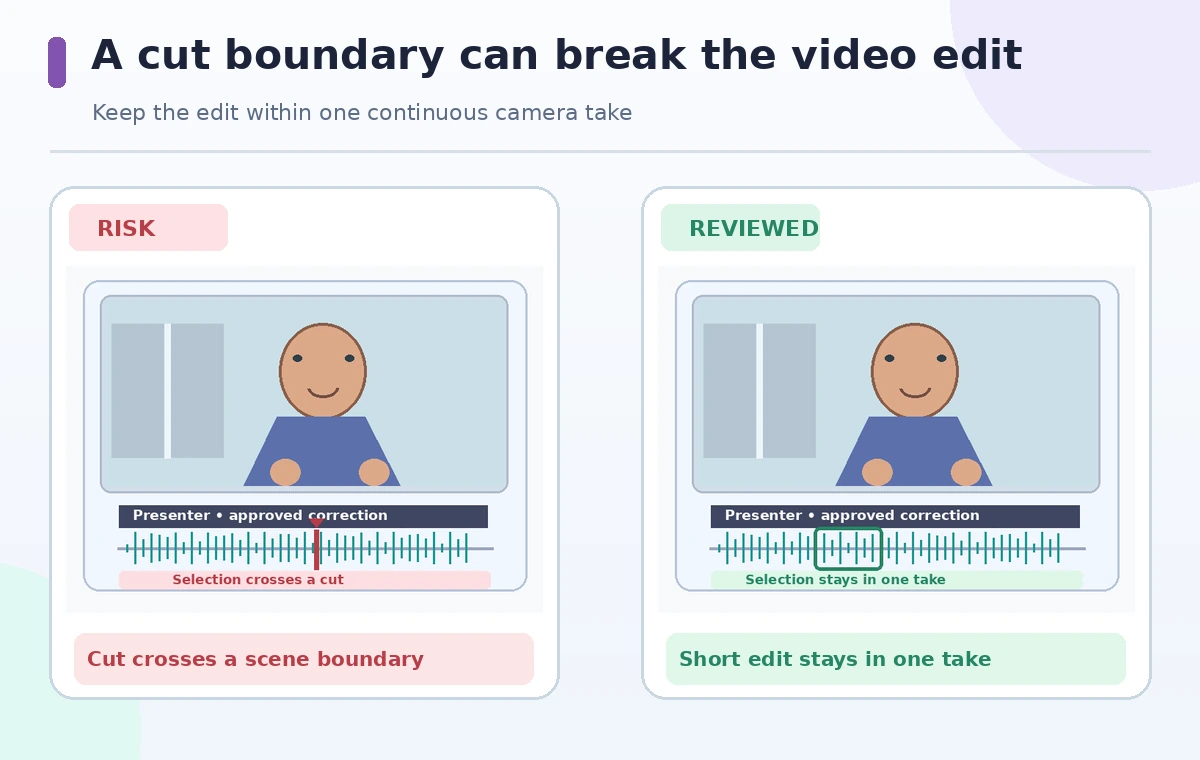
Find the incorrect line in the transcript and highlight a short span containing a little natural context before and after the mistake. Descript lists a maximum of 250 characters per Regenerate action, and the selection cannot cross a scene boundary or include ignored text. Avoid cut points and avoid selecting an entire paragraph when one sentence needs work. Inspect that the selected track is genuine A-roll with one clearly visible speaker. Regeneration is not designed for B-roll, multi-speaker conversations, or an obscured face. If the presenter turns away or a hand blocks the mouth, a simple replacement recording is safer than attempting to force synthetic synchronization.
Record consent before generating someone’s performance
The person whose likeness appears in the output should understand that an AI model will alter both spoken delivery and mouth movement. Descript’s consent prompt is a product gate, not a substitute for your organization’s permission process. Keep records of who owns the source and who authorized the amended script. If a contractor or volunteer appeared in the video, do not infer they agreed to an entirely new statement just because the original recording was permitted. Use a custom AI speaker only where you have legitimate rights and consent. For a person who has withdrawn permission, remove the material rather than cloning their voice for convenience.
Review audio and video together before accepting
After generation, play the replacement at normal speed and compare with the original take. Listen for an unnatural cadence around the room number, inconsistent consonants, or a sudden change in background ambience. Watch lip closure, teeth, eye movement, and head position across the in and out points. The comparison schematic contrasts a selection spanning an edit boundary with one kept within a continuous take. It is instructional artwork, not a Descript test capture. If a version is not convincing, use Restore or Retry as the interface allows; do not accept because one still frame looks plausible.
Understand what happens after Accept and conversion
Descript describes options to preview, restore, retry, and accept generated results. The tool can convert an accepted result into a standard media layer, changing later editing options. Preserve a copy of the original project or version before committing. Test that captions and on-screen text still match the corrected spoken number, because AI speech does not automatically verify an external floor plan or room label. If synthetic footage introduces a different facial expression, judge whether it changes the tone of the instructor’s instruction. A faithful correction needs semantic accuracy, not merely synchronized lips.
Check continuity at full playback speed
Watch the ten seconds around the regenerated line without pausing. Look for frame jumps, a facial shape that changes for a moment, shifting lighting, and an abrupt sound floor. Compare the same period through headphones as well as built-in speakers. If the camera framing changes mid-sentence or the speaker’s face is partly hidden, do not patch a long span with repeated generations. Use a cutaway only when it is clearly editorial and does not imply the speaker performed actions they did not. Separate generated material from authentic footage in your internal project notes so another editor can investigate later.
Ship with an audit trail and alternative for failure
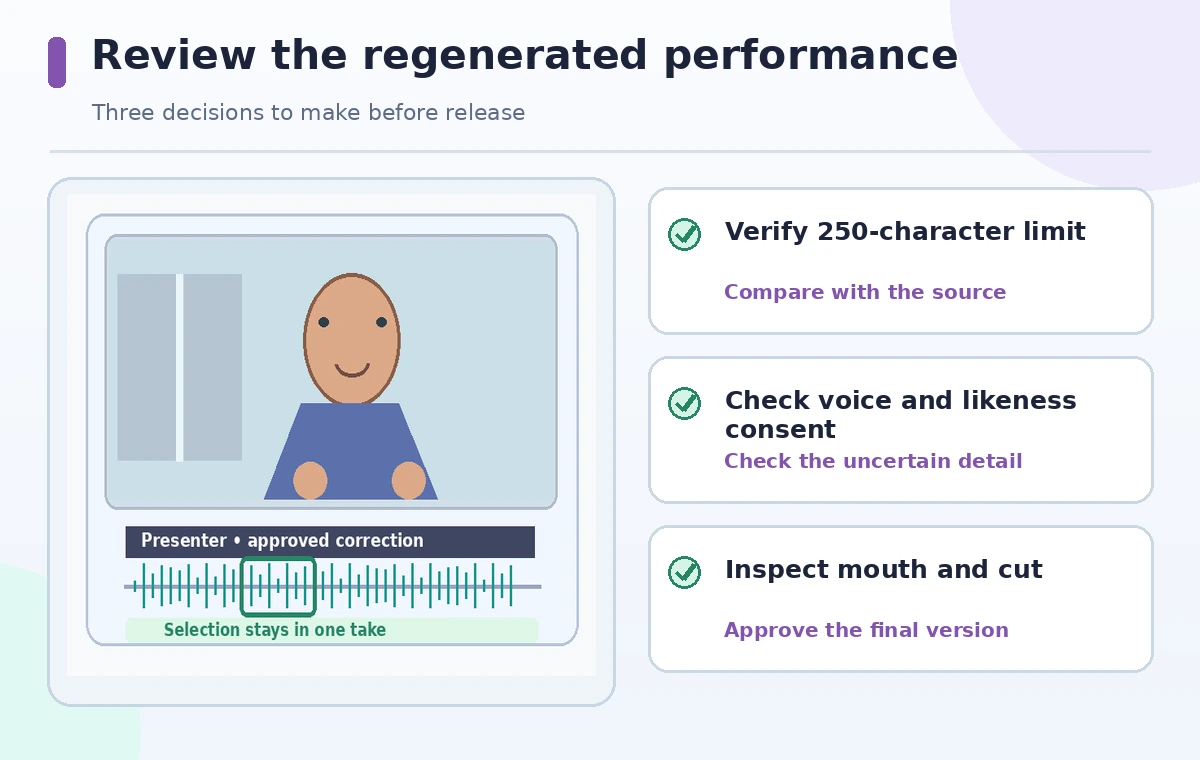
Ask a human reviewer who was not present for the edit to verify the script, the correct room reference, consent, and continuity. Keep the original recording, corrected script, generation date, and any necessary audience disclosure. If the beta feature fails or introduces odd movements, re-record a pickup or present an explicit update card. Avoid trying to repair multi-speaker footage by treating one voice as another. The release standard is an approved training instruction delivered transparently, not a flawless attempt to imitate an unchanged recording. Future revisions should begin from the original source, not a chain of repeated synthetic fixes.
How We Research
We consulted Descript’s Regenerate video (beta) documentation for single-speaker, A-roll, consent, and 250-character limits, and its Regenerate workflow guide for preview, restore, retry, and accept. The presenter, room number, and before/after scenes are hypothetical. We did not generate a real person’s image or voice, test a Descript subscription, or claim the repair sounds natural.
Frequently Asked Questions
Descript documents single-speaker support for video regeneration; multi-speaker footage is not supported.
Descript lists a limit of 250 characters per Regenerate action.
No. Descript specifies A-roll/script-track footage, not B-roll.
Yes. Follow Descript consent requirements and obtain the speaker’s appropriate authorization.
Restore the original and consider an approved pickup recording or visible correction rather than releasing a misleading generated performance.