
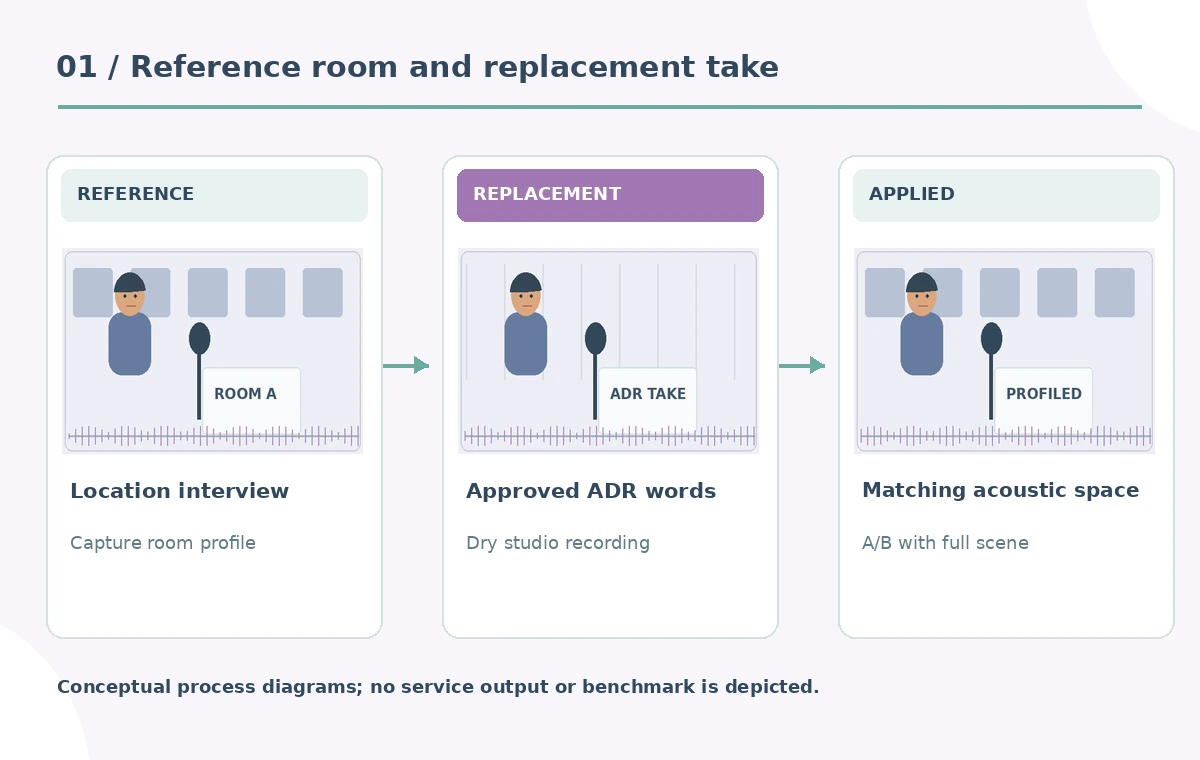
A documentary interview contains one line with a clipped microphone sound. The same speaker records a clean replacement in a different room, but the new take sounds dry and separate from the original conversation. DaVinci Resolve Studio’s Dialogue Matcher is intended to capture a reference dialogue profile and apply its room character to another clip. That solves a different problem from denoising, replacing words, or inventing speech. This workflow builds a reference-versus-ADR listening sheet, protects the exact spoken meaning, and inspects where the replacement joins the source. The waveform and room drawings are conceptual and do not document an actual audio test.
Identify the acoustic mismatch, not just the noise
Listen to the full original exchange before deciding which line to replace. The microphone fault may last two seconds while the surrounding room has a broad echo and quiet air-conditioning hum. Keep one undamaged source sentence as a tonal reference. The ADR line must be a truthful replacement of the approved wording; mark exact syllables, breath pauses and timing against the picture. If the actor speaks a different number or adds a new qualifying phrase, an acoustic matching tool cannot make the edit editorially accurate. Store the untouched recording and the clean replacement separately. Make a short written description of the acoustic difference to guide review.
Capture a dialogue profile from the appropriate source
Blackmagic’s DaVinci Resolve 20 New Features Guide describes Dialogue Matcher as a Studio-only AI tool matching dialogue tone, level and room reverberance or ambience. Select a representative source clip and use Clip > AI Tools > Dialogue Matcher > Capture Dialogue Profile. Choose a segment where the intended room sounds stable and the reference voice is clearly recorded, not a chair squeak or a loud audience interruption. If the ambience changes across the interview, a single profile may not represent the entire scene. Note which exact timeline clip served as reference. This is tonal matching, not new speech synthesis and not a substitute for source evidence.
Apply the captured profile to the replacement line
Place the ADR on a separate track aligned to the original spoken position. Select the clip to be treated and use the documented Apply Dialogue Profile command. The source and replacement should share a sensible gain staging before judging the effect; louder audio can seem better even when its room tone is unnatural. Toggle the profile on and off with the Enable control to compare, or remove an inappropriate profile. Listen to a few seconds before and after the edit. A successful preview should make the new line feel like it was recorded in the same location, but it should not create a false impression that a different event was actually captured on site.
Separate word accuracy from acoustic realism
Write the original transcript and approved ADR transcript side by side. Circle names, measurements, negatives, conditional phrases and dates that must be identical. A replacement speaker may accidentally change “can” to “cannot,” or state an unverified number more confidently. Dialogue Matcher does not validate language content. The conceptual diagram shows a clean ADR line, a room-tone reference and a tonal match; it is not an illustration of automatic transcript correction. If the take changes meaning, request another recording or use the original with an editorial note rather than polishing the wrong words. Respect performer permission and union or contract requirements for postproduction manipulation.
Listen for mismatch at the edit boundaries
Two adjacent clips can sound consistent in their middle while revealing a sudden change in noise floor at the join. Add short audio handles, crossfade where justified, and align breath patterns without cutting consonants. Listen on headphones for differences in echo tail, low-frequency hum, stereo placement and harsh sibilance. Use a second listener who did not hear the editing process, asking them to identify where the replacement begins. The goal is a natural transition rather than an artificially identical spectral graph. If the interviewer overlaps the repaired line, ensure the matching process has not altered the other person’s voice or made dialogue unrecognizable.

Know when Dialogue Matcher is the wrong tool
If the original voice is distorted beyond recognition, restoring its words may be impossible; you may need to rerecord, subtitle a gap, or disclose a reconstruction. If the new take was made in a radically different vocal style or location, room matching cannot replace performance direction. If background music masks the cut, do not declare success without checking a dialogue-only version. The tool does not replicate a specific microphone model or retroactively prove an onsite recording. For sensitive documentary material, make clear whether a segment was re-recorded. The editorial review sheet distinguishes an approved ADR substitution from an unverified synthetic reconstruction.
Preserve source, profile details and alternate mix
Create a versioned folder containing the untouched location recording, the permitted ADR take, the selected reference identifier, timeline screenshots, and two mix candidates with Dialogue Matcher enabled and disabled. Keep the exact spoken text and timecode alongside the assets. Do not bake one irreversible profile result into the only available audio file. Check whether the selected profile changes perceived emotional intensity or unintentionally exaggerates acoustic reverb. If a producer requests stronger matching, explain which problem is being solved and whether the extra processing introduces artificial artifacts. The saved comparison prevents later reviewers from mistaking treatment choices for what was captured.

Approve the final dialogue in a full-program listen
Play the entire interview or scene with captions hidden, noting whether the replacement attracts attention. Then repeat with subtitles to check that the final words remain accurately represented. Compare source and ADR levels through a loudness-normalized pass. Examine the release export for clicks or a shifted replacement at any speed change. Record authorization, reviewer, scene version and any public disclosure required by the context. The human acceptance test is both truthful language and plausible acoustics. Dialogue Matcher can accelerate matching tonal quality, but it cannot certify either. If the ADR edit still sounds false, a modest conventional ambience mix or a fresh recording may be the more honest route.
How We Research
We reviewed Blackmagic Design’s official Resolve 20 features guide, especially the Dialogue Matcher section on October 28, 2026, including its profile-capture and apply workflow. No production audio, studio ADR, machine profile or listening experiment was performed. The interview words, waveforms and room sketches are fictional instructional examples.
Frequently Asked Questions
Blackmagic labels AI Dialogue Matcher as Studio-version-only in its official features guide.
No. It applies a captured dialogue profile to existing audio; the replacement performance must already be recorded.
Yes. Blackmagic describes Enable and removal controls for the applied Dialogue Matcher profile.
No. A human should verify the exact script and recorded words against the approved source text.
Listen for voice level, room ambience, reverb decay, breath timing and clipped consonants in the release mix.