
A small visual team wants six concept images of the same illustrated terrarium, each with one recorded setting change. ComfyUI is a node-based system where a queued workflow can be rerun, but a pile of anonymous PNGs is not an auditable experiment. This guide explains a compact queue-and-seed ledger, how saving output relates to workflow metadata, and why an apparent repeat is not a guarantee of pixel-identical results across environments.
Define a six-output experiment before touching the queue
Write one fixed creative brief: a glass terrarium with a single fern, small rocks, soft window light and a blank background. Specify output aspect ratio and visually check that the fern stays inside the glass. Create an experiment table for six planned runs: identifier, graph revision, model/checkpoint, seed rule, single changing variable and review note. The six runs are an editorial teaching scenario, not output measured from a local GPU. If you change checkpoint, prompt, seed and sampler together, you cannot tell which change influenced the picture. The experiment is most useful when one creative variable is changed at a time and the decision is about practical image suitability, not a fabricated model ranking.
Understand the queue and what a successful submission means
The official ComfyUI OpenAPI specification documents submitting a workflow to an execution queue, returning a prompt identifier when accepted, as well as endpoints for queue and history inspection. Being accepted into a queue is not the same as an image being successfully saved; execution can fail or later be interrupted. Avoid creating six separate submissions if your current workflow already processes several images per run. Before pressing Queue, check missing models or third-party nodes and confirm the expected output directory. A process diagram should show submitted, running and saved as different states. This distinction is especially important when an automation script retries after a connection loss.

Treat seeds as identifiers, not perfect reproduction guarantees
Record the actual seed and seed-generation policy that the sampling node uses, as well as model file, scheduler, sampler, denoise setting and workflow revision. A fixed seed can help narrow differences, but exact replay also depends on model files, code versions, hardware and settings. Do not claim identical pixels merely because two thumbnails look similar. For an honest comparison, store the settings used for each output and add a human observation such as “fern split into two stems” or “glass rim incomplete.” Do not convert aesthetic preference into an invented reproducibility percentage. The illustrated ledger uses fictional short sample values, not numbers claimed as results of ComfyUI execution.
Connect SaveImage and verify what metadata is retained
The ComfyUI SaveImage documentation describes saving input images as PNG in the configured output directory; with metadata enabled, it can embed workflow prompt and extra PNG information. Its filename prefix can be configured, but filename sequence alone is not a durable record of settings. Confirm that each expected image was actually written, inspect metadata in the resulting file, and keep a separate human-readable run manifest. If files pass through converters or publishing platforms, metadata may be stripped, so archive original PNGs before generating lightweight WebP previews. Do not suggest that all exported image formats preserve the same provenance fields automatically.
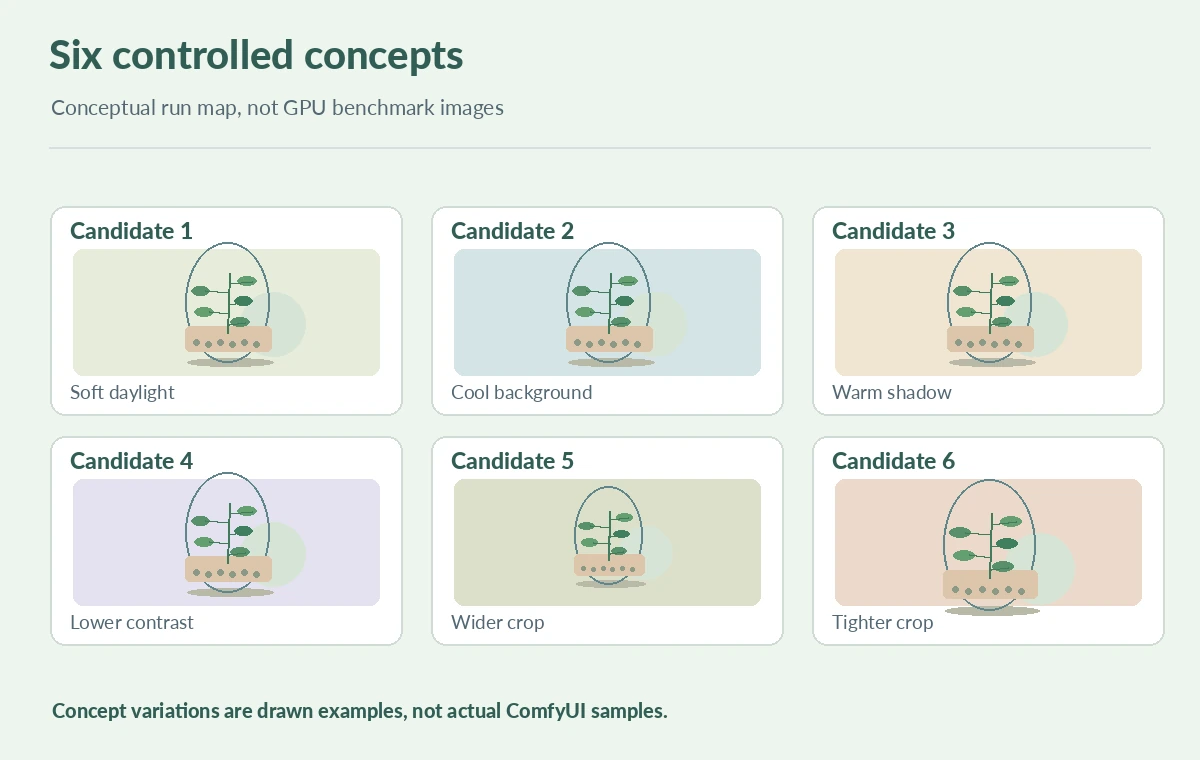
Create a review sheet for the six terrarium concepts
Arrange thumbnails in two rows of three, each identified by a local review number only. Above or beside the review grid, show what varied and why. Use visible illustrations of the glass, fern, gravel and light direction rather than text-only cards. A reviewer should be able to reject a candidate for an observable defect: broken glass shape, extra leaves, implausible shadow or inconsistent object count. Keep notes on the underlying workflow rather than implying that the illustrated examples are actual model outputs. If one run fails, mark it as missing; do not silently substitute a repeat and present it as the original submission. Keep the acceptance decision separate from the queue status.
Recover from an interrupted or duplicated job carefully
If the UI stops responding, check the current queue and history before submitting the same workflow again. The ComfyUI API specification includes queue, history and prompt identifiers; those are useful for correlating work but do not make every interruption automatically recoverable. An export file may exist even when a client never received confirmation. Reconcile the intended six outputs against the actual output directory and identifiers before triggering another run. The rule is similar to handling any ambiguous network operation: inspect side effects first, then decide whether a retry is needed. Avoid deleting original outputs merely to make filenames line up.

Package an auditable creative handoff
Provide the reviewed PNG outputs, human decision sheet, workflow JSON, model/version notes, seed ledger and rights status of any input references. If shared externally, remove secrets and private file paths from workflow documents. Explain that reproducibility is conditional on matching the execution environment, not a promise from the seed alone. The final illustration compares a graph, a record and accepted output with a human approval step. It is a conceptual infographic, not a tested ComfyUI workflow graph. A good handoff lets another editor identify which image is approved and which parameters need to be checked before future regeneration.
How We Research
On October 28, 2026 we reviewed the ComfyUI project OpenAPI specification, the ComfyUI SaveImage node documentation and the core project repository. These support queue/history, saved PNGs and optional metadata. The six terrarium images, seeds and state diagrams are illustrative, not observed runs. We did not measure sampler determinism or run a GPU generation test.
Frequently Asked Questions
No. Confirm execution and the saved output separately; queue submission only accepts a task.
No. Models, software versions, hardware and other settings may affect repeatability.
ComfyUI documents PNG metadata embedding when metadata is enabled; verify each output and keep original files.
First check queue, history and output files to avoid duplicate jobs.
A reviewed image, original PNG, workflow graph, seed record, model version and approval note.