
A visible challenge is not a verified registration
A hypothetical community museum opens volunteer registration for an open-house weekend. A web page displays Cloudflare Turnstile, but the backend accepts form submissions without validating the result. An automated client can skip the visible widget entirely and send a forged field directly to the registration endpoint.
Cloudflare states that server-side Siteverify is mandatory for a complete Turnstile implementation. The widget supplies a short-lived token; the backend must validate it before making a persistent signup record. Security should also preserve a usable path for legitimate people who face expired tokens or accessibility barriers.
Keep the sitekey and secret in their proper places
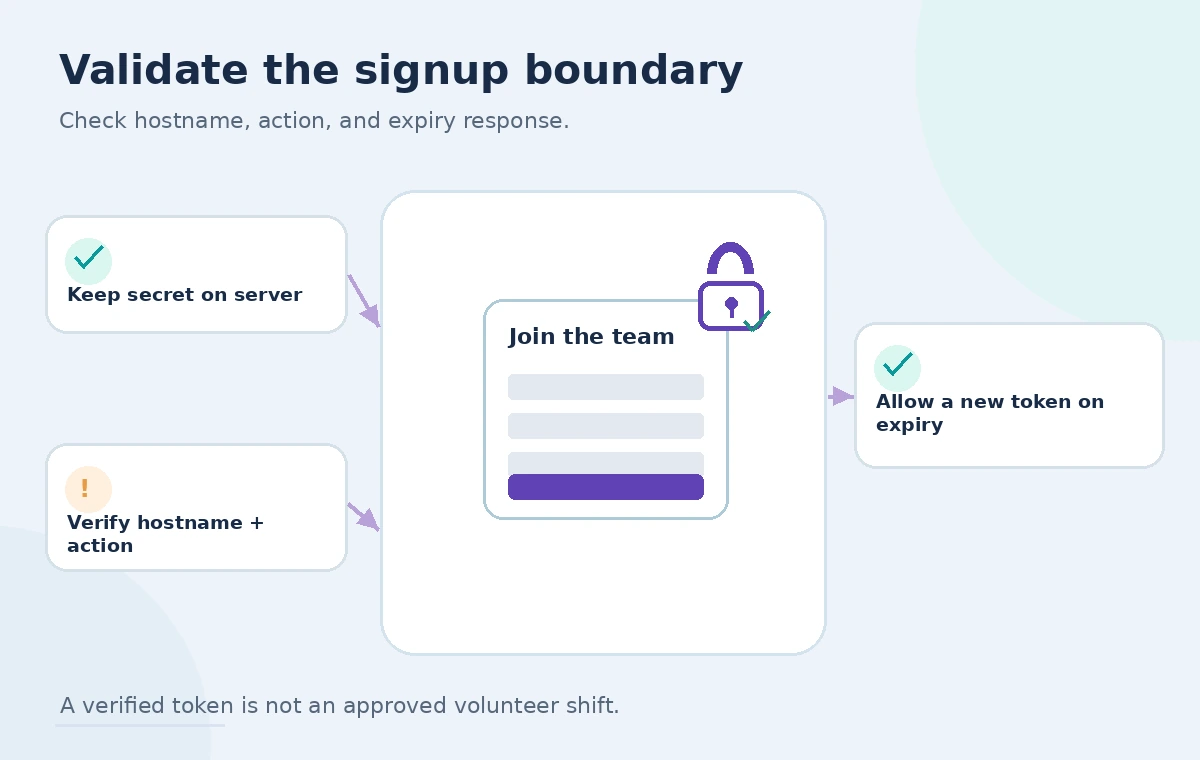
Configure the Turnstile widget for the authorized site and embed the public sitekey in the page. The corresponding secret belongs only on the server. Do not insert the secret into JavaScript, HTML forms, client logs, or analytics. Use separate test and production configurations to avoid mixing fake validations with real signups.
Choose an appropriate action name, such as volunteer_signup, when your integration uses action metadata. Restrict configured hostnames and check the returned hostname where appropriate. A token should be bound to the expected form workflow rather than treated as general proof that every request from the browser is safe.
Send the token to the signup backend promptly
After the user completes the challenge, submit the resulting token together with the ordinary form data through your protected application endpoint. Do not treat the presence of a nonempty token string as success. Cloudflare documents a maximum token length and a five-minute validity period, so a long-abandoned form may need a refreshed challenge.
Preserve the user’s typed answers when a token expires; losing accessibility details or volunteer availability because of a security retry is avoidable. Require a newly issued token when the earlier one is invalid or expired. Keep the form’s own submission ID independent of the challenge token.
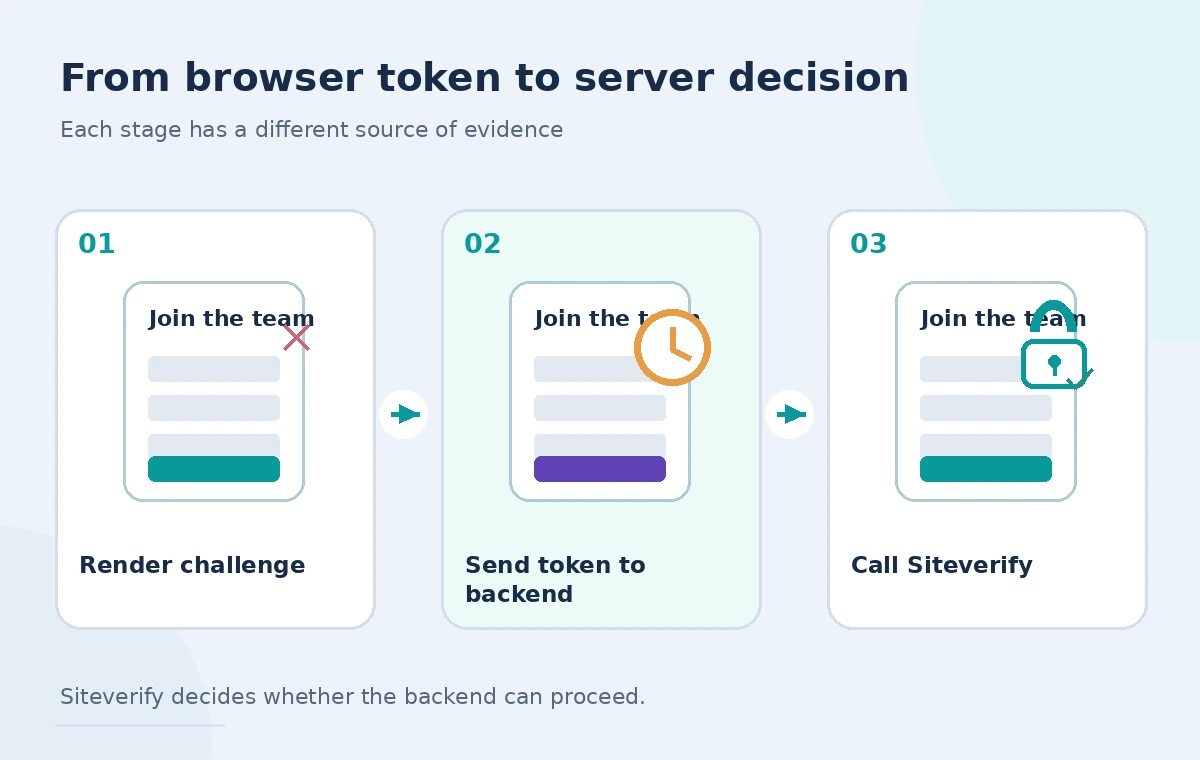
Call Siteverify before storing the registration
The backend sends a POST to Cloudflare’s Siteverify endpoint with secret and response fields; optional fields include remoteip and idempotency_key. Parse the JSON validation response and check success. Cloudflare also documents hostname and action fields that can support an additional application-specific check against the expected origin and workflow.
Fail closed when verification fails or a call cannot be completed. Do not insert a signup and plan to validate it later. For an unexpected service problem, show a recoverable error state and a human contact route rather than falsely confirming a registration. Never return the server secret to the client during debugging.
Handle one-use tokens without punishing users
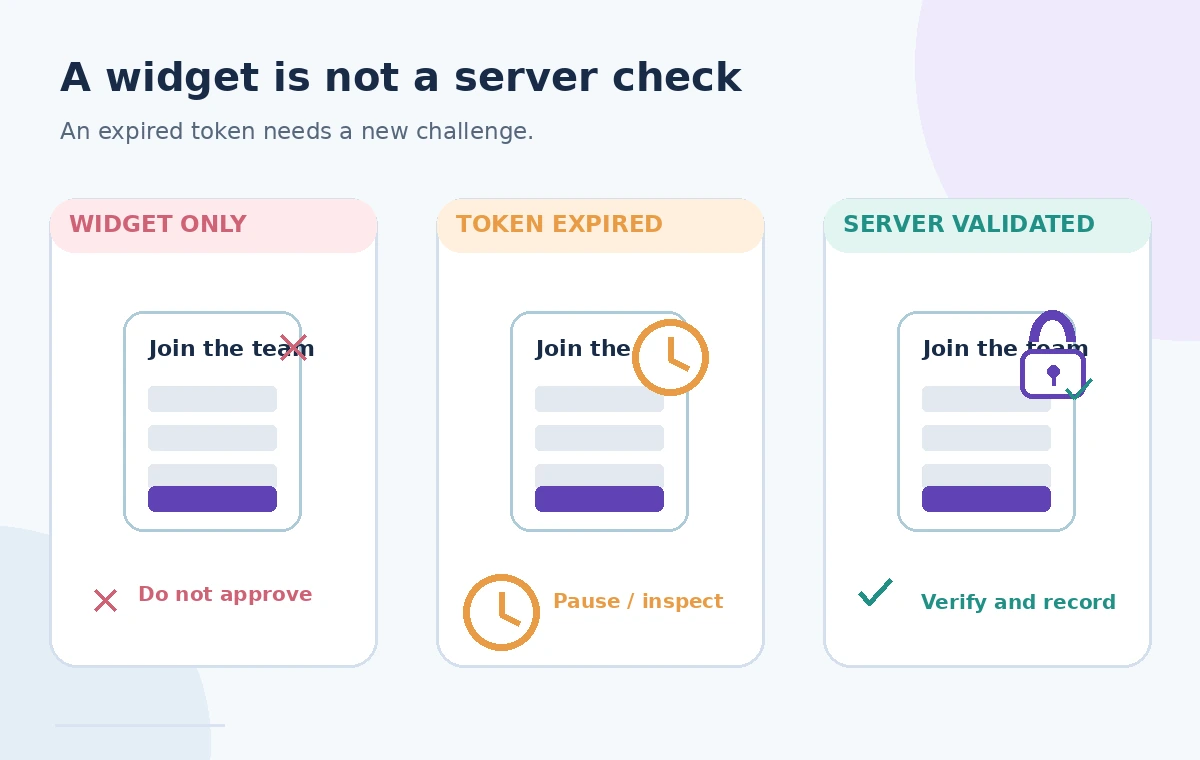
Turnstile tokens have a five-minute validity period and are intended for one validation. Cloudflare documents timeout-or-duplicate for reused or expired tokens, subject to its stated network-convergence behavior. Avoid treating every second submission as malicious; a person may double-click or retry after a broken connection.
Use a separate application-level signup attempt ID to deduplicate form records. Cloudflare provides an optional Siteverify idempotency_key for retrying verification requests, but it does not replace your database uniqueness constraints or confirmation policy. The backend should make a successful validation lead to one intended registration.
See the difference between display and validation
A widget-only form can look complete while offering no server protection. An expired-token form needs a fresh challenge before acceptance. A server-validated state shows that the Siteverify result was checked and then the backend evaluated the signup’s normal business rules. These are instructional states, not measured bot-blocking rates.
Passing Siteverify does not mean the person has been accepted for a shift, consented to every data use, or supplied correct contact information. Keep availability, eligibility, parental consent when applicable, and event capacity checks independent of anti-abuse validation.
Check hostname, action, and error response
Beyond the success boolean, compare the returned hostname and action to the configured signup form when these checks apply to your implementation. Reject a result that belongs to a different page or workflow. Inspect documented error codes to distinguish invalid or expired tokens from configuration failures, but avoid exposing internals to attackers in public error messages.
Use rate limiting and ordinary application validation as complementary controls. Turnstile is not a complete authorization, spam, or fraud prevention system. A malicious registrant can still provide misleading contact details after solving a challenge, so retain appropriate human moderation and privacy controls.
Build accessibility and retry behavior into the design
Test the form with keyboard navigation, assistive technology, slow network conditions, and users who leave the page open for several minutes. A challenge expiration should not erase entered fields or lead to an endless loop. Provide a plainly visible recovery mechanism and a practical alternate contact route for people unable to complete the automated flow.
Do not make unsupported claims that one widget mode works for everyone. Accessibility needs differ, and legitimate volunteers should not be permanently excluded because a network request failed. The museum should review local privacy requirements and explain why signup information is collected and retained.
Use official test keys and realistic negative tests
Cloudflare documents dedicated testing sitekeys and secret keys that can simulate success or failure without challenging real users. Use those in a controlled environment to test missing tokens, forged strings, expiration handling, wrong hostname or action, duplicated submissions, and a Siteverify outage.
Check the complete path through the backend and database: an invalid token must not create a signup, while a successful token should still be subject to form validity and a unique registration rule. This guide did not run real Siteverify calls or measure accessibility success rates.
Keep only the evidence needed for an audit
Log the form attempt ID, whether server-side verification succeeded, an appropriately redacted error category, and the final application decision. Avoid storing raw challenge tokens, secrets, or full IP addresses without a documented purpose and retention limit. A registration confirmation should distinguish submitted from accepted when approval is still pending.
Before deployment, recheck Cloudflare’s current validation, retry, and testing guidance. The sample museum and volunteer event are fictional. The illustrated flows clarify control points rather than showing a real Cloudflare dashboard, security result, or completed registration.
How We Research
For this November 13, 2026 desk review, we consulted the vendor documentation: Cloudflare Turnstile get started; Cloudflare server-side Siteverify reference; Cloudflare Turnstile testing guidance. We compared documented request fields, response rules, edge cases, identity boundaries, and failure paths against the fictional institutional workflow, then designed original conceptual graphics. We did not run requests against vendor accounts, inspect real users or records, measure security outcomes, or certify a deployed system. Check your current product configuration, API version, access rights, platform documentation, and organization policy before implementing these steps in production.
Frequently Asked Questions
No. The server must call Siteverify to confirm the submitted token before processing the signup; the visible widget alone can be bypassed.
Cloudflare documents a five-minute validity period. If it has expired, the visitor needs a fresh token rather than a silent acceptance.
Tokens are intended for single use, subject to documented convergence behavior. Your own registration database still needs duplicate-submission protection.
Do not save the signup as accepted. Offer a clear retry or alternate contact path and preserve the information the user already entered.
Yes. Cloudflare provides testing keys for integration and negative-path tests; use production keys only in the authorized deployed environment.