
A bike mechanic records a sixty-second vertical tutorial showing how to check a bicycle’s derailleur limit screws. The voiceover is clear, but automatic captions may mistake ‘derailleur’ or split ‘limit screw’ into an unhelpful phrase. CapCut can create editable auto captions, yet the deliverable is not finished when the speech recognizer stops. Someone must read every line, watch where it covers the adjustment screw and verify the text against what the mechanic actually said. The example is hypothetical; no bike video was processed or export tested for this article. Its diagrams model caption and framing decisions rather than actual application screenshots.
Write the language and accuracy brief first
Identify the tutorial’s audience and caption language before touching the editor. List the exact labels the mechanic uses: high-limit screw, low-limit screw, derailleur and chain. These are not interchangeable. Obtain the final approved voiceover and confirm whether it includes any safety warning about checking shifting under the correct conditions. Keep the raw video and a reference transcript so automatic transcription can be checked word by word. Decide whether the captions should preserve every spoken sentence or intentionally summarize; for instructional steps, verbatim matching is generally the less misleading starting point. If the video is reused in multiple languages, treat each language as a separately reviewed deliverable.
Create captions from the correct audio source
Open the project and select the relevant Auto Captions flow. CapCut’s current help separates Web, Desktop and Mobile instructions, and menu placement changes between those surfaces. Choose the correct language and ensure the tutorial voice—not music or a noisy background stem—is the source where that choice is available. CapCut notes that speech recognition can confuse accents, fast speech and noisy audio. Generate a first pass, then play from the opening rather than trusting the appearance of text blocks on the timeline. Make a separate copy or record the original caption text before large edits, because corrections can involve many small timing adjustments.
Correct specialist vocabulary against the speaker
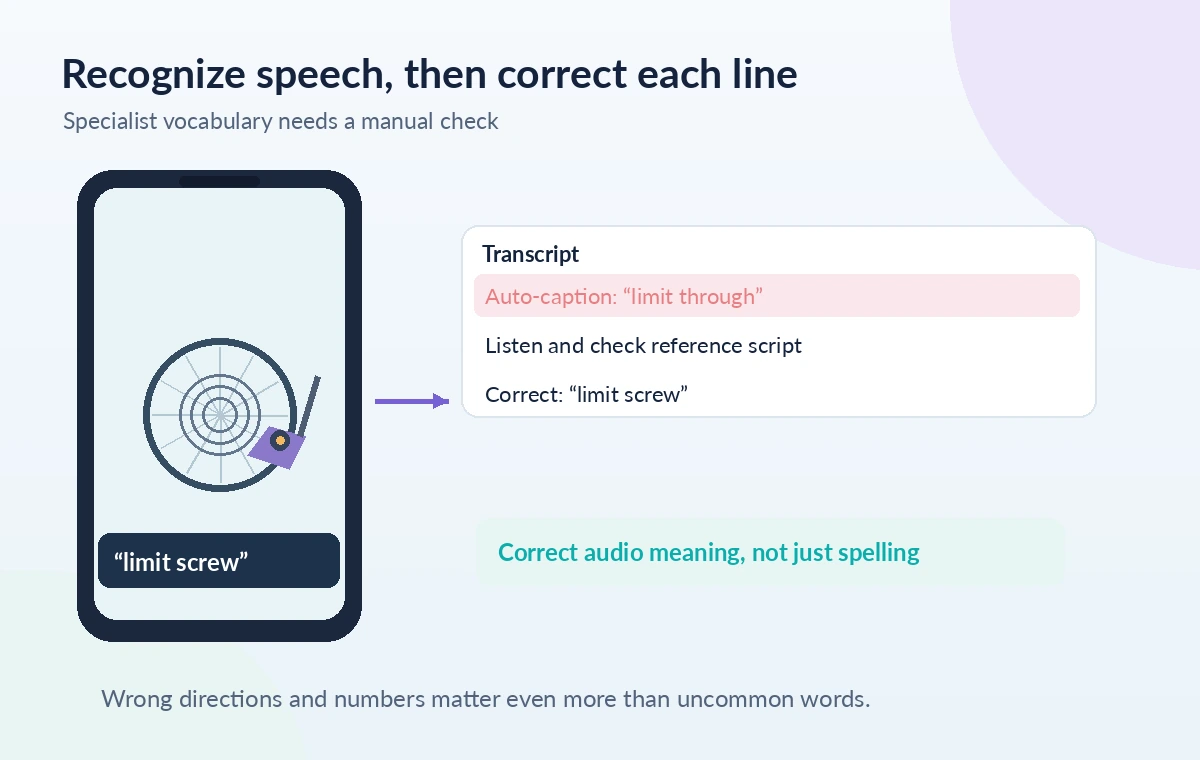
Use CapCut’s documented caption editing controls to replace misrecognized words. The phonetic complexity of ‘derailleur’ makes it a good QA example: do not replace it with a visually similar but technically incorrect term. Listen to the syllables and cross-check the script or an authorized expert. Inspect numbers, directions and negations especially carefully; an accidental ‘tighten’ instead of ‘loosen’ would be materially different in an instructional video. Correct every occurrence, not just the first one. If the speech itself contains a mistake, a caption should not silently create a different spoken instruction; revise or rerecord the source or disclose an editorial correction where appropriate.
Split long segments at natural instruction boundaries
Auto-generated captions may place too many words on screen while the demonstration changes. CapCut describes manually splitting caption blocks and adjusting timing on supported platforms. Break a long line where the mechanic finishes one action and starts the next, not in the middle of ‘high-limit screw.’ Keep the text short enough for a phone viewer to read without pausing. Shorter does not always mean better: one-word flashes can create distracting motion and make technical phrases hard to parse. Preview the clip at normal playback speed and look for an instruction that disappears before the relevant tool reaches the part being discussed.
Keep captions out of the hands-and-tools area
Vertical tutorials often place the critical action in the center or lower half of the frame. Draw safe zones for the mechanic’s screwdriver tip, derailleur body, gear teeth and platform overlay areas. Put captions where they do not conceal the exact contact point. Avoid assuming that the editing preview matches every app’s interface chrome; the same video may have controls or account labels covering part of the screen after upload. Use enough contrast against both a dark bicycle frame and a pale workbench. The comparison drawing marks a blocked screw in one scene and a legible caption in another, not a claim about a particular device’s measured coordinates.

Synchronize each instruction with the visible action
Play the segment in which the narrator says ‘turn the screw a quarter turn’ while watching the screwdriver. The text should appear when that phrase is heard and remain long enough to read, but it should not imply the action began earlier than shown. CapCut allows manual changes to caption timing and text according to its official help. Avoid relying on visual word segmentation alone because a transcriber can be correct about words and still be slightly late. For procedural instruction, timing affects comprehension and sometimes safety. Check the handoff from one caption to the next around cuts, jump zooms and B-roll inserts.
Check accessibility beyond recognizing the words
Caption quality includes spelling, punctuation, contrast, placement and sufficient dwell time. Use consistent typography rather than animated emphasis on every word. Test the clip on a phone-sized preview as well as a larger editor monitor. Confirm that text is not cut off at the edges and that it remains legible over movement. If the tutorial relies on a sound cue, decide whether an appropriate short sound label is needed in addition to speech captions. Captions are not a substitute for describing critical visual actions that the speaker never verbalizes. When in doubt, revise the narration rather than using a dense subtitle to convey a completely new instruction.

Conduct an export and platform-specific review
Export only after watching the full sixty-second video with sound and captions enabled. Check opening text, the most technical phrase, direction of adjustment, caption transitions and the final result shot. View the exported file outside the editor and, if publication is planned, preview it on the intended platform to see whether overlays obscure captions. Verify the platform’s current supported dimensions and technical requirements rather than copying an unverified preset. Keep an editable caption version and the reference voiceover, and correct mistakes before any public release. The article provides a review procedure, not evidence that CapCut achieved a specific transcription accuracy rate.
How We Research
We read CapCut’s current help on fixing auto-captions and recognizing subtitles across Web, Desktop and Mobile. The guide distinguishes generated speech recognition from human correction, segmentation and final playback review. We did not access a CapCut account, generate captions or test a platform export. The vertical phone mockups are conceptual teaching drawings with invented placeholder language, and no recognition accuracy figures or guaranteed device-safe dimensions are claimed. Official documentation reviewed: CapCut Help: Fix inaccurate auto-captions; CapCut Help: Recognize subtitles. Recheck the live docs before proceeding because interfaces, availability and model support can change.
Frequently Asked Questions
Not automatically. Speech recognition may miss uncommon words, so compare each term with the spoken source and an approved terminology list.
Yes. CapCut documents manual text edits. However, do not silently change the meaning of an instruction that was spoken incorrectly.
Thoughtful segmentation improves readability and helps a caption correspond to the specific action on screen, rather than spanning unrelated steps.
Keep them clear of the tool tip, screw, hands and likely platform overlays; check the actual intended playback surface before release.
Yes. Watch the exported file outside the editing timeline and check text, timing, cropping and the visual action in the intended format.