
When a failed export should not start from scratch
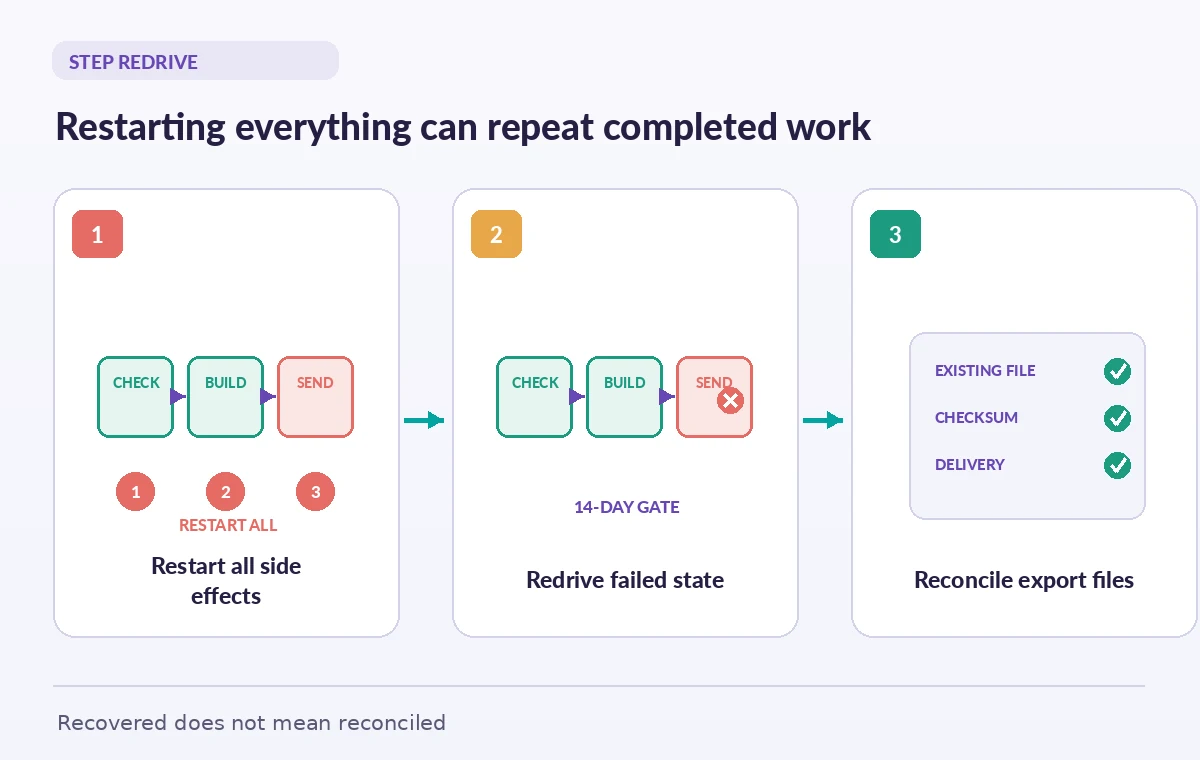
A museum’s collection export workflow first validates accession identifiers, then converts image derivatives, and finally writes a delivery package for a partner archive. A temporary failure occurs in the last conversion stage. An operator who simply starts a new execution may repeat steps that already registered the export or sent an acknowledgement to the partner. AWS Step Functions provides redrive for eligible unsuccessful Standard Workflow executions, allowing recovery from the unsuccessful part of the workflow while preserving results from successful steps. Redrive is not a general-purpose rollback mechanism, and the failed task itself may have partially completed an external side effect. Treat a recovery request as a controlled incident: identify the original execution, its last committed business action, and what is safe to retry.
Know which executions can be redriven
AWS documents redrive for failed, aborted, or timed-out Standard Workflow executions, not successfully completed executions. Eligible unsuccessful executions generally must be within the documented fourteen-day redrivable period after completion; additional limits include the maximum open duration and remaining execution-history event capacity. The official guide also requires an execution initiated on or after the historical feature eligibility date. Do not promise a universal ‘retry any job’ button across Express workflows or an old execution that has exceeded its window. In a recovery runbook, record workflow type, execution status, completed-at timestamp, event-history size, and whether the Redrive action is actually available. A disabled redrive action should trigger diagnosis, not recreation of a similarly named execution with assumed equivalent guarantees.

Understand preserved history and same input
When a Standard Workflow execution is redriven, Step Functions preserves successful states’ results and execution history and continues from the unsuccessful step using the same original execution input. It does not generally rerun every previously successful state as though the workflow were newly started. That matters when a conservation file has already been checksummed or a catalog export ID was allocated. However, unchanged input is not automatically current input. A permit, embargo, or destination policy may have changed since the execution began. Before redrive, compare the original request with authoritative current instructions and decide whether the same operation remains permissible. If it does not, abandon recovery and create a deliberately reviewed replacement workflow instead of mutating history invisibly.
Make the failed task safe to execute again
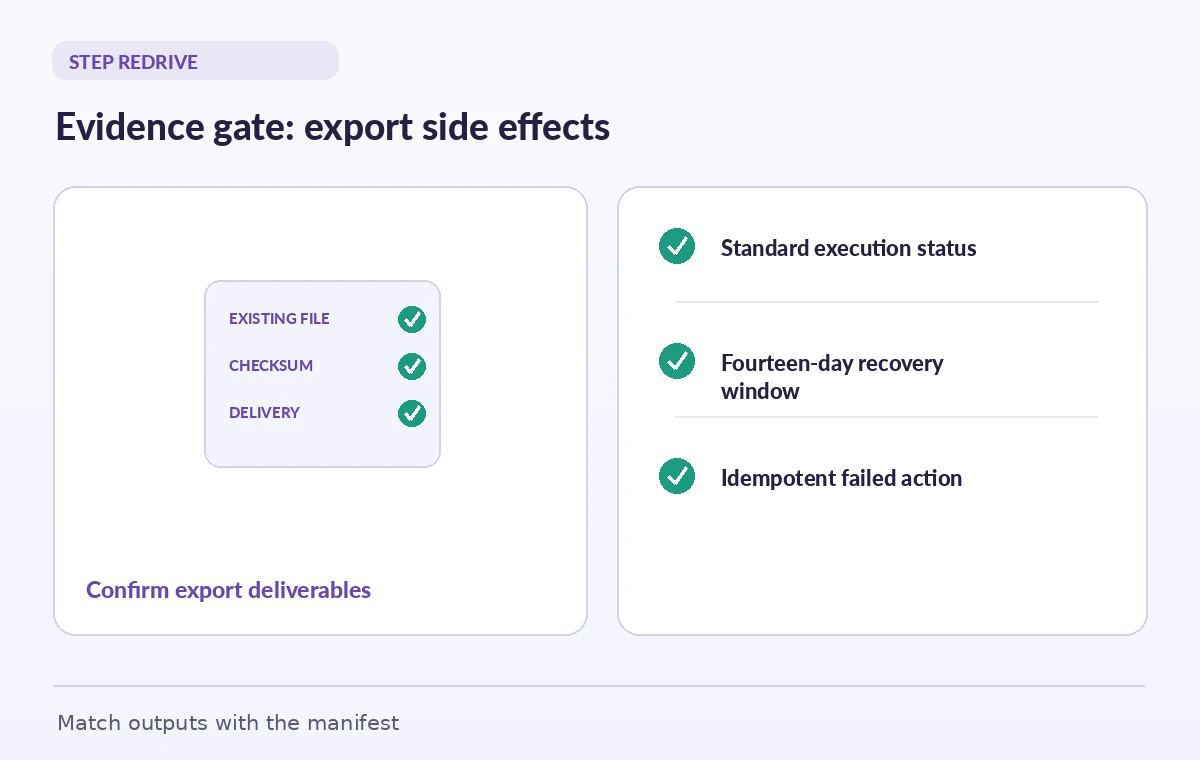
Consider a task that uploads a derivative image to object storage and then records its checksum. The network connection fails after upload but before the state reports success. Redrive can invoke that failed task again. If the task blindly writes a new object or sends a second email, duplicate side effects remain possible despite the workflow’s preserved successful history. Design task handlers around an export operation ID, conditional writes, checksum reconciliation, and a durable completion record. On retry, inspect whether the expected output already exists and matches the approved inputs. Return success for a verified existing result rather than recreating it. This is the central idempotency boundary that an orchestration control cannot supply on behalf of the application.
Record the execution and the redrive attempt
Build a recovery ledger that includes the execution ARN, failed state, original input reference, error category, redrive decision, operator, and resulting output manifest. AWS exposes execution history and redrive-related events that help an operator explain what occurred. Preserve the source manifest outside the workflow in a durable place, especially if a recipient later disputes the delivered file set. Use a separate approval record when the export contains copyright restrictions or private oral histories. A redriven execution can be technically successful while an external destination remains unauthorized; operational completion and rights clearance are different decisions. The diagram’s state colors describe a hypothetical run, not a live AWS console capture.
Use Map and Parallel behavior carefully
Some museum exports use an Inline Map for individual collection items or Parallel branches for file conversion and metadata validation. Redrive behavior for these structures is documented and can be more selective than restarting every child unit. Read the current guide before assuming a failed branch means every successful branch will run again. Distributed Map has its own recovery path through the parent execution. This distinction matters when thousands of objects exist but only one derivative failed. Keep each unit’s output keyed to stable source IDs and store completion evidence at the unit level, not only as a final green status. The source manifest provides the independent list of expected deliverables that a workflow history cannot replace.
Avoid redrive when the input or policy is stale
Imagine the museum originally approved delivery of a photography collection to a public bucket, but a rights officer later restricted two images. Even if redrive eligibility remains valid, retrying the old request could reproduce an unacceptable public export. Check current permissions, destination and embargo status before authorization. If the state machine definition has changed since the original run, do not infer that redrive is a deployment or migration tool; review AWS’s documented reuse of the original execution context and state definition. Where policy has changed materially, create a new reviewed workflow with a fresh output manifest, explicitly supersede the previous attempt, and preserve the failure evidence for the audit trail.
Troubleshoot failures without looping indefinitely
Read the unsuccessful state and its error before pressing Redrive. Network throttling calls for capacity or backoff checks; a corrupted source scan calls for replacement or repair; an access-denied error calls for permission review, not repeated attempts. Check redrive eligibility and any retry policies on the failed state, then verify that side-effect safeguards can tolerate another invocation. Do not keep redriving a deterministic failure hoping the status will change. Record what changed between attempts and who approved the operation. A clear escalation path is better than a hidden automation loop: unresolved permission or data-quality defects must remain visible to the museum’s operations and records teams.
A release gate after the resumed workflow
After an eligible redrive finishes, compare the resulting list of objects with the original export manifest. Validate file names, checksums, required metadata, recipient permissions, and the count of approved records, and identify any output that was already present before recovery. Have the recipient confirm what was delivered when the workflow crosses organizational boundaries. Store the execution ARN and a concise incident note with the final manifest. If the workflow still fails, preserve the evidence and stop the handoff rather than presenting a partial collection as complete. Redrive reduces unnecessary rework, but proof of a correct conservation export still comes from examining artifacts and approvals outside the orchestration service.
How We Research
We consulted the original provider documentation: AWS Step Functions redrive guide; AWS Step Functions execution details; AWS CLI RedriveExecution reference. We compared the Step Functions redrive eligibility and state behavior with the AWS CLI description, then evaluated possible duplicate side effects as an application-design issue. No AWS executions were started or redriven, and sample artifacts and failures are hypothetical. We checked the terms and limits against the cited references but did not manufacture benchmarks, source access, or simulated production outcomes. Recheck provider settings and local organizational policy before a live rollout.
Frequently Asked Questions
No. AWS describes redrive for eligible failed, aborted, or timed-out Standard Workflow executions.
The documented period is fourteen days after the unsuccessful execution completes, subject to additional execution and history limits.
No. For ordinary eligible workflows, successful states and history are preserved; recovery continues from the unsuccessful step.
Yes. A task might have completed a side effect before reporting failure, so it needs idempotent writes and reconciliation.
The documented execution-redrive capability is for Standard Workflows. Do not assume that an Express execution is eligible.