
Asking an AI assistant to rank a hundred tasks usually produces a confident list based on incomplete information. Real priorities depend on contractual deadlines, prerequisites, effort, risk and people who can say no. This guide offers a repeatable triage method: make the inputs explicit, request a proposed ranking, confirm the exceptions and update the plan when reality changes. It is different from creating meeting action items or choosing a project management platform.
Clean the backlog before asking for a ranking
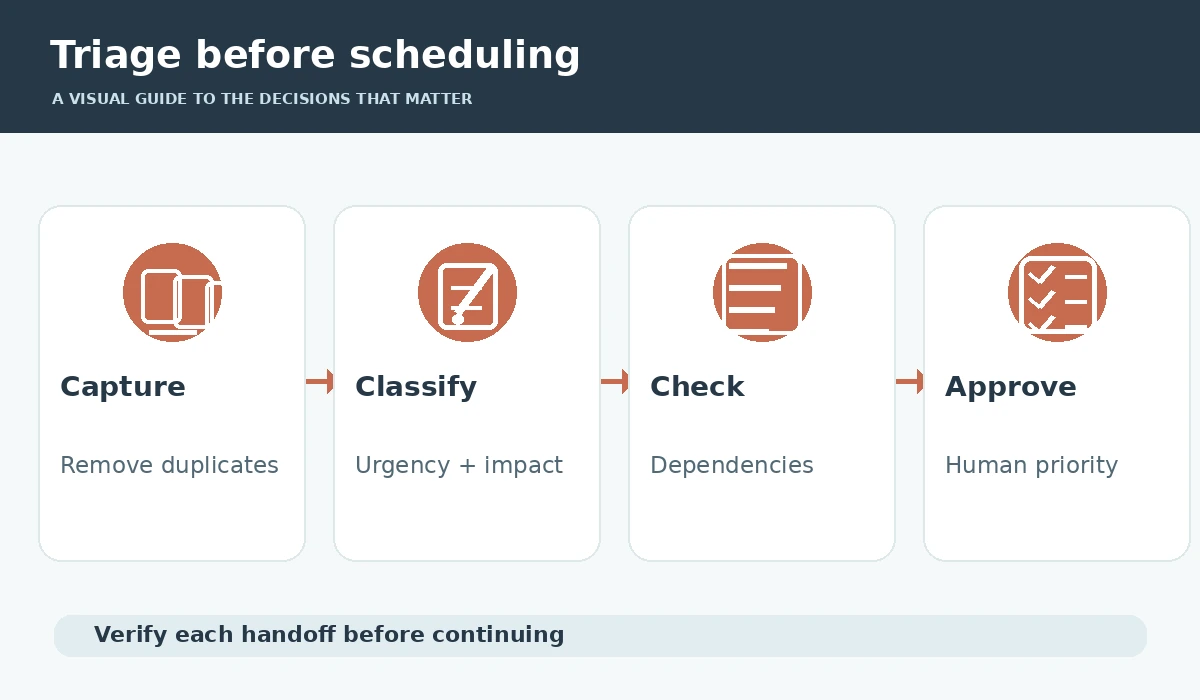
Start with one task list and remove exact duplicates, abandoned ideas and completed work. For each remaining item, record a short actionable outcome, accountable owner, earliest start, true deadline and rough effort. A label such as “website” is not a task; “publish approved privacy page after legal review” is more specific.
Mark uncertain fields explicitly. If a client has not approved the scope or a dependent task is still blocked, the system should not treat that item as ready. Avoid pasting sensitive customer information into a model just to prioritize it; use sanitized descriptions when possible and respect your organization’s AI policy.
Separate urgency, importance and dependency
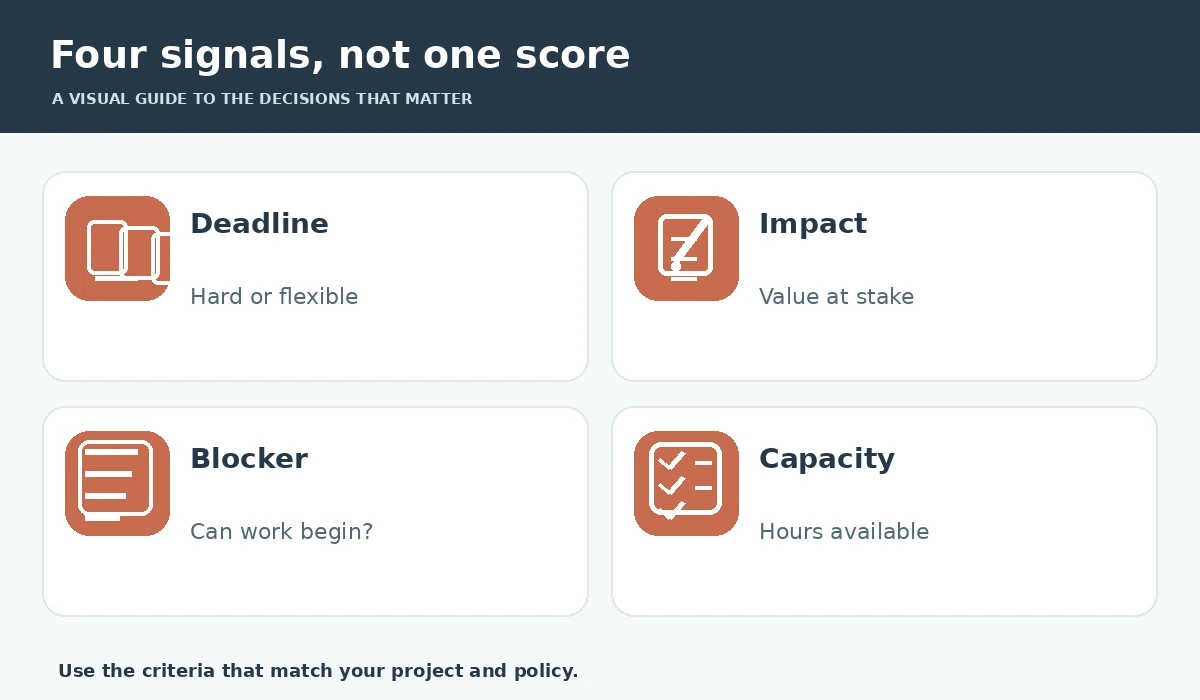
Urgency describes how soon a consequence occurs, importance describes the impact, and dependency describes whether work can actually start. A tiny task due tonight can outrank a strategic project for today, without being more important over the quarter. Keep separate fields for these concepts so a single AI-generated score does not conceal the reason behind its ranking.
Add a blocker field and owner for any external approval. The assistant may suggest asking for the missing decision, but it cannot declare the original work unblocked. Model outputs should show “waiting” or “needs clarification” instead of guessing that a meeting, review or vendor response is already complete.
Use Todoist priorities without confusing them with AI
Todoist documents four priority levels, from highest P1 to lowest P4, and its views can sort accordingly. These priority flags are explicit user controls. Todoist Assist is a different set of helpers: Task Assist can suggest subtasks or clearer wording, while Filter Assist can propose filters. Neither removes the need to decide which promises matter.
Create a plain-language convention, such as P1 for today’s contractual deadline and P2 for strategic work this week. Reserve the top level for a small number of genuine priorities. If everything receives P1, sorting cannot help. Treat automatically suggested tasks as drafts and confirm the final due dates.
Prompt for transparent reasoning and uncertainty
Supply a table of tasks with deadline type, owner, effort, dependency and impact. Ask the assistant to return a proposed top five with one reason per task, a list of missing data and an explicit cannot-start list. Tell it not to invent due dates, effort estimates or commitments. The output is a triage proposal, not a command to employees.
An example request: “Rank only tasks that are actionable; identify hard deadlines separately; flag blockers; do not assume free capacity; show what you would postpone and why.” Compare the proposed result with project records. If a legally required action is misplaced or a customer escalation is ignored, correct the rule before processing another batch.
Turn priorities into a capacity-aware plan
Estimate available working hours after meetings and routine support. Multiply task estimates by a reasonable contingency based on your historical work, not by a universal AI percentage. Add the high-priority tasks until the schedule becomes full; the remaining items need renegotiated scope, help, or a later date.
Motion documents that scheduling considers available time, deadline, priority and duration, and may reschedule when conflicts arrive. That makes calendar placement a separate step after priority triage. A mathematically tidy calendar still requires review: one underestimated job can displace multiple commitments.
Protect high-impact work from inbox noise
Set a daily review boundary. New requests should enter a triage queue, not automatically take over the top of the work list. For genuine emergencies, document who may override the schedule and which existing commitments will move. A clear override is better than silently expecting people to do both jobs.
Keep one protected deep-work block for a strategic deliverable when feasible. Reclaim documents flexible Focus Time, but also notes that tasks, habits and meetings are scheduled ahead of focus blocks in its prioritization system. Check what the application actually does instead of assuming “focus” always wins.
Inspect ranking mistakes and harmful incentives
A ranking model can overemphasize neatly worded tasks, underestimate invisible preparation or prioritize items simply because they have precise dates. Audit a sample each week for omitted dependencies, wrong urgency, invented estimates and repeated rescheduling. Ask whether a task was delayed because it was genuinely lower value or merely poorly documented.
Do not turn the AI score into employee performance ratings. Individuals have different responsibilities, interruptions and accessibility needs. In a team, let owners challenge the proposed order and escalate conflicts. Keep a reason log when a manager overrides the model, both for fairness and to improve future prompts.
Close the loop with a weekly retrospective
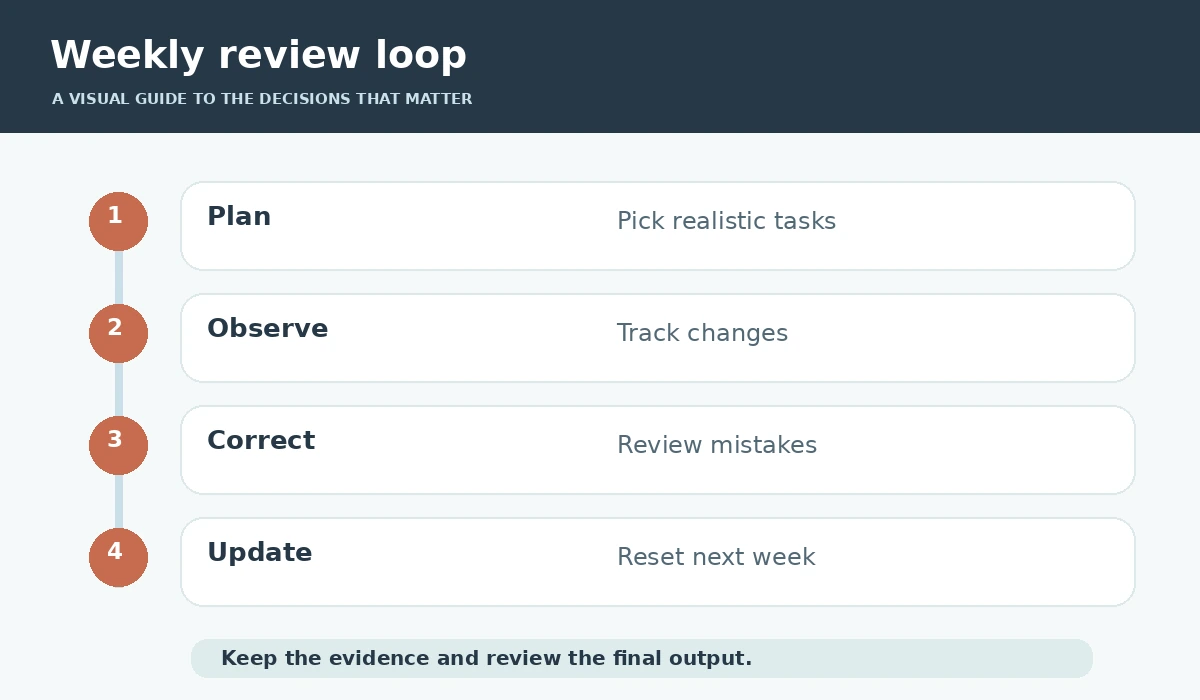
At week’s end, compare planned versus completed work and record why tasks moved: external blocker, underestimated effort, new emergency or unclear requirements. Remove stale entries, update actual durations and send necessary deadline changes to stakeholders. The objective is a trustworthy next-step list, not a permanently perfect ranking.
A useful result is a short list of completed outcomes, a visible blocked queue and a realistic plan for the following week. You do not need paid AI to start; a spreadsheet and a careful assistant prompt can support the same decision discipline, provided human owners confirm the commitments.
How We Research
We compared manufacturer-maintained documentation including Todoist priority levels, Todoist Assist documentation, Motion auto-scheduling reference, Reclaim focus-time priorities. We examined what each source actually documents, then designed a practical decision workflow around identifiable constraints, user verification and safe fallback steps. Where sources describe features, we treat those as vendor claims rather than independent proof of reliability. We did not purchase paid accounts, run independent benchmarks, measure productivity improvements, or verify pricing across every workspace configuration. Our source review was performed on October 27, 2026; features, policies, plan availability and terminology can change.
Frequently Asked Questions
Only as a proposal based on provided deadlines, impact, capacity and dependencies. A human must confirm priorities and obligations.
No. Priority 1 is a user-set priority level. Todoist Assist provides different optional AI helpers for tasks and filters.
Identify the conflict, negotiate scope or dates, and record an explicit decision rather than hiding overflow in after-hours blocks.
Include empty or unknown fields in the input and instruct the model to flag missing data without inferring a commitment.
Track wrongly ranked commitments, missed blockers, manual corrections and actual completion against the approved plan.