
AI real estate photo editing can help buyers imagine furniture in an empty room, but it can also create a property that does not exist. The most important distinction is between virtual staging of movable furnishings and edits that change fixed structural features such as windows, doors or cabinetry. This guide builds an original-photo-first workflow, explains disclosure and gives agents a visual approval checklist. Legal and MLS requirements vary by location, so it does not pretend one disclosure sentence satisfies every US jurisdiction.
Classify the listing image before opening an editor
Start with the property’s real unaltered photo, address-specific permission to use it, and a record of where the listing will appear. Determine whether the planned adjustment is minor photographic correction, removal of personal possessions, virtual furniture staging or a change to the physical property. These are different editorial decisions and may be treated differently by MLS rules. A brightness adjustment that clarifies the room is not the same as generating another window.
Zillow’s July 2026 transparency guidance emphasizes accurate representation and original-image comparison for virtual staging. Its position is not a substitute for your MLS policy or state law. Always check both the destination platform and broker policy before producing an edited version.
Freeze the architecture and create a room inventory
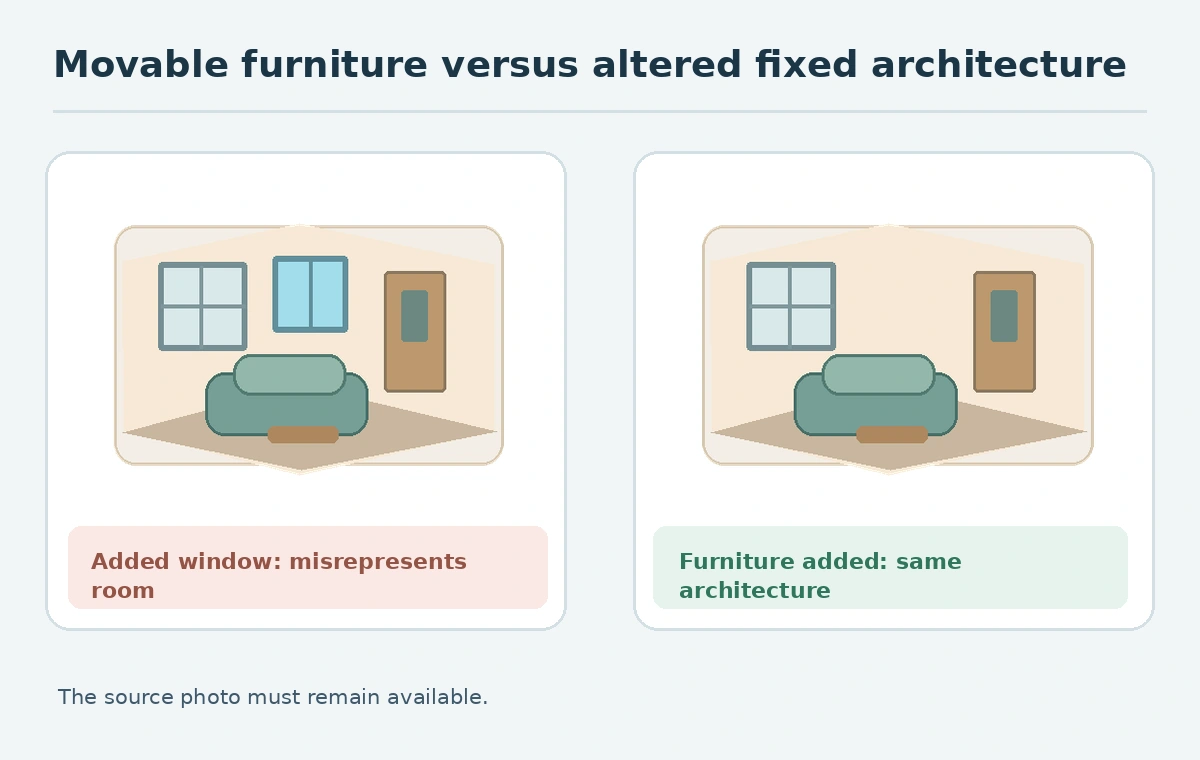
Annotate everything that must remain true: window count, door location, floor material, built-in cabinets, major dimensions, view from the window and the presence of permanent appliances. Save the original and make a simple outline that can be checked after generation. AI systems can easily embellish a small room by stretching the walls, inventing skylights or hiding an awkward pillar behind a couch.
The inventory can use yes/no fields rather than measurements made from a photograph. A listing photo is not a survey, so do not infer room dimensions or guaranteed clearance from a visual. If a design calls for a large dining table, verify its dimensions against an actual floor plan or site measurements instead of treating the generated placement as physically feasible.

Generate only clearly fictional movable furnishings
Prepare a prompt for virtual staging that adds a neutral sofa, rug, lamps or movable chairs while preserving permanent architecture. Ask for realistic perspective and shadows without changing walls, windows, ceiling or floors. Limit each experiment to one room, not an entire house. Keep your original beside the staged result so a reviewer can find any fabricated feature quickly. A furnishing composition should be clearly understood as an illustration of a possible arrangement, not what the seller currently owns.
A listing may require a separate disclosure such as “virtually staged,” plus placement of the original next to the edited version. These are policy examples, not universal legal safe harbors. In California, CRMLS’s 2026 FAQ describes rules requiring an original image alongside a materially altered image and forbids changes to real property components. Check whether that MLS governs the specific listing.
Inspect windows, fixtures, finishes and sight lines
Put both photos at exactly the same crop and compare the edges of every doorway, the placement of outlets and the relationship between windows and floor lines. Generated furniture can conceal a heater, electrical panel or damage. A clean comparison flags occlusions and prompts a decision about whether to publish the edited image at all. An apparently more spacious room is not acceptable if the model stretched the image to create extra floor space.
Use an explicit fail condition: reject any version that adds permanent architectural elements, changes the view beyond the window, erases damage that buyers need to see or misrepresents a fixture. Ask a person familiar with the property to approve the scene, not solely a designer who has never visited. The useful result is a trustworthy orientation aid, not a gallery optimized to maximize engagement.
Label and pair the staged version with the real photo
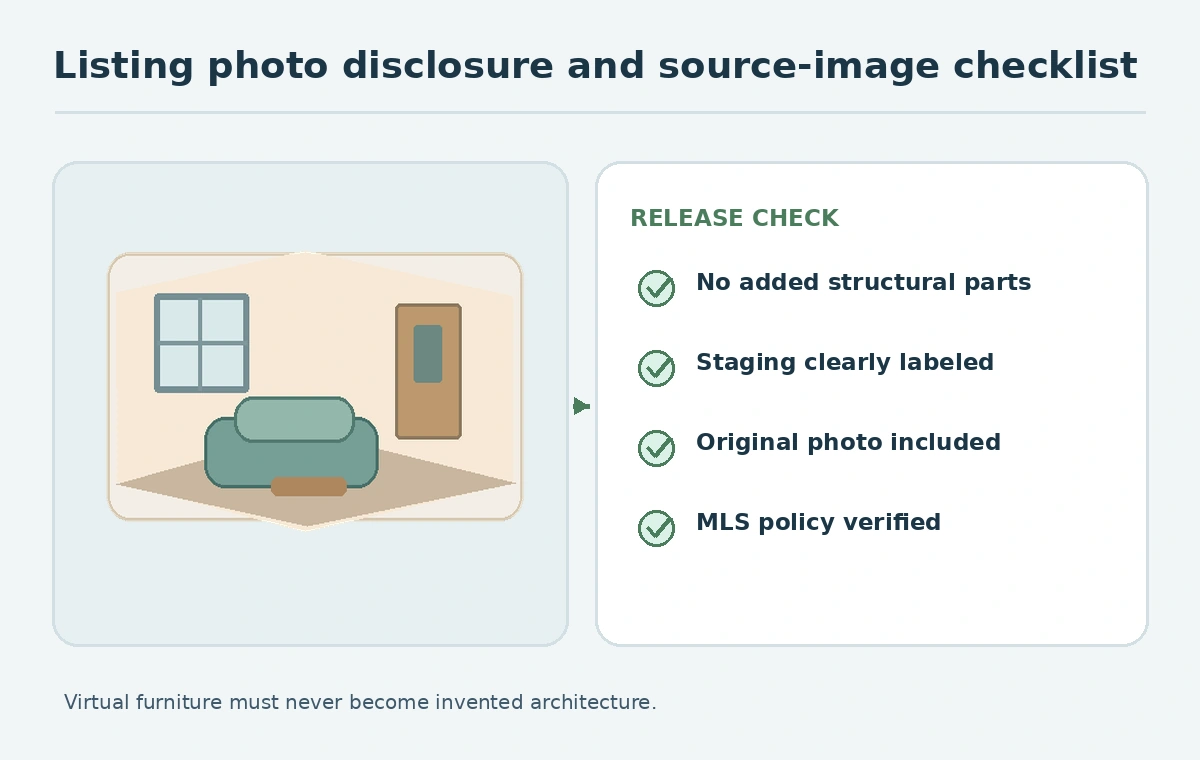
Keep the unaltered original accessible near the staged visual, following whichever local MLS and portal rules govern the listing. Do not rely on a small watermark inside the image as the only disclosure if the policy requires a description field or adjacent original. Record which version is original and which is altered in your asset management system. Automated feeds can rearrange image order, so inspect the public listing rather than assuming your upload sequence will stay intact.
Zillow describes buyer-initiated staging with clear labels and side-by-side original access in its own Showcase experience. That product design illustrates the principle but does not prove every portal behaves the same way. If you publish on multiple platforms, check each destination’s supported labeling and photo-order fields. Err on the side of supplying both truthful context and the source image.
Account for local compliance without inventing guarantees
In the United States, marketing and MLS rules can vary by state and association. Some jurisdictions now address digital alterations specifically, and broker policies may impose stronger disclosure requirements than a general platform statement. Keep a current written checklist by market covering allowed edits, required labels, original-image placement and responsibility for approval. Ask the broker or appropriate counsel for policy interpretation rather than treating a design tutorial as legal advice.
The CRMLS example distinguishes ordinary correction from materially altered content and calls out changes to fixed features. That is evidence for California CRMLS practice; it should not be copied as if it were a national rule. Maintain the source, staging brief and approval trail in case the listing must be corrected or a buyer raises a concern.
Deliver two versions and a small audit record
The handoff should include the unchanged photo, labeled staged image, editable source if applicable, and an approval log. The reviewer checks that all property features remain correct, shadows are plausible, furniture is clearly conceptual and the current listing policy is satisfied. An attractive image with a missing window fails even if the file exports cleanly. File names can help staff organize versions but do not replace public-facing labels.
For accessibility, write alt text appropriate to each image: the original description should communicate the room’s real features, while the staged version should identify it as virtually staged and explain the added movable furnishings. Refer to W3C image alternatives to convey useful information. Preserve the unaltered image so every consumer and future editor can compare the listing to the actual property.
How We Research
We read Zillow’s July 22, 2026 policy discussion, CRMLS’s 2026 digitally altered images FAQ, and W3C alt-text guidance on October 27, 2026. The room drawings are conceptual; we have not inspected a real property or audited compliance for a specific MLS or state.
Frequently Asked Questions
No. That would misrepresent a fixed property feature and can breach listing and disclosure rules.
Follow your destination and market rules; many current standards require or strongly favor original-image comparison.
No. Minor photographic adjustments and materially altered property depictions are distinct categories.
No. A label cannot cure a false depiction of permanent property features.
Keep original and edited files, a disclosure note, structural comparison and broker sign-off.