
Calling an AI API once from a notebook proves only that a request can be sent. Production integrations must keep credentials private, control repeat attempts, validate unpredictable outputs and stay within agreed budgets. This guide provides a vendor-aware checklist that developers can adapt to a support assistant, extraction workflow or internal summarizer.
The sequence separates engineering requirements from vendor options. We use official API documentation for authentication and rate-limit behavior but do not claim that one retry policy, quota or token price applies identically to all providers. Your actual account limits and SDK version remain the authoritative settings.
Define the use case and a failure budget
Write a single sentence describing what the model does, such as “extract action items from an approved internal meeting note.” List the data involved, expected output fields, allowed latency and what the user should see when inference fails. Identify whether the workflow can be retried safely or whether the output triggers an irreversible downstream action.
Set success criteria before coding: schema-valid results, refusal handling, an acceptable fraction of failed requests and a maximum amount of time spent retrying. For sensitive workflows, require human review before the model’s output updates records, sends messages or changes account status.
Store credentials on the server, not in client code
OpenAI’s production guidance recommends secure storage such as environment variables or a secret-management service instead of placing API keys in source repositories. Apply the same general principle across providers: browser JavaScript and mobile application bundles should not contain long-lived privileged keys. Put model requests behind a service you control.
Create separate development and production credentials where the provider supports them. Restrict permissions and rotate keys under a documented process. Add secret scanning to pull requests and logs; a leaked key is an incident, not merely an annoying billing mistake. Establish the owner who can revoke access when an employee leaves.

Design bounded requests and explicit output contracts
Limit accepted input size and sanitize or exclude unnecessary personal information. Set output length constraints and use structured output features where supported. Even valid JSON can contain semantically wrong values, so check business invariants after parsing, such as allowed category labels or a nonnegative quantity.
Treat model responses as untrusted input when they feed search queries, shell commands or databases. Use parameterized SQL, allowlisted tool names and authorization outside the model. A prompt requesting “only safe actions” cannot replace application enforcement. Define behavior for refusals, partial streaming output and unknown fields.
Handle 429 and temporary service errors carefully
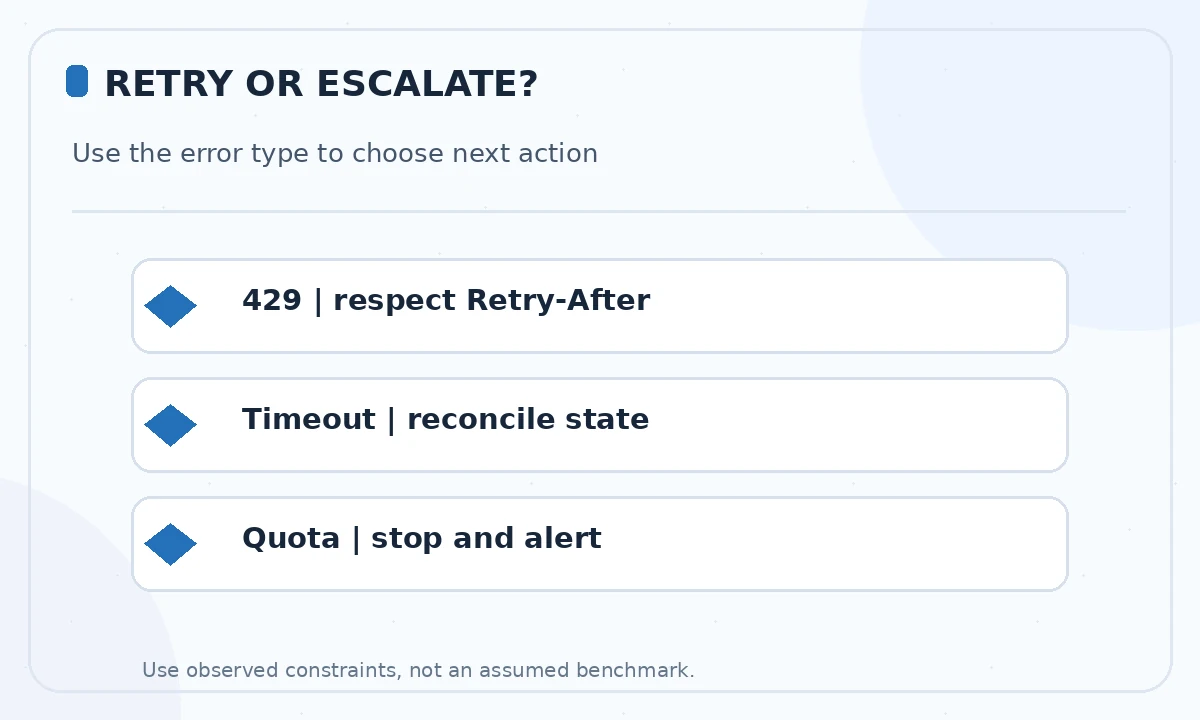
OpenAI documents multiple limit dimensions, including requests and tokens per minute, and suggests respecting Retry-After with exponential backoff and jitter. Some official SDKs perform retries themselves. Check your installed client before adding application-level retries, because two independent retry loops can multiply traffic and costs.
Use a maximum attempt count and an overall deadline, and distinguish temporary rate-limit errors from exhausted paid quota or invalid credentials. Do not replay a stream or tool-triggered action blindly after the client may already have consumed the output. For side-effecting downstream operations, use an application-owned request ID and deduplication.
Estimate expense using observed token and call volume
Cost depends on model, input and output units, optional cached processing, extra tool charges and provider-specific billing rules. Record successful and failed attempts separately. A theoretical low price per million tokens is not the whole budget when prompts repeatedly include long retrieved documents or when retries reprocess the same input.
Create a small synthetic load test with fixed traffic assumptions, then compare its measured usage to your production cap. Configure budget alerts and hard limits where supported; build an app-level circuit breaker rather than relying on a dashboard alert alone. Recheck current plan and policy conditions before a public launch.
Log enough to debug, without retaining sensitive prompts
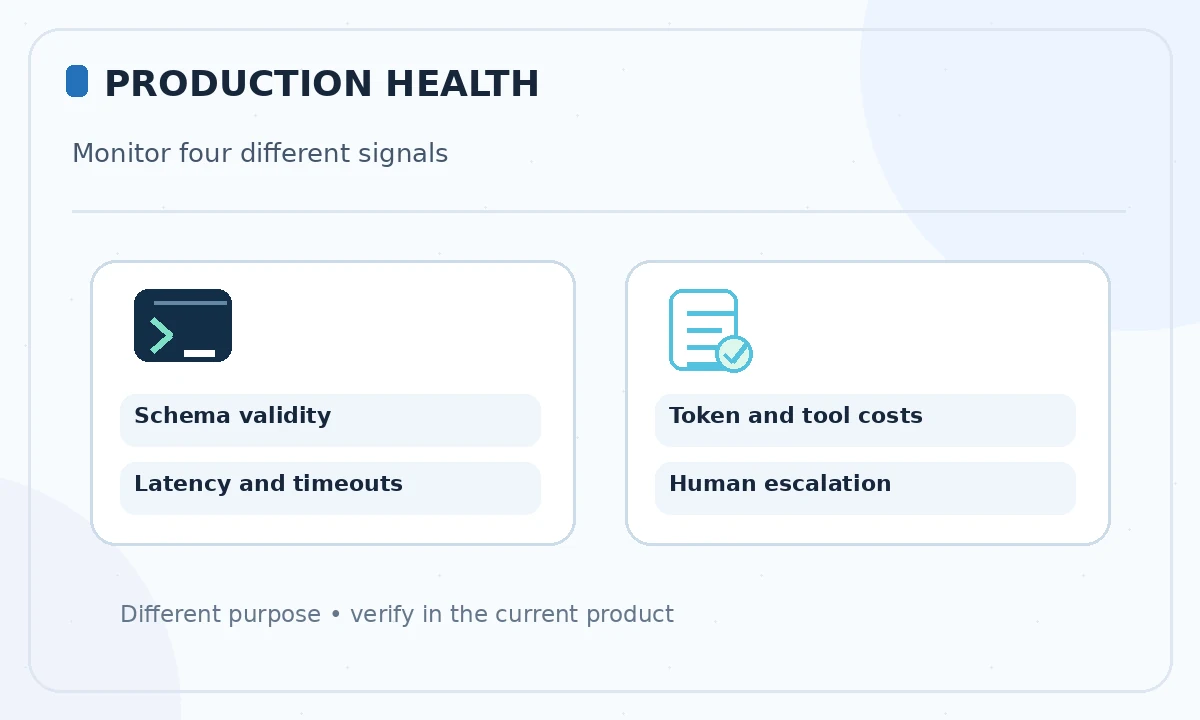
Log a request identifier, model ID, response status, latency, token counts and truncated error category. Do not automatically store raw prompts, API keys, full customer records or private documents in analytics. Provide a safe trace mode with controlled access and retention if you need examples to investigate quality failures.
Monitor schema-parse failures and inappropriate action proposals separately from transport errors. A 200 HTTP response can still contain a fabricated fact or unsupported tool instruction. Add quality checks that represent your business task rather than treating successful HTTP calls as user success.
Prepare fallback and escalation behavior
When a provider is unavailable, tell users what was not completed. A fallback model may differ in safety behavior, tool support, schema coverage and price; route to it only after pre-qualification. If the workflow updates financial or health records, a conservative “manual review required” state is preferable to silent model substitution.
For customer-facing services, document whether pending requests are queued, retried or discarded when deadlines expire. Never claim a task completed until the downstream system confirms it. Give a human operator a concise incident record without copying confidential content into the report.
Roll out gradually and reassess model upgrades
Run a limited test with synthetic inputs, then a small authorized audience, before expanding traffic. Keep pinned model IDs where possible and monitor regressions when a provider changes defaults. Record the current terms and limits, because documentation and subscription arrangements change faster than most integration code.
Use a release checklist signed by the application owner and security reviewer: secret isolation, request validation, retry bounds, usage alarms, privacy review and documented fallback. Those controls matter regardless of whether the API is accessed through a framework or a few lines of code.
How We Research
We reviewed the current primary-source documentation as of October 26, 2026: OpenAI API production best practices; OpenAI API rate limit handling; OpenAI structured output constraints. We distinguished documented plan features and limits from editorial workflow suggestions, and we compared the intended reader task with the previously published LabFin material. We did not purchase plans, perform product benchmarks, run code or verify an individual account’s entitlements. Where product pages conflict or terms may change, we have identified the uncertainty and recommend confirming checkout or live account details.
Frequently Asked Questions
Do not embed a privileged secret in public client code. Proxy model requests through a backend with secure secret storage and access controls.
No. Respect Retry-After when supplied, use bounded exponential backoff with jitter, and distinguish temporary rate limiting from exhausted quota.
Some SDKs retry eligible errors automatically. Confirm the behavior in your installed SDK version so application retries do not unintentionally multiply attempts.
No. Schema validation checks structure. Your application must still verify facts, permissions, ranges and downstream side effects.
Fail clearly, retain safe recoverable state and offer a qualified fallback or human review. Do not mark side-effecting work complete until it is confirmed.