
A volunteer recorded a short safety narration in a room with a loud ventilation fan. The script says, “Do not touch the hot surface,” but the word “not” is brief and partly masked by noise. Adobe Podcast Enhance Speech can help clean a spoken recording, yet an output that sounds more polished is not necessarily more accurate. This article uses an invented sample sentence and visualized waveforms; no actual Adobe processing or listening trial was performed.
Keep the unprocessed recording and verified script
Before uploading anything, store the original file as an immutable reference with its recording date, sample rate, and permission status. Save the script or safety procedure from the authorized source, not from the AI-enhanced transcript. In this example, “Do not touch the hot surface” is the verified instruction, and dropping the word “not” would reverse its meaning. A safety message needs more than a pleasant voice; it needs faithful words.
Identify other vulnerable elements: numbers, equipment names, short prepositions, and low-energy consonants. Mark their approximate positions on a local editing timeline. Keep a record of whether the speaker has consented to processing by the chosen service, and review organizational rules before sending internal or sensitive audio to an external cloud tool.
Understand the tool’s documented purpose
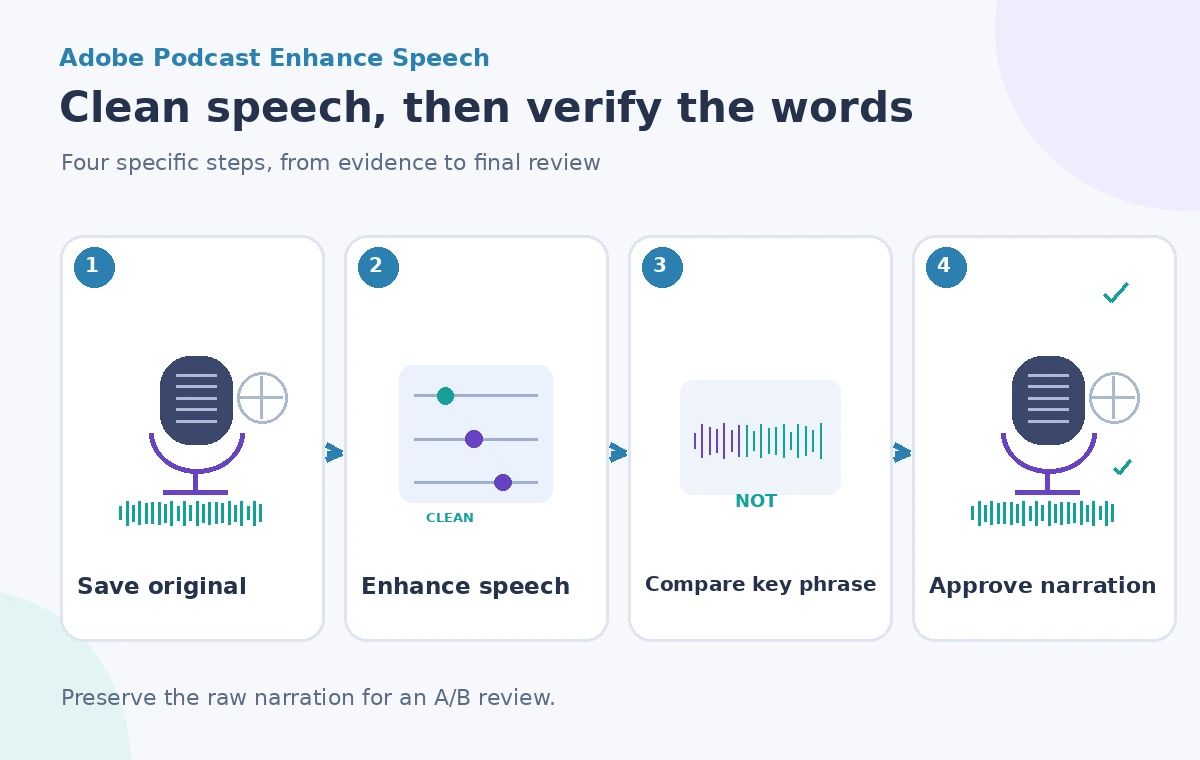
Adobe describes Enhance Speech as a browser-based audio enhancement feature. Its support FAQ explains that it processes noise and artifacts and adjusts audio characteristics, while also stressing that results depend on how audible the speaker was in the original recording. The feature is not a language translator and should not be treated as a guarantee that every syllable can be recovered from a severely masked input.
Check the currently supported upload formats, applicable daily usage limits, and any plan-specific features on the official pages. Do not present a fixed maximum file size or a universal enhancement slider setting without verifying the active account. The purpose here is to improve intelligibility while retaining the source message, not to synthesize a more authoritative-sounding instruction.
Set a conservative enhancement target
Choose a short working excerpt that includes several seconds before and after the safety phrase. If the interface offers an adjustment for enhancement strength, begin conservatively and compare alternatives; do not assume stronger processing is always better. Focus on fan reduction without flattening the voice’s natural consonants, breaths, and pacing. Preserve the original excerpt next to every processed candidate.
When the original speech is badly obscured, re-recording may be more appropriate than aggressive enhancement. Ask the narrator to repeat the approved wording in a quiet room where practical. A tool cannot responsibly repair a missing negation by guessing the intended text, especially when the recording will be used to guide physical actions.
Compare the same phrase, aligned in time
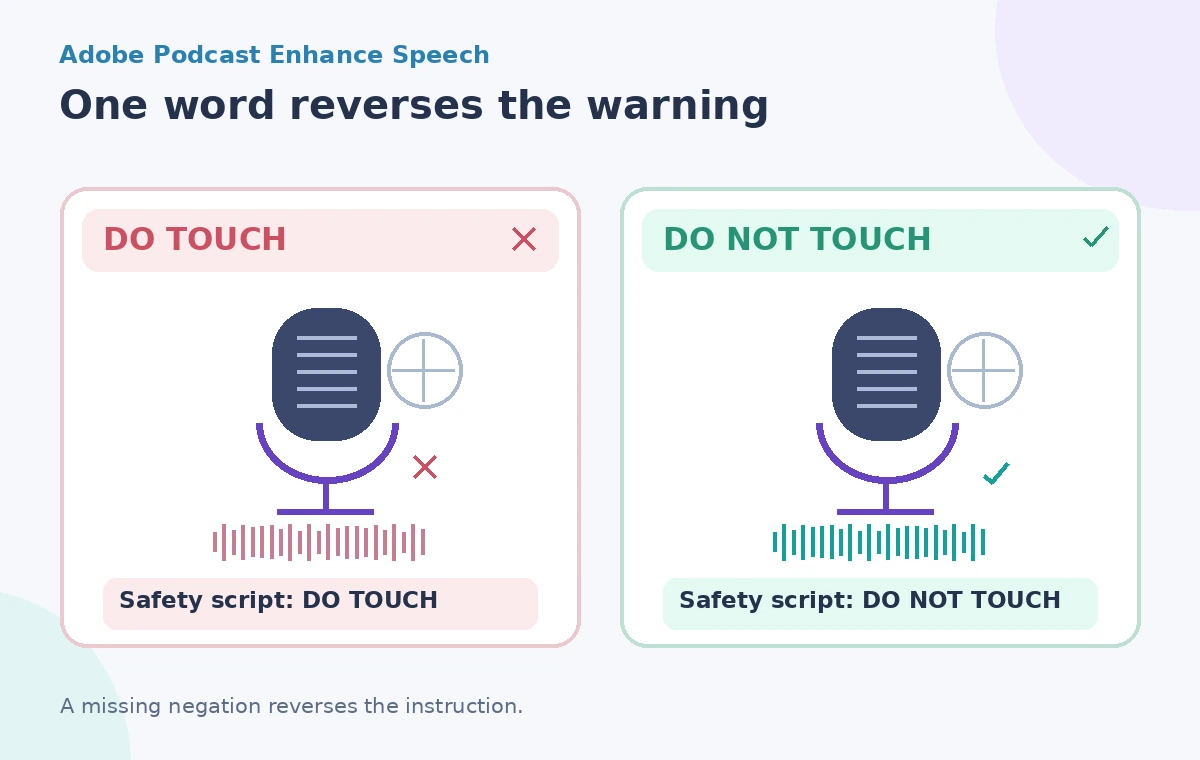
Line up the original and enhanced versions to the same spoken phrase. Listen to “do,” “not,” “touch,” and the following stressed word separately, then hear the whole sentence at normal playback speed. Inspect any spectral or waveform illustration as a navigational aid, not proof that the message survived processing. A visible dip in background noise does not establish that a listener can distinguish the crucial “not.”
The comparison diagram deliberately contrasts the unsafe phrase “Do touch” with the required “Do not touch.” It is not a claim that Adobe deletes that word in normal operation. The pair illustrates why editing a safety narration requires a semantic review in addition to judging timbre or loudness.
Watch for artifacts that can change meaning
Possible issues in heavily processed speech include softened consonants, metallic transitions, clipped starts, and syllables that seem to merge. The point is not to claim a particular failure rate for Enhance Speech, but to identify what a reviewer should inspect. Listen for the ending of “don’t,” the beginning of short names, and quiet syllables between louder stressed words. Keep a written checklist of the exact phrases that must remain unambiguous.
Also verify that background sounds important to the story have not been removed unintentionally. A workshop tutorial may need the sound of a warning buzzer or the operator’s response, not merely clean voice. If enhancement makes the surrounding context misleading, produce a cleaner narration track separately instead of treating the processed source as a faithful field recording.
Make a transcript check independent of the tool
Have a reviewer compare the enhanced speech with the signed-off safety script while listening, rather than relying solely on an automatically generated transcript. Automatic speech recognition may make the same kind of mistake as a distracted editor. Mark discrepancies explicitly and return unclear phrases for re-recording or manual editorial correction. Do not insert a missing word into the audio while claiming that it was audibly present in the original.
If captions are needed, produce them from the verified script and align them against the approved audio. Captions must not contradict what the speaker actually says. For a video, check that on-screen arrows and actions also support the warning; an audio cleanup cannot compensate for a visual demonstration that tells viewers to do the opposite.
Protect privacy and export a traceable final file
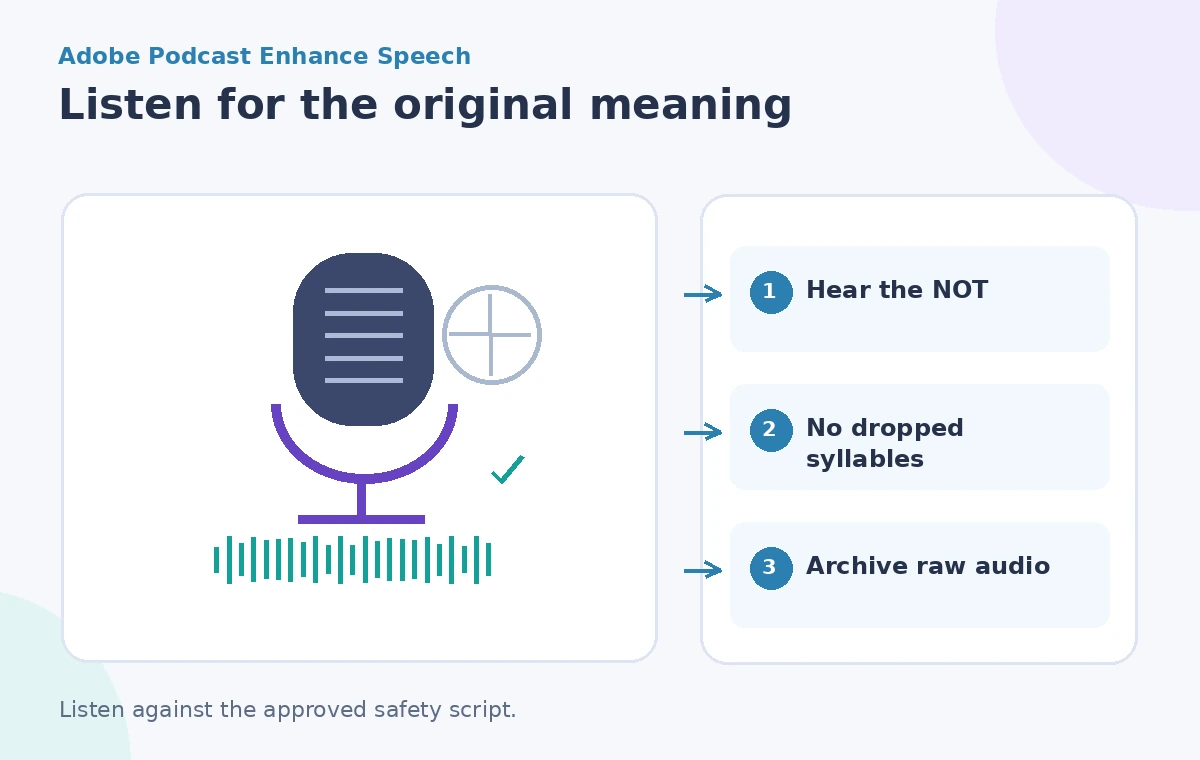
Before sharing, strip unnecessary personal information and review who may access the source and processed audio. Keep a clearly named original, processed candidate, and approved export with a revision note. Avoid creating false provenance by labeling an enhanced clip “original recording.” Audio enhancement alters the signal, even if the words are intended to remain the same.
Use appropriate loudness and playback checks for the actual platform. A quiet phone speaker, a busy exhibition hall, and headphones have different listening conditions. Ask the responsible safety reviewer to sign off on the final narration at a realistic volume; do not claim a standardized intelligibility score without conducting a defined study.
Approve language accuracy before sonic polish
The final quality gate is simple: the word “not” must be plainly audible, the source warning must match the authorized script, and no processing artifact should reverse or obscure the instruction. If a phrase remains uncertain, the appropriate outcome is “needs re-recording,” not “good enough after enhancement.” Archive the raw source and note which processing version was chosen.
Enhance Speech can be valuable for noisy voice recordings, but the editorial objective is not maximum suppression of every background sound. It is a dependable message. For safety narration, the smallest word may carry the largest consequence, and a human listening against the original script remains essential.
How We Research
For this November 2026 editorial review we read these named official resources: Adobe Podcast FAQ: Enhance Speech, Adobe Podcast: Enhance Speech. We compared their documented capabilities, input limits, result types, access restrictions and human-review requirements against the hypothetical workflow above. We did not access a live account, process real museum or visitor records, run a controlled vendor test, or measure output accuracy. All diagrams are original conceptual illustrations rather than screenshots or evidence of a successful live result. Confirm current eligibility, pricing, privacy terms, and interface details in the linked documentation before attempting the workflow.
Frequently Asked Questions
No. Adobe states that Enhance Speech is language-agnostic processing, not a translation service.
No. Adobe warns results depend on audibility and source quality. Re-record a critical phrase if it remains unclear.
No. Retain the original as evidence and create a separately labeled approved export.
No. Listen to the exact phrase and compare it with the approved script at realistic playback levels.
No. The scenario and diagrams are conceptual and do not represent measured before-and-after audio results.