
The surprising place an attacker can place a command
A museum website accepts pull requests for visitor captions. A contributor proposes a branch name that includes shell metacharacters, and a workflow maintainer prints that branch name directly inside a generated `run` script. The runner may interpret the characters as part of the command, even though the workflow author intended only a friendly status message. This is a metadata-to-code trust-boundary problem, not a problem with caption content itself. `GITHUB_HEAD_REF` is useful for identifying the source branch of a pull request, but it must be treated as untrusted data. This guide uses a hypothetical repository and schematic examples rather than executing malicious payloads.
Distinguish source, target, and event-specific refs
GitHub’s variables reference describes `GITHUB_HEAD_REF` as the source branch of a pull request and `GITHUB_BASE_REF` as its target branch. These variables are set for `pull_request` and `pull_request_target` events, not as universal aliases for every workflow trigger. `GITHUB_REF` can refer to a merge ref for a pull_request workflow, or to a base branch for certain other events. An automation that assumes these names are interchangeable may test the wrong code revision or publish a label from the wrong branch. Write down which event triggers the job and which ref identifies the code actually checked out. A label does not independently verify the source commit.
Treat branch metadata as a value, never executable syntax
GitHub’s script-injection guidance identifies untrusted values including `head_ref` and other pull-request metadata. Avoid inserting `${{ github.head_ref }}` or similar expressions directly into an inline shell program where a branch name can become executable syntax. Where a shell needs a label, pass it through a declared environment variable and quote it as data; use a fixed script that never evaluates that value as a command. Better still, use predefined machine-safe identifiers for temporary directories and artifact names. Do not try to sanitize dangerous branch names with a fragile blacklist of characters; the shell’s quoting rules are easy to misunderstand.
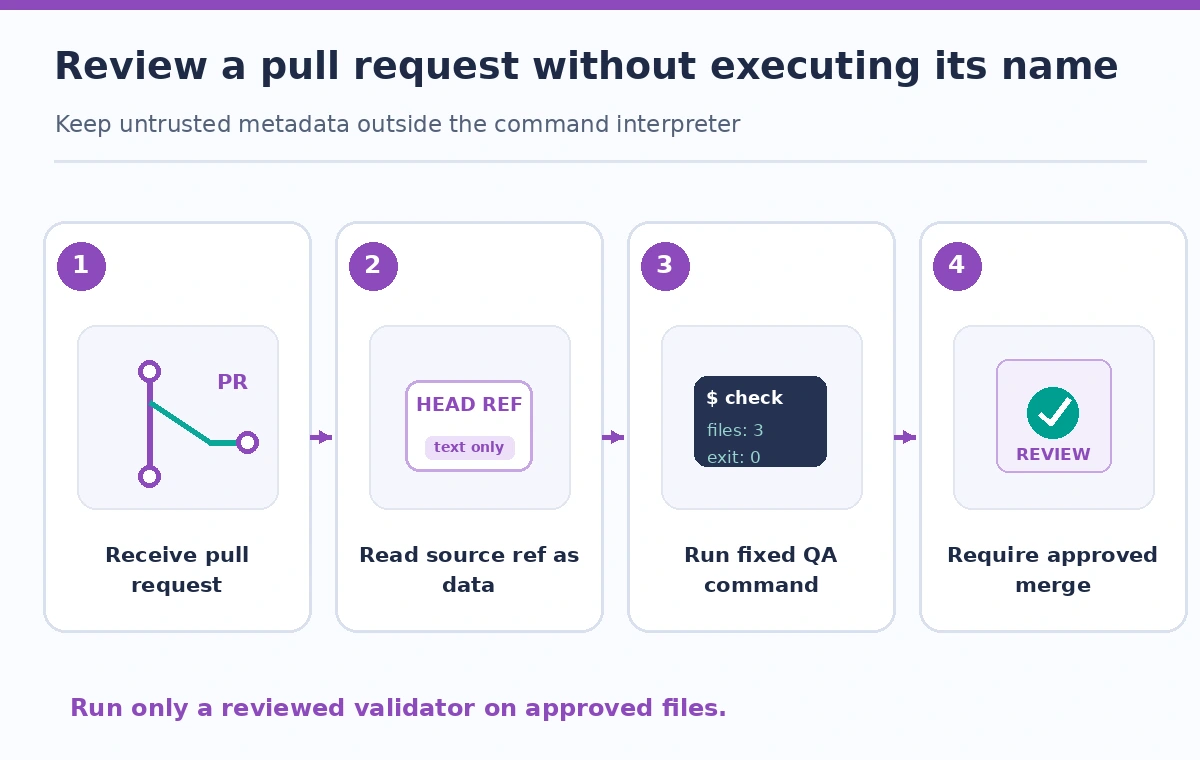
Validate caption files from the checked-out repository
The purpose of caption QA is to check VTT or SRT files against a fixed set of rules: format, timestamps, language identifiers, and missing content. Keep the validator script under reviewed repository control, and feed it paths obtained from a safe file enumeration rather than concatenating an untrusted branch name into a command. A source branch string can be displayed for reviewers, but it should not choose which executable to run. Validate file paths within the checked-out workspace and apply the repository’s accepted filename policy. Avoid printing protected caption drafts or contributor personal details to an open pull-request log.
Understand why pull_request_target requires special caution
GitHub explains that workflows triggered by `pull_request_target` can run in a more privileged context than ordinary untrusted pull-request workflows. Combining such a trigger with checkout and execution of contributor code can expose write permissions or secrets. Do not switch to that event just to gain access to a convenient base ref or to avoid workflow restrictions. For public contribution QA, prefer a minimal read-only workflow that does not require secrets and runs reviewed checks in an appropriately constrained environment. If an approved deployment needs elevated permissions, separate it into a trusted workflow that consumes explicitly reviewed outputs instead of executing a contributor’s branch scripts.
Use source and target values only for policy decisions you can prove
A workflow can use a target branch label to decide which approved checks should run, such as stricter caption validation for changes intended for a release branch. But neither the target name nor the source name proves that the change has undergone editorial approval. Apply branch protection, required status checks, and repository permissions outside the workflow script. If the base ref is missing because the trigger is not a pull-request event, handle the missing value explicitly rather than defaulting to a trusted release branch. Record the event type, immutable commit ID, and review status; mutable branch labels are not a durable audit identity.
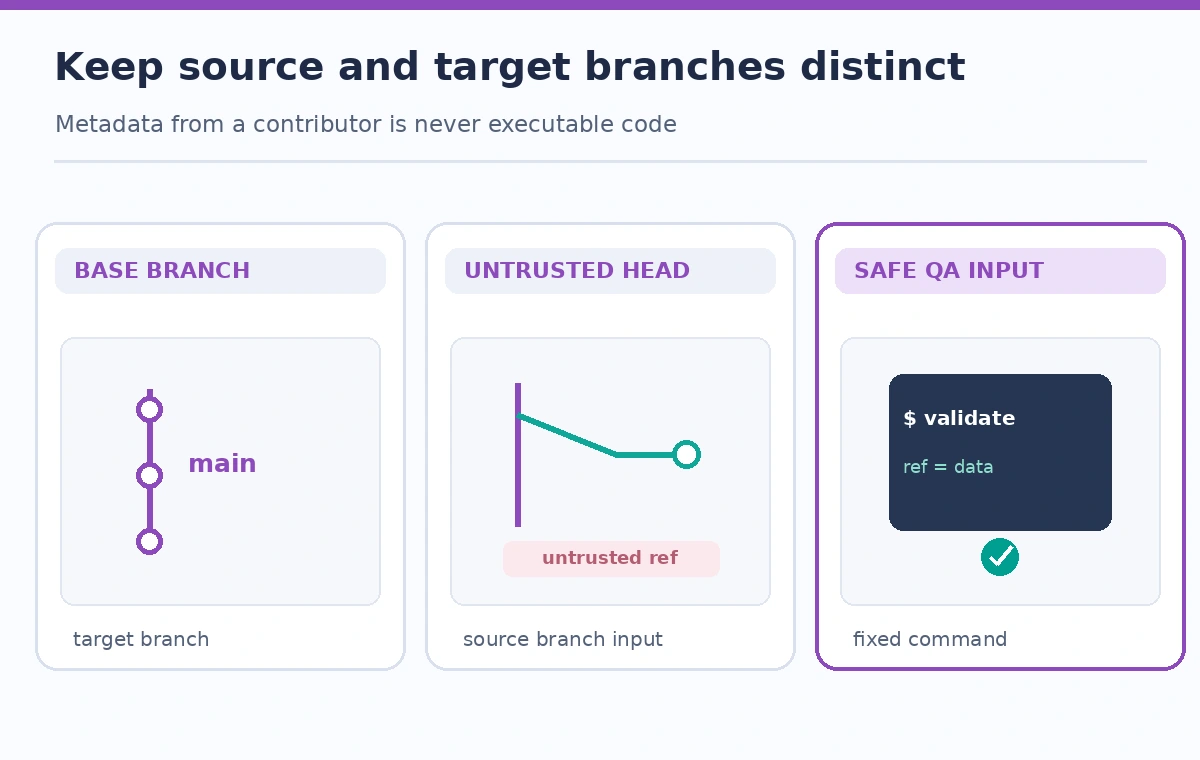
Keep reporting safe while retaining useful evidence
A QA summary can show the branch label as escaped display text alongside the checked commit SHA, rule version, number of caption files tested, and the result for each approved check. Do not put branch text into a shell here-document delimiter or other executable template without accounting for the language parser. Store reports under generated, bounded identifiers; avoid using branch names directly as artifact paths or object-storage keys. If a branch is renamed between review and merge, the commit and pull-request identifiers remain better anchors for the audit. Logs should help reviewers understand what was tested without publishing private translations or leaking tokens.
Try benign adversarial cases in a sandbox
Create a test pull request with an ordinary branch name, then a safely named test case containing punctuation that could be mishandled by brittle quoting. Observe whether the workflow displays the label as data, runs only the intended validator, and preserves exit status. These tests should use controlled synthetic caption files and a fork or sandbox repository without privileged credentials. Review workflow YAML and any shell snippets for direct expression interpolation into `run` blocks. A passing single test does not prove all future inputs safe, so favor a design with no executable interpretation of branch names in the first place.
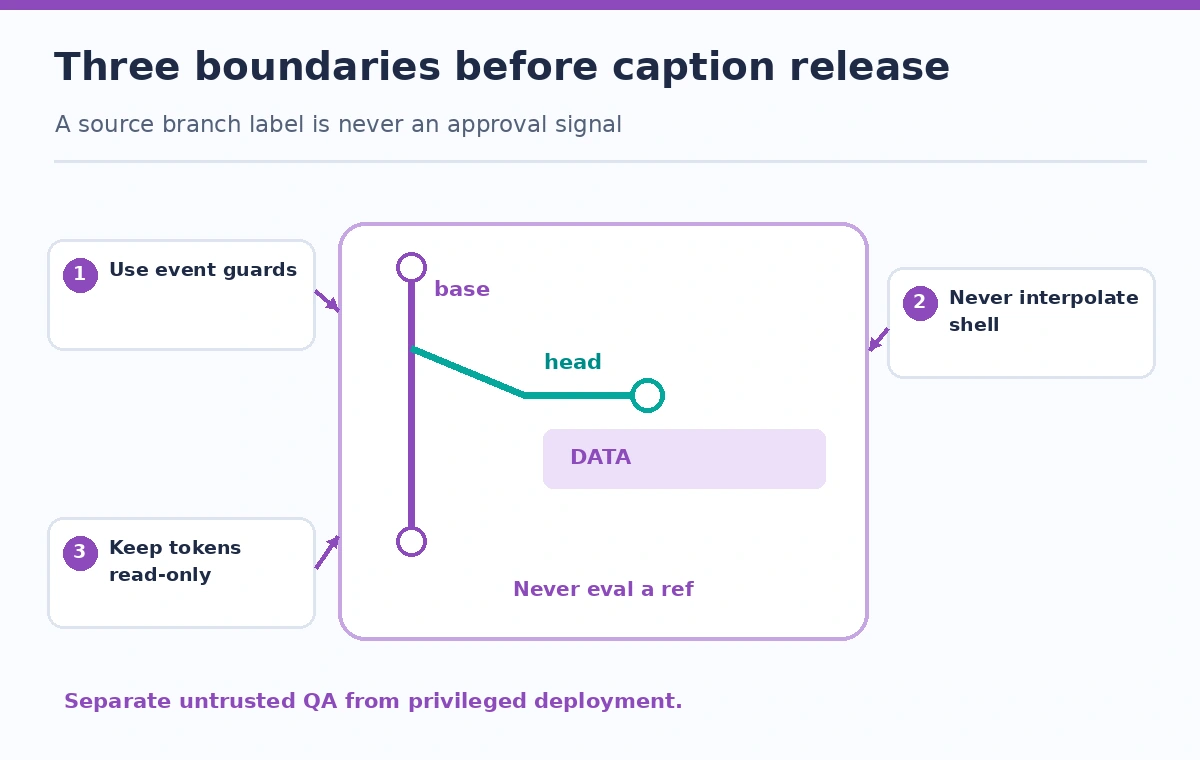
What to do when the workflow already used the value unsafely
If a reviewer finds direct interpolation of head_ref into a command, stop the affected untrusted workflow path and fix the trust boundary before re-enabling it. Rotate any credentials that might have been exposed based on actual incident evidence and organizational policy; do not assert compromise without investigation. Move dynamic labels into safely quoted environment inputs or out of the shell entirely, reduce token permissions, and separate privileged release steps. Rerun the same reviewed commit after correction and retain the remediation diff. Avoid a workaround that strips punctuation and silently changes the branch identity shown to an editor.
How We Research
We reviewed the GitHub Actions variables reference for source and target branch semantics, script-injection guidance for untrusted head_ref values, and secure-use guidance for privileged pull-request workflows. This example is instructional, not a security penetration test. We did not run an exploit or inspect a private repository. Validate the exact workflow trigger, runner shell, permissions, and repository protection rules in your environment.
Frequently Asked Questions
No. GitHub documents it for pull_request and pull_request_target workflows. Handle absent values for other events rather than assuming a release branch.
Not necessarily. Valid names can still be unsafe when interpolated into a shell or another interpreter. Treat names as untrusted data.
No. It identifies the source branch label. Record the actual checked-out commit SHA and event context separately.
That is risky. GitHub warns against privileged workflows that check out and execute untrusted contributor code. Separate permission boundaries.
Include the checked commit, approved rule version, relevant file-level results, and review disposition, while avoiding private content and credentials.