
A large object needs more than a green transfer row
A museum transfers multi-gigabyte oral-history masters from local storage into S3. The upload tool reports success, and the preservation team wants a fast way to inspect the stored result without immediately downloading every recording. Amazon S3 GetObjectAttributes retrieves selected object metadata without returning the object bytes. It combines information otherwise obtained through object metadata and multipart-part listings. This makes it useful for investigating the destination key, object size, available checksums, storage class, and multipart part count. But it does not listen to the interview, compare the intended content version against a source master, or establish that publication rights are valid. A complete archival acceptance process must keep transport metadata, content integrity, and curatorial approval as separate decisions.
Ask explicitly for the attributes needed
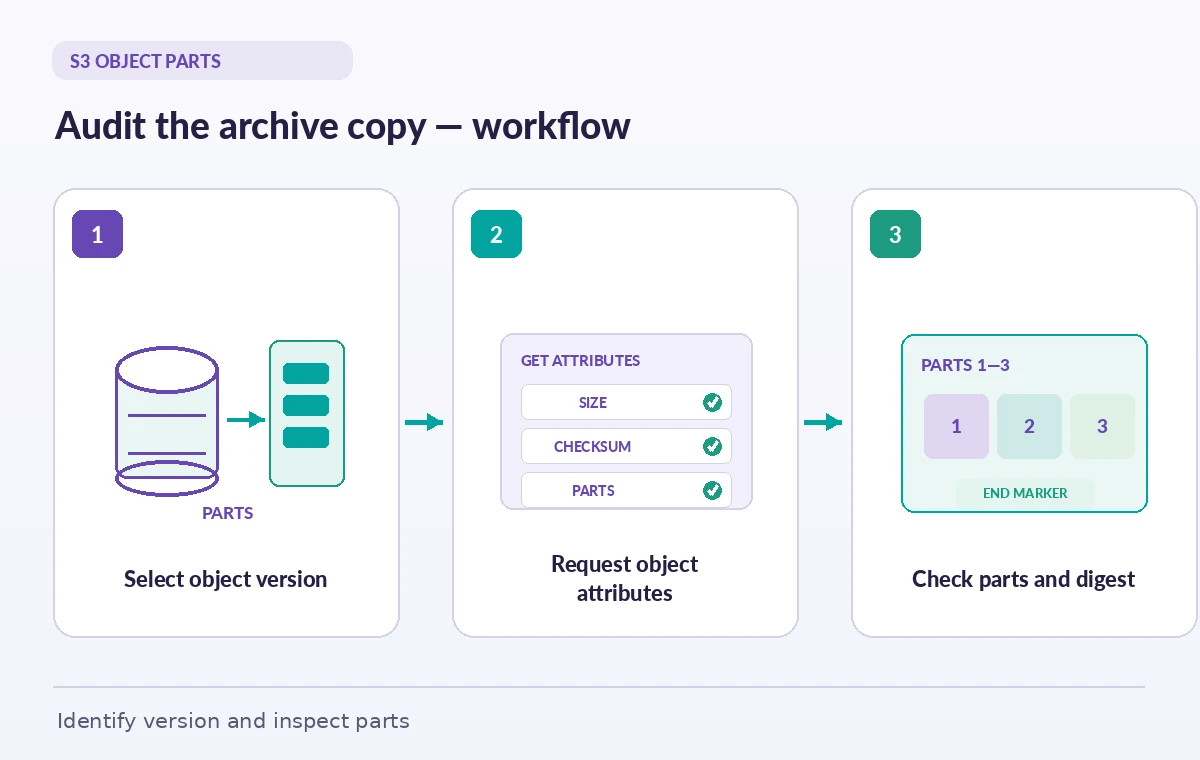
GetObjectAttributes requires the caller to specify one or more requested attributes. AWS documents ETag, Checksum, ObjectParts, StorageClass, and ObjectSize as valid selections. Retrieve the bucket and key from the transfer manifest rather than from an operator’s memory. For versioned buckets, retain the version ID of the object being inspected so a newer upload cannot silently change the result of a subsequent check. Record the caller’s account boundary and requested owner when appropriate, and use the IAM permissions required by the API without disclosing credentials in report artifacts. A response that includes size but lacks checksum data should be labelled as such, not rounded up to a successful cryptographic validation. Each field answers a different question about the object.
Do not interpret ETag as a universal content digest
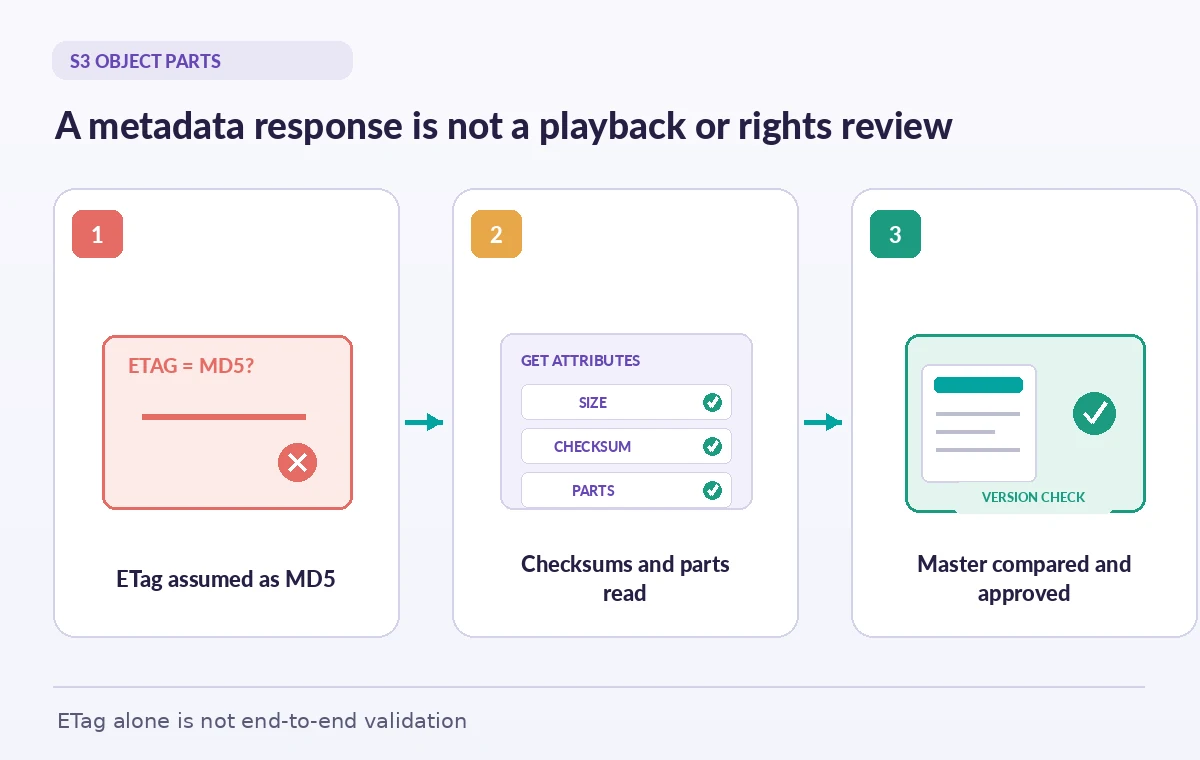
An S3 ETag is an object identifier, but its equality with a simple MD5 of the complete source file is not guaranteed across upload methods and encryption scenarios. In particular, multipart workflows can produce ETags that are not simple end-to-end MD5 values. Recording the ETag is useful for identifying the observed object version, yet a spreadsheet that labels every ETag ‘SHA-256 validated’ invents proof that was never performed. Request the Checksum attribute when available and identify the actual algorithm and checksum type. Compare only compatible values and document how the source digest was generated. A stored checksum is part of the evidence, not a replacement for a validation plan that considers file versions, possible transformations, and preservation policy.
Follow the multipart part markers to completion
For multipart objects, ObjectParts can expose a part count, individual parts, and pagination indicators. AWS documents IsTruncated, MaxParts, PartNumberMarker, and NextPartNumberMarker in the returned parts structure. If the response is truncated, request the next portion using the marker rather than reporting only the initial page as the full upload. This is particularly important for large video or audio files split into many parts. Record the final part count and confirm that the listing traversal reached the end. Some per-part checksum fields are only returned when the necessary checksum information exists, so an absent part digest does not automatically mean corruption. Distinguish a missing field from an actual mismatch and consult the service’s documented checksum behavior.
Separate metadata inspection from full-byte verification
GetObjectAttributes is intentionally a metadata-only request. It can flag an unexpected object size or reveal the presence and shape of multipart metadata, but it does not download the bytes for local decoding. If archival policy requires a source-to-destination digest comparison, implement the compatible checksum or controlled readback step that the policy demands. If the master is compressed audio, also maintain a format or playback test where that matters. The museum can run a two-stage workflow: inexpensive metadata screening across every transfer, followed by a targeted full integrity or media validation for designated files. Make it obvious in reports which stage each object passed. A metadata pass must never be represented as proof of audio intelligibility or of release permission.
Track version IDs across repeated ingests
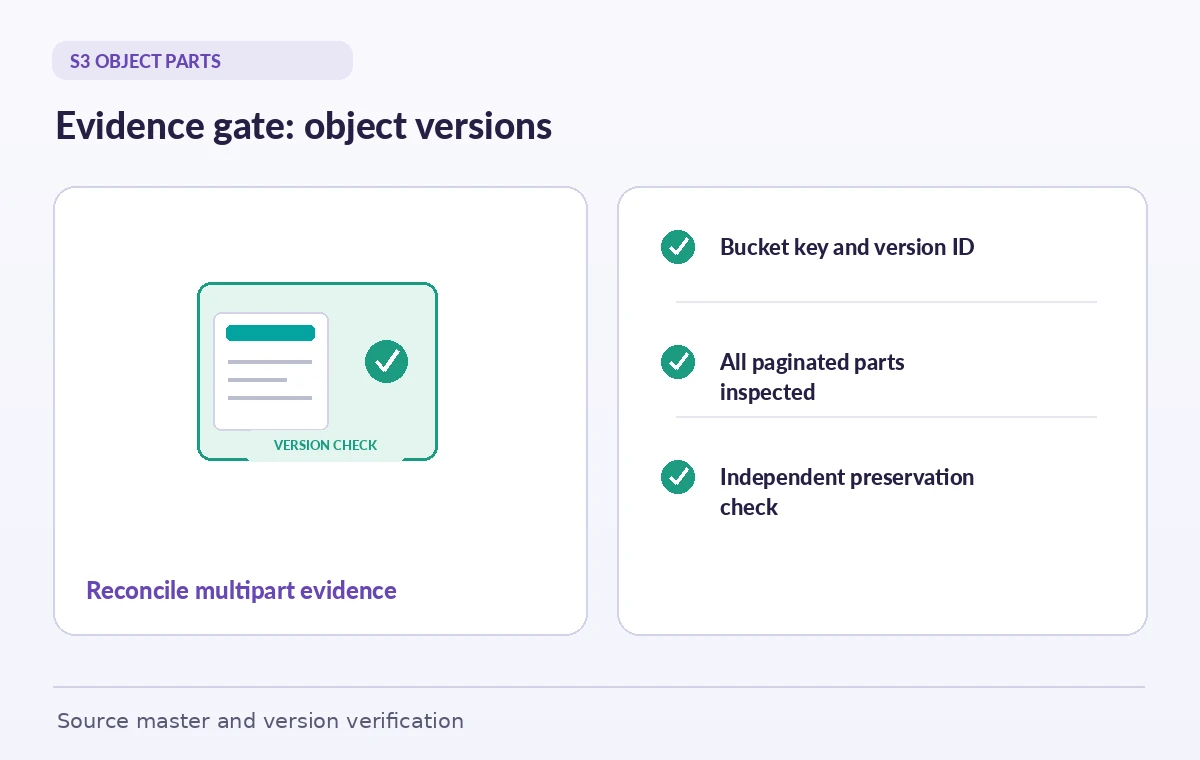
An oral-history recording may be uploaded again after editing transcription metadata, repairing a container header, or correcting a preservation mistake. If bucket versioning is in use, the same key can refer to several distinct object versions. Request attributes for the intended version ID and save that ID alongside the accession record. Without it, a later lookup may examine the current object instead of the copy that was previously approved. Compare version-specific size, checksum availability, and transfer manifest entries. If the current key points to a delete marker, investigate the version history rather than assuming the original recording disappeared. Do not resolve a mismatch by overwriting an approved master; quarantine the new candidate, document differences, and obtain an explicit preservation decision.
Account for permissions and bucket variants
AWS documents permissions and endpoint rules for GetObjectAttributes, including special requirements for certain bucket types and endpoints. A general-purpose bucket integration should not blindly reuse URL formats intended for directory buckets. Some checksum retrieval paths can have additional authorization or encryption considerations, and an access-denied response is not evidence that the object is absent. Store the bucket type, region, key, and versioning policy with the transfer configuration. When a metadata probe fails, troubleshoot access and endpoint selection before sending a preservation alert that the file was lost. An audit tool should classify unsupported attribute, authorization failure, missing key, and verified content mismatch as different outcomes. These distinctions make incident review possible without exposing private oral-history material.
Build a repeatable acceptance report
For every transfer, capture a stable source accession ID, source digest when policy requires one, target bucket and key, version ID, reported object size, available checksum algorithm and value, part traversal completion, and inspection timestamp. Keep the API response in a protected audit store rather than a public site bundle. If size changes between the transfer manifest and destination metadata, block automatic archival approval and investigate whether a transform was expected. If the checksum is absent, show ‘not provided’ rather than a fabricated green check. If pagination is incomplete, show ‘part review incomplete.’ Only after the separate content-preservation check should staff mark the master accepted. The resulting report is understandable to curators, security reviewers, and cloud operators.
What the final green state means
The final gate should demonstrate that the team inspected the intended S3 version, captured every available relevant attribute, traversed parts completely when applicable, and performed the additional integrity checks required by its policy. It should also identify the curator who accepted the master and any release restrictions still in force. A correctly returned metadata response is useful operational evidence but cannot establish rights or authenticity by itself. When the museum distributes a lower-resolution visitor copy, preserve its relationship to the approved master instead of assuming both objects share the same digest. The point of GetObjectAttributes is to make large transfers easier to inspect and diagnose, not to remove the human decisions that responsible collections preservation requires.
How We Research
We consulted the original provider documentation: Amazon S3 GetObjectAttributes API; Amazon S3 GetObjectAttributesParts; AWS GetObjectAttributes SDK examples. We inspected the official GetObjectAttributes and ObjectParts contracts, focusing on explicit field selection, multipart pagination, and checksum limitations. We did not access any AWS account or evaluate real preservation masters. We checked the terms and limits against the cited references but did not manufacture benchmarks, source access, or simulated production outcomes. Recheck provider settings and local organizational policy before a live rollout.
Frequently Asked Questions
No. The operation returns requested metadata without returning the object content.
AWS documents ETag, Checksum, ObjectParts, StorageClass, and ObjectSize.
No. Multipart and other upload or encryption conditions can make that assumption invalid.
Use the next part marker to request further parts before claiming you inspected the complete list.
No. Apply the independent byte-level, media-format, version, and curatorial checks required by your policy.