
A green caption release can still be missing evidence
A museum release pipeline runs subtitle checks for English, Spanish and American Sign Language caption metadata. Each matrix job uploads its own test artifact, and an aggregation job downloads all reports to decide whether the public exhibit can ship. If each artifact contains the same relative filename, such as result.json, merging all artifacts into one folder can conceal two reports behind the surviving file. GitHub’s actions/download-artifact provides pattern and merge-multiple inputs to select multiple artifacts and extract them into one destination. The feature is useful, but it does not provide a content-aware merge or a guarantee that every intended report survives a name collision. The release rule must account for each expected test unit explicitly.
Know the two download layouts
When multiple artifacts are downloaded without merge-multiple, the action normally creates separate directories named for each artifact under the selected path. With merge-multiple set to true, matching artifacts are extracted into the same destination directory. The pattern input can select names using a glob, and the download action supports retrieving artifacts from the current workflow run by default. GitHub’s upload-artifact migration guide warns that files with identical paths can overwrite one another when multiple artifacts are flattened. Therefore the choice is not simply cosmetic. A flat folder is convenient for downstream parsers, but only when the constituent paths have been designed to remain unique and the aggregation job validates the result set.
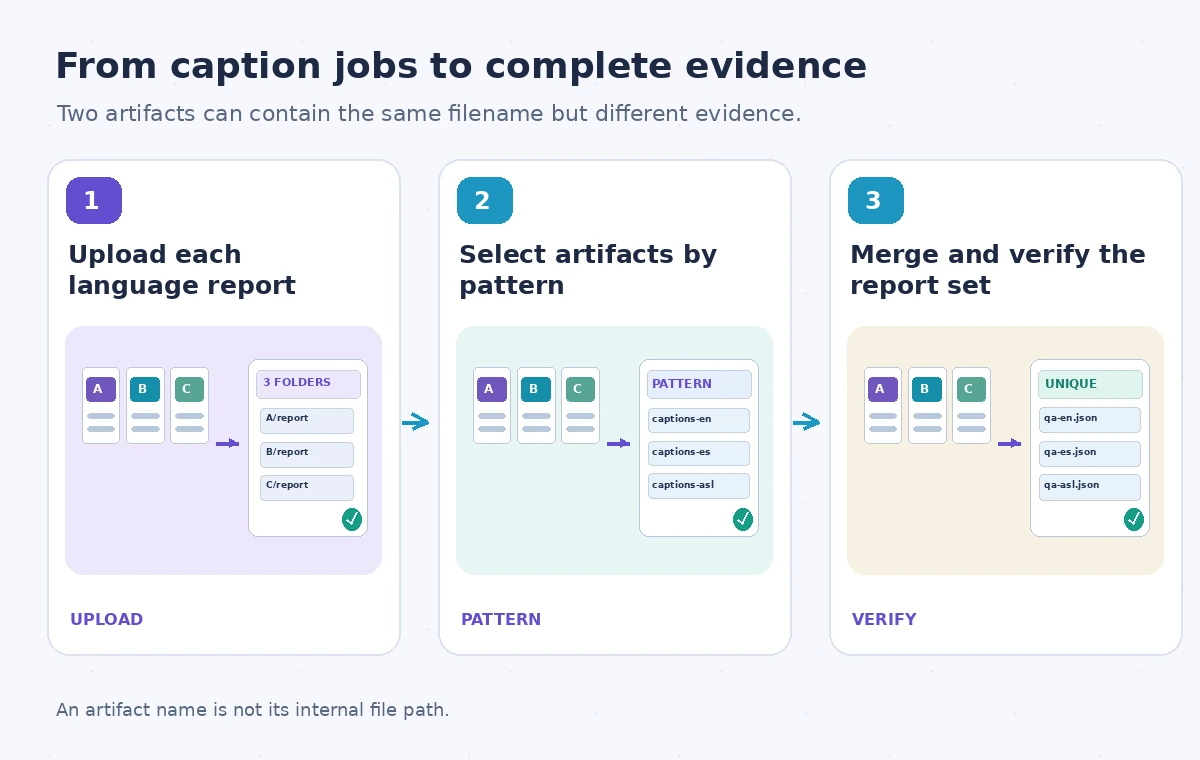
Define the expected matrix before downloads begin
List the required test units and report filenames in an explicit release manifest, ideally generated from the approved caption language inventory. An English caption test might publish qa-en.json, while a Spanish test publishes qa-es.json and a metadata check uses qa-sign-metadata.json. Do not rely solely on artifact names generated by a matrix label that can change between workflow versions. Record workflow run ID, commit SHA, report schema version and expected test result for each unit. A report should identify the source caption asset revision and approval status; otherwise an old successful report can be paired with newly changed caption files. Separate required and optional checks, and make the release gate reject absent mandatory evidence.
Choose names and paths that cannot collide
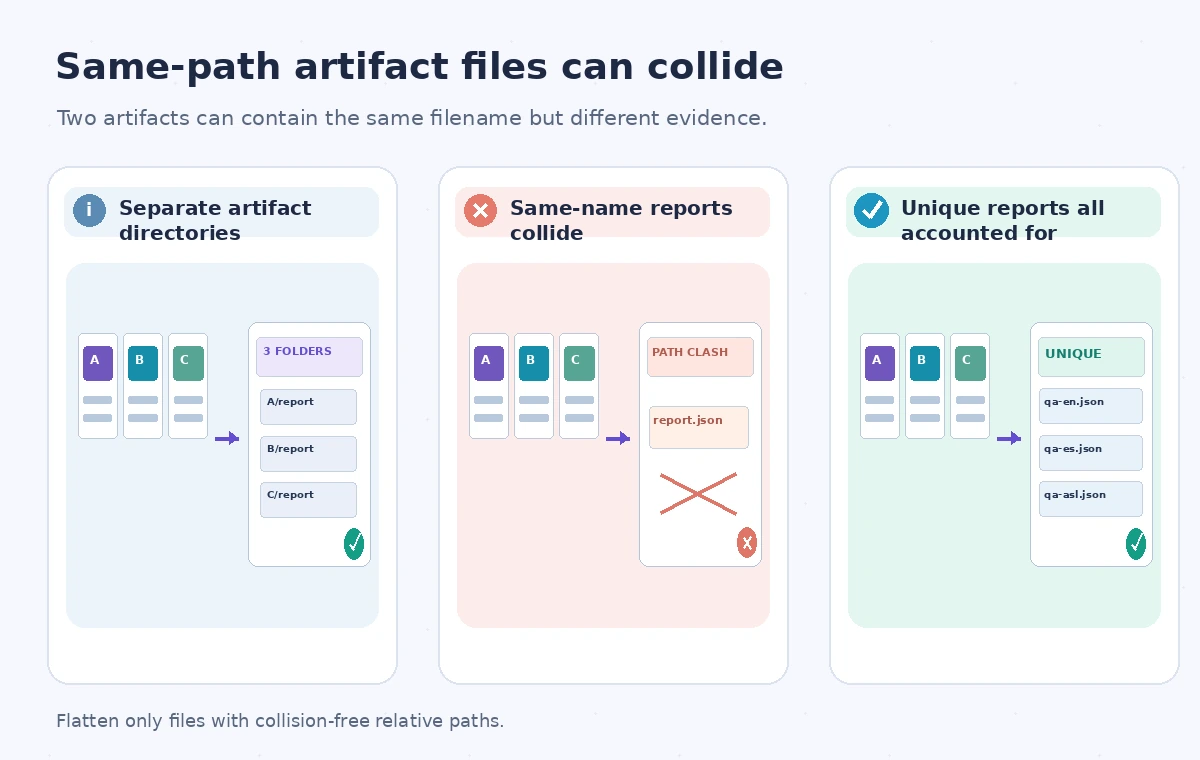
Use distinct artifact names such as captions-qa-en, captions-qa-es and captions-qa-sign. Within the archive, choose unique filenames or nested paths that survive the intended extraction layout. Before switching to merge-multiple: true, inspect a representative artifact file listing from every producer job. Two artifacts named differently do not imply their interior files have different names. If each uploads report.json at its root, flattening is unsafe. For nested directories, check whether the artifact uploader preserved the relative paths as expected. Store a compact report manifest with the complete expected list and hashes. If downstream tools require a universal report.json name, leave artifacts in separate directories and parse them by their parent names.
Compare the safe and unsafe layouts visually
The comparison shows three independent producer artifacts containing report files, an unsafe flatten operation in which two same-named files occupy one destination path, and a corrected collection with uniquely named reports plus an explicit count. The collision is a possible filesystem outcome documented by the GitHub migration guide, not a demonstration of a live museum incident. Avoid presenting a successful download step as proof of evidence completeness: the transfer can finish even though the flattened directory lacks distinct filenames for every producer. Use separate directories as the default conservative option, or design and test unique names before enabling the merge. The report count and expected identities are the actual verification targets.
Do not download arbitrary evidence from untrusted runs
Keep the aggregator scoped to its intended workflow run and repository. GitHub’s action supports inputs for other repositories or runs with a token; those are useful for deliberate cross-run workflows but introduce provenance risks. An artifact from an untrusted pull request should not be executed as code by a privileged release job. Treat reports as untrusted data until their format and origin are checked. Do not parse arbitrary filenames into shell commands. Validate file extensions, schemas and maximum expected sizes, and preserve the least-privilege token settings for the aggregation job. A success marker inside downloaded JSON is a claim made by the producer, not an independent approval to deploy.
Verify content, not only filename counts
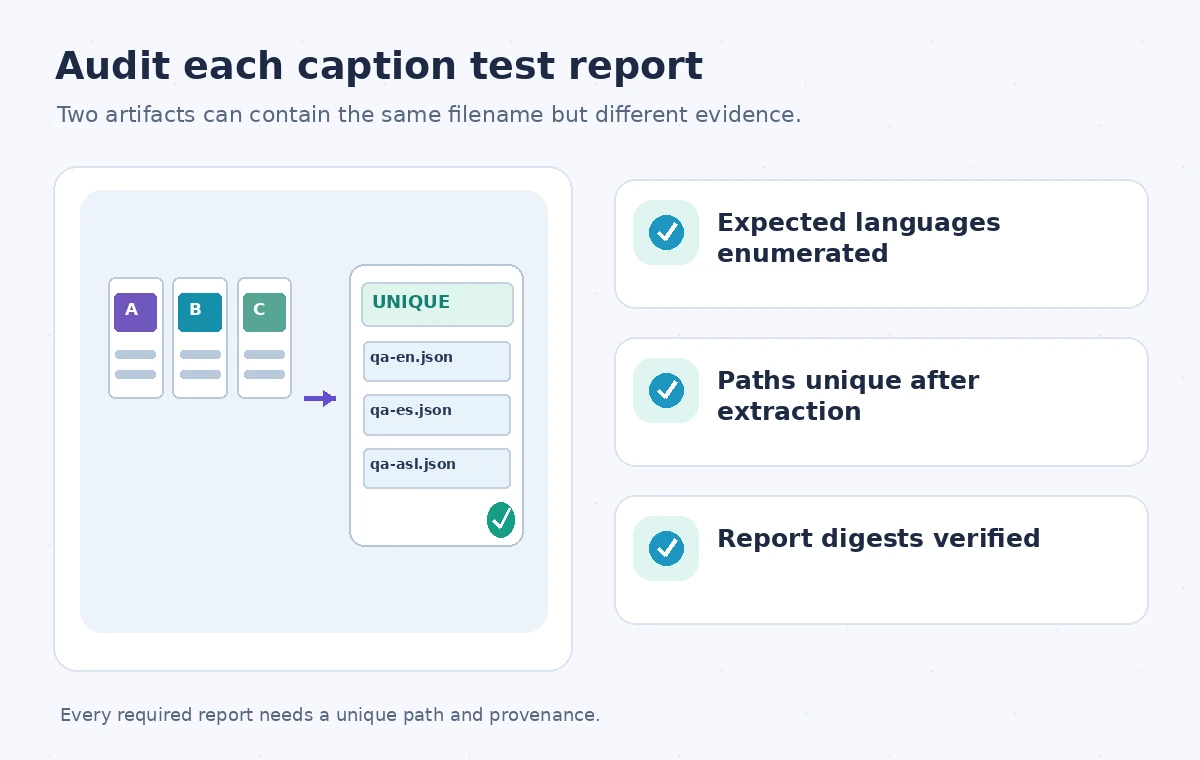
After downloading, inspect the directory tree and compare it against the approved matrix. Require an exact match on language or device IDs, unique report identifiers, expected commit SHA and artifact origin. Hash each file and compare its digest with the producer’s recorded digest when the workflow maintains that evidence. Parse the result schema and confirm that required assertions actually ran; an empty test file or skipped suite must not pass because the JSON happens to contain a familiar key. Investigate extra reports as well as missing ones. Overwriting is especially hard to detect if one file quietly replaces another, so a unique-path policy should be enforced before the aggregator accepts a flat merged directory.
Exercise a collision drill before relying on the merge
In a test workflow, upload two harmless artifacts with the same internal relative filename but visibly different content, then download them once into separate folders and once with merge-multiple enabled. Confirm the distinct directory listing in the first case and inspect the collision risk in the second. Do not depend on an unspecified overwrite order: GitHub’s documentation cautions that identical paths can produce last-writer behavior. Repeat with unique filenames and verify that each content digest survives. These are recommended acceptance tests; this article does not claim that the experiments were performed on a live repository. Add a negative fixture that omits one required artifact and ensure the release gate blocks rather than quietly counting the files it happened to receive.
Make the evidence manifest the release gate
For a caption release, the final audit should show each expected language, artifact identifier, report path, source commit, test outcome and reviewer approval. A complete and valid aggregation job is allowed to publish the release artifact only if all mandatory reports are present and associated with the same source revision. If any result is missing, duplicated, malformed or associated with a different commit, stop deployment and preserve the diagnostic output. The documentation-supported merge-multiple option is a layout convenience, not an evidence-merging engine. A predictable file naming convention, strict provenance check and human-reviewed release manifest turn that convenience into a safe operational pattern for multilingual museum captions.
How We Research
For this guide we consulted the official documentation: GitHub actions/download-artifact README; GitHub upload-artifact migration guide. We compared named fields, supported behaviors and stated limitations, then developed an instructional museum scenario with explicit failure states. We did not run a live vendor API benchmark, inspect a production museum system, or measure vendor performance. The workflow and illustrations are proposed review steps; verify API-version support and your organization’s current policy before applying them.
Frequently Asked Questions
It extracts multiple matching artifacts into one destination directory instead of a separate subdirectory per artifact.
It is a glob filter for artifacts when no explicit single name is supplied; review the exact naming convention.
Yes. GitHub warns that flattening artifacts with the same file path can produce collisions and last-writer behavior.
No. Compare the extracted reports against the expected matrix, paths, commits and digests.
Use separate directories when producers require identical filenames or when you cannot guarantee collision-free paths.