
A scheduled queue entry is not a visitor notification
A small museum offers quiet-hour tours and optional accessibility support. Staff want one email sent the afternoon before each booking, with the entrance instructions and a way to contact the access coordinator. The booking database stores the visit date in the museum time zone, while volunteers may open the administrative panel from another region. Google Cloud Tasks can schedule an HTTP task for a specific future attempt. It does not promise that the task will be processed at the exact requested instant or that an email provider will confirm delivery at that time. The design therefore needs three separate records: requested visit time, queued attempt time and actual notification outcome.
Read scheduleTime as an attempt timestamp
The Google Cloud Tasks create-tasks guide accepts a scheduleTime value for an HTTP task, expressed as a timestamp such as RFC 3339. If it is omitted or already in the past, Cloud Tasks uses the current time instead. The system limit currently permits scheduling no more than 30 days into the future; task retention is a separate 31-day limit. These constraints make Cloud Tasks suitable for bounded one-off reminders, not as a permanent calendar for next year’s tours. For bookings beyond the window, store the future reminder in a durable application schedule and enqueue it only when the supported window opens.
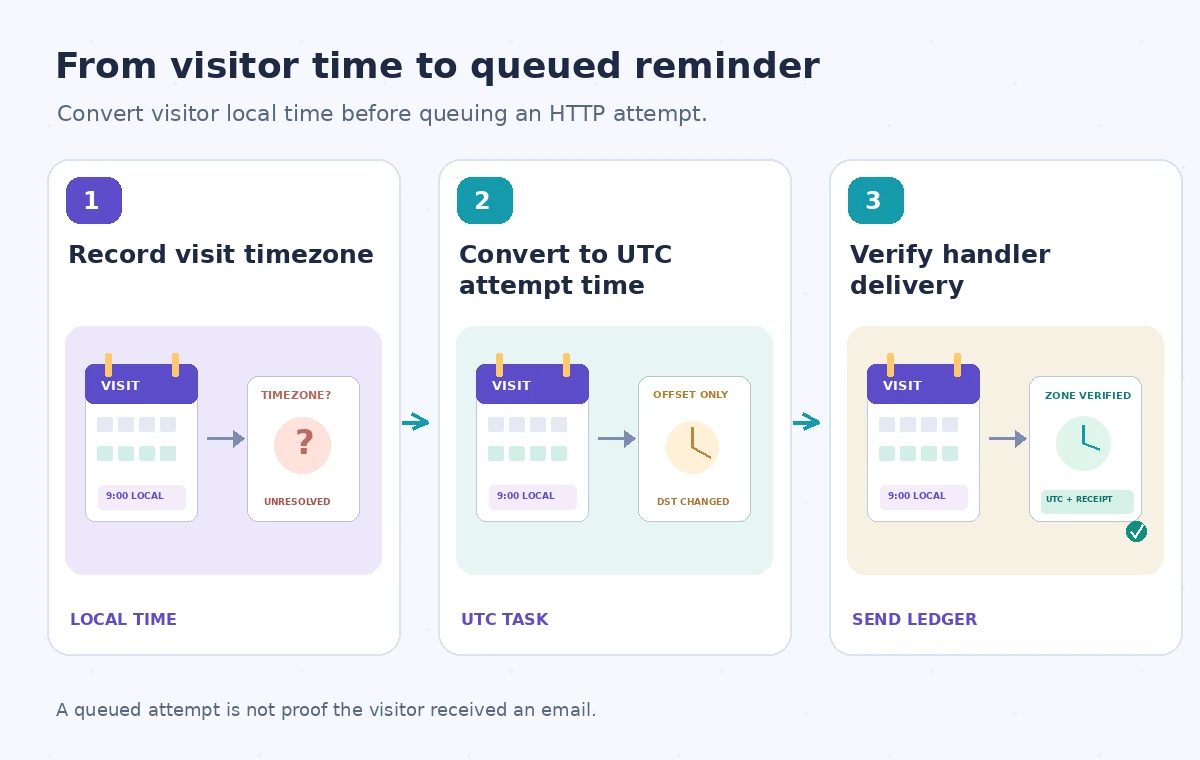
Convert civil time using a named zone
Keep the museum’s IANA time-zone identifier with every booking and record the visitor-selected date and local clock time. A numeric offset alone is insufficient when daylight-saving rules change. Choose a reminder policy such as the preceding day at 16:00 museum local time, then convert it to an unambiguous UTC timestamp using a timezone-aware library. Test dates on both sides of a daylight-saving transition, including a nonexistent or repeated local hour. A fictional booking for the same wall-clock hour in two seasons can require different UTC timestamps. The caption on the schedule diagram should show that conversion, rather than imply Cloud Tasks understands the museum’s event calendar.
Create a minimal authenticated task payload
The task body needs a stable booking reference, a reminder type and a version number; it does not need medical accessibility notes or a full guest profile. Configure the HTTP target and a service account authorized to invoke only the intended handler, using the documented OIDC token options where appropriate. The handler retrieves necessary approved contact details from the booking system at delivery time. If the booking was cancelled after scheduling, the handler must check its current state before sending. Keep separate access controls around the message template and recipient database. A successfully created task means the queue accepted the request, not that contact information is safe to disclose.
Handle reschedules and task identity carefully
A tour time may change after its reminder task has been queued. Store the planned task name and reminder generation in the booking record. When staff reschedule, update the business record, invalidate the previous generation and create the new task according to the revised time. If deleting the old queued task is possible, do so as a cleanup step, but do not rely on deletion alone: the original task might already have begun dispatch. A handler should reject a stale generation or cancelled booking. Stable task names can help identify duplicate creation attempts, but Cloud Tasks task-name deduplication does not replace a business-level send ledger.
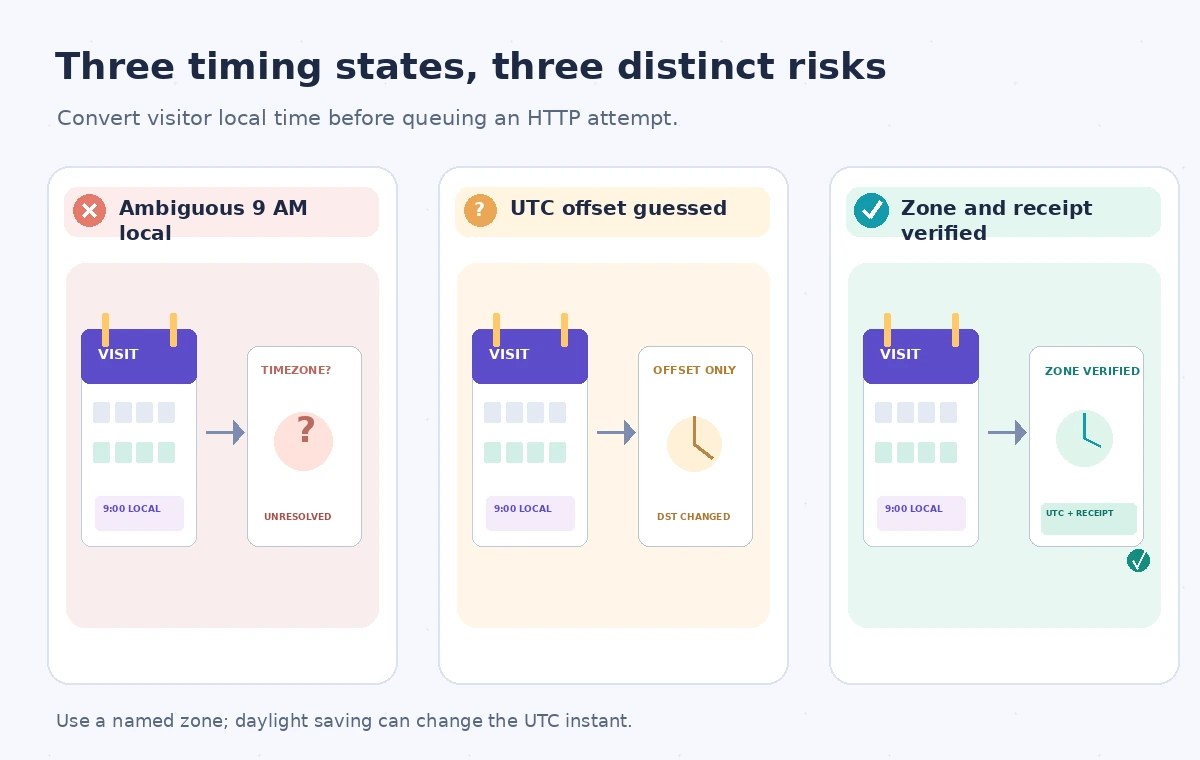
Compare three timing failure modes
The first failure is a booking with 9 AM entered but no named time zone; the intended instant is unknowable. The second is a task scheduled using yesterday’s numeric offset, yielding a wrong hour after a daylight-saving change. The third is an apparently correct queued timestamp whose handler is retried and sends two identical reminders. These are distinct failure mechanisms and need distinct checks. Use a staging queue and synthetic bookings near time-zone transitions. Inspect the exact UTC scheduleTime created and compare it with the approved local schedule, then deliberately simulate handler failures without contacting a real visitor.
Make notification delivery idempotent
Cloud Tasks retries HTTP delivery under configured retry policies, so the endpoint should be safe when invoked more than once. Before sending, reserve an idempotency key combining booking ID, reminder type and schedule generation in a durable table. After the email provider accepts the message, store the provider message reference and accepted status. A lost response after provider acceptance is a tricky case; reconcile with provider history or a message idempotency facility if available, rather than blindly sending again. Log queue attempts separately from delivery evidence. A 2xx response from your handler is evidence of handler acknowledgment, not proof that the visitor read the message.
Audit privacy and accessible content together
A reminder intended to support access can create a privacy problem if it exposes a visitor’s accommodations on shared devices or internal logs. Keep the subject line generic, follow the visitor’s communication preference and link to a protected page for personalized instructions. Test the template with screen readers and plain-text clients, and make a phone contact option available when appropriate. Do not create a second communication channel without consent. An accessibility coordinator should approve the wording, while an engineer approves the handler’s authentication and duplicate prevention. Record both decisions before enabling scheduled delivery for real bookings.
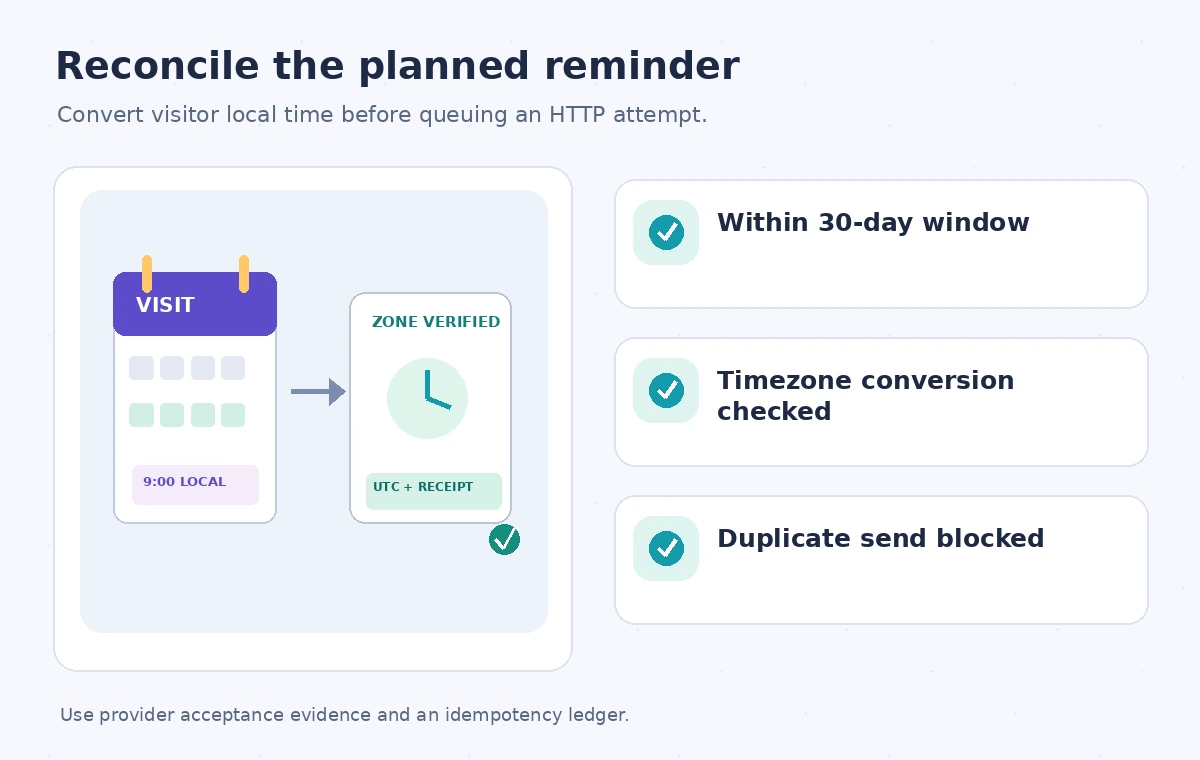
Prepare a release checklist with real evidence
For an operational pilot, reconcile every synthetic booking to a reminder policy, a computed UTC timestamp and a completed handler record. Check the 30-day scheduling limit, cancelled bookings, reschedules, time-zone transitions, retries and deliberate duplicate invocations. Inspect permission failures, dead queues and expired tasks as separate alert categories. Use provider receipts rather than a fabricated dashboard completion rate to establish successful message acceptance. Finally, document what the visitor should do if no reminder arrives, since a scheduled attempt is a convenience rather than the sole source of visit instructions. This makes the queue dependable without promising exact delivery timing that Cloud Tasks does not guarantee.
How We Research
For this guide we consulted the official documentation: Google Cloud Tasks create tasks; Cloud Tasks quotas and limits; Choosing Cloud Tasks or Pub/Sub. We compared named fields, supported behaviors and stated limitations, then developed an instructional museum scenario with explicit failure states. We did not run a live vendor API benchmark, inspect a production museum system, or measure vendor performance. The workflow and illustrations are proposed review steps; verify API-version support and your organization’s current policy before applying them.
Frequently Asked Questions
The currently documented system limit is 30 days ahead, with a separate maximum task-retention limit of 31 days.
The task-creation documentation says the service sets the schedule time to the current time.
No. It schedules a delivery attempt; queue rate limits, retries and the downstream email service affect the outcome.
Invalidate the prior reminder generation, clean up the old task if possible and make the handler reject stale reminders.
Pub/Sub is for event distribution; Google documents specific delivery scheduling as a Cloud Tasks capability instead.