
The Lock File May Not Show Every Built Package
A volunteer developer maintains a hypothetical museum kiosk that displays room directions and equipment return hours. Its repository contains declared packages, but the actual build may resolve transitive libraries, generated components or dependencies that static manifest analysis does not recognize. An incomplete dependency graph can make a vulnerable package harder to spot. GitHub’s dependency submission API lets a trusted build submit a snapshot of resolved packages associated with a particular commit, enriching the repository’s existing dependency graph.
This is an inventory mechanism, not a claim that every dependency is harmless. A successful submission means GitHub accepted structured dependency information. It does not mean the source artifact was signed, the build was reproducible or every package has been checked for vulnerabilities. Keep dependency submission separate from code scanning, artifact attestations, and the human decision to deploy the kiosk update.
Understand What the Snapshot Represents
GitHub describes a snapshot as dependencies linked to a commit SHA, ref, job and detector. Its REST endpoint accepts a version, scan time, manifests and resolved dependency entries. Package URLs (PURLs) can identify packages; relationships distinguish direct from indirect dependencies and scopes can indicate runtime or development use. The snapshot should describe what a trusted process actually resolved, not a guessed list copied into a report after the fact.
A correlator and detector name help GitHub distinguish submissions from different jobs. In a matrix build, include matrix-specific information so one run does not accidentally replace the snapshot from another platform. Keep the commit identity, detector version and scan timestamp with your run logs. Those fields are evidence about the inventory process; they do not constitute an independent security approval.
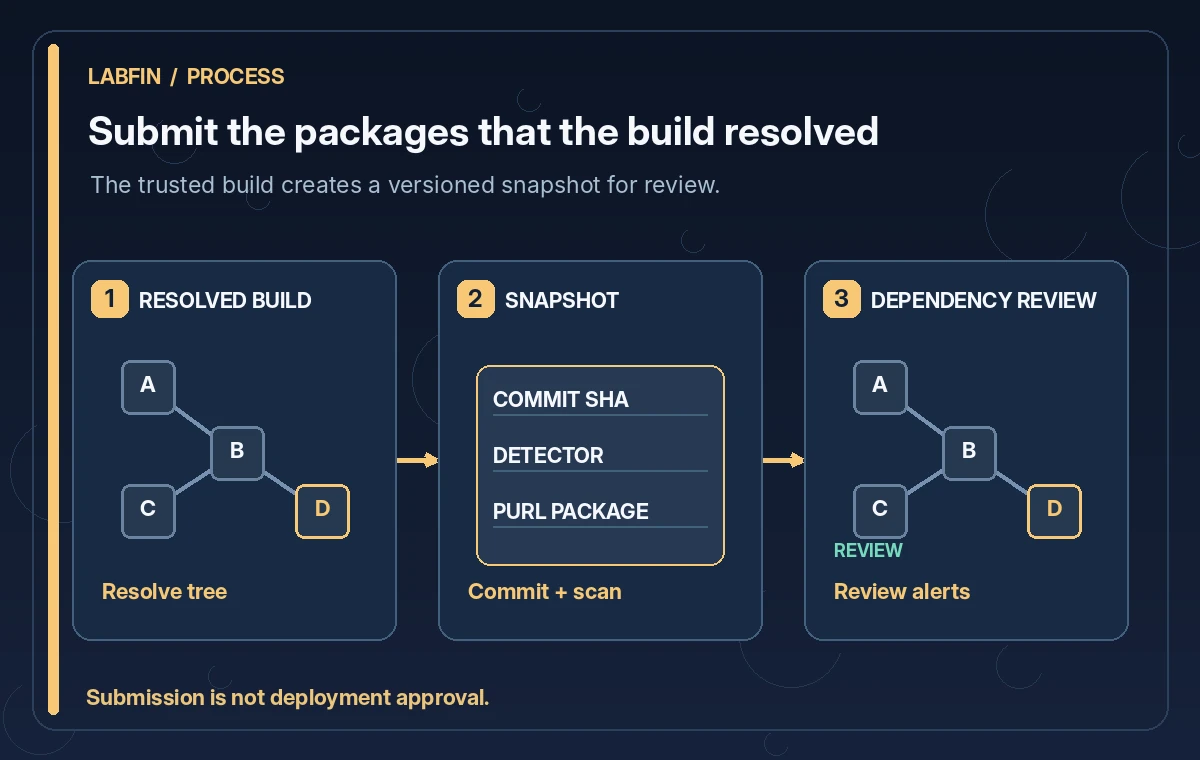
Choose a Trusted Submission Point in CI
Do not submit a dependency snapshot from untrusted pull request code using a privileged token. Build and gather dependency data in a controlled workflow, review how third-party actions are pinned, and separate a read-only test phase from any job allowed to write to the dependency graph. The API requires appropriate repository authorization; GitHub’s fine-grained token permissions include Contents write for this submission endpoint. Grant that permission only where necessary.
For a small kiosk project, a post-merge build on a protected branch may be a more defensible submission point than a workflow triggered by an unknown fork. If you need to analyze contributions before merging, do so without granting the contribution’s code the token used for submission. Review generated files as untrusted data before passing them into another privileged process.
Capture Direct and Transitive Dependencies Clearly
Create a manifest entry for each logical package set you intend to track. Distinguish directly requested libraries from packages that those libraries pull in. This matters when a vulnerability report points to an indirect package; the update may need to happen at its parent. Record package name, resolved version, ecosystem and relationship in a consistent format rather than submitting free-text project descriptions.
GitHub can combine submitted data with static analysis and automated dependency discovery, and it describes precedence rules when multiple sources report the same manifest. Avoid duplicates with conflicting package versions. A dependency listed in two snapshots should not become two unrelated risk tickets just because jobs use different labels. Keep a controlled mapping between the source manifest, generated build output and the package records shown in the graph.
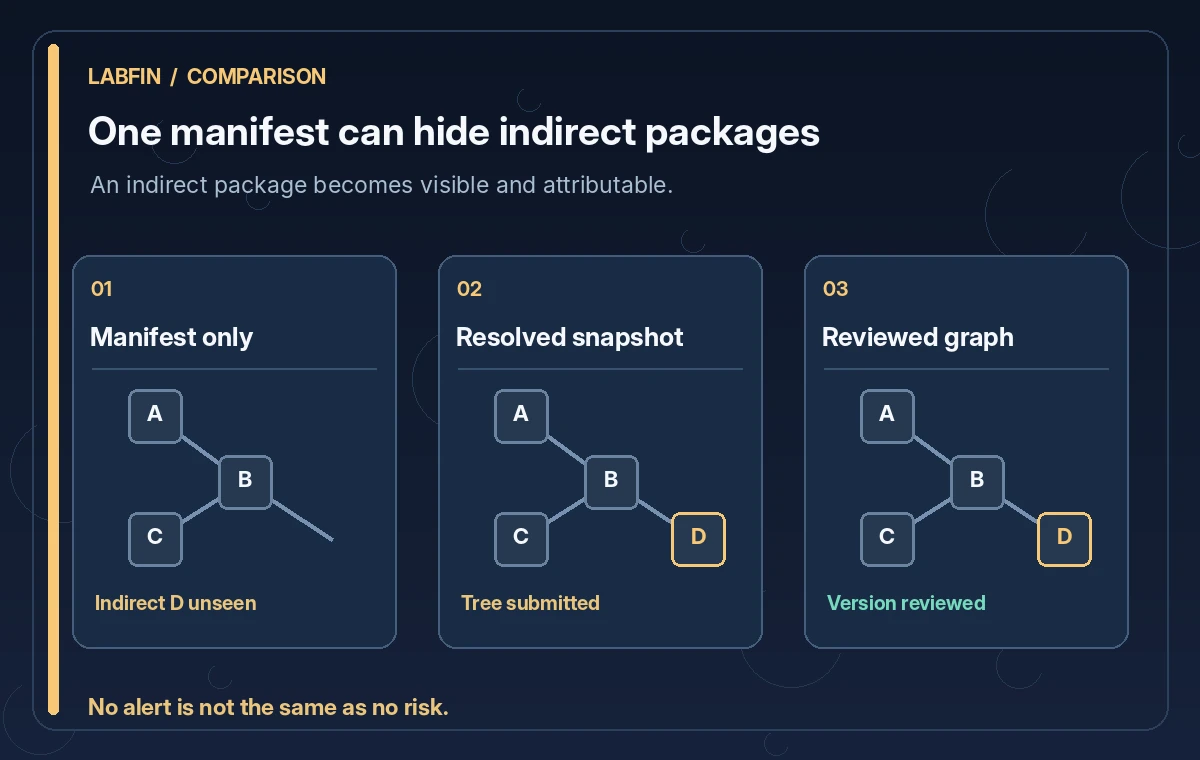
Compare the Manifest and the Actual Build
An instructional comparison can show a manifest-only view with two declared libraries, a resolved build that also contains a transitive package, and a reviewed dependency graph that links each package back to the appropriate parent. This is a hypothetical illustration, not evidence of a vulnerability found by the authors. The important transition is that a build-time package becomes visible and attributable.
Check the submission against the actual artifacts from that same commit. If a platform-specific build reports different libraries, do not force the snapshots to match for neatness. Investigate instead: a different operating system, optional plugin or build configuration may explain it. Record intentional differences and ensure your correlator distinguishes independent build variants. A graph that looks consistent but hides legitimate variation is less useful than a messy but accurate inventory.
Use Security Alerts Without Claiming a Clean Bill of Health
GitHub explains that submitted dependencies can appear in dependency review and may feed Dependabot alerts for supported ecosystems and known advisories. Not every package ecosystem or security issue is covered. A snapshot with zero alerts does not establish that the application is secure, and a severity label does not decide whether a museum deployment should go ahead. Review affected code paths, release notes and the project’s actual exposure.
A developer should document what the alert references, whether the vulnerable dependency is direct or transitive, and which remedial version is compatible with the kiosk. Treat changes to a parent package as code changes requiring tests. Preserve the difference between “dependency present,” “advisory applies,” “risk reviewed” and “deployment approved.” They are four different statements with different evidence.
Verify the Next Snapshot and Retire Old Assumptions
When an update lands, repeat the trusted build and submit the next snapshot tied to the new commit. Confirm the dependency graph shows the expected versions and does not depend solely on the previous run’s results. The job correlator and detector identify the current snapshot; misconfigured values can cause stale or overwritten representations. Monitor submission failures separately from build test status so an unsuccessful API call cannot be mistaken for a complete inventory.
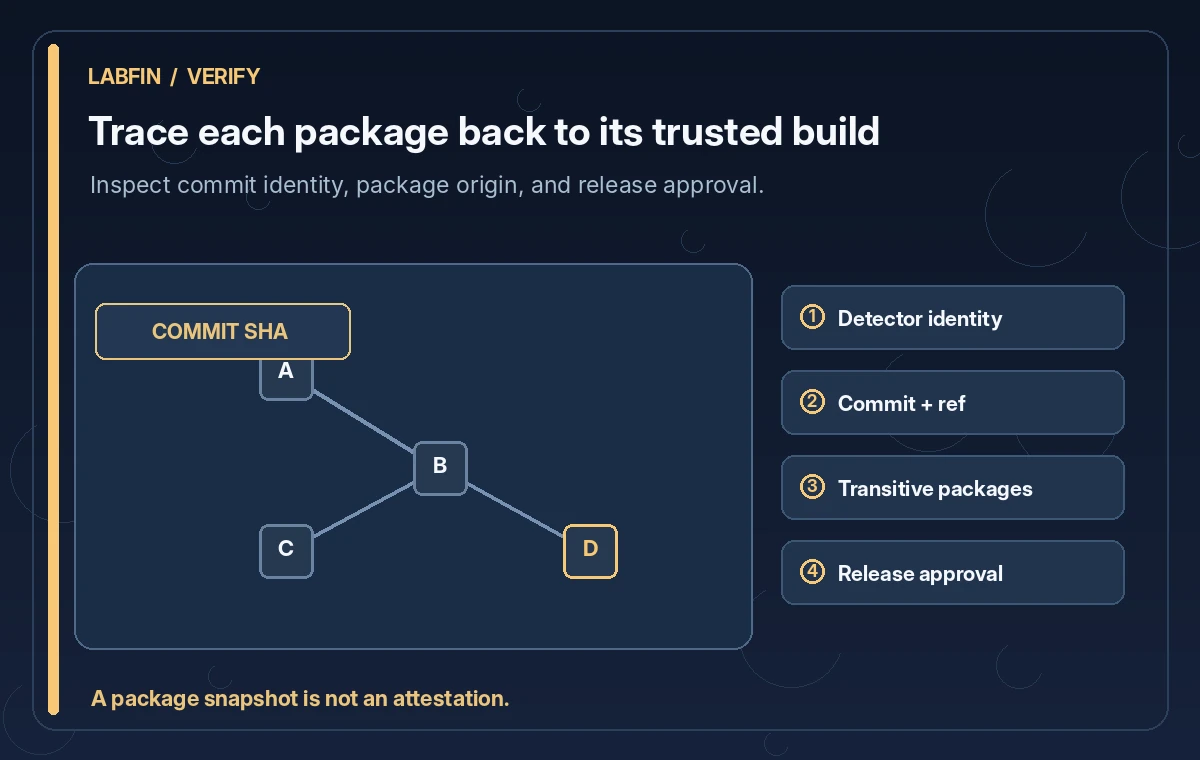
Before release, verify repository permissions, detector origin, correct commit SHA, expected manifest paths, direct and indirect relationships, and whether a known advisory requires action. Keep private build details and tokens out of examples and public summaries. Use a fictional dependency graph in training diagrams; don’t imply that a sample package list is a real software bill of materials for an identifiable museum.
How We Research
We reviewed the following official developer documentation on November 8, 2026: GitHub: REST dependency submission endpoint; GitHub: Using the dependency submission API; GitHub: How dependency graph recognizes dependencies. We compared the documented parameters, data flow and stated limitations with this hypothetical editorial scenario. The diagrams are original instructional illustrations, not real vendor screenshots or outputs. We did not submit private archive material, run a production API evaluation, measure tool accuracy, obtain legal consent, or test a live service configuration. Product behavior, access rules, quotas and supported settings may change; confirm the latest documentation and your organization’s policies before deployment.
Frequently Asked Questions
No. GitHub combines submitted dependencies with supported manifest and other graph data, applying documented precedence and deduplication rules.
Yes. That is an important use case when static manifest detection does not capture packages resolved at build time.
No. It enriches dependency inventory and possible alerts; security review, testing and deployment approval remain separate.
GitHub documents repository authorization and Contents write for fine-grained tokens. Isolate that privilege from untrusted pull requests.
It distinguishes snapshot streams from independent jobs or build-matrix variations so newer submissions are compared correctly.