
A repair café keeps manuals for tools whose model names resemble XJ-42/B or 0037-A. Visitors search with dashes, spaces and incomplete labels, and the search engine sometimes treats a part number as ordinary prose. Azure AI Search custom analyzers can change how searchable text is tokenized and normalized. The examples below are illustrative index-design exercises; they do not claim a live Azure query was executed or that a particular configuration improved production accuracy.
Separate descriptive search from exact identifier lookup
A repair guide needs two different retrieval behaviors. In a description, natural-language normalization can help match “small motor” and nearby wording. In an inventory identifier, punctuation and leading zeros may distinguish one item from another. Do not solve both problems with a single aggressively normalized text field. Keep a canonical identifier as an exact filterable field and, if useful, add a separate searchable representation.
For a fictional XJ-42/B label, staff should first decide whether a query for XJ42B is an authorized alias, a likely transcription variant or a different part. A text analyzer cannot know this by itself. Store approved aliases in source data when available. Preserve the printed label and the catalogue record so a returned guide can be checked against the actual equipment.
Inspect the default tokens before redesigning the index
Use the Azure AI Search Analyze API to inspect how a candidate analyzer tokenizes strings. Test a small set representing real search input: a dash, a slash, a space, a leading-zero serial, an accented term and a common typo. Record the emitted tokens, offsets and positions. This exposes whether a seemingly harmless text transformation breaks a code into pieces that users cannot predict.
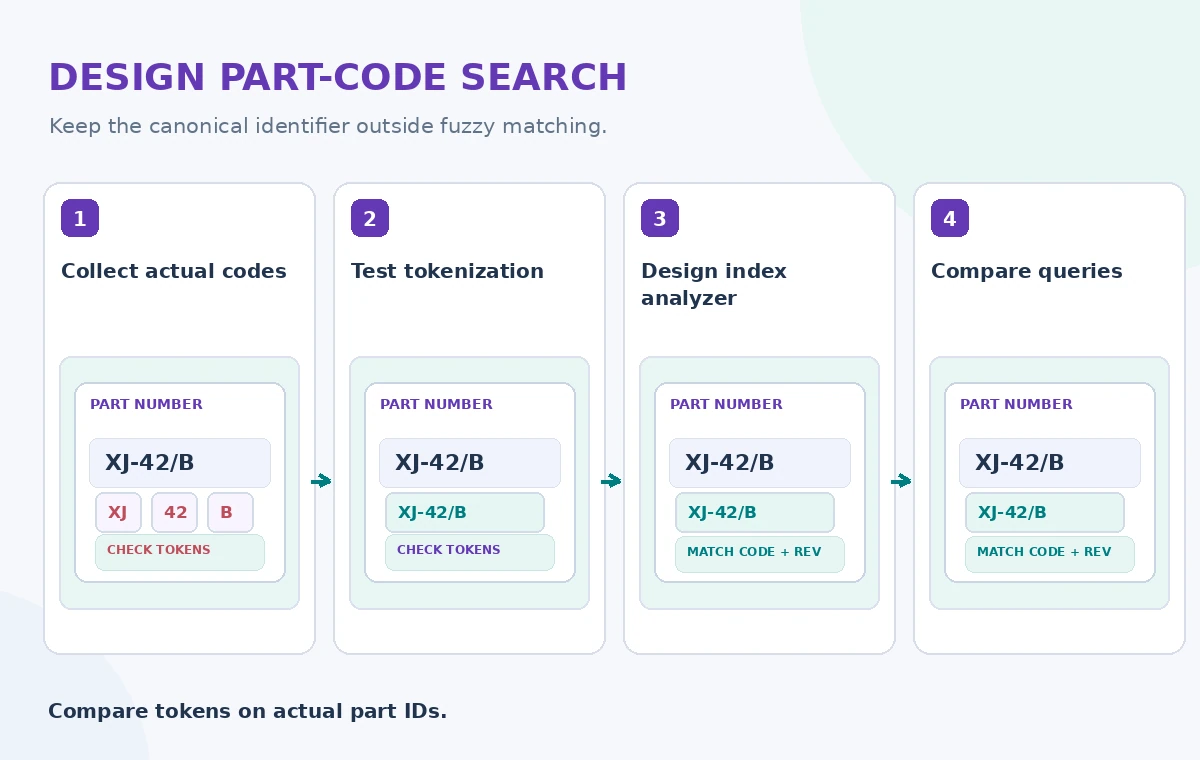
Make the test cases reproducible. Include the exact query text, analyzer name and API version in the worksheet. A successful Analyze API call reports tokenization behavior, not search relevance. It does not prove the right repair manual will rank first. Pair token inspection with a set of known identifier-to-document matches checked by inventory staff.
Define a custom analyzer in the index schema
Microsoft documents custom analyzers composed of optional character filters, at most one tokenizer and token filters. Add the analyzer definition to an index schema and reference it on searchable string fields. Create an index variant rather than editing a deployed production index without a rollback path. Different index and search analyzers can be configured where the field rules allow, but their compatibility needs deliberate testing.
A keyword-oriented strategy might preserve the entire code as one token, while a carefully chosen n-gram strategy can support prefix search. Neither approach is universally better. An unbounded n-gram expansion can increase index size and produce noisy matches. Document why each filter exists; avoid removing separators that the engineering team treats as meaningful.
Treat index changes as a migration
Analysis and tokenization settings determine what is stored at indexing time. Changing them is not equivalent to updating a query parameter. Microsoft documents restrictions on changing analyzers for existing fields, so plan a new index and reindex content when the required change cannot be applied in place. Retain the old version until the candidate passes relevance, permissions and rollback checks.
Before moving traffic, compare the same fixed queries in both indices. Record which documents appear, whether exact identifiers survive, and whether restricted service notes are still filtered correctly. A query that finds more documents can be worse if it buries the approved instruction under near-miss codes. Do not interpret a higher result count as a better user experience.
Compare a broken token, a candidate and a reviewed match
The comparison illustration shows the conceptual transition from a split part code to a preserved token and finally a guide reviewed against a source identifier. These are designed examples, not actual Azure token traces. Its purpose is to explain what a person should inspect at the boundary between text processing and document selection.

Use a hypothetical record with an inventory ID ending in /B and a different item ending in /D. Search both codes and their permitted variants. If the analyzer causes them to collide, raise the issue rather than hiding it with a relevance boost. The correct manual must be supported by a stable catalogue match, not merely a fluent snippet containing similar letters.
Avoid search conveniences that weaken authorization
Custom analyzers affect matching, not who may read a document. Keep access filters and document-level security separately enforced. If a public visitor searches a restricted maintenance procedure, the resulting index must exclude it regardless of the tokenized query. Relevance experiments should use appropriately sanitized fixture documents, not a copied index containing personal repair histories.
Examine search logs for identifiers that might themselves be sensitive. A machine serial or donor acquisition code can reveal more than the user expects. Apply retention and access rules to diagnostics. The search quality dashboard should not publish example queries from private equipment loans merely to demonstrate token behavior.
Check edge cases at the exact field boundary
The verification diagram points to four checks: exact ID preservation, punctuation variants, indexing changes and final source ranking. Test zero-padded strings, mixed case and a slash plus dash in the same identifier. Use a comparison of emitted tokens and source records. If an alias collides with an existing model, require a person to resolve the ambiguity rather than silently selecting one.
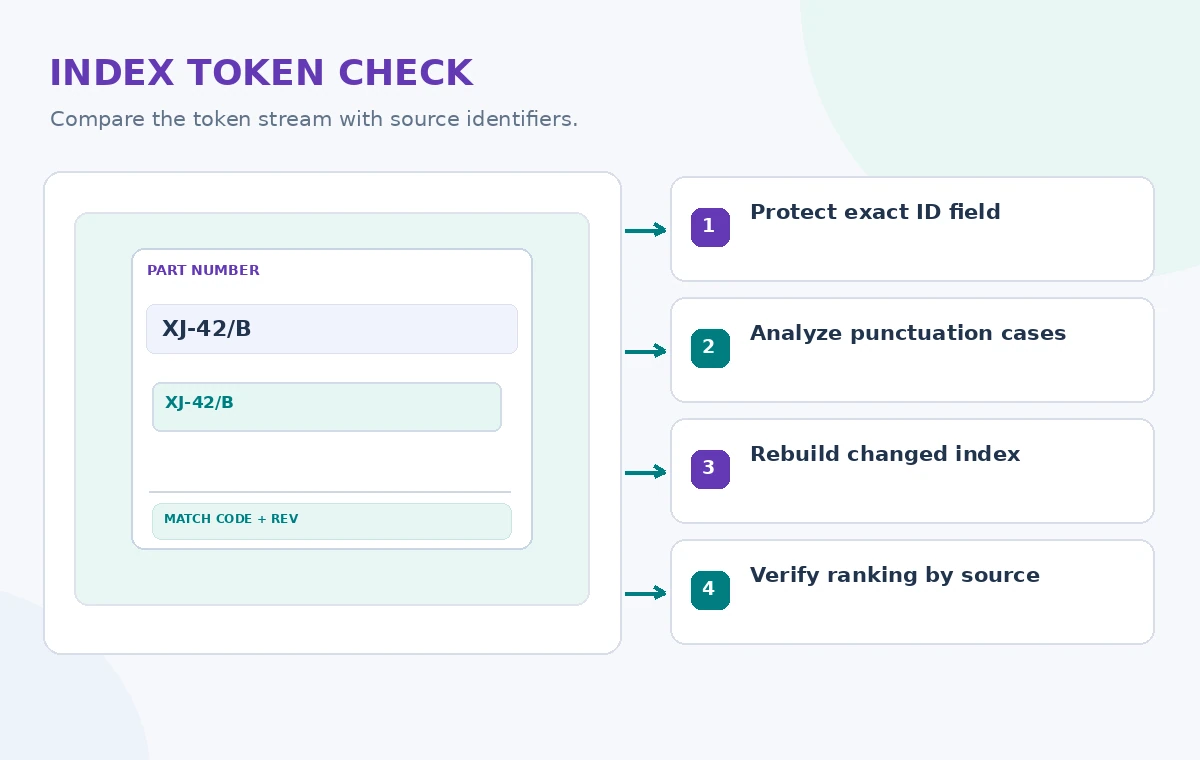
For user-facing results, show the inventory code alongside the document title and revision date. A result with matching tokens might still be an older, superseded guide. Give staff a documented way to correct synonyms or aliases, re-run the regression set and explain why a changed index was promoted.
Release a search behavior you can explain
After the candidate passes tests, route queries using the project’s established deployment and index-alias procedure. Monitor “no result” cases and exact-ID error reports, but do not retain search queries indefinitely by default. Keep the previous index and its configuration available for quick rollback during a defined observation window.
Custom analysis is appropriate when you can articulate a concrete tokenization failure and verify that a changed strategy fixes it. It is not a general-purpose accuracy switch. The central quality goal is traceable: a person searching a real part number should reach the approved repair guide for that part, with its identity and version intact.
How We Research
For this November 2026 editorial review, we consulted official vendor references: Microsoft custom analyzers; Microsoft custom analyzer tutorial; Microsoft analyzer reference. We mapped feature scope, input/output rules, failure conditions and developer guidance to a hypothetical community-service scenario. We did not execute paid API requests, upload private personal data, publish a real catalog record, run a security attack or measure service performance. The diagrams show original educational examples, not screenshots or recorded service results. Documentation, permissions, regional availability and service configuration can change; verify them in the current official reference and an authorized test before deployment.
Frequently Asked Questions
No. It controls text processing; document identity, relevance and authorization still need explicit tests.
Not always. Analyzer changes may require creating a new index and reindexing; follow Azure schema restrictions.
It shows emitted tokens for the supplied text and analyzer. It does not measure live search relevance.
Often no. Preserve a canonical exact field and use a separate searchable field for approved matching behavior.
No. They are clearly conceptual examples; run the Analyze API on your own permitted test strings.