
A small museum is preparing bilingual exhibit labels for a textile exhibition. Staff already have a handful of professionally approved translations, but new drafts alternate between formal and conversational wording. Amazon Translate parallel data can adapt the wording of batch translations to example source-and-target segments. It is called Active Custom Translation, or ACT. This tutorial uses imaginary exhibit texts and does not claim that a real translation job was run or that any target-language wording was approved.
Start with approved example pairs, not scraped translations
Collect a modest set of approved source labels and their human-verified translations. Keep each pair connected to a label identifier, date, language, exhibition and reviewer. An example about textile provenance should reflect the museum’s approved tone, not a random sentence from a marketing brochure. Do not reuse donor correspondence, private accession notes or copyrighted catalogue paragraphs merely because they resemble the output you want.
Separate source facts from stylistic choices. A translation example may illustrate whether a guide addresses visitors formally, how it handles a display heading, or how a cultural term is explained. It cannot authorize a change in accession dates, ownership claims or restrictions. Give translators a versioned reference sheet of protected names and phrases. If two approved labels disagree, resolve the disagreement before teaching both examples to a translation system.
Prepare parallel data in a documented file format
AWS supports TMX, CSV and TSV for parallel data. In a CSV, the first row contains language codes; the first column contains the source language and later columns contain target-language examples. Quote fields containing commas, and use an encoder that respects the documented requirements. The service has restrictions on field lengths and lines, and skips some invalid or empty material. A file that imports successfully is not proof that every example was usable.
Keep a small test fixture with intentionally varied punctuation, proper names and measurements. Inspect the actual import status and version the source file with a checksum. Use synthetic examples for integration testing, and exclude personally identifying material. A wrong source-to-target pairing can influence many later translations, so review rows for shifted columns, reversed languages, duplicated sources and unapproved edits before uploading parallel data to the designated S3 location.
Know what Active Custom Translation does and does not do
Parallel data is applied to Amazon Translate batch jobs, not as an automatic correction switch for every real-time text request. The examples influence style, tone and word choice rather than creating a hard rule for exact strings. That differs from custom terminology, which is intended for more specific term mappings. A museum may need both concepts in its editorial process, but must verify currently supported combinations before attempting to deploy them.
AWS states that Active Custom Translation jobs carry higher charges than ordinary batch translation jobs. Region, account and language support can also affect feasibility. Budget a representative test job rather than assuming a sample of five sentences predicts the whole exhibition. Track the imported parallel-data resource name and revision alongside job inputs; otherwise a label produced after an example update may be impossible to reproduce faithfully.
Build a four-stage editorial translation handoff
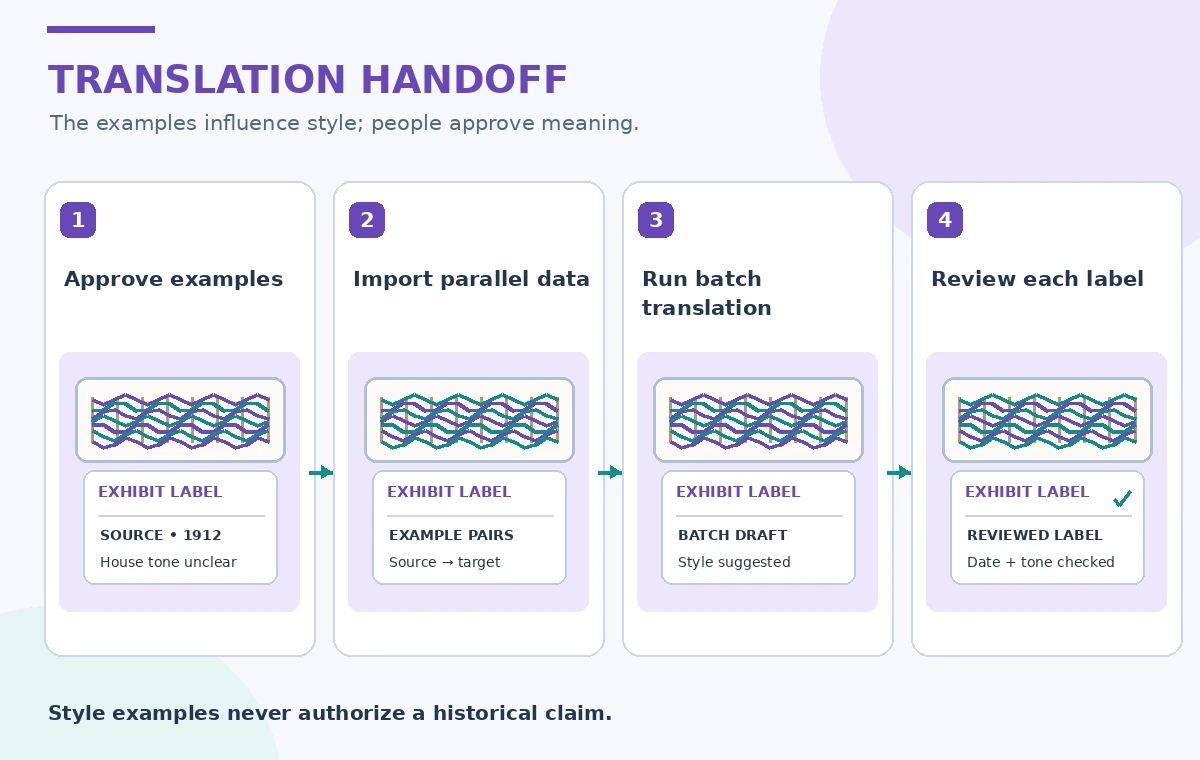
The process illustration shows one responsible workflow: approve example pairs, import parallel data, run a batch translation, then review the resulting labels. Each transition includes a decision point. A bilingual editor owns the approved examples; an operator confirms the imported resource; a translation reviewer checks the generated document; and the exhibition owner signs off on claims. None of these approvals can be inferred from a successful API status.
For a hypothetical label reading “The loom arrived in 1912,” preserve the date and object identity through every stage. Changing “loom” to an unrelated tool would be a substantive error even if the sentence sounds natural. If a translation is ambiguous, attach the source sentence and the relevant catalogue entry for human review. Avoid treating the translated label as an independent source for historical assertions.
Compare generic, adapted and approved label states
A generic translation can be grammatical yet inconsistent with an institution’s established voice. A parallel-data-guided draft may bring its phrasing closer to approved examples, but it is still machine output. The final reviewed label must have its own approval, ideally alongside the source line. The three visual states in this article are illustrative editorial possibilities, not a performance comparison or actual Amazon Translate responses.
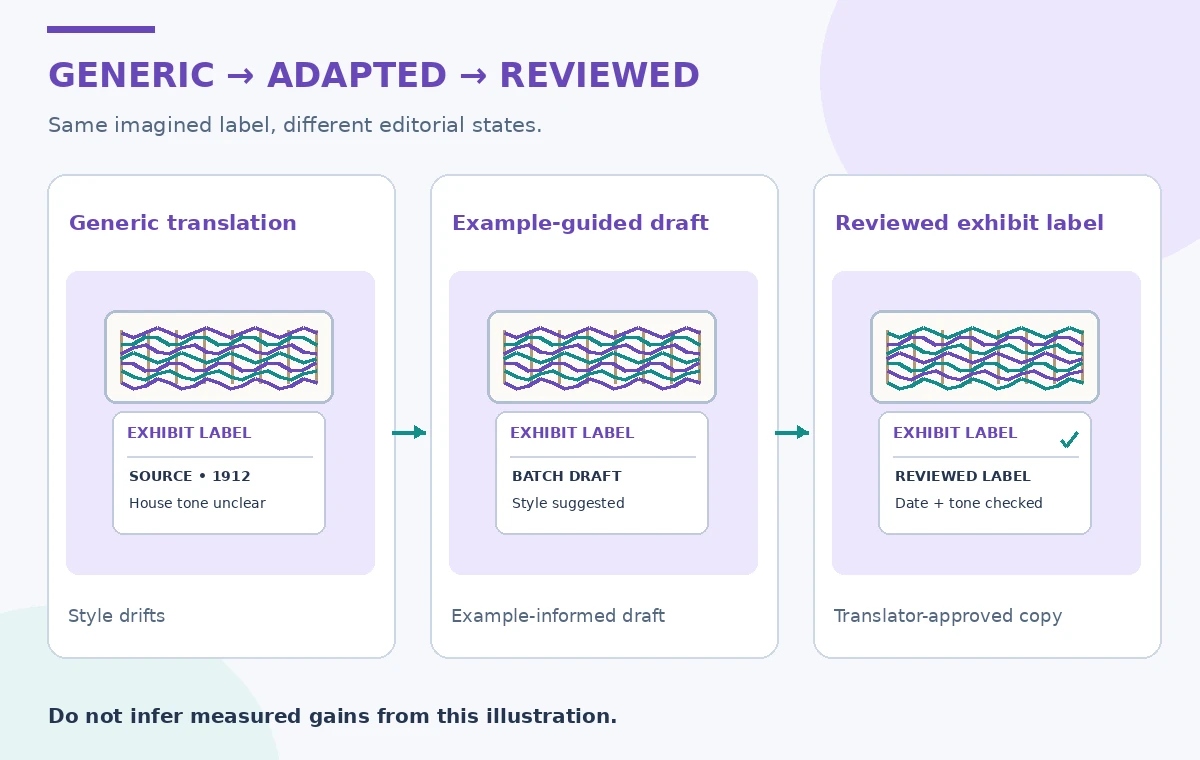
Use the same invented source sentence across the three states so differences are legible. Look for drift in terms such as “loan,” “donation” and “attributed to,” which may carry legal or curatorial implications. For accessibility, verify that a brief translated label remains understandable out of context and that screen-reader order follows the exhibit’s reading sequence. Keep changes traceable to the original source text.
Separate cultural interpretation from machine fluency
Museum texts may contain culturally sensitive names, disputed provenance or technical weaving vocabulary. For such spans, translators should check an approved institutional glossary and speak with subject specialists when appropriate. A well-phrased output can still attribute an artifact to the wrong community or overstate a date. The review should identify what has been independently verified rather than rewarding a polished, confident writing style.
For bilingual print panels, conduct a layout proof after language review. Some languages take more space, require different line breaks or render punctuation differently. Examine the final design at the real printing scale. Do not force a translation to be shorter by deleting a warning or date. Where a shorter exhibit version is necessary, authorize a separate edited source and review both language editions together.
Check the high-risk fields before export
The verification diagram highlights four points: source meaning, dates and object codes, tone in the target language, and the record of which label revision was approved. Add a test for a number with leading zeros and one for a proper name that must remain unchanged. Compare the draft against the approved catalogue, not against another machine translation. A model’s fluency score would not settle whether the institutional fact is correct.
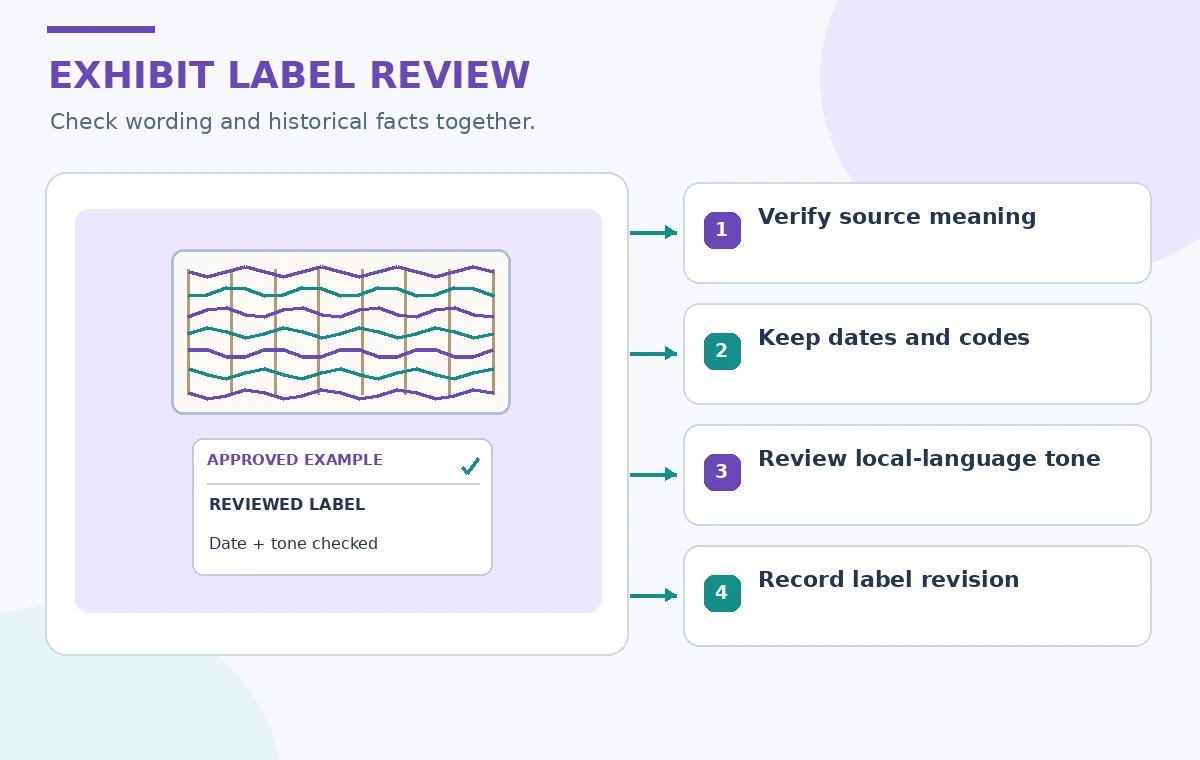
Track rows that are skipped during parallel-data import, and retain the unadapted output as a diagnostic comparison only if policy permits. If the selected target language is unavailable or an ACT job fails, do not quietly ship a previous edition under a new version number. Send the affected label back to an editor. Record the reviewer, the example-set version and the displayed copy so later corrections can be made without losing provenance.
Publish an edition that can be corrected later
The release package should contain the approved source and target labels, the source-revision identifiers, the translation job settings, and a simple correction channel. A new example file can replace a parallel-data resource; that does not retroactively update already printed labels. Treat the next exhibition update as a separate edition with its own sign-off. Remove temporary input files when retention policy allows, while preserving enough metadata to explain production decisions.
Parallel data is most helpful when there are reliable examples of house style and enough batch text to justify the workflow. For a single sensitive sentence, a human translator may be the better option. Use the service to support language consistency, not to turn a machine-drafted statement into an approved cultural or legal claim. The final authority remains the reviewed museum copy.
How We Research
For our November 2026 source review, we consulted these named official developer references: AWS Active Custom Translation overview; AWS parallel data input files; AWS parallel data management. We compared published feature scope, technical parameters, product restrictions and operational caveats with a fictional museum, archive or community-service example. We did not run paid API calls, test a live deployment, measure recognition quality, upload private documents or capture actual vendor screenshots. The 20 illustrations in this batch are original schematic teaching drawings, not measured model output. Service availability, terms, model versions and prices may change; verify the latest official documentation, permissions and an authorized local test before public deployment.
Frequently Asked Questions
No. It influences wording in supported batch translation jobs; a human reviewer still must verify each public-facing label.
Parallel data is documented for batch translation workflows, not as a general real-time text option.
AWS documents TMX, CSV and TSV. Each format has language, field-length and content rules that should be validated before import.
No. Parallel data supplies examples of style and phrasing, while custom terminology targets particular word mappings.
Curatorial and language reviewers approve facts, cultural context and final display copy. A successful batch job is not approval.