
A museum thumbnail can look polished and still fail at its most important job: showing the correct object with the right context. This guide explores Google Cloud Vision Crop Hints with a fictional ceramic pitcher and nearby accession tag. It explains candidate crop geometry, wide and square layouts, source-image retention and human review of fragile details. The diagrams are custom illustrative drawings, not actual Cloud Vision output, and we did not submit a museum photograph to the service.
Choose a thumbnail that preserves the catalog meaning
Imagine a fictional museum photo showing a glazed ceramic pitcher, its slender handle, and a small catalog tag placed on the table beside it. The collection team needs a wide website thumbnail and a nearly square preview. Centering on the vessel might look attractive while removing the tag, which could disconnect the photograph from the identifying information visitors need.
Use crop hints as candidate geometry rather than as editorial authority. Preserve the full-resolution master image and its approved description separately from derivative thumbnails. The illustrated vessel and tag are instructional drawings, not an image submitted to Google Cloud.
Know what the crop-hint feature returns
Google Cloud Vision Crop Hints suggests vertices for crop regions; the response carries bounding polygons rather than a fully edited image. The request uses the CROP_HINTS feature and can include cropHintsParams.aspectRatios to express target proportions.
The documentation describes sending an image with API authentication and reading returned vertices. An application must apply a crop to its own image and inspect the result. A returned hint is based on visual salience, not on the museum’s caption policy, intellectual-property rules, or the importance of tiny labels.
Specify actual destination ratios before requesting
Decide which formats are necessary: for example, a 16:9 article card and a 1:1 collection tile. The service supports specifying multiple aspect ratios, so request the ratios that match your layouts instead of stretching a single crop to every slot.
Document the input dimensions and intended export size; an unusually narrow source may not contain enough background for a wide target. If the source cannot fit the object and the tag together, choose a different layout or letterbox the image rather than cropping away essential material. The aim is accurate representation, not filling every pixel at any cost.
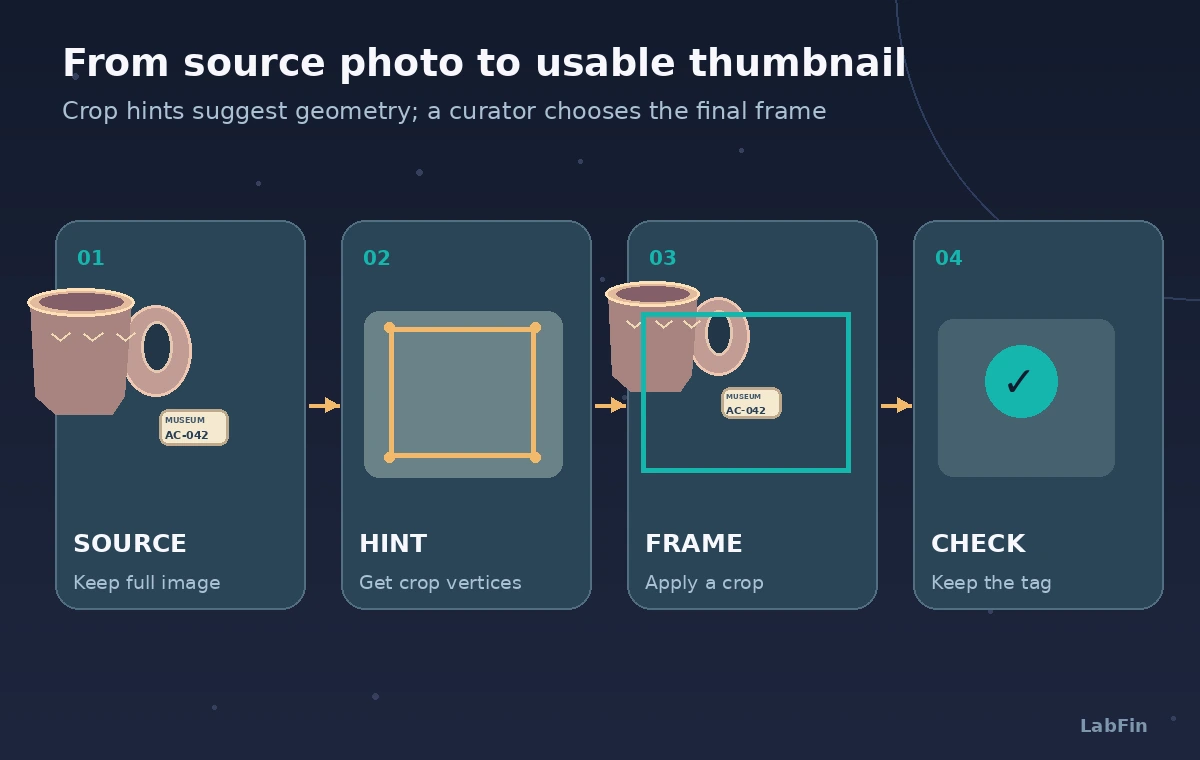
Keep the source-to-crop transformation inspectable
The process diagram begins with the original photograph. A CROP_HINTS request produces polygon coordinates; a separate rendering stage applies the chosen geometry; a curator then approves or adjusts framing. Save the selected rectangle and the transform back to the source dimensions.
If the coordinate system changes during resizing, recalculate explicitly instead of guessing. The Google tutorial demonstrates how to read vertices from the returned bounding polygon. Such geometry must be translated carefully into the image-processing library used by the publisher.
Protect handles, rims, shadows and identifying tags
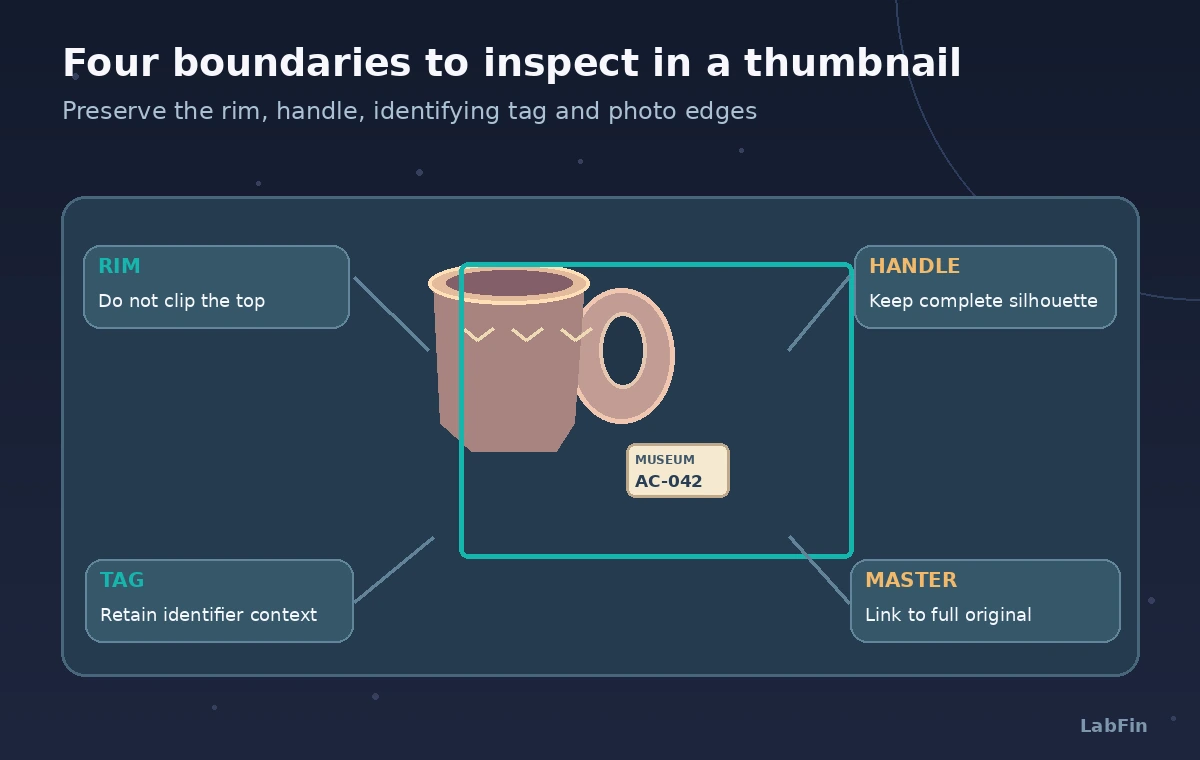
Curators may judge a silhouette or maker’s mark essential even when a salience model focuses on the largest colored surface. Build a protected-items list for each object class. For this pitcher, check that the upper rim, entire handle, base and tag remain visible.
The tag may be small, but its omission could mislead readers who expect the thumbnail and accession record to match. Adding a generous safety margin is helpful only if the extra region is still within the original photograph. Never invent missing parts with generative fill and pass them off as documentary detail.
Compare an attractive crop with an accurate crop
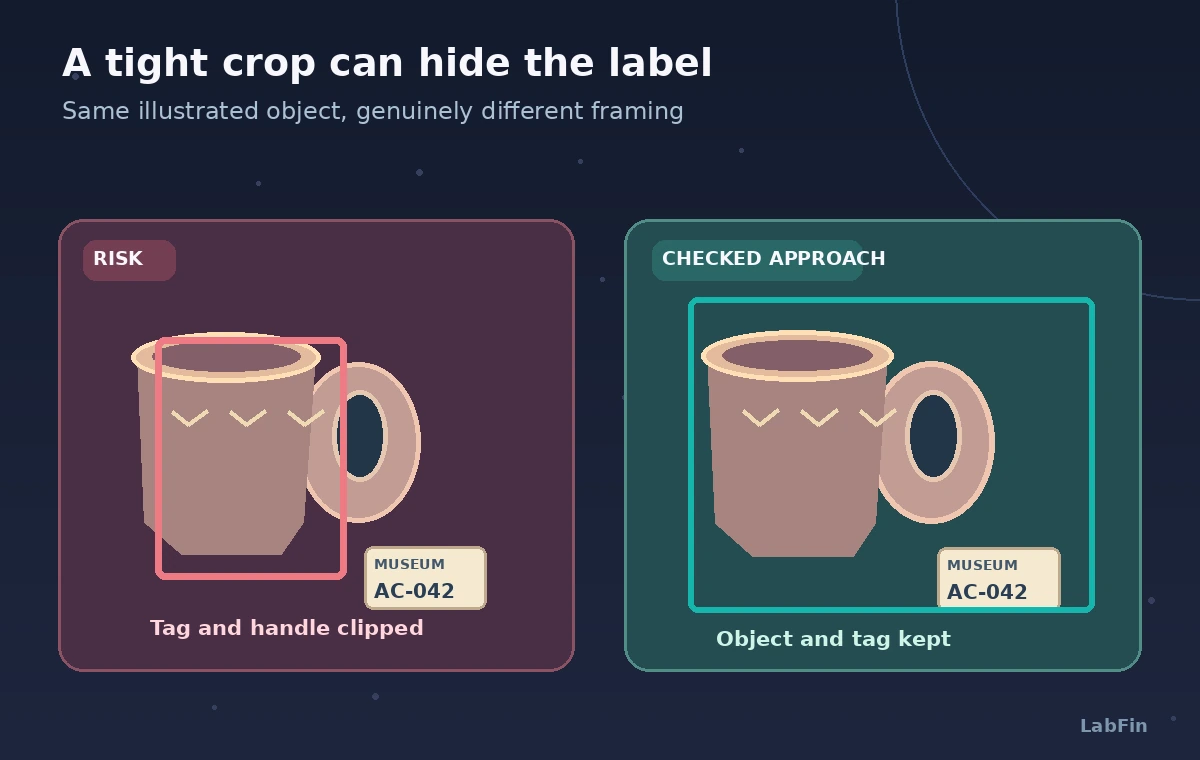
The visual comparison shows the same fictional pitcher in two distinct frames. In the first, a tight center crop enlarges the body while cutting off part of the handle and removing the tag.
In the corrected option, a slightly wider crop leaves the handle and label visible, even though the pitcher occupies less of the frame. This does not demonstrate a measured Cloud Vision failure; it shows why the automatic suggestion needs an editorial gate. Review object accuracy at final display size, not just in an image editor at full zoom.
Handle images where salience conflicts with context
A donor photograph might include a conservation ruler, a color chart, or a temporary inspection label. Those details do not always belong in a public hero image, yet they may matter in a collections database.
Define separate export policies for editorial and archival use. If the asset is a photographic record, retain the original and describe any crop in the derivative metadata. Where the crop makes a historic photograph appear to depict a different event or removes a vital contextual marker, do not use the crop suggestion without correction.
Keep image permissions and metadata intact
Crop hints do not grant rights to reproduce a photograph and do not validate the subject’s identity. Use only images for which the institution has documented reproduction permission, and keep photographer credit and object identification attached in metadata or the display caption as required.
Make sure derivative filenames and records point back to the approved master. Do not submit sensitive material to a cloud image API without the organization’s authorization. The sample scenes here are digitally drawn examples and do not imply any real museum permission or cloud call.
Review four safe zones on each finished image
The audit diagram highlights the rim, handle, tag and source-image boundary. Inspect the wide card, square tile, responsive mobile crop, and any social preview separately. Test long object handles, low-contrast tags, and scenes with multiple objects.
A crop might pass a simplistic geometry check but fail in a responsive card if the browser applies a further center-crop. Lock the actual CSS object positioning and examine the published rendering at several widths. A tiny accession tag does not need to be legible inside the thumbnail if the accompanying caption provides it, but it must not be misleadingly replaced.
Record a repeatable editorial decision
Store the requested aspect ratio, candidate crop coordinates, reviewer modification, resulting derivative and approval timestamp. Keep a fallback path for cases with no appropriate crop. Cloud APIs and client libraries evolve, so verify current image limits, authentication and request syntax in the vendor documentation.
We have not executed a Cloud Vision request, evaluated a production dataset, or measured how often hints preserve labels. The diagrams explain a proposed workflow and illustrate plausible failure modes only. A human collections editor remains accountable for fidelity.
How We Research
For this November 2026 guide, we consulted vendor-maintained references: Google Cloud Vision: Detect crop hints, Google Cloud Vision: Crop hints tutorial, Google APIs: CropHint API definition. We cross-checked the cropHintsParams request parameters, polygon-coordinate tutorial and API definition. We treated missing contextual labels as an editorial failure mode rather than a benchmarked Cloud Vision error. These are documented feature and workflow reviews, not hands-on vendor tests: we did not upload private data, benchmark a service, listen to generated speech, or obtain deployment approval. Names, examples and diagrams are conceptual. Before production use, recheck official availability, pricing, region and privacy terms, then assign any legal, accessibility or safety judgment to an appropriately authorized human reviewer.
Frequently Asked Questions
No. It returns suggested crop geometry; your application chooses and renders an image derivative.
Yes. cropHintsParams.aspectRatios lets you request candidate crop regions for specified image proportions.
No. Visual salience is different from catalog significance, so inspect the finished crop and caption.
No. Keep the approved master and record the coordinates or processing needed to reproduce derivatives.
No. They suggest framing, not provenance, attribution, or catalog authentication.