
A small science museum has a visitor page that directs guests using wheelchairs to the east courtyard entrance. A new Spanish-language version must preserve the direction and the fact that the north door has steps. A beautiful translated page can still be dangerous for wayfinding when “east” becomes “west,” a CTA leads to the wrong entrance, or search metadata sends visitors to an older set of instructions.
Webflow Localize supports locale-specific content and AI-assisted translation, along with overrides for page SEO fields and assets. Its official guidance also says page slugs are edited separately, not automatically AI-translated in the page settings. We describe a fictional museum and do not claim to have published, tested, or audited an actual Webflow site.
Create an approved source-of-truth route map
Before starting translation, have the museum facilities team approve an English visitor brief with the east courtyard entrance, a landmark, the north-door step warning, parking directions, and the correct contact phone. Do not ask the AI to infer the accessible route from an image of the building or a visitor comment. Assign a revision date and owner to every routing statement.
List each location-specific phrase that cannot safely be paraphrased away. Names on signs may stay in English, while directional language needs an accurate target-language equivalent. Record the exact copy used on the physical sign and keep it available during the Spanish review. The site should not introduce an alternative accessible route that staff have not inspected.
Understand locale inheritance before translating
Webflow says a newly added secondary locale begins by inheriting content from the primary locale; it is not translated until the operator triggers translation or manually edits it. That behavior is important during a staged rollout. If the museum assumes the Spanish page is already localized because a locale exists, visitors may see an English-only warning in an otherwise Spanish navigation experience.
Confirm that the correct Localize add-on and word allowance are available. AI translations may depend on plan and feature limits, so avoid treating every connected Webflow site as entitled to automatic localization. Establish a staging review path for each locale before turning a visitor-facing language selector on.
Translate instructions on the canvas and inspect components
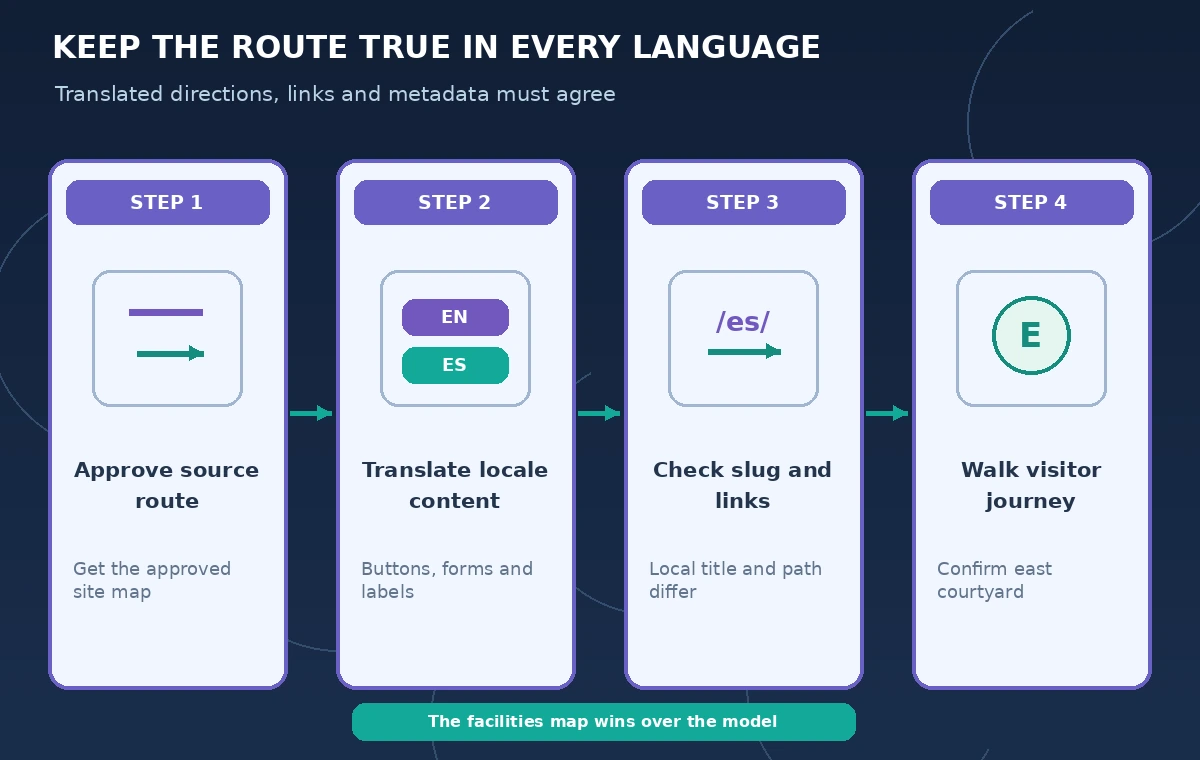
Use Webflow’s localized editor and translation actions for text elements, such as body copy, links, buttons, and forms. Then inspect the actual rendered sections. “East courtyard entrance” may be translated in the paragraph while a separate button or hidden menu still says “North entrance.” Shared components, nav bars, and form validation text require their own attention.
Create a simple phrase matrix: original label, approved translation, visual location, and click destination. Check the path from homepage to Visit, then to Accessibility, then to the visitor map. An accurate sentence with an inaccurate button destination still fails the real visitor task.
Localize SEO settings without assuming URL translation
Webflow’s page settings help lists localizable page title, SEO title and description, Open Graph fields, and slug. It specifically notes that AI translation is available for text-based settings but not the page slug. Review the secondary locale’s actual URL and choose an approved human-readable path rather than expecting a translated slug to appear by itself.
Test navigation from search snippets and social previews, not only within the designer. A Spanish title that promises “entrada accesible por el patio este” must lead to the current Spanish visitor page, not a stale English route. Do not quietly reuse old seasonal event metadata or a legacy image with contradictory arrows.
Compare the wrong entrance with the approved path
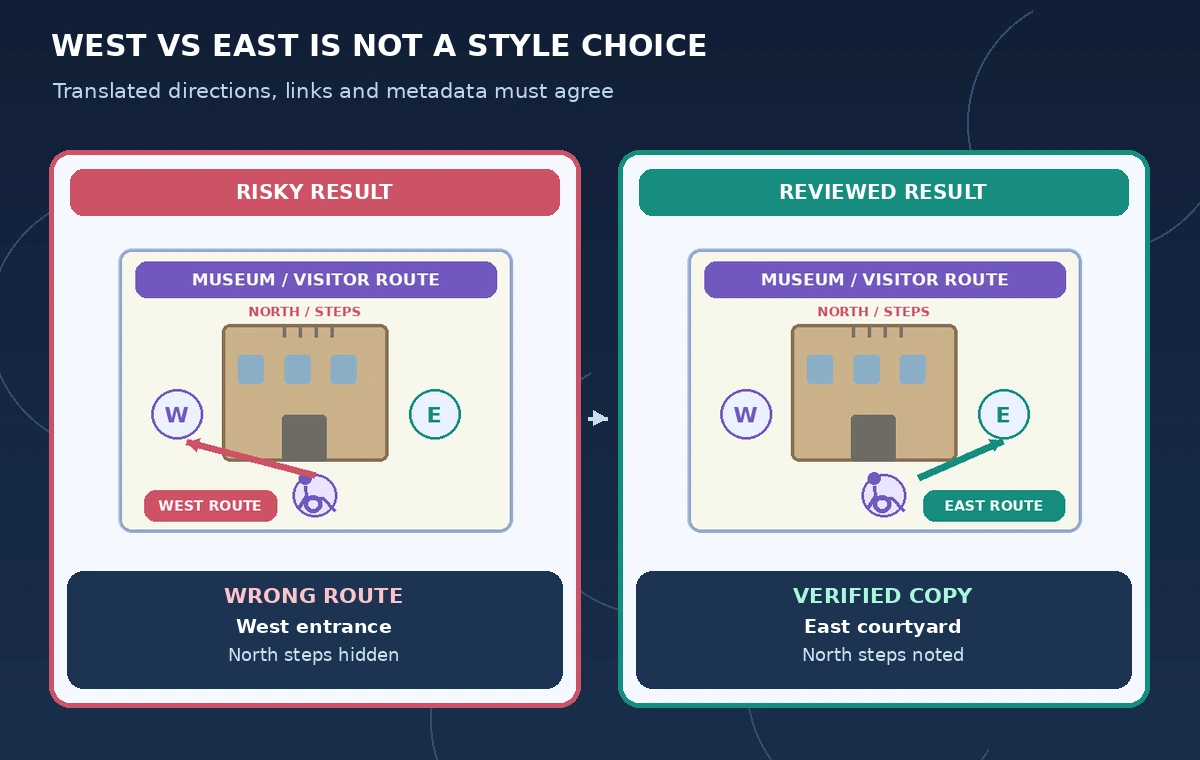
The comparison diagram contrasts a misleading localized page that sends visitors west with a checked version that labels the east courtyard entrance and identifies the stepped north door. Both are illustrative diagrams, not geospatial evidence or live website screenshots. The final route must come from the museum’s confirmed site plan and current facilities review.
Have a bilingual accessibility reviewer read the Spanish page independently and point to the correct physical entrance on the approved map. If the reviewer hesitates, improve the wording or diagram; do not treat AI translation fluency as sufficient. Check contrast, text expansion, and translated alt text so the route remains usable by screen-reader and mobile visitors.
Watch assets, alt text, and layout after localization
Webflow documents per-locale customization of assets, text, styles, and element visibility. A translated page can still display a floor-plan image whose legend is English-only. Keep arrow direction, marker color, and entrance symbol consistent in every locale. Replace or properly supplement an image when its internal text cannot be translated through ordinary page-copy translation.
Review longer Spanish headings at common screen widths. Some strings wrap into buttons or overlap nearby icons. Verify language attributes, focus order, and keyboard navigation through the locale selector. Do not hide accessibility content in a language variant merely to make the page shorter or preserve a visual layout.
Preview the locale as a visitor, not only as an editor
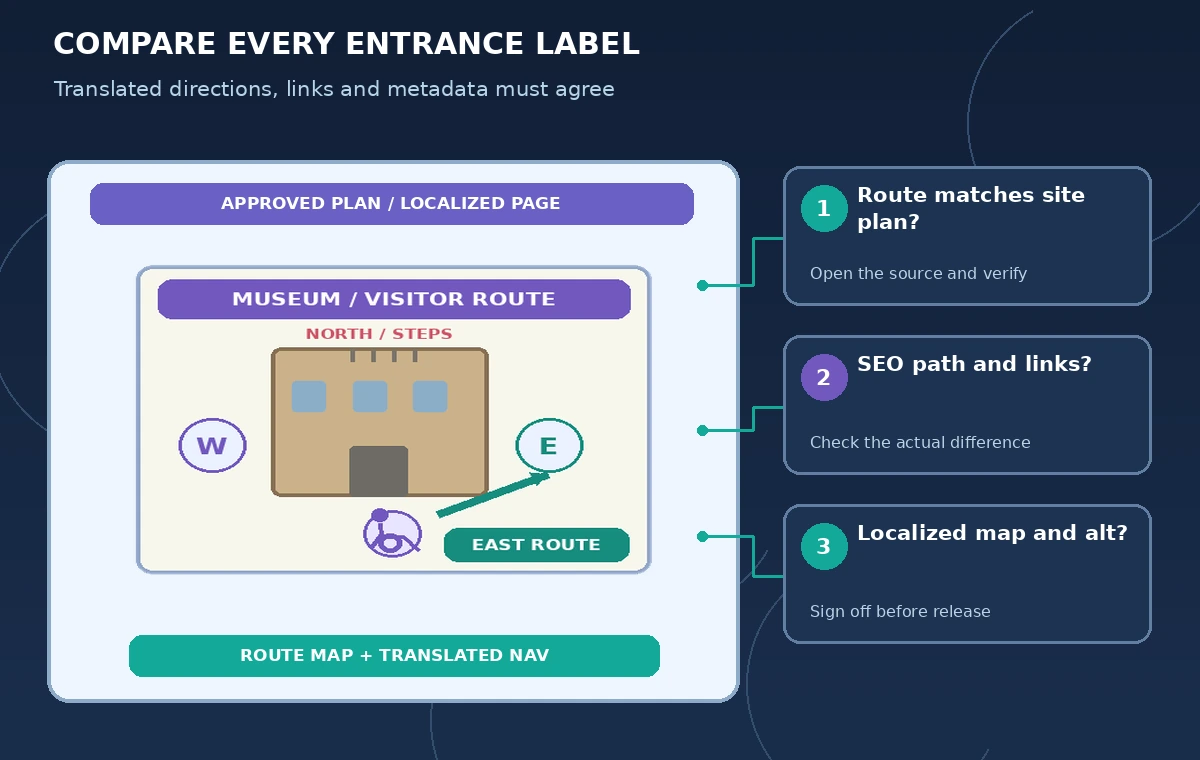
Open the staging URL in a private browser and navigate as a visitor would, including starting from a shared link. Follow the language selector and all route-related CTAs. Verify whether the displayed page title, path, body copy, map, and footer agree. Also inspect error states, forms, and any external transit link the museum chose to include.
Ask a staff member who knows the site to check each described entrance and an independent bilingual reviewer to check the translation. These are different validations. If any information is unverified, keep it marked internally as pending and withhold that locale from public release rather than presenting an invented shortcut as confirmed accessibility guidance.
Keep changes synchronized without silent retranslation
Webflow describes manual overrides and AI-assisted translation controls; do not assume that a verified exception will remain unchanged after the primary page is edited or automated translation is enabled. Make a change log mapping source revisions to locale updates and define who checks route text after a facilities notice or seasonal closure.
For each release, retain a short checklist: authorized entrance, secondary-locale URL, SEO title, translated button, alt text, map legend, and mobile layout. Publish only after the museum’s source owner and language reviewer sign off. Localization makes language access possible, but it does not establish facts about the building.
How We Research
For the November 5, 2026 documentation review, we consulted named official sources: Webflow: Localize overview; Webflow: Translate your site content; Webflow: Localize page settings; Webflow: Localize content and styles. We compared stated feature capabilities, plan and permission limits, and user review steps with the hypothetical scenario above. We did not log in to, benchmark, or run the named service on live customer data. All characters, media, outputs, and figures in this guide are illustrations rather than observed results. Recheck vendor documentation, organization policy, and local requirements before using the workflow on a real project.
Frequently Asked Questions
No. Webflow says secondary locales initially inherit source content until translation or manual customization is applied.
Its page-settings help says AI translation is not available for the page slug; edit and review the locale-specific URL separately.
Not necessarily. Graphic assets and their internal legends need an independent localization check.
No. Verify actual routes and entrances with responsible staff and an approved site plan.
No. Every route, page comparison, and illustration here is a hypothetical teaching example.