
In an imagined greenhouse interview, the camera operator records a plant researcher while rain taps on the roof. The researcher gives a quiet answer about a seedling label near the end. A one-click cleanup might reduce the broad rain texture but could also make soft consonants sound thin or disappear. The most important sound is not always the loudest.
Kapwing describes Clean Audio as a browser-based noise-reduction feature in its editor, offered with Pro access. This guide explains a source-first review method using conceptual waveforms. No recording was uploaded, and the drawings do not claim measured decibel improvements or real listening tests.
Mark the words that must survive the edit
Before processing, listen to the unmodified audio and produce a rough transcript with timestamps for each interview answer. Circle the quiet phrase that names the seedling and any qualifiers such as “might” or “not yet.” Note rain strikes, a background fan, and the moment the guest turns away from the microphone.
Record an editorial priority: the speech must remain faithful, even if the ambient rain remains audible. Keep a copy of the original audio and the complete video take. Do not use a synthetic phrase as a substitute for an inaudible answer unless that reconstruction is explicitly disclosed and authorized.
Use Clean Audio on a copy of the source
Kapwing’s documentation describes uploading video or audio, selecting the timeline item and choosing Clean Audio in the Edit controls. Process a duplicate or a separate project version so the original waveform remains available for comparison. The feature aims to reduce unwanted noise while improving voice clarity, but its behavior depends on the source.
It is not a speech-recognition truth checker. Try a short excerpt containing the quiet answer before processing a whole interview. The published product pages list Clean Audio as a Pro feature, so check plan entitlements and upload terms before involving sensitive recordings.
Separate environmental sound from damaged speech
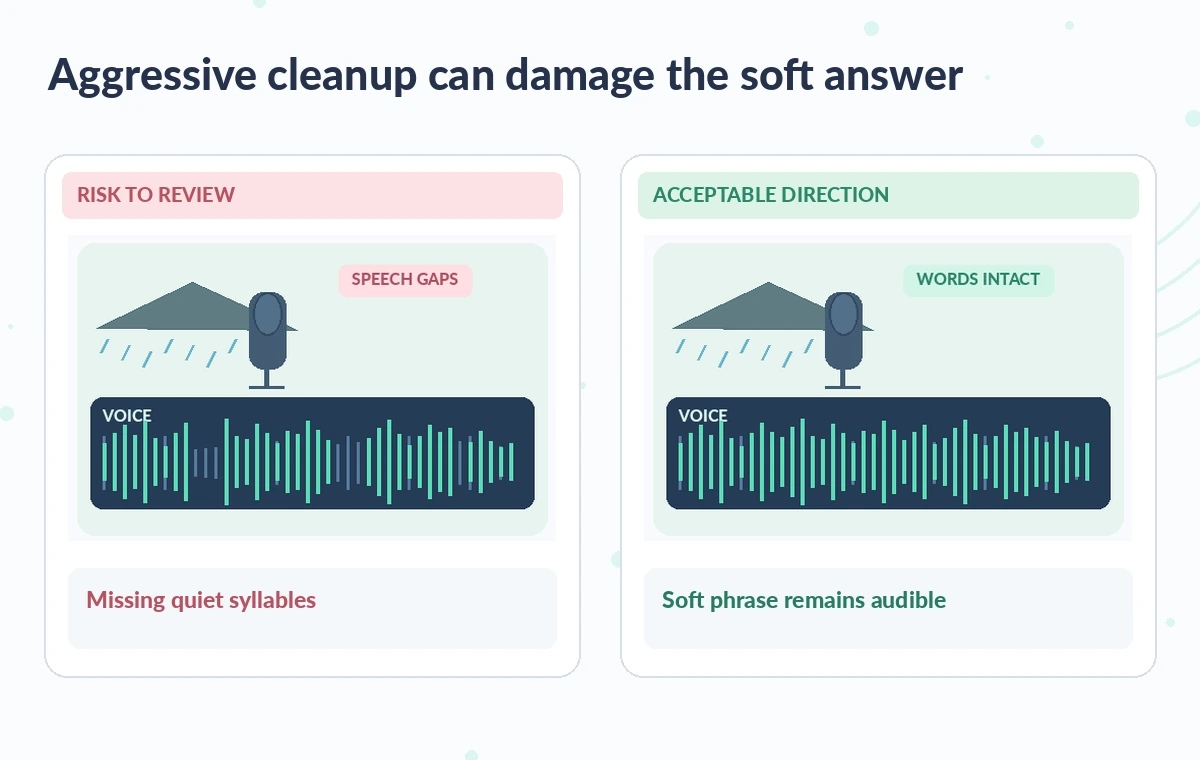
In a greenhouse, rain, watering hoses, footfalls and ventilation may be relevant to the story. A clean track that removes all environmental cues can sound divorced from the location, while an overly aggressive filter may clip a quiet word.
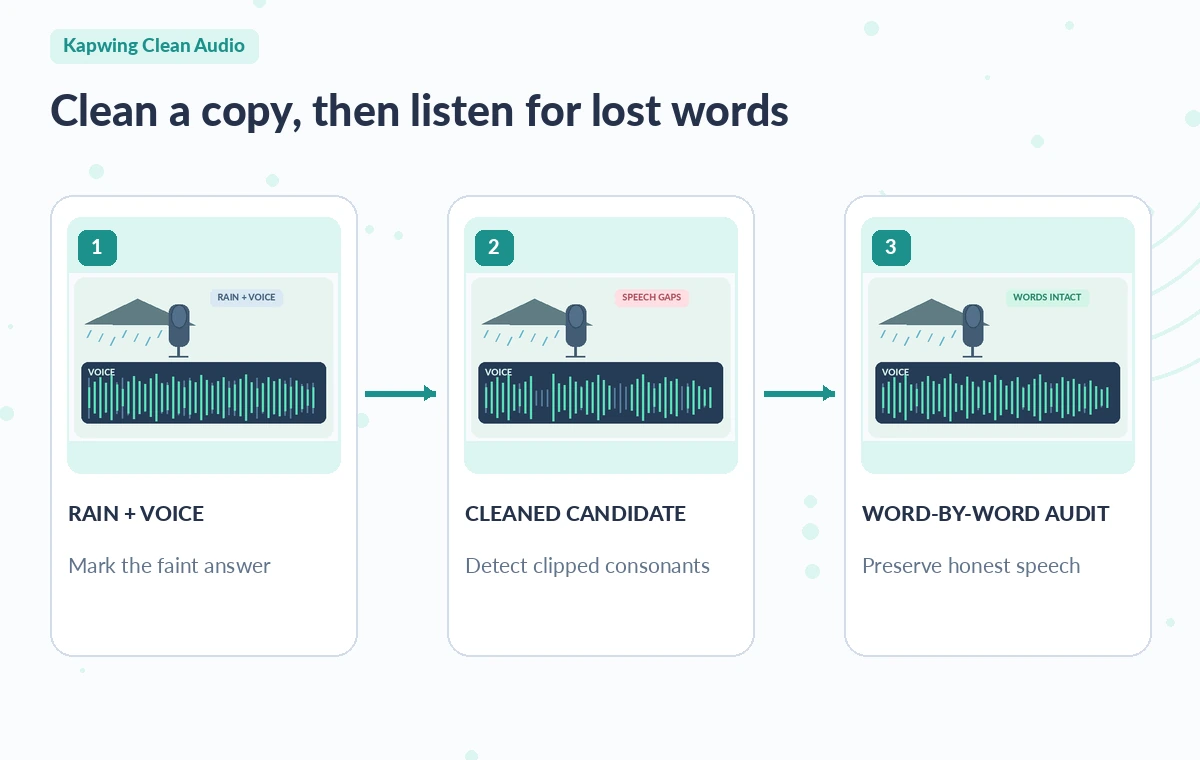
The risk panel illustrates rain peaks overlapping a soft speech waveform; the review direction preserves the answer while tolerating some low ambient sound. These traces are teaching shapes, not measured frequencies or output from Kapwing. Compare several moments, including near-silence, a normal-volume sentence, and the faintest answer, because one effect setting can behave differently across all three.
Check consonants and uncertainty words
Pay special attention to word beginnings such as “s,” “f,” and “th,” which can resemble broad noise in a difficult recording. Read the approved transcript while listening, but do not let the transcript override what is actually heard.
If a word is unclear in both original and cleaned versions, mark it as uncertain in captions rather than guessing. Compare the phrase with headphones and through ordinary laptop speakers. Low-level breaths need not all be preserved, but a negation, species name, number or uncertainty phrase must not be smoothed into a more confident statement.
Watch for processing artifacts at edits and pauses
The illustrated process moves from original interview to noise-reduced candidate to a targeted listen. At transition points, noise suppression can make the room tone rise and fall unnaturally. Listen across every splice for pumping, watery syllables, abrupt silence or a false sense that the speaker stopped mid-sentence.
If the result is unstable, reduce processing, keep original sound under the interview, or edit only the portions where the rain obscures the response. The goal is intelligibility rather than the absence of every ambient sound. Repeated processing passes deserve fresh comparison against the untouched source.
Protect recording consent and interview context
Confirm the interviewer and guest are permitted to upload the recording to the chosen cloud service and to publish the edited version. Remove private contact details from filenames and review any spoken personal information before sharing a project link.
Do not use noise reduction as a reason to present a tentative seedling identification as verified fact. If the guest corrects a statement later in the conversation, keep enough context or an editorial note to avoid misleading listeners. Document whether the audio was AI-cleaned so the production team knows which track is an edit and which is the primary evidence.
Review captions and picture after audio cleanup
Once the sound is intelligible, check captions against both the cleaned and original tracks. A transcript made from a heavily processed version can omit soft qualifiers, especially when there is noise in the same frequency range. Watch the video with captions off to notice visual cutaways that no longer match the utterance.
Do a second pass using captions to catch new spelling errors in plant names. The quality-check diagram points to four targets: intact quiet answer, natural rain tail, no invented word, and consistent captions. If a critical phrase remains uncertain, flag it to the speaker rather than filling the gap automatically.

Export a comparison-ready final version
Kapwing supports exporting completed projects, but exact quality and watermark terms vary by plan. Play the exported file from start to finish and verify that its audio track is the reviewed one. Preserve the unprocessed audio, notes on uncertainty and a small before-after excerpt inside the editorial archive.
If listeners would hear a material difference between source and cleaned track, disclose cleanup in the production notes. A successful edit is one that makes real answers easier to hear without supplying words that the microphone never captured. Publishing should follow a human sign-off, not the mere completion of processing.
How We Research
We prepared this guide on November 4, 2026 from named official product documentation: Kapwing: Remove background noise; Kapwing: Online Audio Editor and Clean Audio. We checked the documented entry point, editing and export workflow, access requirements, and boundaries between tool features and human approval. We used original fictional scenarios and explanatory illustrations to demonstrate plausible editorial errors; we did not run these services, upload real client files, collect performance measurements, or make screenshots of their interfaces. Pricing, availability, integrations, permissions and model behavior can change, so recheck the developer sources and your account before any production use. A named editor should compare the outcome against original evidence, verify relevant rights and obtain approval before public distribution.
Frequently Asked Questions
Kapwing currently lists its AI Clean Audio noise-reduction feature as requiring Pro access; review current account terms.
Do not assume it can. A missing word must be checked against the original source or clarified with the speaker.
Not necessarily. Keep some authentic environment when it supports the story and does not bury the speaker.
An automated filter can alter soft consonants and room tone differently from normal-volume speech.
No. They illustrate a quality-control method rather than real recordings or laboratory results.