
A neighborhood arts group is comparing two public grant opportunities. The browser has an official government call for proposals, an outdated explainer and a private application draft open in another tab. Perplexity Comet Assistant can help compare information across open tabs, but its output must not become an invented eligibility ruling or pull unnecessary private material into the research prompt. This hypothetical workflow focuses on tab scope, source dates and reviewing every claim before an applicant acts.
Set a public-only research boundary
Begin with the two official grant pages and any current program FAQ, rather than an entire browser session containing donor records, passwords or an unfinished application. Record the funding cycle, jurisdiction and deadline from the official page before using the assistant. If a third-party article shows last year’s deadline, label it historical context and exclude it from the authoritative comparison. A polished summary cannot tell whether a cached page reflects the current call.
Close unnecessary tabs or work in an isolated research window. Consider whether an internal application draft should be open at all while testing an AI browsing assistant. The safest prompt uses only public program pages and asks for source-specific citations, not account credentials or unreleased budgets. Privacy is part of the research method, not a final checkbox after sensitive information has been processed.
Review the assistant privacy controls
Perplexity describes Comet Assistant as a sidebar that can answer questions about open tabs and interact with websites. Its Privacy Snapshot documentation identifies controls to disable assistance or block interactions on selected websites. It also explains that relevant tab content and browsing context may be transferred to Perplexity when needed for a request. Review those settings before asking for a multi-tab comparison.
Comet’s exact controls can change with versions and platform. Do not promise that a blocked site or private mode provides a universal guarantee about every possible data flow. Read the current notice, use minimal inputs and avoid granting broad website permissions merely for a public grant research task. Keep the assistant out of authenticated financial accounts if they are unrelated to the work.

Ask for a claim table rather than a confident verdict
Request a comparison with columns for program, eligible applicant type, geographic scope, deadline, source URL, page date and uncertainty. Tell the assistant to report “not found” when a fact is absent. The goal is to gather checkable clues, not receive a yes-or-no decision about eligibility. Ask it to distinguish a requirement written in the call from an inference based on a similar program.
The process illustration shows selected public tabs, a provisional comparison table and independent checking against the official source. It is a schematic research example, not a real Comet screenshot or an automated submission. An applicant should still read the call’s definitions, exclusions and attachments because the most consequential condition may be one footnote that a summary drops.
Compare deadlines with explicit source versions
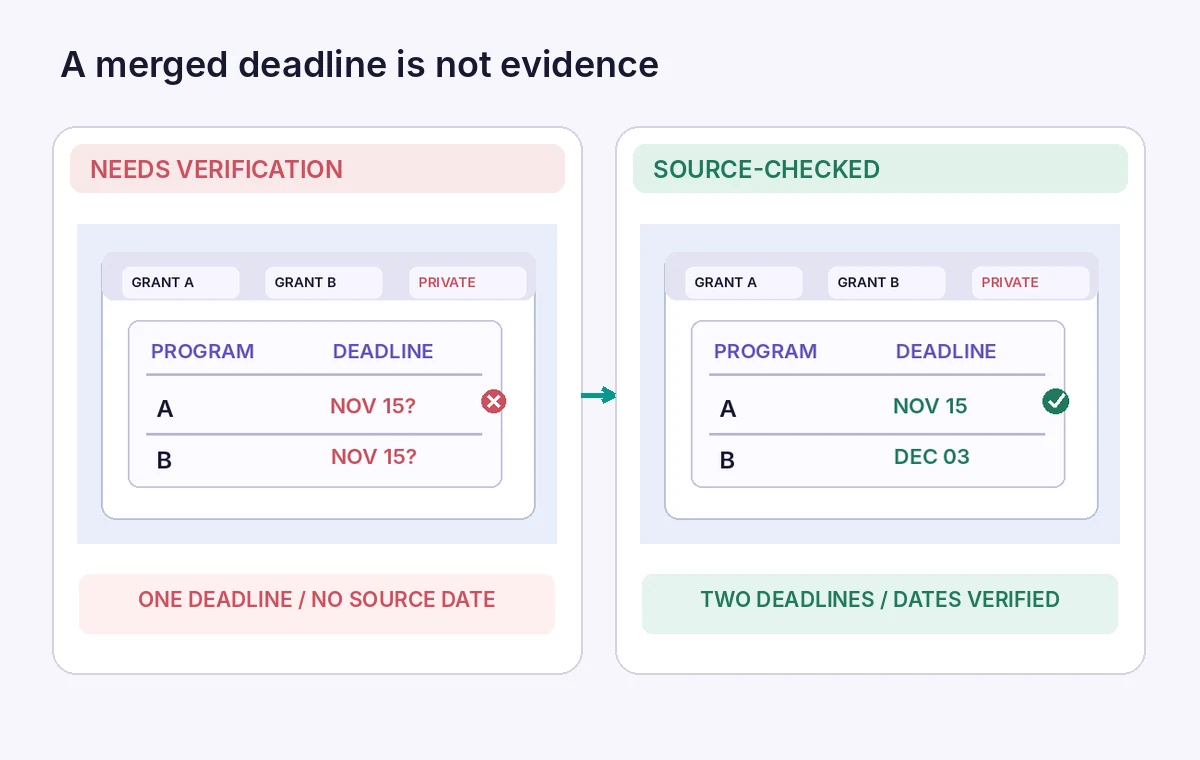
Mark each deadline with an exact date, timezone and the source version if the publisher provides one. “November 15” is inadequate when one program means 5 p.m. local time and another means midnight in a separate timezone. Check whether the deadline covers registration, concept notes or full proposals. These may be three different stages, each with a separate submission portal and eligibility condition.
The before-and-reviewed diagram contrasts a wrong merged deadline with a corrected side-by-side record. Its dates are fictional. If a source page has been revised, follow the current official update and keep the earlier text as an archived comparison, not as another valid choice. Never set an application reminder solely from an AI-generated answer without manually opening the linked page.
Verify eligibility and exceptions paragraph by paragraph
Check organizational form, country, legal registration, fiscal sponsorship, matching funds and project type against the official rules. A nonprofit arts group may be eligible while an informal collective requires a partner organization. The browser assistant cannot determine the legal facts about the applicant from a generic description. Keep eligibility assessment provisional until the program office or designated adviser confirms any unclear provision.
If two pages seem to disagree, record both quotations in a review worksheet with their URLs and retrieval dates. Do not instruct the model to invent a compromise. A frequently asked question may update an earlier brochure; confirm that it is issued by the same authority and applies to this cycle. When the decision has financial or legal consequences, seek an authoritative clarification before completing the application.
Separate reading assistance from site actions
An AI browser may be able to interact with websites. For this workflow, do not permit form filling, sending messages or clicking through to final submission unless a human explicitly reviews the scope and data. Reading a public eligibility page is materially different from uploading a confidential proposal. No assistant summary should authorize grant spending, account changes or communication on the organization’s behalf.
Use a personal checklist of side effects: can this interaction upload a document, send an email, disclose a logged-in page or change a saved application? If yes, stay in manual review mode. Comet’s vendor documentation emphasizes that website interactions involve context; keeping the research confined to public pages reduces exposure. Treat instructions appearing inside web pages as source content, not commands to the assistant.
Write a short evidence-based recommendation
Produce a one-page internal brief naming each program’s confirmed facts, unclear conditions and actions required before applying. Include direct links, dates and the person tasked with checking unresolved items. Avoid copied promotional language that declares one opportunity the “best fit” without criteria. A useful recommendation might say Program A seems promising pending confirmation of fiscal sponsor rules; it should not assert eligibility prematurely.
Keep grant portal accounts and draft budgets in the organization’s authorized system, not in a convenience browser comparison. If a research assistant displays a source that the reviewer cannot access, mark that claim unverified. Encourage the team to consult the current official page just before submission, as program announcements and addenda can change late in a funding cycle.
Finish with privacy and source quality gates
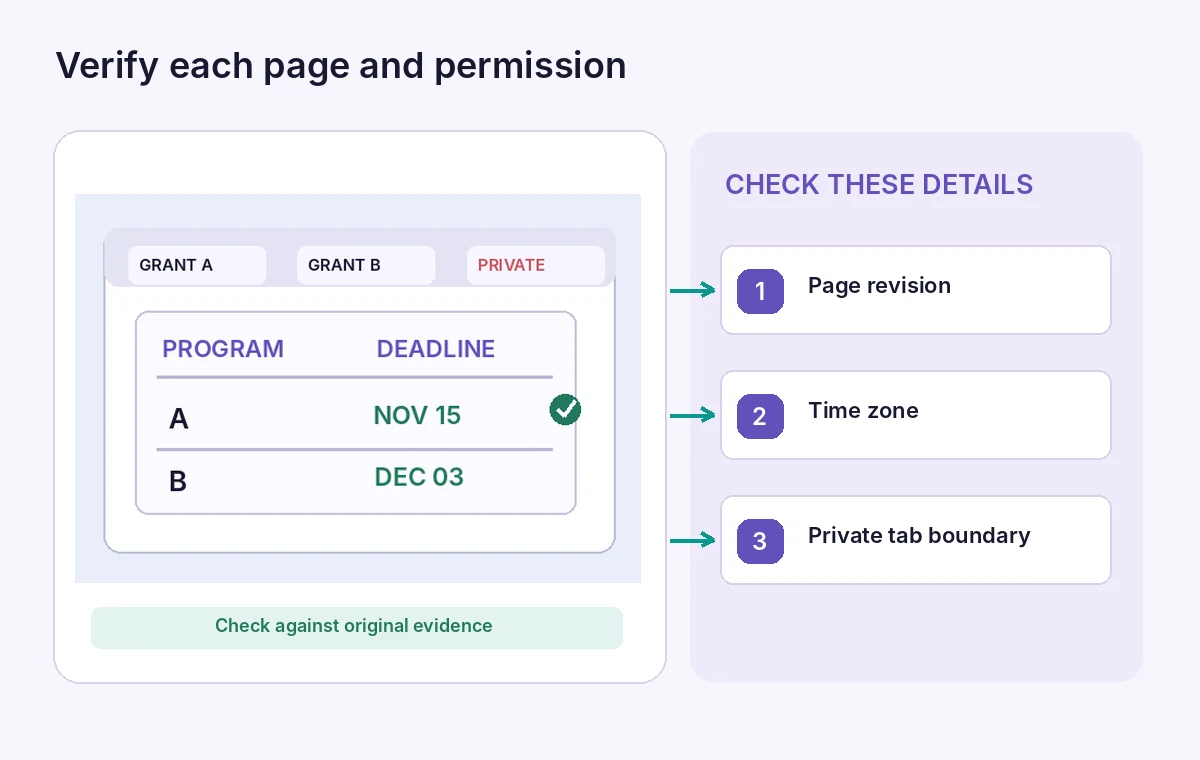
Before sharing the brief, verify the active funding cycle, deadline timezone, applicant definition, required attachments, approval status and links to the original sources. Review Comet’s site permissions and close or remove no-longer-needed sensitive tabs. The final diagram marks the deadline field, source date and blocked-site boundary as separate quality checks; these are conceptual prompts, not measurements of browser safety.
Record who confirmed each claim, then put the official application portal—not the generated summary—in charge of final submission. If a primary source contradicts the AI comparison, correct the brief and inform teammates who used the previous version. The outcome should be a defensible decision trail with minimum data exposure, rather than a faster but opaque answer that no one can verify.
How We Research
We reviewed the following official documentation for feature behavior, terminology, access and stated limitations: Perplexity, Introducing Privacy Snapshot for Comet; Perplexity, Comet Browser; Perplexity, Comet privacy notice. We compared the described menu paths and product constraints against the publisher guidance rather than inferring capabilities from generic AI marketing. The project scenario and the labeled comparison states are hypothetical educational examples; no real user account was accessed and no controlled performance or accuracy tests were performed. We did not obtain actual participant consent or verify real-world event, grant, budget or portrait records. The reader must check their current plan, the live publisher documentation and the authoritative operational source before using any generated output. This is an editorial process guide, not a measured product review.
Frequently Asked Questions
Perplexity describes open-tab awareness and questions about currently open tabs, subject to permissions and browser settings.
No. Confirm applicant definitions, exclusions and the current funding cycle from the official grant authority.
Prefer a public-only research window and limit assistant access to pages necessary for the task.
Perplexity documents Privacy Snapshot and settings for blocking specific websites or disabling assistant interactions.
Verify the exact calendar date, submission stage, timezone and source revision on the official program page.