
A volunteer communications team wants to prepare a short summer heat-safety flyer and has only an outdated reference packet. Gemini Notebook’s source-discovery workflow can help locate candidate material from the web or connected Drive, but a plausible search result is not automatically current or appropriate for the reader’s location. This guide describes a hypothetical nonprofit research session, not real weather or medical advice. The editor checks issuing agency, publication date, jurisdiction, and the exact wording of any claim before it enters the flyer. A generic older page and a newer official notice are shown as conceptual contrasts, not real documents. The goal is a transparent, carefully limited research brief that a qualified local reviewer can approve.
Define an evidence question with narrow boundaries
Write the question before using discovery: which agency currently publishes guidance for outdoor volunteers in the intended municipality, and what source date governs the flyer? Record the exact region and intended audience internally. Do not ask an AI system to invent a universal heat-alert threshold or a treatment protocol. A public flyer may need to point readers to an authoritative local resource rather than making specific clinical recommendations. Separate stable educational context from time-sensitive notices and emergency instructions. Even if a past flyer looked polished, it may use obsolete phone numbers or program hours. The initial research brief should explicitly list what requires a current agency source before any drafting begins.
Use the documented Discover Sources workflow
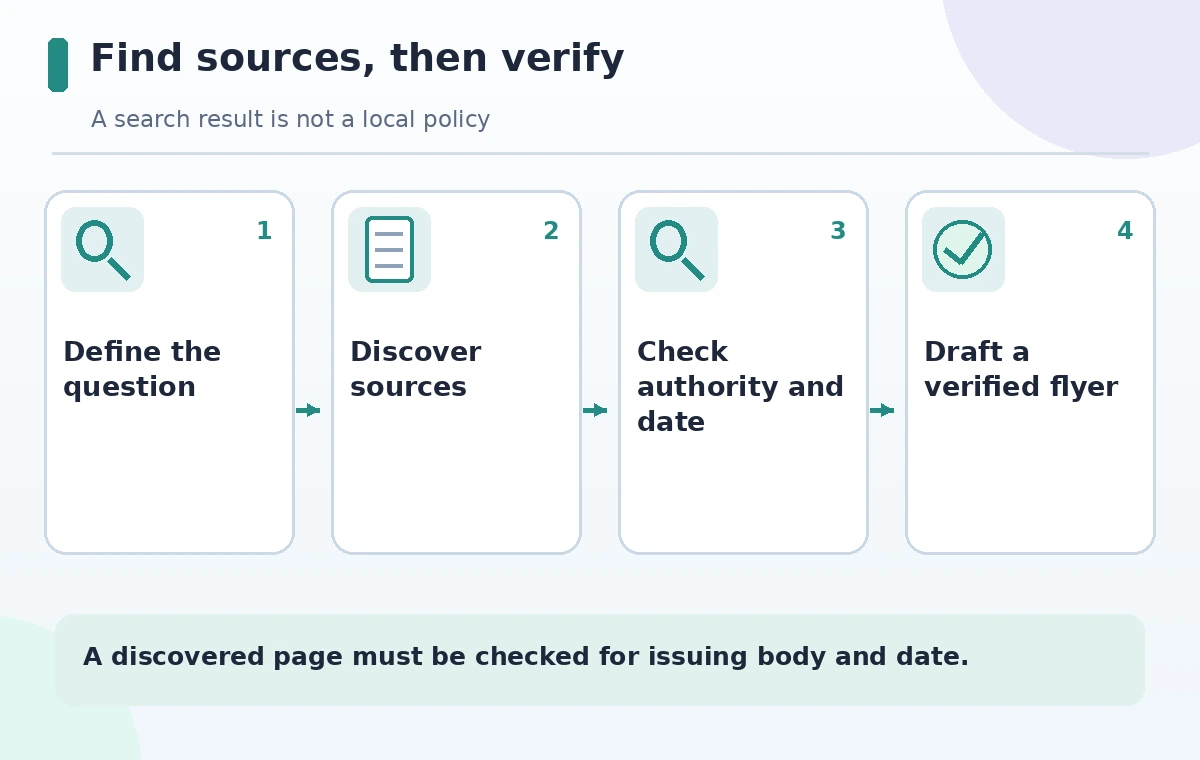
Google’s help for Gemini Notebook explains that, on desktop, the source panel can search the web or accessible Drive content using Fast Research. Enter a specific question in the source search field and select the intended scope. Review the suggested sources and their descriptions before importing them. Do not add every result by default; the model may find summaries, commentary, or documents with unclear dates. On eligible workflows, Deep Research can also return a report with cited and uncited sources for selective import. Account, language, age, or device restrictions may apply. Source discovery is an intake step, not a verdict that every suggested document is authoritative.
Sort candidates by issuing organization and jurisdiction
For each candidate, open the original page outside the generated summary. Record publisher, geographic scope, last-updated date if supplied, and whether it is primary guidance or third-party commentary. A page from another city may help with general background but cannot establish a local operating rule. A nonprofit blog can be relevant without being the authority for an emergency instruction. Give original public-agency pages priority when a claim concerns officially announced advisories or contact points. If a page lacks a clear date or appears to quote another source, follow the reference instead of treating the discovery card as the original publication. Keep rejected sources in a short research log to prevent accidental reuse.
Detect source-copy and sync limitations
Google describes an imported source as a copy or in some cases an automatically synced version of the original. That distinction matters when a public notice changes after the notebook was built. Verify whether a source is current before quoting it; do not assume a previously imported PDF updates itself because its website did. Check the actual document version, and reimport or refresh according to the product’s current controls where required. The help also lists supported uploads and size limits, which are subject to change. A source can be valid for answering a historical question yet unsuitable for a current information flyer. Put a source-review date next to every selected document in the working ledger.
Test one precise claim at a time
Ask the notebook to locate passages for one proposed statement, such as where readers can find the agency’s official heat advisory page. Then open and read the cited passage in context. Avoid turning a hedged phrase into an unconditional instruction or combining distinct documents into one rule. If two sources conflict, state the conflict to the editor and investigate which has authority in the intended jurisdiction. Do not invent a resolution by choosing the more recent-looking URL alone. A clear citation trail has the claim, verbatim underlying fact in a short internal note, source name, date, and reviewer decision. Keep direct quotations brief and respect reuse terms.
Compare older guidance with a current notice fairly
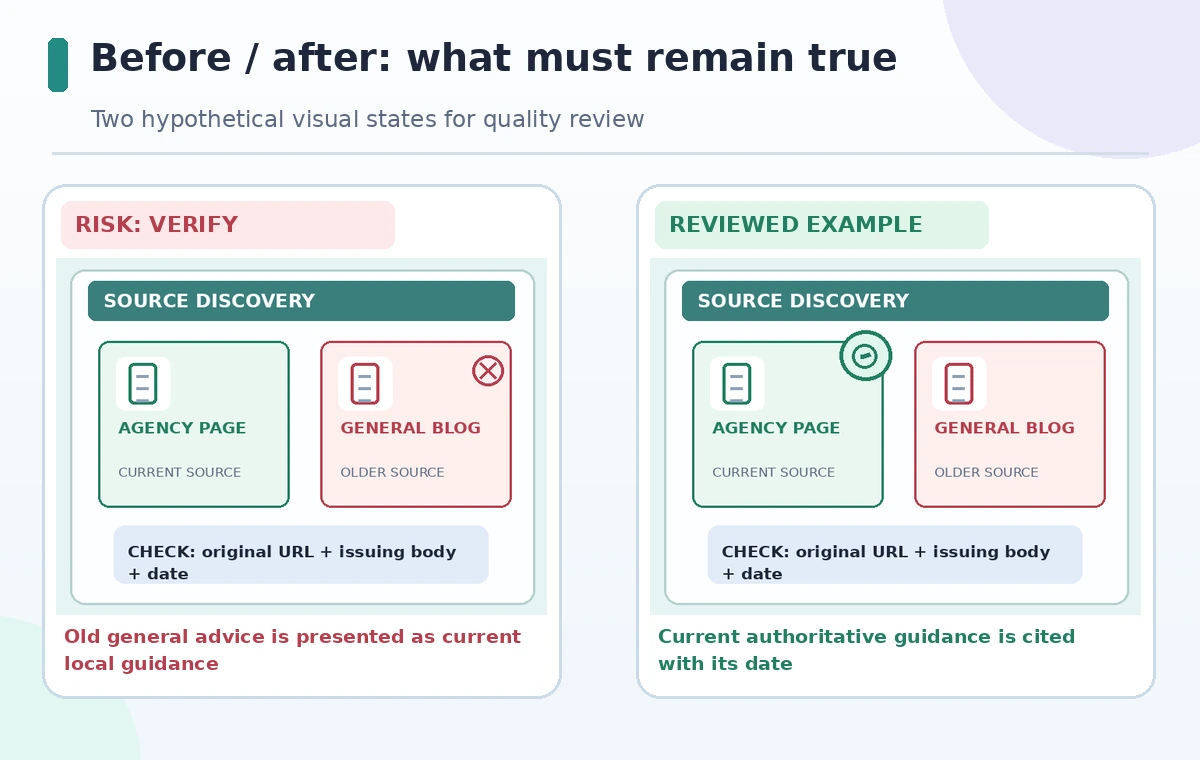
An old source may remain useful for a definition while no longer describing the operating status of a local cooling location. Put these statements in different columns: background information, current local notice, and unsupported assertion. The illustration compares an older unattributed recommendation with a current documented source, but it does not claim either fictional card reflects a real authority. A cautious editor may decide to omit specific numbers entirely and link to the current public agency page. The important improvement is not maximizing how many references are in the notebook; it is controlling which sources support which claims and ensuring that date-sensitive information is genuinely checked.
Draft only after the evidence table is reviewed
Create the flyer copy from the approved claim ledger, using clear reader-facing language and a short source line. If a source does not address a particular need, do not ask the notebook to fill the blank with a probable answer. Mark the question for a qualified local contact. Accessibility includes readable text, adequate contrast, and a plain-language description that works without the graphic. If providing an external link, spell out the issuing organization and check that the destination is the original page. Before printing, verify all phone numbers and operating hours directly with their owners. This is a publication control step independent of any AI capability.
Recheck time-sensitive facts just before release
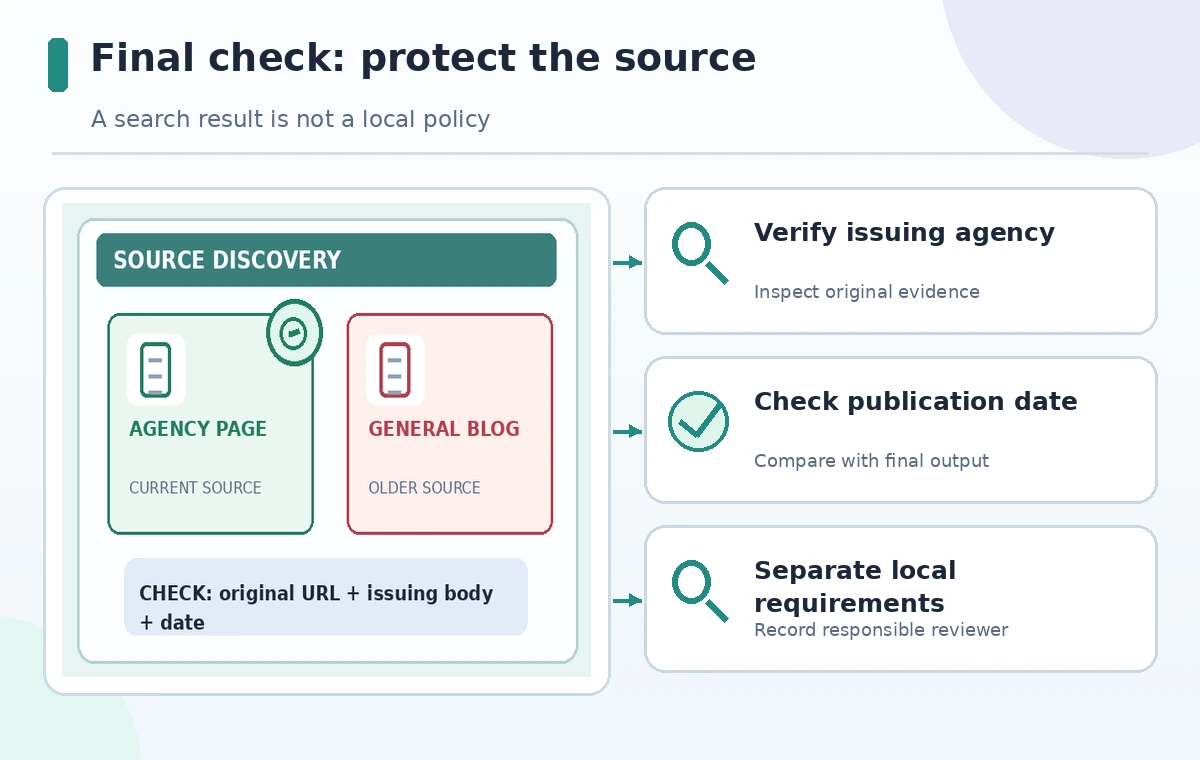
Do a final source sweep on the publication date. Advisory thresholds, contact information, and eligibility for local services may change quickly; the notebook’s cached materials do not substitute for a live authority check. Assign one editor to check source dates and another to review accessibility and layout. Log what was verified, by whom, and when. If the source is inaccessible or contradictory, delay the affected claim rather than improvising. The workflow is useful for many source-heavy briefs, but its safety comes from disciplined human verification. Our diagrams are conceptual and do not depict an actual Notebook session or measured search effectiveness.
How We Research
We consulted Google’s Gemini Notebook source-discovery guide and Google for Nonprofits feature overview for Fast Research, imports, source copies, limits and account considerations. No actual local heat guidance, agencies, notices or patient advice were compiled or tested. The examples are intentionally generic; a real flyer requires a current authoritative source for its jurisdiction.
Frequently Asked Questions
No. It finds candidates; the editor must open originals and verify authority, scope, date, and claim wording.
Google documents web and accessible Drive search paths in the source panel, depending on account access.
Do not assume so. Google describes copies and some synced sources; check the exact source type and refresh status.
No. Verify jurisdiction and use the issuing authority responsible for the intended audience.
Each claim, the original source URL, issuing body, relevant date, reviewer, and unresolved caveats.