
A public library committee meets online to discuss whether to extend weekend hours. A member joins late and uses Zoom’s AI Meeting Questions to catch up. The assistant might summarize a popular suggestion as though a formal vote had occurred, even when the chair postponed the decision. Zoom’s feature can answer meeting-specific questions from available meeting speech-to-text data, but it is not a substitute for signed minutes, a quorum check, or the committee’s voting rules. This hypothetical workflow shows how to ask useful questions while marking responses as provisional. It also addresses host permissions and the difference between what the AI heard and what the organization officially approved.
Confirm the meeting is allowed to use AI
Before a library board or committee enables meeting analysis, check the meeting notice, institutional policy, and participant expectations. A meeting may involve patron information or confidential employment matters that must not enter an unnecessary AI workflow. Ask the host whether Meeting Questions is enabled under the organization’s Zoom plan and administrator controls. Zoom lists licensed Workplace plans and current client requirements; access is not automatic for every Zoom user. The host controls who may ask questions and how much of the meeting history they can see. Decide whether only hosts should be able to query a sensitive discussion, and explain the recording or processing arrangement to attendees under local policy. Do not equate permission to ask AI with permission to distribute its answers.
Start questions at the right moment
Zoom documents that the host can start Meeting Questions from the Zoom AI panel and select the Meeting Questions option. Participant access and the point from which they may ask about past content depend on configured settings. If the host enables it halfway through a debate, the system may lack the earlier speech that introduced a condition. Note that boundary before forming a conclusion from a summary. The feature is not supported in breakout rooms, and currently the question interface for hosts and participants is on the desktop app, despite broader platform support for starting or stopping AI. Check the caption language, because speech recognition mistakes can alter the motion, speaker attribution, or dates under discussion.
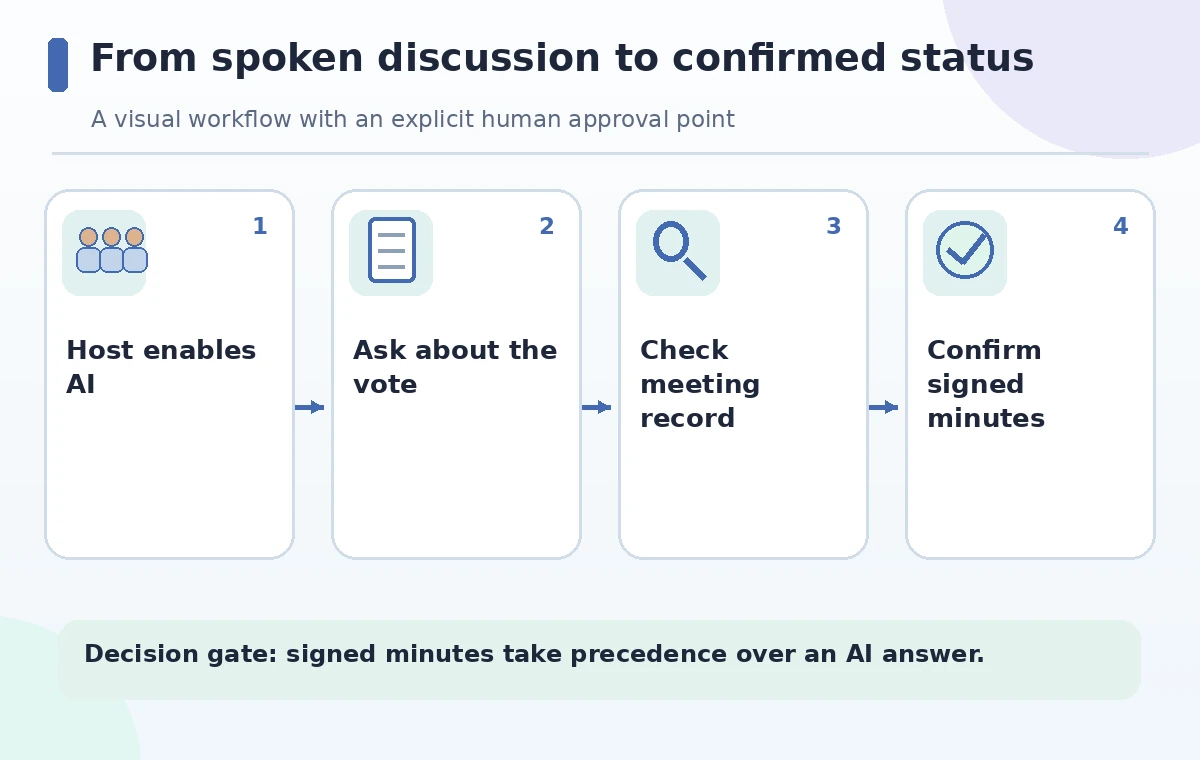
Ask a bounded question instead of seeking approval
A late attendee might ask, ‘What did the chair say about the weekend-hours proposal after the finance report?’ That is more testable than ‘Did we approve the hours?’ without context. Zoom provides suggested prompts such as Catch me up and What are the action items, as well as custom questions. Ask about the exact motion, the seconder if one exists, and whether the recorded speech contains a declared result. When a response lacks a quorum, vote count, or clear chair declaration, mark its status unknown. The AI may be helpful for locating a relevant passage but cannot infer an official approval from enthusiasm, applause, or the phrase ‘sounds good to everyone.’ Keep quotations in quotation marks only when checked against the original record.
Separate motion, debate, and outcome
A committee can discuss a proposal, revise its wording, defer it, or approve it. Put these four states in different fields in the note template. In the hypothetical meeting, someone says ‘we should probably try Saturday opening,’ a treasurer asks for a cost estimate, and the chair says the decision will be taken next month. Calling that approved would be a serious error. A structured decision log should record the exact motion text, whether the meeting had quorum, the vote method, the result as declared by the chair, and the person maintaining the minutes. Until those pieces are verified, an AI-generated task such as ‘publish new hours’ is a suggestion to review, not an authorization to change signs or websites.
Review access scope and related content
Zoom allows hosts to choose who may ask questions, including all participants, only members of an organization, or hosts. Depending on settings, responses may draw from meeting chat and screen-shared content as well as speech-to-text. A slide showing a draft budget may be captured as context even if it is not adopted. Before sending an answer to an external volunteer, ask whether that person should see the underlying discussion or screen content. Avoid using a broad shared AI output as the sole record of confidential decisions. Check the actual account configuration with an administrator, since the help page describes controls rather than proving they are enabled in the library’s particular tenant.
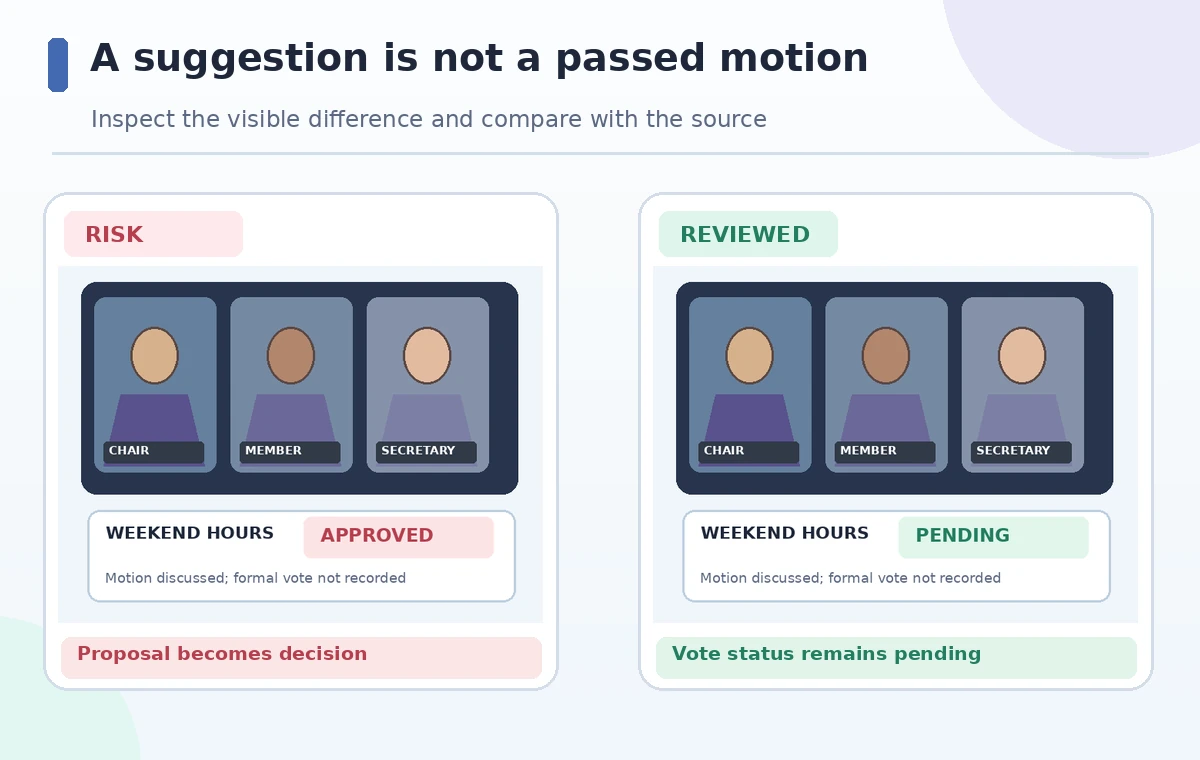
Verify against minutes and the chair
Compare the AI answer with the authorized record keeper’s notes, the official agenda, and any available consented recording or transcript. For a consequential vote, the chair or secretary should verify the exact result and the governing rules. If there is a conflict, correct the human draft minutes before distributing them; do not ask a second assistant to vote on which version sounds more likely. The answer may also omit statements made before Meeting Questions was enabled or outside supported rooms. In the example, the correct status is Pending vote, and the follow-up action is to request a revised cost estimate. The approved minutes—not the AI summary—should become the source for the public meeting archive.
Do not convert suggested action items into commitments
Zoom’s panel can offer actions for copying a response or turning it into a task or document, depending on the available interface. Before creating an assigned task, confirm who actually accepted the work and its deadline. ‘The facilities team could inspect the door’ is not the same as a named staff member committing to inspect it by Friday. Store proposals separately from confirmed owners. Where meeting summaries are subject to retention rules, consider how generated answers, chats, and attached files are handled. The host can stop Meeting Questions, and Zoom provides controls around deleting related meeting assets; review organizational retention obligations before assuming a stop action erases every copy.
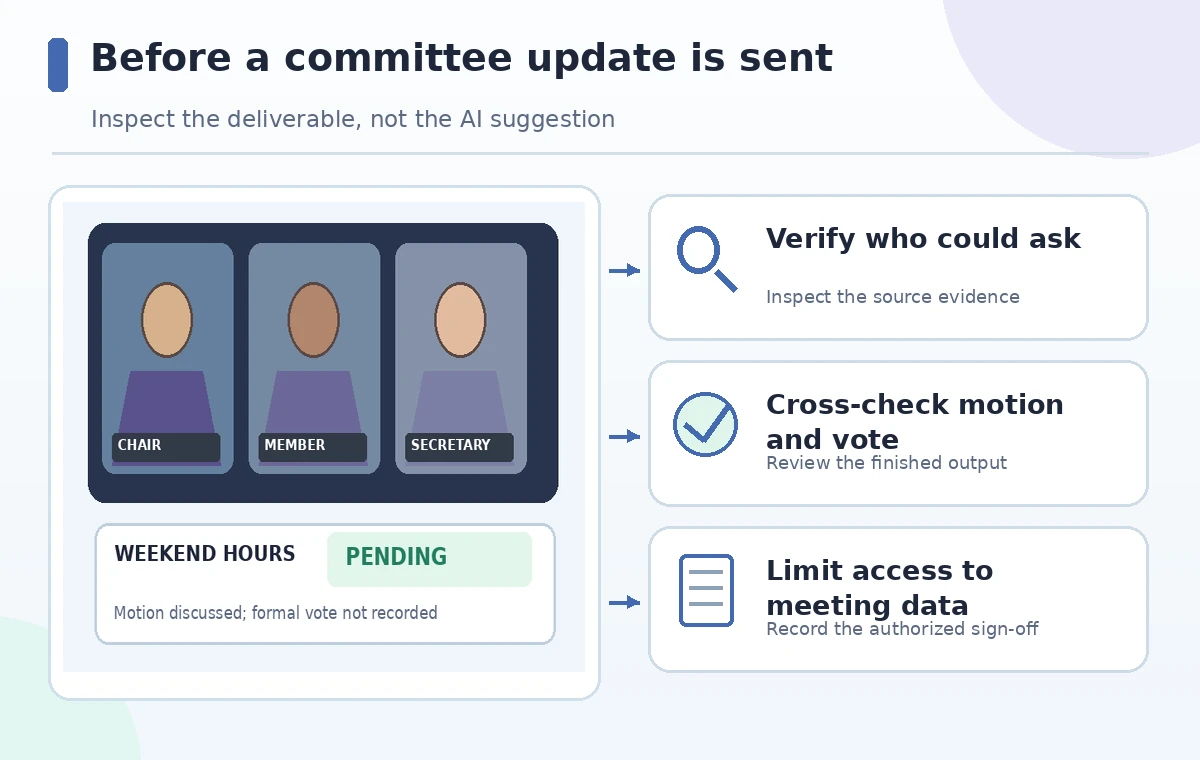
Send an accurate follow-up with an explicit status
Write a concise follow-up that separates ‘discussed,’ ‘assigned for research,’ and ‘adopted.’ Link to the official minutes when approved and avoid citing AI text as if it were a board resolution. If a participant was absent for a confidential portion, make sure the follow-up does not expose restricted content. Have the secretary verify dates and the next agenda before any website update. Check that the approved action list names only people who agreed to serve and uses the correct meeting date. This article illustrates a governance-safe process; it does not claim that Zoom produced any particular wrong answer or that a real library held the hypothetical vote. The final success condition is an honest record of what the committee actually decided.
How We Research
We consulted Zoom’s Meeting Questions instructions and enablement and permissions guide for plan requirements, question scope, host controls, caption language and breakout limitations. The fictional library vote illustrates how to check decision status; it is not a reproduced transcript or a measured model response. We have not accessed a Zoom account or collected real meeting data.
Frequently Asked Questions
Only as allowed by host settings and the window when Meeting Questions was active; participants may have different permitted scopes.
No. It responds to meeting-related questions; official decisions still follow the meeting’s governance process.
Zoom states the feature is not supported in breakout rooms.
Zoom documents licensed plan and admin/client requirements; availability is not universal.
Only after checking access permissions, confidentiality, and the accuracy of the source record.