
A farmers market has a cheerful flyer that nobody can read from a few feet away. It lists the location, hours, participating growers, public transit information, and a long welcoming paragraph. Microsoft Designer’s Rewrite feature can propose alternative wording for a selected text box, but a rewrite is not a fact-checker. The useful workflow is to protect the verified event details, shorten the optional prose, and test whether the final design still communicates the essentials. The example flyer and market are fictional; the illustrated text is not a Designer screenshot and no generated output was actually tested.
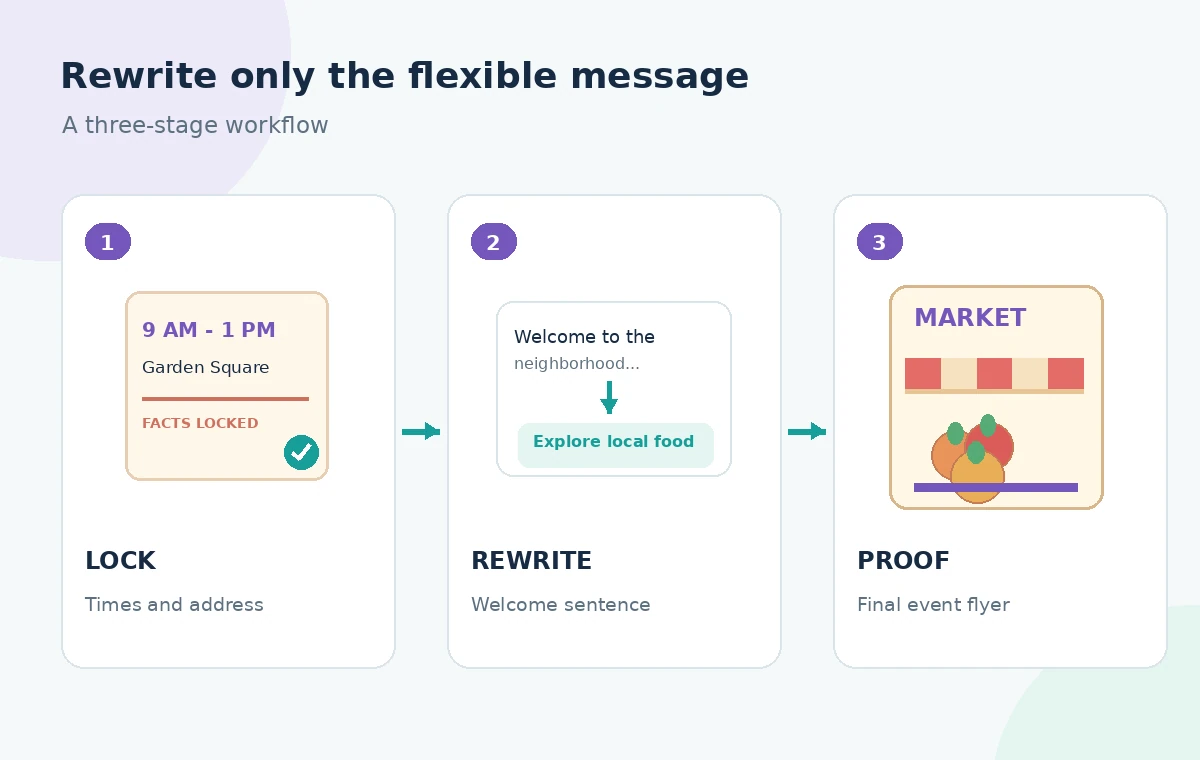
Separate locked facts from editable marketing copy
Before touching the text, make a small source-of-truth list: market name, street address, calendar date, operating hours, accessibility instructions, contact address, and any vendor claims. Confirm each with the event organizer. Put those details in locked or manually reviewed text boxes and identify the two sentences that are safe to rewrite. A phrase like ‘the freshest food in town’ is subjective promotion; a phrase like ‘open every Sunday until 4 PM’ is a verifiable schedule. Mixing them in one selection makes it easier for an AI alternative to alter both. Keep a copy of the original design.
Choose an existing text box for Rewrite
Microsoft’s Designer FAQ describes selecting text on the canvas and choosing Rewrite to generate an alternative version. It also describes generating text suggestions from a prompt. This does not mean Designer automatically knows the market’s current registration status or whether every listed vendor will attend. Select only the welcome message and request simpler wording in a friendly, neutral tone. If your version of the interface differs, follow Microsoft’s current documentation. Do not promise a specific number of free credits or output variations without checking the account’s entitlement and the current product interface.
Give the model a brief with explicit exclusions
Write a narrow brief: ‘Shorten this paragraph to one welcoming sentence for a public flyer. Do not add dates, location claims, vendor names, offers, or accessibility promises.’ Compare each proposal against the original. Even an appealing line like ‘Free parking for everyone’ must be rejected if the organizer never confirmed parking. Try concrete language that helps someone decide whether to attend: ‘Explore local produce and handmade goods.’ If the selection already contains a factual assertion, restore the verified version manually rather than relying on a negative instruction to protect it. The human editor must own factual integrity.
Rebuild hierarchy around the reader’s first questions
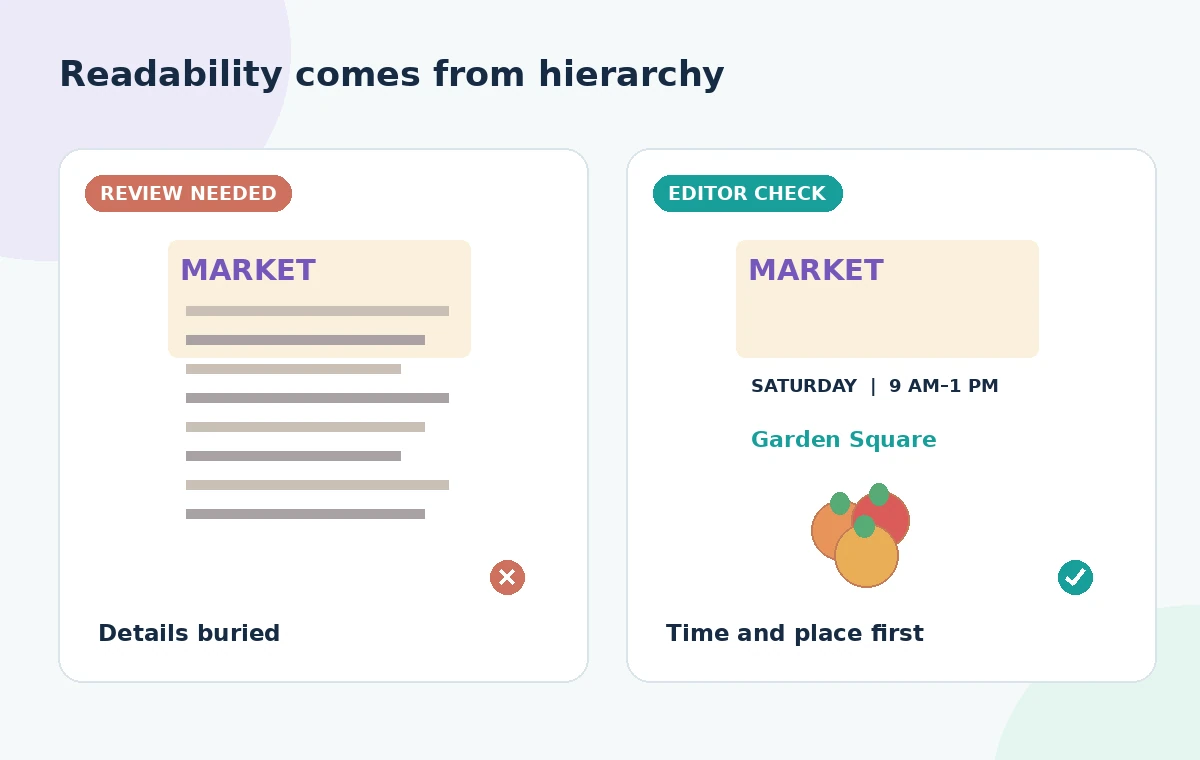
A passerby should understand what the event is, where it happens, and when it starts before reading the invitation. Give the event name the largest type, pair the exact place and date in a distinct information group, and keep the revised welcome line secondary. Place the contact or access information in a readable area rather than in tiny footer text. The comparison illustration shows a dense draft next to a proposed clearer layout; those are editorial mockups, not proof that Designer applied these changes. Good hierarchy can improve legibility even when the rewritten sentence is only slightly shorter.
Preserve numbers, proper nouns, and special instructions
Treat numerical statements and names as exact strings that require human verification after any AI change. Review ‘8:30 AM’, street abbreviations, neighborhood names, sponsor attributions, and any wording about payment types. If a vendor roster is provisional, say so or omit it from the flyer; do not let ‘local vendors’ become ‘over 50 farmers’ without evidence. The same applies to phrases like ‘wheelchair accessible’: only publish access claims that the organizer can substantiate for the actual site. Read the revised copy aloud and compare the locked-fact list one item at a time.
Check visual contrast and text length together
When a rewrite shortens the paragraph, do not use the freed space only to add more decoration. Give time and place a clear background, use enough contrast, and avoid putting small labels across busy food photography. Designer is a visual design tool, but final readability depends on the poster size, viewing distance, and export. Inspect the flyer at the intended print scale and on a narrow phone screen. Check that the contact path remains usable without relying on a QR code alone. Visual polish never compensates for an incorrect date or an unreadable access note.
Review generated wording for implied promises
AI copy often becomes more enthusiastic than the source. Watch for ‘every week,’ ‘all ages,’ ‘free admission,’ ‘organic,’ ‘guaranteed,’ or similar claims that can quietly change the offer. If the market has an approved slogan, retain it exactly rather than asking Rewrite to paraphrase it. Test the rewritten line against three questions: Is it true? Can a visitor act on it? Is the claim authorized? Reject lines that sound polished but cannot pass these tests. Preserve the original approved copy in a separate note so reviewers can trace why wording changed.
Prepare a proof with an accountable reviewer
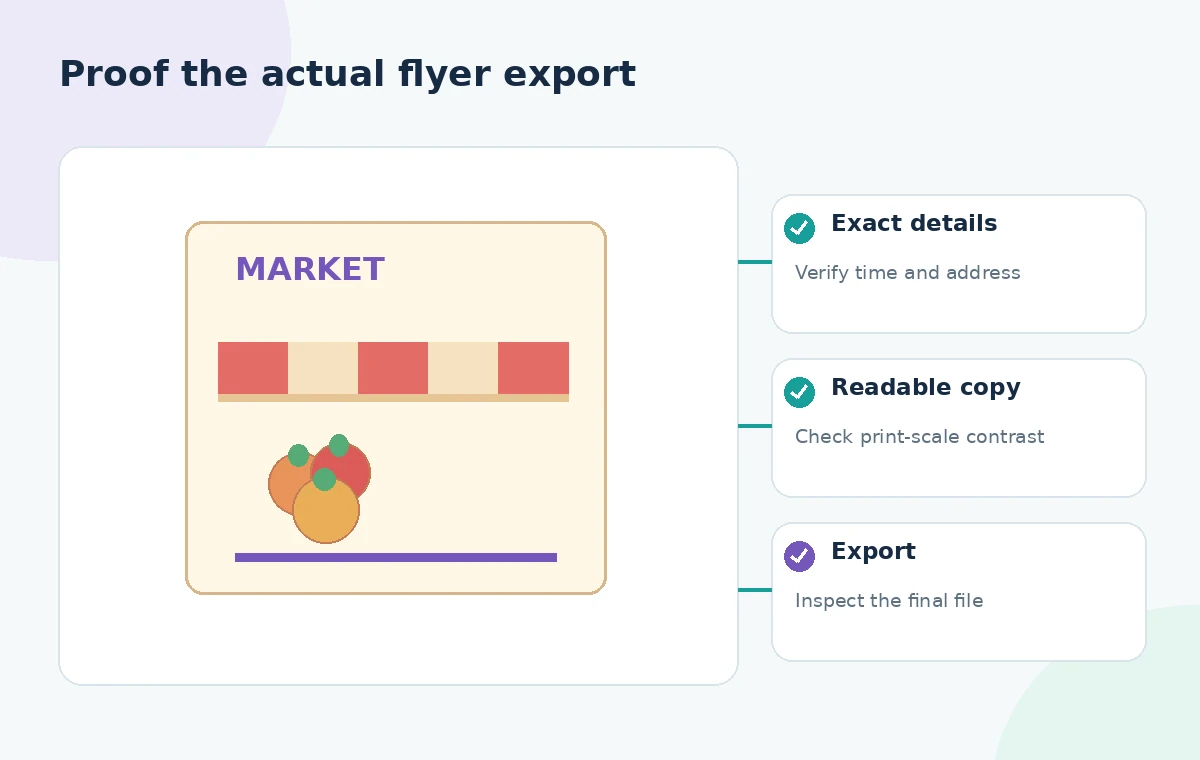
Send a proof to the organizer that makes the changed sentence obvious and asks for explicit confirmation of time, address, access information, and emergency contact wording. A proof approval should be documented outside the AI canvas according to the team’s normal process. If the market is seasonal, confirm that the copy refers to the correct date range. If a site map or transit advice appears, ask the responsible person to verify that, too. The final decision belongs to the event owner, not to Designer’s text generator or the flyer artist.
Export a version that matches the approved proof
After approval, export the correct format for the venue: a printable file at adequate resolution and an accessible digital version where practical. Reopen the exported file rather than assuming that the canvas view guarantees the output. Check for missing glyphs, clipped footer lines, low-contrast text, and accidental changes to the address. Name the final file clearly and archive prior versions so an outdated flyer is not reposted. This example makes no claim that an actual Microsoft Designer session produced the illustrated design; it presents a review procedure grounded in the documented Rewrite capability.
How We Research
To prepare this guide, we reviewed the official product documentation: Microsoft Designer: frequently asked questions and Microsoft: edit images with Designer. We compared the explicitly documented feature entry points, supported tasks, limitations and configuration requirements with the decisions in the hypothetical scenario. We did not access a customer account, upload any of the described documents, run prompts, obtain actual generated outputs or measure performance. The visuals are custom instructional diagrams, not software screenshots or evidence of live tests. Any scenario-specific people, approvals, files, vendor availability and outcomes are illustrative. Check the current documentation, account entitlements and your organization’s policies before acting on the workflow.
Frequently Asked Questions
It proposes alternative text for a selected canvas text box. The editor must choose and verify any suggested wording.
No. Use an organizer-approved source for dates and hours; do not assume text suggestions verify event facts.
Usually not. Protect critical facts and rewrite only the flexible promotional sentence or paragraph.
Prices, parking, accessibility, vendor counts, free admission, opening hours, and guaranteed availability require evidence.
Yes. Reopen both print and digital deliverables to catch clipped text, contrast problems, and outdated event details.