
A team has a six-slide onboarding presentation showing new hires where to request software access, how to identify their manager and where to find approved documentation. A live presenter reads the same deck every Monday. Google Vids can convert Slides into video scenes and use Gemini to help create scripts and AI voiceovers, but generating narration is not the same as verifying company policy. This workflow keeps the deck as the factual source, treats the generated script as a draft, and checks each transition before sharing the video. All illustrated scenes are conceptual diagrams, not captures of a Google Workspace account or proof of a generated result.
Audit the slide deck before asking for narration
Open the most recent approved version of the six slides and confirm each process owner, portal label and support contact. Remove obsolete screenshots, unapproved personal data and outdated directions. Add concise speaker notes if they contain essential context not visible on the slide. Identify which statements are formal policy and which are examples; a script generator should not merge those categories. Replace sensitive ticket numbers and employee names with safe demonstration values before uploading or converting content. The input must be safe for the intended audience, because Gemini can rephrase text but it cannot certify that an internal procedure is current.
Confirm plan eligibility and conversion options
Google’s Convert Google Slides into Google Vids guide describes importing slides as new scenes and optionally using Gemini to generate scripts, AI voiceovers, music and animation. The guide says these capabilities need an eligible Google Workspace or Google AI plan, so a missing option is not evidence of a technical error. The Gemini availability page also notes that Workspace administrators control access. Confirm the correct account, tenant and permissions before planning an automated production. Do not publish quota or credit figures as permanent, since plans and limits change.
Convert each slide into one accountable scene
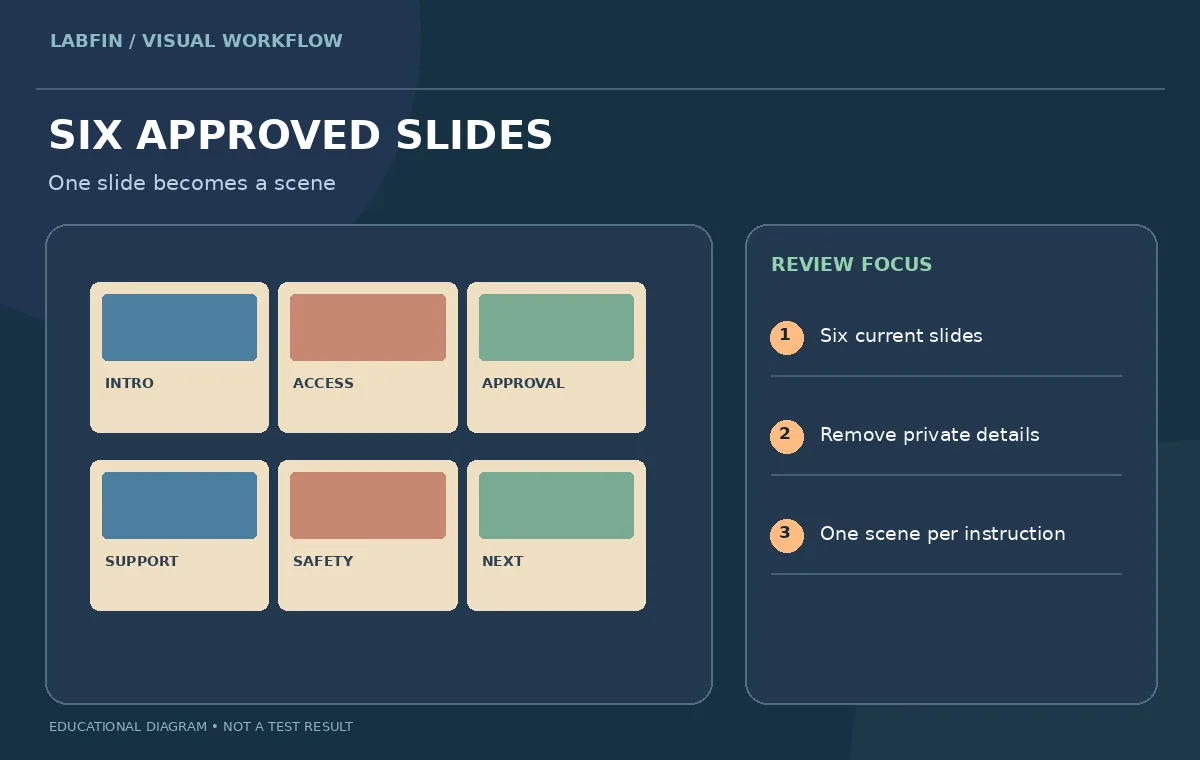
Use the Slides-to-Vids conversion path to turn slide content into editable scenes, then review the scene order before adding narration. The first scene introduces the goal; the second shows the access portal; later scenes explain approval, support and next steps. Delete any slide that functions only as a presenter reminder or private meeting note. Keep the original deck accessible so changes to the video’s wording can be traced to a source. A video scene should communicate one job clearly and should not force a viewer to read a full page while listening to another idea. Note if animations hide any text that was visible in the slide source.
Use generated narration as a first draft, not final policy
Google’s documented workflow can create scene scripts based on presentation content and speaker notes; editors can replace or revise drafts and select an AI voiceover. Read each script aloud against the approved slide content. Watch for added assurances, missing exceptions or wrong process order. An AI summary might simplify “request access through your manager” into “you automatically have access,” which is a policy error. Keep sentences short enough for speech and explicitly name where viewers must go next. Do not invent a product demonstration or data access permission that is absent from the original deck. Retain the approved text in a versioned document before rendering voiceovers.
Check slide duration against actual speaking time
A five-second default scene may be enough for a title but not for an access approval explanation. Google’s guide says voiceover generation can determine scene duration, while scenes without a generated voiceover have a default duration. Inspect the complete timeline after generation rather than trusting an outline alone. A new employee should have enough time to find the pointer location on a screenshot and read a menu label. Remove dramatic animations that draw attention away from the requested click. Preview the final result at normal playback speed and on a phone-sized display, checking that neither captions nor narration races through a critical step.

Preserve accessible text and private information
Use high-contrast labels, readable crop boundaries and voiceover that describes the action rather than referring only to “the green button.” Verify that screenshots contain demonstration accounts rather than actual employee records. Even if slides were internally shared, a link to the video may reach a wider audience; confirm the intended sharing permission and distribution route. AI voiceover is not a substitute for captions or a written procedure. Provide an accessible transcript and a link to the maintained policy. If someone cannot follow a narrated step without seeing a cursor movement, improve the sentence or add a plain-text instruction instead of assuming the video meets accessibility needs.
Run a scene-by-scene policy and visual QA table
Create a simple checklist with columns for slide source, generated script, corrected script, approval owner and status. Choose one scene containing a conditional rule and compare its source and narration word by word. Test whether a viewer can find the software-access form after watching. Check that AI narration pronounces the name of the internal platform consistently and that on-screen text still matches spoken steps. The diagrams here show an example review process rather than the exact Google Vids interface. A policy owner should approve the script; a separate editor should inspect timing, transitions and display. No automatic conversion can replace those two roles.

Publish a versioned orientation video with a fallback document
Export or share only the approved video and record its source deck version, script revision and update owner. Include a link to the live help documentation so a future process change does not leave viewers dependent on an old recording. Test sharing as a typical new hire rather than as an administrator with wider privileges. If access settings make the video unavailable, fix the distribution rather than opening confidential material to the public. Plan a periodic review date for policy facts, not only a visual refresh. The final output is a short, editable orientation video anchored in a maintained source, with a clear route back to written instructions.
How We Research
This Google Vids Slides to Vids workflow is an editorial demonstration built from the following primary sources: Google Docs Editors Help Convert Google Slides into Google Vids; Google Vids Gemini feature availability. The described scenario is A six-slide internal onboarding deck about requesting software access becomes a short narrated orientation video. Our visual diagrams are independently drawn conceptual teaching aids, not product screenshots, vendor outputs, controlled benchmarks or evidence of hands-on software testing. We cross-checked described menu behavior and important limitations against the linked guidance, then defined a human review plan for factual accuracy, consent, accessibility and release quality. We did not upload private production media, purchase a plan or generate a claimed performance score. Readers should verify their software version and account eligibility and compare their own outputs against untouched originals before releasing anything.
Frequently Asked Questions
Yes. Google documents converting slides to editable scenes in Google Vids.
Yes, for eligible accounts and features; the script and audio still require editorial review.
No. Availability depends on plan and, for Workspace users, administrative settings.
No. A policy owner must approve every instruction and source claim.
Provide a transcript, accessible source documentation, version record and an approved sharing setting.