
An image looking sharper on a screen does not prove it is large enough for a poster. Midjourney’s Subtle and Creative upscalers can increase pixel dimensions, but the available size depends on model version and aspect ratio, and Creative can alter content. This guide uses the currently documented V8.2 image sizes as a concrete example, then shows how to convert pixels into a print planning estimate. It does not claim that any physical print or side-by-side output test was produced.
Start with the actual file dimensions, not the interface label
Midjourney’s upscaler reference currently describes V8.2 square SD outputs as 1024 × 1024 pixels, with Subtle or Creative upscale producing 2048 × 2048. It also notes that HD images are generated at 2048 × 2048 by default and cannot currently be further upscaled by those options. This is model-specific guidance, not a universal claim about earlier releases or every aspect ratio. Before sending art to a client, download the final file and check its dimensions in the operating system or image editor. A square 2048-pixel file, for instance, is not a 2048-inch print. Preserve the source version and write the exact width and height into the asset record. Treat interface labels as a cue to verify, not as the specification for a printer.
Choose Subtle when the composition is already approved
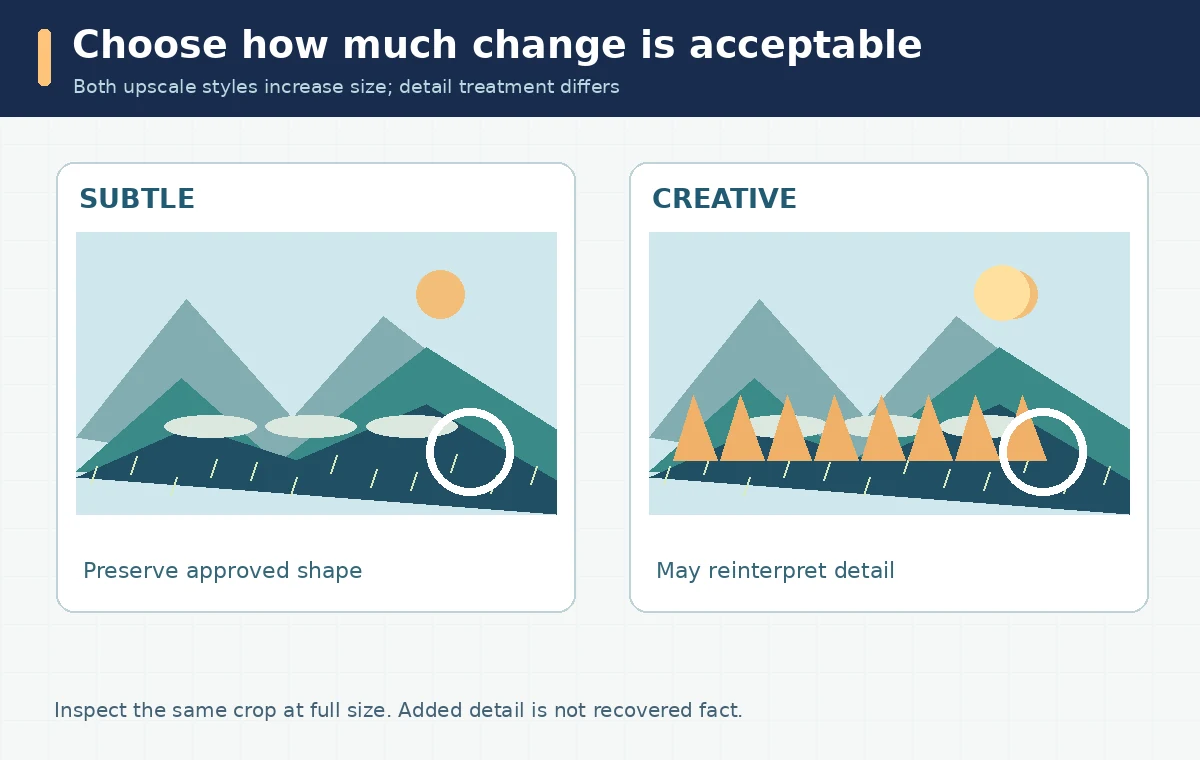
Subtle upscale is intended to limit changes while increasing size. It is a sensible first choice for work that already passed layout review: a book illustration with approved character placement, a product-like fictional prop with fixed details, or a poster background with room for a headline. Still inspect sharp corners, repeated patterns, fine text, fingers, and facial features. Even a less transformative process is not a contractual promise that every visual detail stays intact. Compare full-resolution crops at matching viewing scales, not a small thumbnail against an enlarged file. If a brand color, product label, or recognizable face must remain exact, keep those elements outside the generated layer or rebuild them in a conventional editing tool.

Choose Creative only when new detail is acceptable
Creative upscale is meant to add or reinterpret detail, which can improve the appearance of a weak source but also change identity, texture, architectural features, or tiny objects. Midjourney documents that Creative and Subtle both double the size in its current workflow; the difference is how much they alter the image. On a fantasy landscape, extra cliff texture may be welcome. On a client-approved illustrated character, a different eye shape could be a rejection. Decide whether the image is exploratory or final before pressing Creative. Save both versions, compare their critical regions at 100% view, and document any altered details. Avoid presenting generated detail as a recovered fact about an original photograph or a historically accurate reconstruction.
Calculate an approximate print size from the pixel count
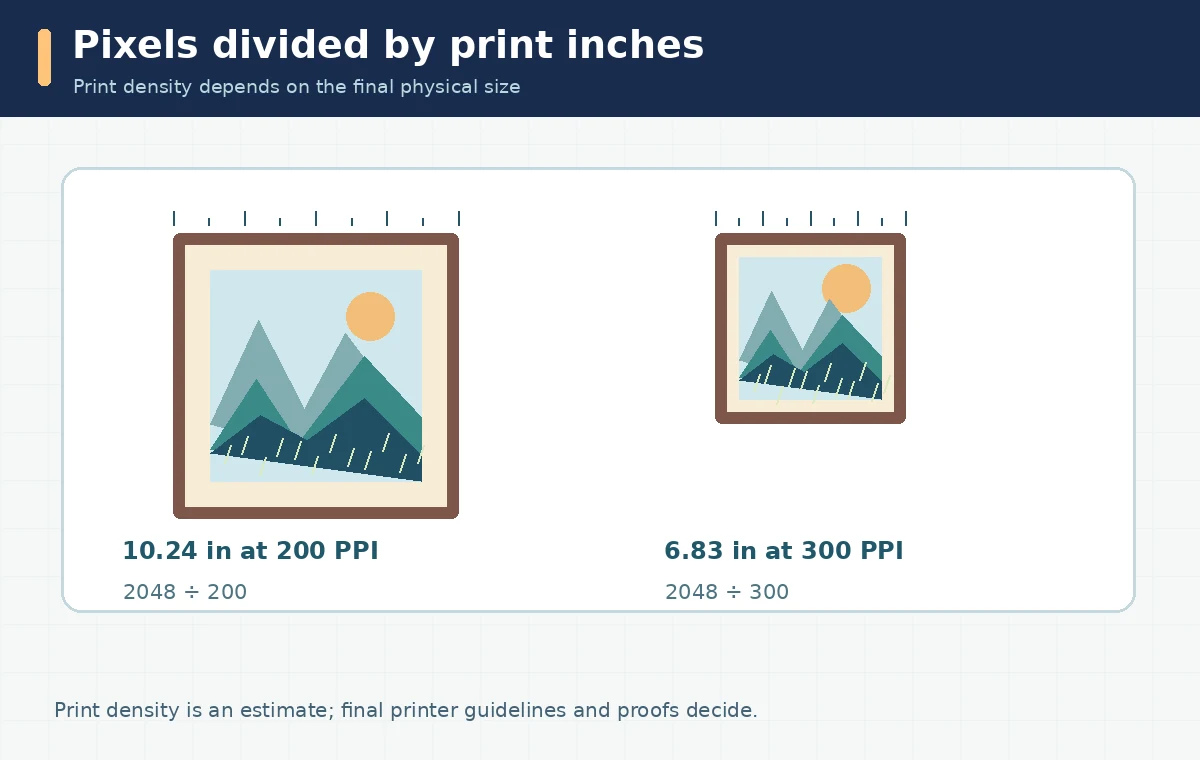
For an image that is 2048 pixels wide, the arithmetic is transparent: width in inches equals pixel width divided by target pixels per inch. At 200 pixels per inch, 2048 ÷ 200 = 10.24 inches; at 300, it is about 6.83 inches. These are planning calculations, not promises of acceptable print quality. A square 2048 image enlarged to 20 inches provides only about 102 pixels per inch before further processing. Printers and materials have different acceptable ranges, and viewing distance matters. The official Printful guidance advises checking each product’s file guidelines rather than assuming one DPI standard for every job. Always plan for final crop and bleed requirements, which can reduce the usable picture area.
Check the edge crop and output ratio before upscaling
The final frame shape determines how much art survives cropping. Midjourney’s current V8.2 examples list 4:3 SD at 1232 × 928, upscaled to 2464 × 1856, and 16:9 SD at 1456 × 816, upscaled to 2912 × 1632. These figures apply to the documented version and can change. If the destination needs a portrait poster, choose a compatible ratio before spending time on fine details. Draw a rough crop box around the subject, leaving margin for matting or trim, and inspect whether focal elements are near the cut. Cropping a landscape result into a portrait print sacrifices pixels and composition. A correct pixel count with the wrong shape can still be unusable.
Budget iterations and keep an approval comparison
The official Midjourney help center says upscales consume GPU minutes and may cost more processing time than an initial generation. It does not make a universal cash-per-image claim. Save one approved SD version and only upscale the strongest candidate rather than every sketch. For quality control, use a simple three-column record: source, Subtle candidate, Creative candidate. Note exact output dimensions, changed details, and acceptance reason. At 100% zoom, review text-like marks, brick patterns, hair, and high-frequency areas. Then view each image at the intended physical size or a representative proof. Reject unnatural patterns even when they appear sharper. This approach controls waste without inventing a benchmark or promising a particular improvement percentage.
Deliver print-ready artwork only after a proof
A final proof combines resolution, color handling, crop, and file compatibility. Ask the print service for the preferred format, color-profile expectations, dimensions, and required bleed; then export to those specifications. Do not turn a low-resolution original into a purported archival photograph by synthesizing plausible details. For commercial artwork, confirm the service terms and rights of any source material. Midjourney’s commercial-use page sets conditions, including special rules for larger businesses and other users’ images, so check the exact situation before distribution. Provide the final print file with its dimensions, crop preview, and proof status. An upscaling success in the software is only the beginning of production approval; a print vendor or physical sample remains the ultimate check.
How We Research
We used the official Midjourney Upscalers reference, commercial-use guide, and Printful’s print-file preparation documentation. Reviewed October 28, 2026. The inch calculations are arithmetic examples, not measured print tests; version-specific dimensions may change. We distinguish documented product behavior from illustrative editorial workflows and do not assert personally tested output quality or a feature outside the cited product documentation.
Frequently Asked Questions
No. Subtle generally favors preservation of an approved image; Creative may help exploratory artwork but can reinterpret details that matter.
Its current official documentation lists 1024 × 1024 square SD and 2048 × 2048 square upscaled or HD output for V8.2.
The current upscaler page says V8.2 HD images cannot be further upscaled by its listed built-in options.
It is 10.24 inches wide by arithmetic, before accounting for crop or bleed. Acceptable quality depends on the specific print workflow.
No. Generated detail can be visually plausible without being historically or factually true. Keep the original and disclose material alterations where relevant.