
An AI avatar image generator is useful when a profile needs a consistent, illustrated face rather than a photorealistic headshot. But a stylish cartoon can alter the person’s skin tone, glasses, hairstyle or recognizable features. This guide uses a fictional character with round glasses and a purple scarf to show how to create a consensual, clear profile image. It covers visual identity, small-size cropping and how to avoid pretending a synthetic portrait is someone else.
Choose a cartoon avatar, not a misleading headshot
A professional headshot aims to depict a person plausibly, while a cartoon avatar openly signals illustration. That makes cartoon profiles appropriate for community spaces, team directories or fictional characters, provided the identity and usage are authorized. Do not use an AI-created face to impersonate a real colleague or customer. If a company uses synthetic mascots, describe them as characters rather than employees.
Set the design goal before uploading anything: friendly editorial line art with clear glasses, purple scarf, dark hair and a quiet backdrop. Do not rely on a generic “make it beautiful” request, which can replace distinctive features and undermine recognition. The avatar should capture the agreed visual identity, not optimize someone’s appearance according to arbitrary model preferences.
Start from an image you have permission to transform
Use your own selfie or a portrait for which you have specific permission to upload and restyle. Consider whether the app stores inputs, whether it permits deletion, and whether the person is comfortable with a transformed likeness circulating online. Avoid uploading group photos that include bystanders just to isolate one person. Crop private background details such as work badges, addresses or other people first.
Adobe’s Firefly cartoon-yourself guide describes using a portrait as an image reference and specifying a cartoon style. It is a product workflow, not a privacy guarantee for every service. Keep a consent note if the image belongs to someone other than the operator.

Make a small style board with identity anchors
Write two or three illustrated directions that a reviewer can compare: flat vector portrait, soft pencil cartoon and warm editorial watercolor. Keep the same identity anchors across all of them: round glasses, purple scarf, shoulder-length dark hair and a simple smile. Request only the head-and-shoulders view needed for the final crop, not an unnecessarily elaborate full-body scene.
Use the reference-strength control only to the extent supported by the chosen generator. The Adobe style reference documentation describes adjustable adherence to aesthetic references. Do not confuse that with control over identity fidelity. Review the person’s actual identifiable features before approving a style, and avoid copying a living artist’s recognizable signature.
Inspect the portrait before cropping
Check glasses: both lenses should be structurally consistent rather than melting into eyebrows. Hair, ears and scarf should remain coherent and appropriately sized. Watch for a doubled earring, a stray limb or a mismatched eye direction. A cartoon does not have to be anatomically photorealistic, but unintended defects can become even more distracting when the image is placed beside a real name.
Compare against the authorized selfie or character specification. For a real person, ask the subject whether the image still looks like them and whether any change is unwelcome. This human identity check matters more than a superficial similarity score. The illustration must not imply a professional credential, uniform or role the subject does not hold.
Prepare the actual circular or square profile crop
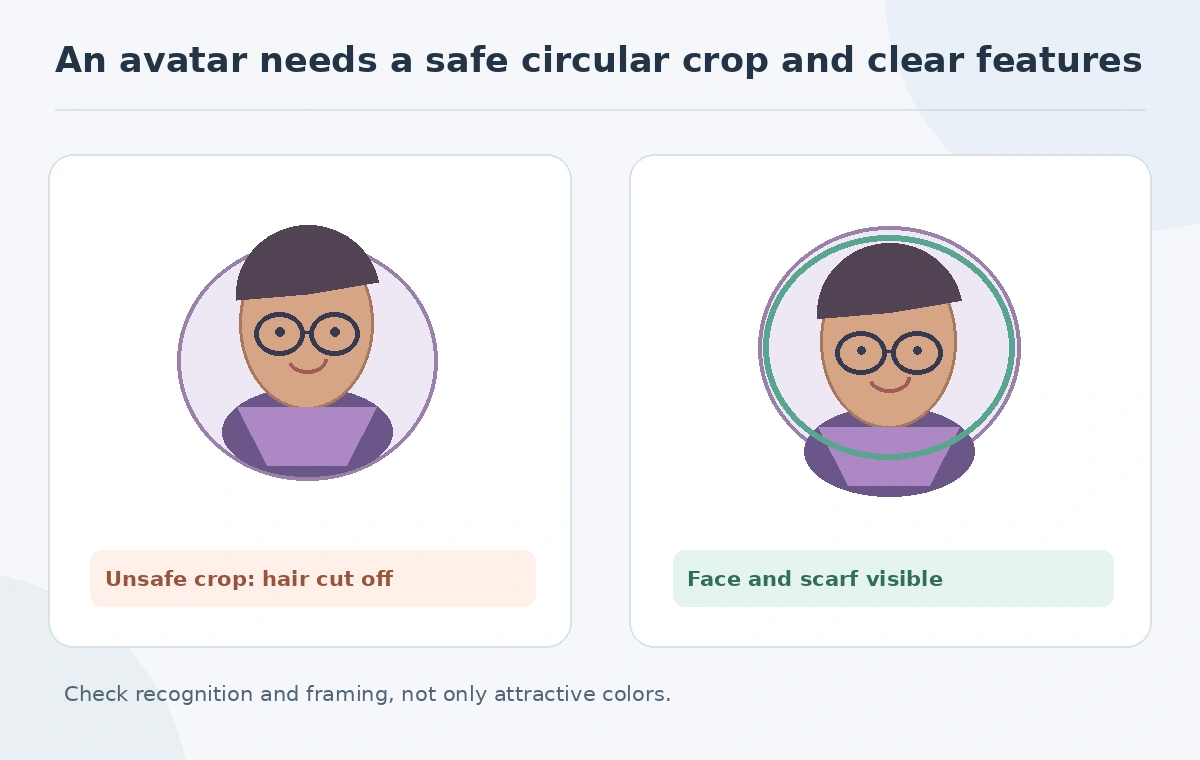
Social avatars are frequently displayed inside circles even when uploaded as squares. Keep the eyes, glasses and recognizable scarf away from the outer corners. Make a second preview at a small simulated profile size and ask whether the person is still distinguishable. A tiny background prop that works at full scale might disappear, while a thick scarf edge could cover the chin.
Adobe Express documents a profile picture workflow with frame shape and background options. This is a separate crop/layout stage; do not assume generation alone created the correct platform-ready framing. Save a square master and export variations only when needed.
Set usage and disclosure rules for a team or community
If the avatar represents a real teammate, obtain approval before adding it to a staff page. If the avatar is a bot or fictional brand guide, say so where identity confusion matters. A human-like profile can be approachable without using it to make false claims about endorsements, employment or personal experience. Record where the art may appear, who can edit it and when a new consent review is needed.
For a distributed team, standardize background contrast, head size and cropping rather than forcing every person into the same facial features. Keep an unedited source and the final approved export accessible only to appropriate people. A generated avatar can also be a privacy-preserving alternative to a public photograph, but only when nobody is misled about who it depicts.
Run a five-part final avatar check
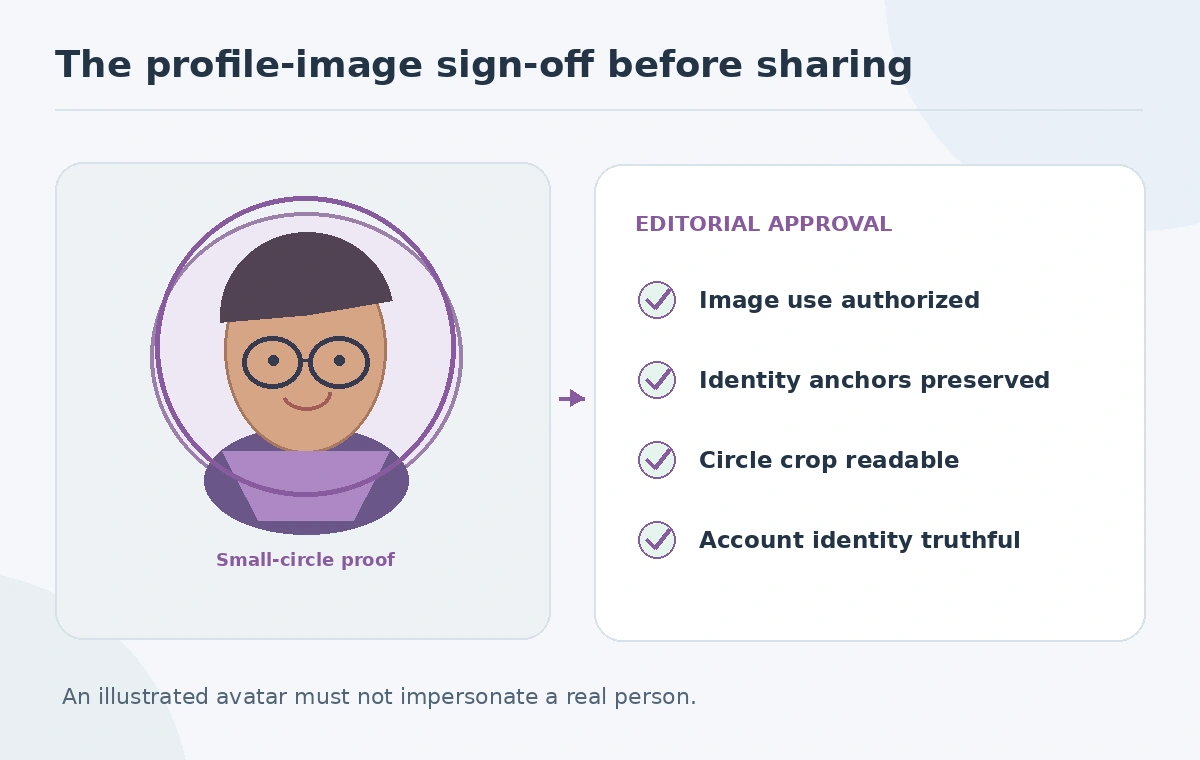
The final check asks: is the portrait authorized, recognizable, visually coherent, legible at small size and truthfully labeled for its context? Test a dark and light background if the publishing platform supports both. Make sure the glasses, scarf and face remain inside a circular crop, and remove accidental text that the generator invented. If any item fails, revise before reusing the art across profiles.
Store the generated candidate, source permission, selected crop and intended-channel notes in one project record. Our fictional scarf avatar passes when the facial features remain consistent and the crop does not cut through the glasses. It fails if the tool invents a different person or the image is deployed as a false staff identity.
How We Research
We reviewed Adobe’s cartoon portrait workflow, style-reference controls and Express profile picture guide on October 27, 2026. The subject shown in our artwork is an invented character; we do not claim to have tested recognition accuracy. We distinguish product documentation from practical recommendations, use invented examples rather than unperformed tests, and review image claims against the illustrated decision checks.
Frequently Asked Questions
Only with suitable permission for uploading and transforming the portrait.
No. Cartoon avatars are openly stylized identity illustrations rather than photographic likenesses.
Keep agreed identity anchors such as glasses, hair, expression and other defining features.
Many platforms clip square images into circles and can cut off important features.
It should not. Clearly distinguish fictional or automated identities when readers might be confused.