
Grok is an AI assistant available through grok.com and mobile apps. Its official documentation describes chat, voice, file uploads, image and video creation, plus optional connectors. None of those features removes the need to inspect important answers: a fluent response can still confuse a source, overlook a deadline or treat an inference as a fact.
This tutorial focuses on everyday use, not a general product review or a model ranking. The goal is a repeatable method for asking a better question, evaluating what Grok returns, and keeping sensitive inputs under your control. Interface labels and paid entitlements can vary by account, so check what your signed-in app actually displays.
Start with the official app and a simple test
Open grok.com or the official Grok app and sign in using the supported account flow. Check that you are in the correct account before attaching personal files or changing billing. Start with a low-risk request, such as “Summarize the three trade-offs in choosing a note-taking app, then tell me what information you would need to recommend one.” This shows whether the assistant asks for useful context.
Keep a separate note of your objective and what success would look like. A clear objective might be “a two-paragraph internal email” rather than “do marketing.” When you can compare the answer with an independent goal, it is easier to spot fluff and wrong assumptions. Do not paste account passwords, recovery codes or confidential customer lists into a test prompt.
Use a prompt that specifies audience and output
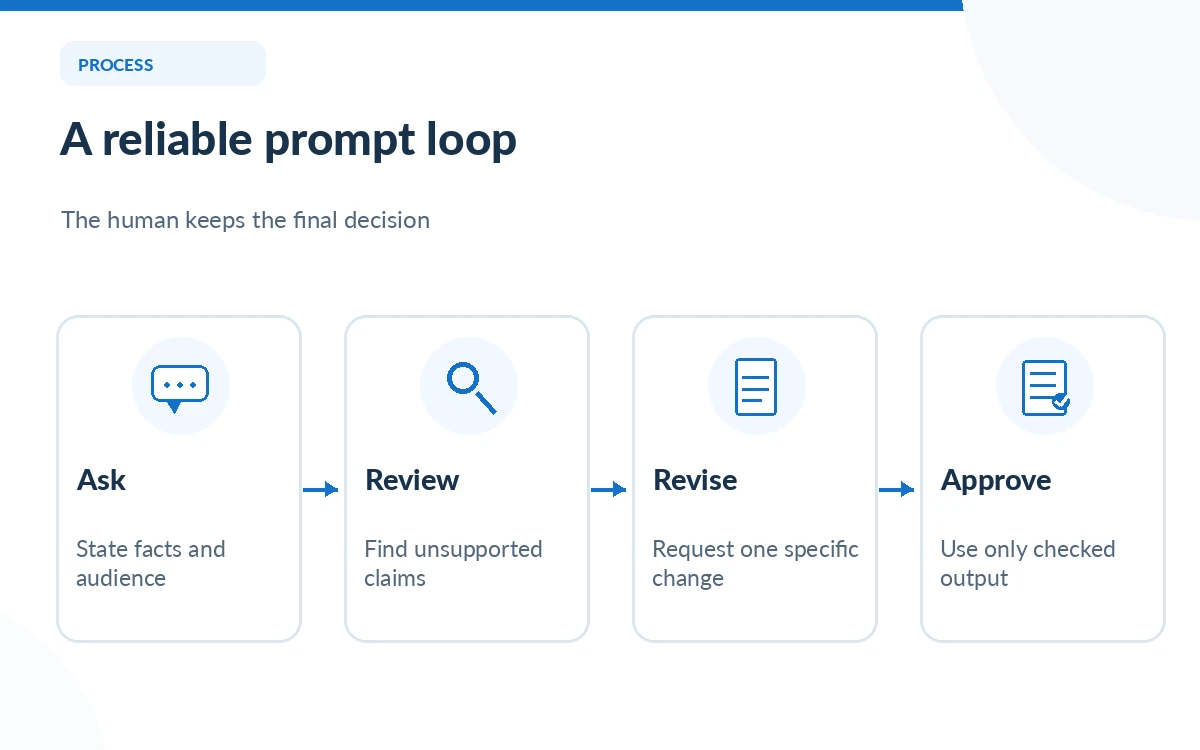
Write the task in four pieces: your role, the reader, the input facts and the desired format. Example: “You are helping a US independent bookstore. Using only the inventory details below, write a 130-word email for repeat customers. Do not invent discounts. End with a friendly question.” This is enough structure to guide an answer without overwhelming the model.
When the draft arrives, check every named product, deadline, percentage and implied promise. Then ask for one targeted revision, such as shorter sentences or a friendlier opening, instead of demanding that it “make it better.” You remain responsible for what the final text says, especially where it could be mistaken for an official policy.
Separate web and X material from confirmed facts
Grok can incorporate web and X-related material, but a mention of a post is not proof that the post is genuine or accurate. For breaking news or a product claim, ask it to provide direct links, dates and a short explanation of how each source supports the assertion. Open the originals yourself; check whether a source actually discusses the same event and date.
For disputed claims, request competing evidence and identify what would change the conclusion. A useful follow-up is “Which part of your answer depends on a single source?” Do not present a social post as scientific evidence or treat a summary of a legal document as controlling legal advice. For time-sensitive decisions, corroborate against the primary authority.
Use file uploads with an extraction-first sequence
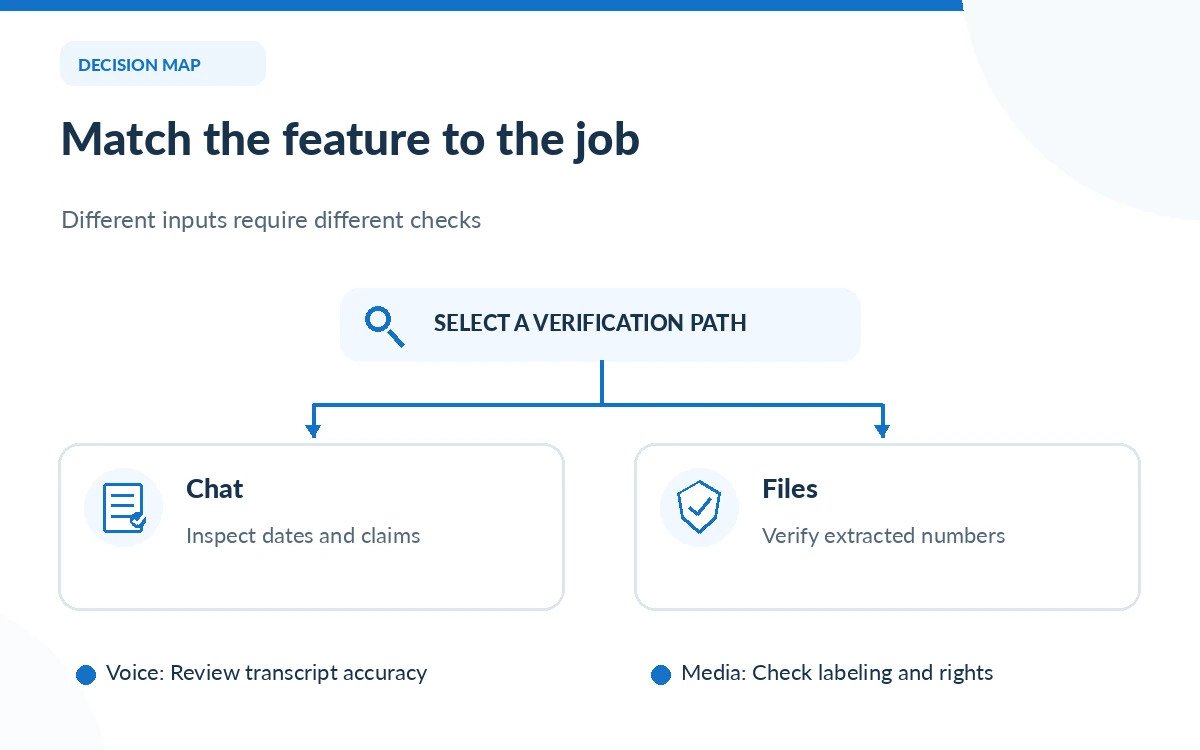
If your account offers file uploads, begin by asking Grok to identify the document type, date, apparent purpose and uncertain pages. Next ask for a source-anchored extraction, such as “List every renewal date and quote the line where you found it.” Only then request a summary or recommendation. This reduces the chance that a polished synthesis hides missing tables or definitions.
Check the original document against every figure that will enter an invoice, contract or external report. Scanned PDFs, charts, screenshots and spreadsheets may contain content that is difficult to interpret reliably. Remove personal data not needed for the task, and do not upload confidential documents unless the service settings and your organization permit it.
Choose voice and image tools with care
Voice can be convenient for brainstorming or dictating rough notes, but you should review the transcript before acting on any detail. A noisy environment, a proper noun or a number can be misheard. Ask for a concise recap with uncertainties rather than letting an assistant turn spoken guesses into definitive statements.
For generated images or video, describe the subject, intended use and constraints. Examine text in the image, factual details, labeling and consent before sharing. The official FAQ states that generated media may include provenance watermarks; do not remove or obscure those indicators in violation of the service terms. Confirm applicable commercial-use rules rather than inferring rights from your subscription price.
Check connectors, memory and sharing before relying on them
Grok documentation describes optional connections to email, files and calendars. Treat a connector as access to a real data source, not simply a convenient button. Review the permissions requested and start with the minimum access necessary. For a workplace account, confirm administrative policy before linking a mailbox or shared document repository.
If the assistant summarizes connected material, compare the relevant original message or file before sending an external reply. A missing update can change the meaning of a conversation. Disconnect unused integrations, inspect available privacy controls, and save a copy of any important approved work in your own system.
Establish a final review routine
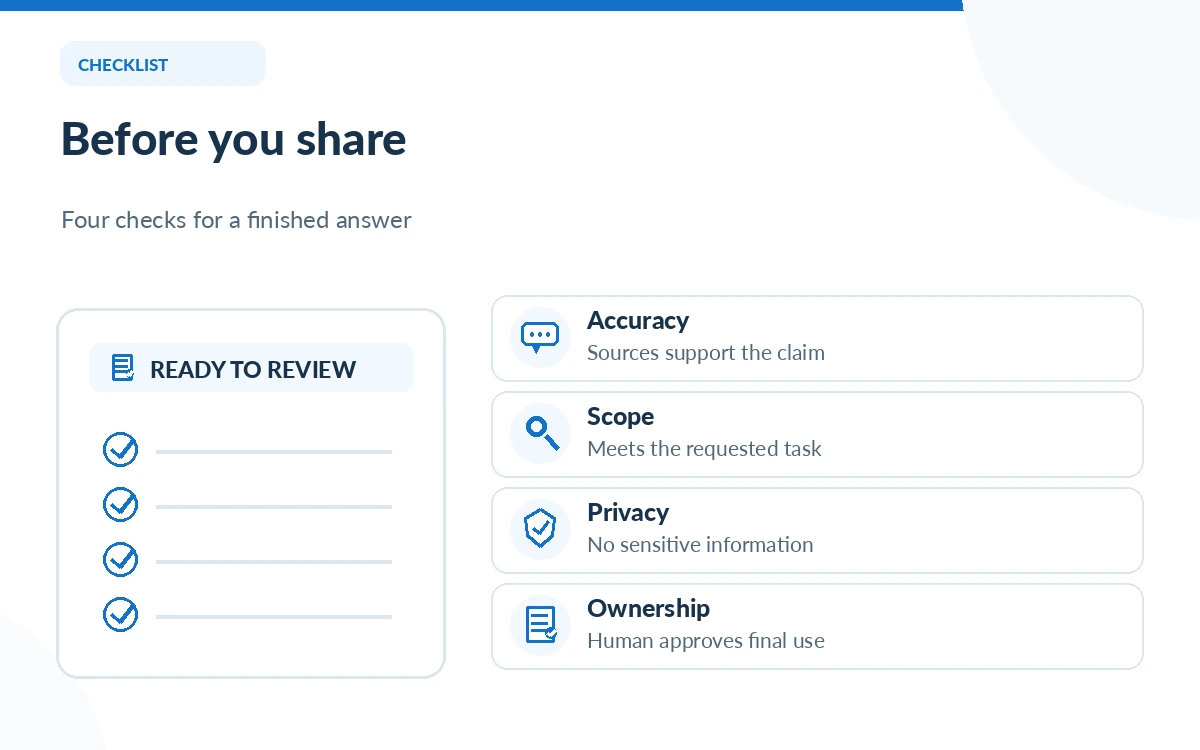
For every consequential result, run three checks: accuracy against primary sources, completeness against your prompt, and privacy of both inputs and outputs. Highlight unsupported statements and replace them with verified wording or an explicit uncertainty. Use a human reviewer for business commitments, legal language, medical claims or personal decisions with meaningful downside.
A practical finish line is a deliverable that someone else can understand without reading the entire chat. Include dates, source links and any unresolved questions. If the answer is merely exploratory, label it as a draft. Grok is most helpful as a collaborator whose work is reviewed, not as a hidden authority behind a finished decision.
How We Research
We used the October 26, 2026 editions of xAI’s official Grok overview, app/help FAQ and usage documentation. The prompt examples and editorial safety checks are illustrative; we have not personally tested every app version, connector, voice language or document format. Product options differ by account and plan.
Frequently Asked Questions
The official overview lists grok.com and iOS/Android apps. Check that you are on the genuine product before signing in or sharing files.
The official product overview describes file analysis, including PDFs and spreadsheets. Availability and usable limits can vary; verify critical extracted values against the original file.
No. Check the URL, publication date, source relevance and whether the quoted evidence actually supports the claim.
You can use voice to capture a draft, but review names, numbers and decisions against the original recording or written notes where available.
Grok has a free starting option, while paid tiers provide additional capabilities and usage. The feature you need may be tied to a particular plan.