
An English-language museum tour includes proper names, ticket restrictions and emergency exit information. An automatically generated Spanish dub could help visitors, but a single mistranslated name or safety instruction would undermine trust. YouTube Studio provides a manual review option for eligible channels and exposes audio tracks by language. This guide creates a transcript-review worksheet and publishing gate that puts the channel owner in control. It concerns publication of YouTube audio tracks, not publishing WordPress articles, and the depicted museum and screens are educational illustrations rather than actual YouTube interface captures.
List high-risk words before generating translations
Create a glossary for museum names, opening hours, admission rules, accessibility routes, prices and emergency instructions. Mark each item as a proper noun, number, policy phrase or ordinary description. Store the original source transcript and identify the speaker’s intended meaning, including where a pause or emphasis is important. A dub that sounds pleasant can still translate “free on Fridays” as “free every day,” so write down critical claims before listening. If an item cannot be reliably rendered in a target language, plan to remove or replace that line in the source video or provide an authoritative separate language resource.
Check channel eligibility and default publication behavior
YouTube’s official automatic dubbing help page says the feature is enabled by default for eligible creators and that automatically generated tracks may publish according to channel settings. In YouTube Studio, inspect Settings, Channel and Advanced settings before uploading a new tour. Enable the option to manually review dubs before publishing when this editorial process requires approval. Access and language availability vary by channel and video; avoid promising a specific language solely from a global language list. A planned language may not appear for an individual upload. Record the exact settings as part of your release checklist.

Confirm original language and source audio quality
Set the video’s actual original language correctly and listen to the source for unclear pronunciation, overlapping speakers, music and rapid delivery. YouTube identifies unsupported source language, excessive duration, limited speech and certain copyright claims among reasons a dub may be ineligible. Its help page also notes the 120-minute length threshold. These are platform eligibility considerations, not a promise that every shorter video qualifies. Do not try to solve unclear source narration by editing a nonexistent translation textbox: the official guidance says automatic dubs cannot be edited. Improving the original audio or correcting language metadata may produce a new generated track.
Preview each available dub and read its review transcript
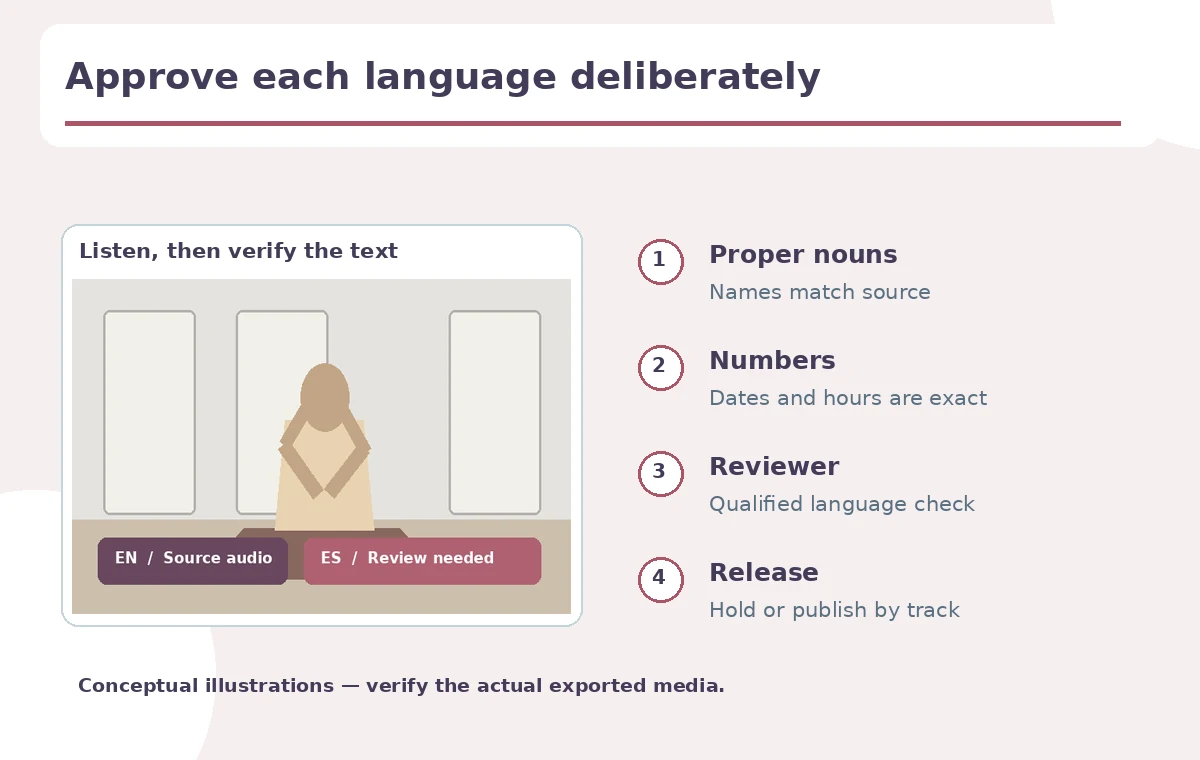
On desktop YouTube Studio, open the specific video, enter Languages and select a target language. Preview the audio; use the dubbed audio options to inspect its review transcript where available. Listen at ordinary speed while comparing to the source transcript. Check proper nouns, street names, tickets, dates and safety instructions first, then tone and timing. If a critical instruction is wrong, do not approve the track because the rest sounds fluid. Review status belongs to the channel’s workflow and a named reviewer, not a fictional numeric AI confidence score. The illustrations map decision points; they do not show an actual saved Studio session.
Use a language-by-language decision ledger
Create one row per target language with columns for track availability, reviewer, glossary, factual changes, voice intelligibility, publication decision and date. Label outcomes “approve,” “hold” or “unpublish” and explain why. A translation may work for a general introduction but fail for precise ticket policies; note the relevant timestamp and wording rather than describing the whole language as inaccurate. Ask a qualified language reviewer for unfamiliar languages, especially if a museum handles accessibility or emergency guidance. Automatic dubbing is an aid to distribution, not proof that a translator approved the entire track.

Understand what cannot be edited inside the automatic dub
YouTube explicitly states that automatically generated dubs cannot be edited directly. If a dub is wrong, review the source language settings and improve the underlying video or choose to withhold the specific dub. Never describe transcript review as a way to rewrite the generated audio. YouTube’s help article provides actions to Publish, Unpublish or Delete individual dubs through Studio, with deletion not reversible by simply republishing that deleted track. Prefer an unpublished state while a reviewer investigates. This is especially important if an accessibility claim or visitor safety instruction is at stake.
Check experimental lip sync and viewer labeling separately
The same YouTube documentation describes experimental automatic dubbing lip sync for selected channels and qualifying content. Do not assume that every language has this capability or that translated facial motion is authentic footage of the speaker speaking another language. Inspect mouth movement, visible captions and whether viewers can switch back to original audio. YouTube labels videos with auto-generated dubs; however, a local accessibility policy may require clearer human-readable explanation. Keep the source track available and avoid implying a human voice actor performed the translated dialogue when the system generated it.
Approve publication only after final playback checks
Before publishing each accepted language track, listen to the opening, every critical claim and the ending from the viewer’s perspective. Confirm language selection, audio levels and terminology after processing rather than solely inside the review preview. Maintain the publication ledger and retain a saved copy of the source script and glossary. If a mistake is reported later, unpublish the affected audio promptly while reviewing it; do not assume all other tracks are equally wrong. A safe rollout can start with one well-reviewed language and expand as qualified reviewers become available. The goal is accountable international access rather than the maximum number of auto-generated tracks.
How We Research
On October 28, 2026, we consulted YouTube Help’s automatic dubbing article for eligibility, manual review, transcript preview, publication controls and experimental lip sync. We did not operate a channel or produce translations. The museum example and audio-control diagrams are conceptual; check availability in the actual channel and require a qualified reviewer for factual language QA.
Frequently Asked Questions
Publication follows the channel settings; eligible channels can require manual review.
Not directly. YouTube states that automatic dubs cannot be edited.
Use the video’s Languages page in YouTube Studio on a computer.
Yes. YouTube provides per-track publishing, unpublishing and deletion controls.
No. YouTube describes it as experimental early access for selected channels and content.