
A team can waste image-generation time when everyone chooses a direction from one attractive preview. Midjourney Draft Mode changes that first decision: on its website, V8.1 and V8.2 return a batch of 24 lower-resolution images from a single draft prompt. The point is not to publish 24 finished pictures. It is to agree on composition, subject and crop before spending additional time on a higher-resolution variation. This guide builds a review-ready selection method for an editorial illustration of a desk lamp.
Decide what the draft must prove before opening the generator
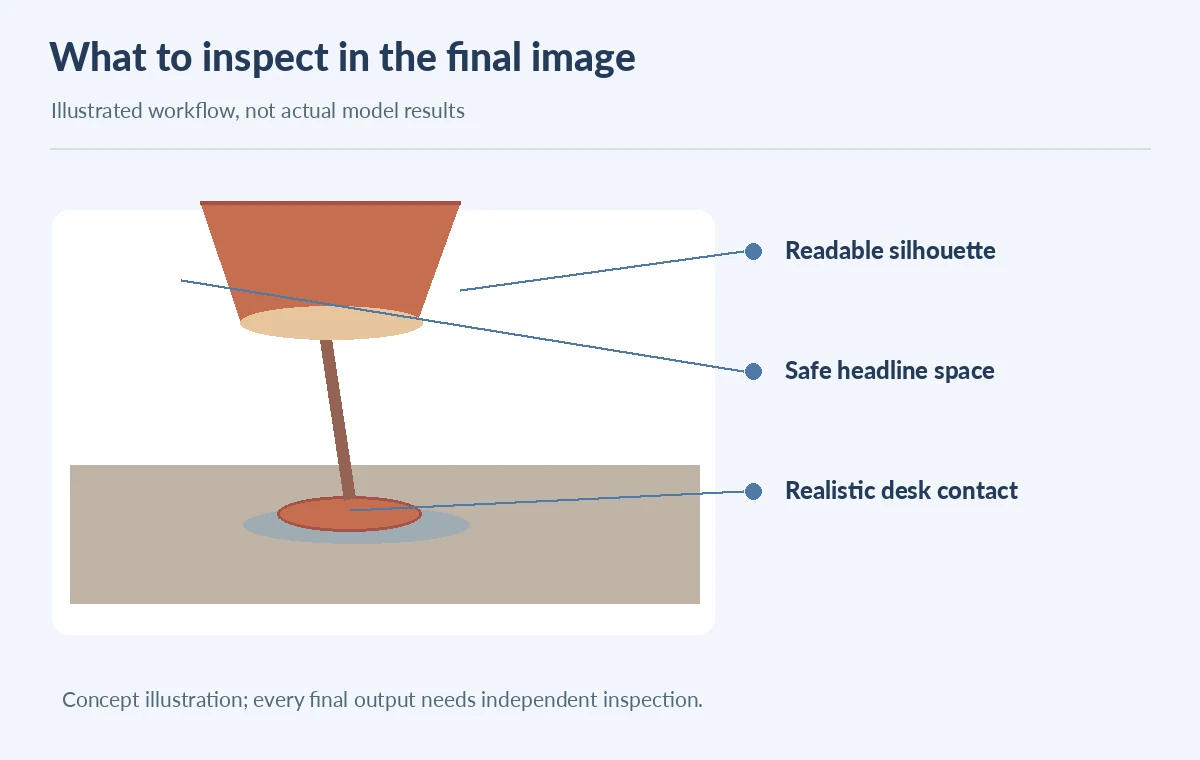
Write a brief that names one tangible subject, output location and acceptance test: “A terracotta desk lamp on a dark teal table, warm daylight from the left, ample space for an article headline.” A draft is useful for comparing silhouette and framing; it is not proof that tiny labels, wiring or material texture will survive a final render. Mark three nonnegotiables on a review sheet: recognizable lamp shape, copy-safe space and believable desk contact. Hold styling choices such as wall texture and decorative books as optional. This is intentionally different from our Midjourney parameter test-grid article, which isolates changes to stylize, chaos and weird. Here the deliverable is a human-approved composition shortlist, not a benchmark of one parameter. Start with a small, repeatable prompt and an explicit acceptance rule.
Use the V8.2 website Draft workflow, not older V7 instructions
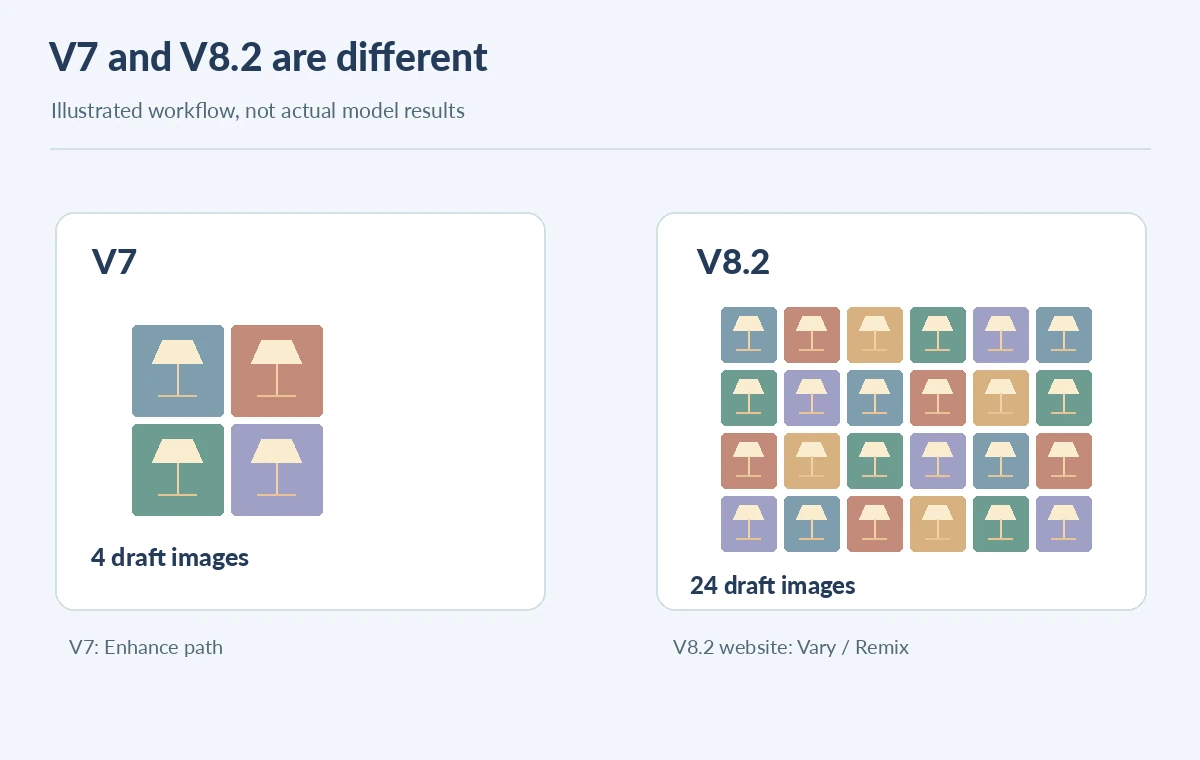
The Midjourney Draft and Conversational Modes documentation says Draft Mode can be toggled near the Imagine bar or requested using `–draft`. For V8.1 and V8.2, a prompt produces 24 lower-resolution images, described as 512 × 512 pixels, with a stated cost of 0.4 GPU minutes per draft prompt. The website supports this workflow; V8 draft is not currently available in Discord. In contrast, V7 produces four draft images and offers an Enhance path. Do not mix those two procedures into a single set of instructions. Since Midjourney identifies V8.2 as its current default, note the selected model and date in any teaching document. Product costs and interface names can change; check the official guide again before putting numerical claims in an evergreen graphic.

Scan the 24 outcomes using a purposeful shortlist grid
Review every thumbnail at a normal contact-sheet size before zooming. Circle up to three candidates, each for a different reason: best lamp silhouette, best negative space or best light direction. Give each candidate an ordinary editorial note such as “handle overlaps backdrop” or “shade reads clearly at 300 px,” rather than an ungrounded quality score. Reject images with a physically impossible lamp stand, an invented brand mark, or a highlight that looks like a text character. If two pictures are nearly identical, keep the one with the clearer crop and use the remaining comparison slot for an alternative concept. The illustrated 24-cell grid shows a proposed human selection exercise, not sampled Midjourney output or measured generation results.
Promote a candidate using Vary or Remix and recheck the output
For V8.1 and V8.2, the official Draft reference directs users to Vary or Remix an individual draft to obtain higher-resolution results using the chosen SD or HD settings. That is not the same operation as simply enlarging the 512-pixel thumbnail with an image editor. Make a note linking the promoted image to its draft candidate and revised prompt. An image may acquire extra lamps, change its stand or move the focal point when regenerated. Compare the final image against the brief, not only against the thumbnail. Store both states and the exact prompt change so reviewers can understand why the resulting illustration differs. Use an ordinary resolution/proofing workflow before printing; the tool’s output label is not a print-ready guarantee.
Separate concept acceptance from production rights and claims
An appealing contact sheet does not establish that a product is real, that a proprietary design can be imitated, or that all references were licensed. Confirm authorization for any uploaded images and avoid presenting a conceptual desk lamp as photographed merchandise. Check the image for unwanted words and simulated logos. Keep marketing copy and brand names as editable text in the page or design file rather than relying on generated lettering. At final delivery size, review dark-on-dark edges, the shadow under the lamp base, and the space reserved for live heading text. The last image in this guide is an editorial checklist with visual pointers, not a certification from Midjourney.
Archive a decision log that a second editor can audit
Use five columns: candidate identifier within your own board, composition reason, blocking defect, action taken and final approval. An example row might read “upper-right concept / strong negative space / cable missing / regenerate / pending review.” Keep one approved result, its alternate crop, the image brief, and a reference to model and settings. Never label these human observations as controlled test statistics. A useful handoff says who decided the crop and what should be checked if the image is regenerated months later. The Midjourney product update explains Draft Mode as an exploration tool rather than a replacement for final-quality rendering. Treat the initial 24-image grid as a decision aid, not content to ship.
When Draft Mode is the wrong tool
If the job needs readable instructions, accurate product labels, exact dimensions or legal evidence of a physical object, a rapid concept grid is not a substitute for source photography or editable vector art. For a single tightly specified asset, sketching the layout manually may be faster than asking reviewers to choose from many variations. Draft Mode makes most sense when the creative direction is still open and a reviewer can actually use alternatives. The decision rule is straightforward: draft to choose layout, promote to examine detail, and separately proof the final publishing asset. This prevents a convenient 24-image batch from turning into 24 nearly interchangeable deliverables.
How We Research
On October 28, 2026 we checked the official Draft Mode guide, current Midjourney version reference and the company’s V8.1 launch notes. We use the documented 24-image, 512 × 512 and 0.4-GPU-minute descriptions for V8.1/V8.2, while distinguishing the V7 process. All lamp concepts and review markings are conceptual illustrations. We did not run a Midjourney benchmark or personally verify billing.
Frequently Asked Questions
No. The documented 24-image output is a lower-resolution concept batch; a selected image needs a separate higher-resolution Vary or Remix step.
The current Midjourney guide says V8 Draft Mode is available on the website, not Discord.
No. V7 has a four-image Draft flow, while V8.2 has a 24-image website workflow.
No. Regeneration can change content. Compare the promoted image against required objects, crop and copy space.
Save the brief, model version, shortlist rationale, source rights notes and a final full-size acceptance record.