
A wall-art file can look excellent on a laptop and still print as a soft, oddly cropped poster. Selling that art adds more decisions: who designed it, what the customer actually receives, whether a production partner is disclosed, and whether a room mockup misrepresents the product. This guide focuses on physical AI-generated wall art, not a general Etsy digital-download listing. The example is a fictional botanical poster; no printed product or sales results were tested.
Choose a physical size before committing to a generation
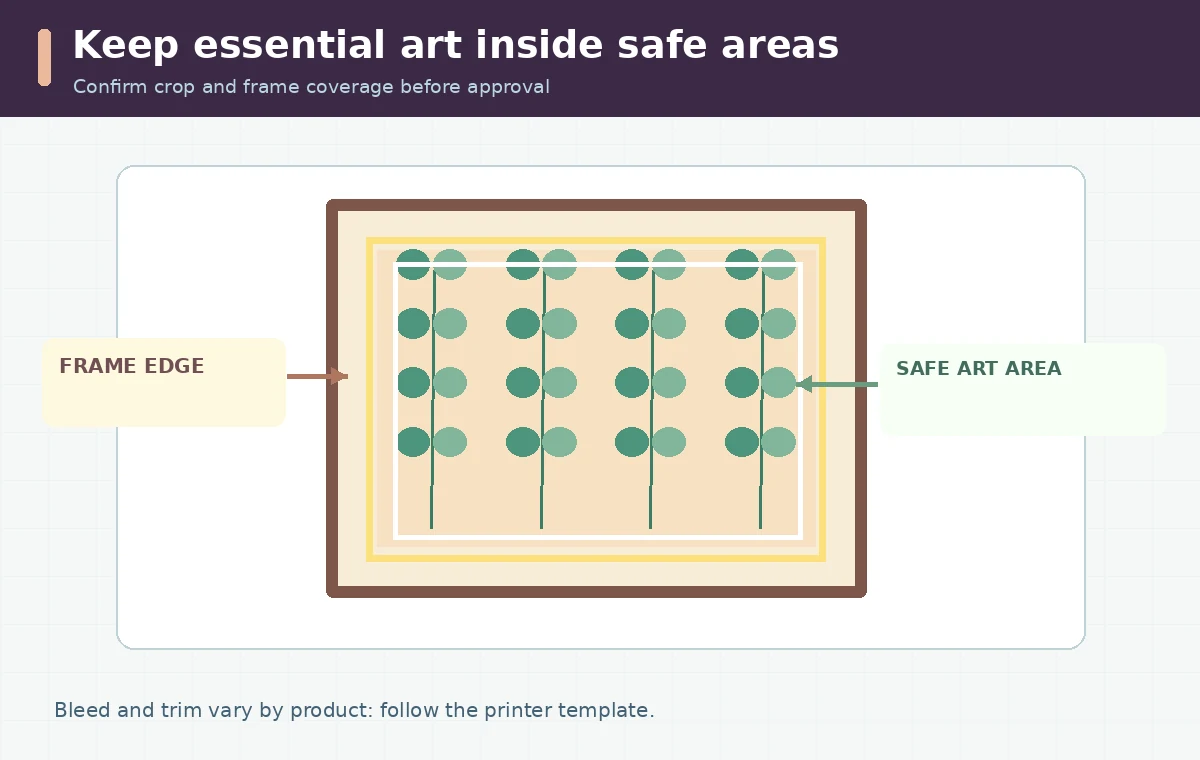
Define the actual print format in inches and identify the printer or production partner. A narrow portrait piece, square gallery print, and wide living-room canvas need different compositions; resizing later may remove subjects. Start from a design brief with the finished ratio, visual safe zone, expected frame or mat, and any optional caption you plan to typeset in an editor. Keep faces, flowers, and important details away from trim and frame edges. Ask the provider whether they print edge-to-edge or require a blank border, and whether wrapped canvas needs extra artwork around the sides. Do not use one universal bleed measurement across services. Make a low-resolution placement proof before spending time perfecting tiny AI details. A credible listing begins with a product specification.
Calculate print density instead of trusting a DPI field
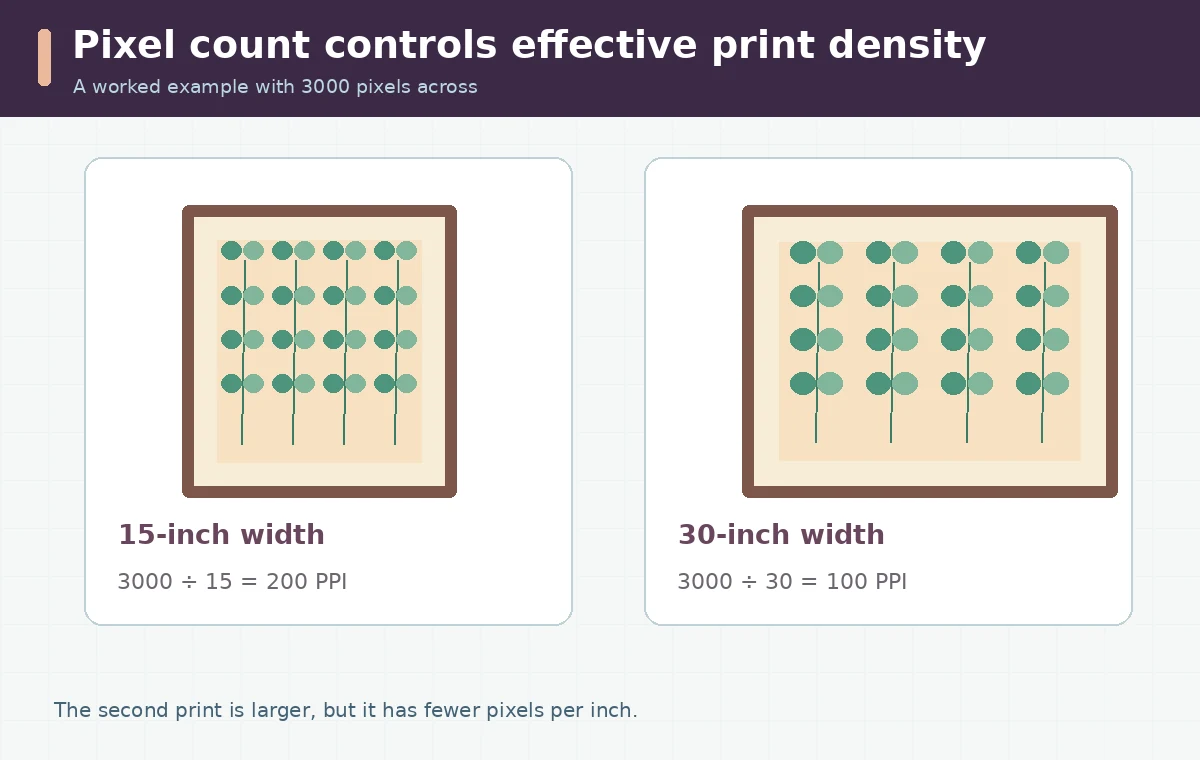
Pixel density for a target print is calculated from actual pixels divided by physical inches. As an example, a 3000-pixel-wide image printed 15 inches wide gives 200 pixels per inch. The same file printed 30 inches wide gives 100 pixels per inch. Changing only the file’s DPI metadata does not create more genuine image detail. Printful’s documentation recommends high-resolution files sized to the product and emphasizes that each product can have its own file guidelines. Its general advice mentions 150–300 DPI depending on the product; that range is guidance, not an automatic guarantee for a particular canvas or paper. Revisit the calculation after cropping because an image trimmed from 3000 to 2700 usable pixels no longer has the same width allowance.
Check fine lines, lettering, and material boundaries
Inspect the design at its intended final size and at 100% screen zoom. Fine botanical stems can vanish on textured materials, and AI-generated lettering can become warped or misspelled. Use editable typography for product names and meaningful text rather than accepting letter-like marks from a generative model. For a botanical poster, compare the leaf edges against the background and identify floating fragments, inconsistent veins, and patterns that suddenly repeat. Add a neutral border or adjust composition only if the printer’s template supports it. Avoid falsely claiming archival color stability, museum quality, or color accuracy without documentation from the chosen production process. Generate a proof copy or request a material sample before treating the file as production-approved.
Treat frame mockups as illustrations, not proof of size
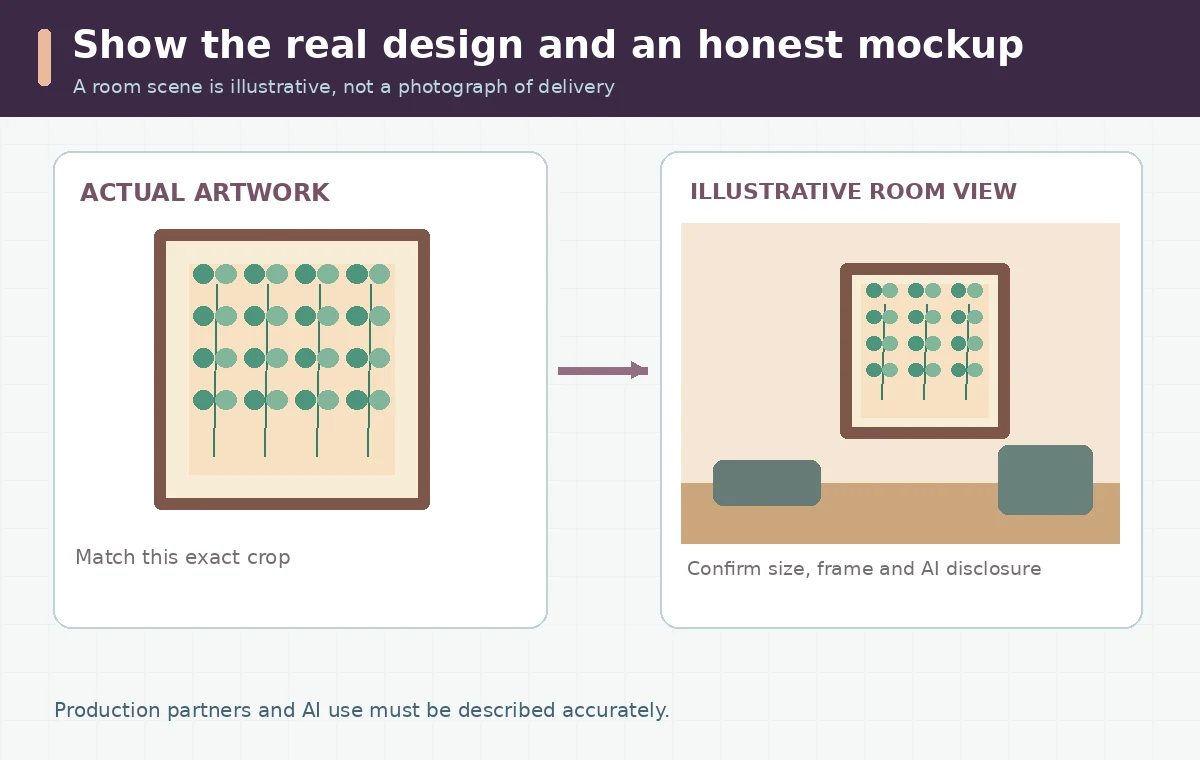
A room mockup should help a buyer imagine placement, not disguise scale. If the product is 12 by 18 inches, show the dimensions clearly in the listing and do not enlarge it unrealistically beside a sofa. A flat artwork preview and a dimensioned print diagram should accompany any lifestyle image, especially when the frame is not included. Label optional frames and mats, and avoid using a generated room photo to imply an actual customer received the product. If a production partner provides permitted mockups, follow its license and display conditions. Compare crop, hue, and edge behavior between the listing art and the print-ready file. Do not use a completely different generated variant in the hero mockup just because it appears more attractive.
Disclose the real production and AI design process
Etsy currently permits seller-prompted AI creations when the seller supplies creative input, but it requires disclosure of AI use in the listing description. Etsy also says that a production partner who prints your original design must be disclosed when relevant. Review Etsy’s Creativity Standards and the specific product category rather than labeling every AI image “handmade.” If the artwork was entirely generated from a basic prompt, avoid claiming that every brush stroke was hand-painted. Explain which elements you designed, selected, retouched, or arranged and what material the buyer will receive. The U.S. Copyright Office distinguishes copyrightable human-authored expression from purely machine-generated material; a service’s commercial-use permission is not the same as a guarantee of copyright ownership. Keep source and license records.
Build a listing that survives a skeptical buyer review
Write a plain product specification with physical size, orientation, paper or canvas type, frame inclusion, processing method, production-partner information, and care notes supplied by that partner. Add a close crop of actual design details and a realistic room mockup clearly presented as an illustration. Include the AI-use disclosure where the marketplace requires it, without burying it behind generic promotional language. Verify that image preview, title, and variation picker use the same dimensions. If a color proof is not available, explain that screen displays and print materials can differ. Keep the source file and final printer export under different names so later edits cannot accidentally overwrite an approved production version.
Use an approval gate before selling or gifting prints
Create a checklist with five outcomes: printable pixels, safe trim, clean typography, honest product images, and complete rights/disclosure record. Mark each as Ready, Needs revision, or Not applicable. Obtain at least one proof from the actual printer when possible and compare fine lines, dark gradients, and edge cropping against the design. If no proof exists, do not describe the final appearance as personally tested. Recalculate pixel density whenever size variants are added; a file adequate for a small poster may be unsuitable for the largest option. This workflow produces a defensible listing and a clearer buyer expectation, not a promise that all AI imagery is automatically lawful or commercially successful.
How We Research
We reviewed Printful’s print-file requirements and pixel/DPI explanation, Etsy’s seller and AI disclosure policy, and the U.S. Copyright Office AI authorship summary. Checked October 28, 2026; dimensions are examples, with no physical print proof. We distinguish documented product behavior from illustrative editorial workflows and do not assert personally tested output quality or a feature outside the cited product documentation.
Frequently Asked Questions
No. Real pixel dimensions relative to print size govern effective density; metadata alone does not add detail.
Etsy allows certain seller-prompted AI creations with human creative input and requires AI-use disclosure, subject to its other policies.
Etsy requires disclosure of the production partner for relevant listings when another company makes or prints your original design.
No. A mockup helps show placement, but a print proof and the printer’s file guidelines are needed to evaluate the real product.
No. Commercial permissions and the legal copyrightability of human-authored contributions are separate questions.