
A calendar assistant can move blocks around beautifully while still producing a day no human can finish. The buying question is whether you need a task scheduler, a defender of focus hours, or a simpler calendar routine. Motion and Reclaim emphasize different planning jobs. This guide maps those differences, then shows a low-risk pilot that measures missed deadlines and disrupted work without inventing a productivity benchmark.
Identify the scheduling failure you need to fix
Review a typical week and mark meeting conflicts, tasks with uncertain duration, work completed after hours and deep-work sessions interrupted by new appointments. If you primarily forget deadlines, better task intake may matter more than an AI calendar. If meetings erase all writing time, a focus-blocking strategy is the stronger first experiment.
Choose one measurable problem: fewer late tasks, more protected writing blocks, or less manual rearranging after meetings. Avoid assuming that colorful calendar blocks prove productivity. An ambitious auto-scheduler can make an impossible workload look organized until a deadline or family commitment forces it to move again.
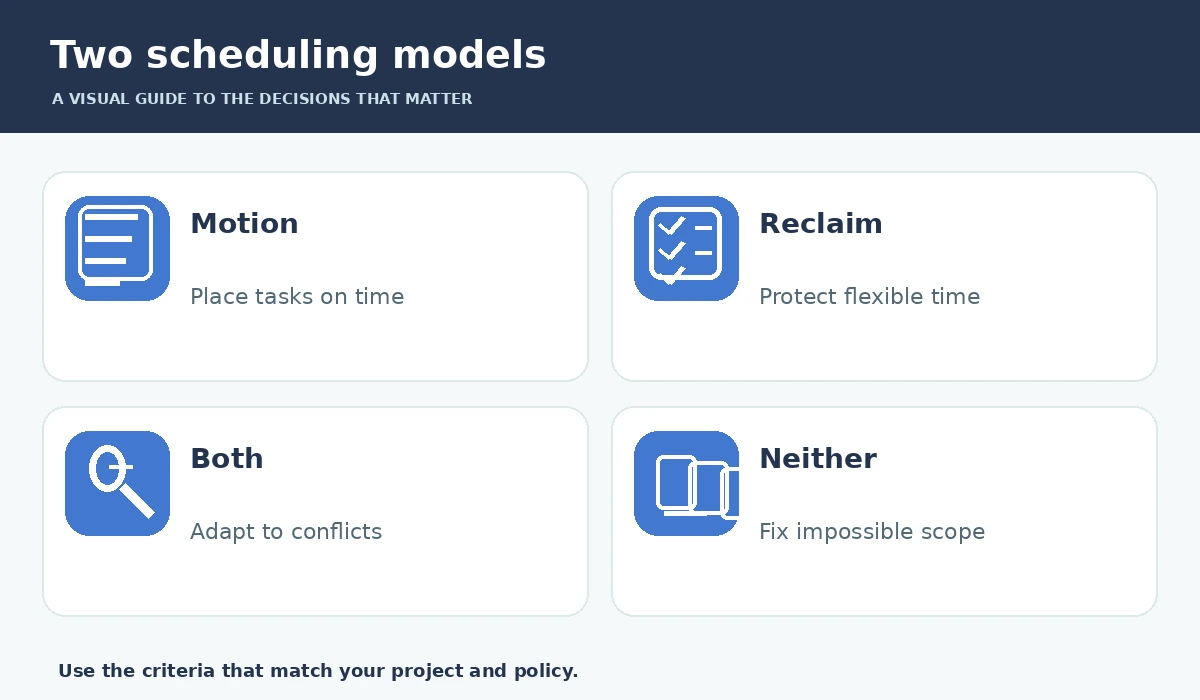
Motion: place tasks into available time
Motion documents auto-scheduling based on task duration, start dates, deadlines, priorities and existing events. It can replan when a meeting moves or an urgent task appears. The benefit is strongest when tasks have realistic size estimates and genuinely defined deadlines. Split long tasks into workable sessions, and use hard deadlines only for non-negotiable commitments.
Read the edge cases before trusting the result. Motion documentation notes that hard-deadline work can be placed outside normal hours if necessary, while conflicting constraints may leave tasks unscheduled. You still have to decide which obligation gives way. Review the next two days, not just the software’s neat weekly projection.

Reclaim: protect focus alongside other events
Reclaim describes intelligent focus blocks that reschedule around higher-priority calendar items. It also supports tasks, habits and scheduling links. That makes it appealing when you want to protect existing calendar space rather than migrate every task into a single all-in-one planner. Check what events Reclaim treats as movable and what happens after you drag a block manually.
Its focus-time documentation says tasks, habits and smart meetings can be placed ahead of focus blocks, even when you set a strong focus goal. That is a design constraint, not an error. If you want two uninterrupted hours for writing, test whether your actual calendar preserves those hours after routine meetings are added.
Compare the tools against a real Tuesday
Create the same fictional workday in each product: two meetings, one hard client deadline, a ninety-minute analysis task, a recurring check-in and a personal appointment. Observe which work gets a slot, which moves after a conflict and which gets flagged. Keep all durations identical; do not compare one polished demo with another product’s default settings.
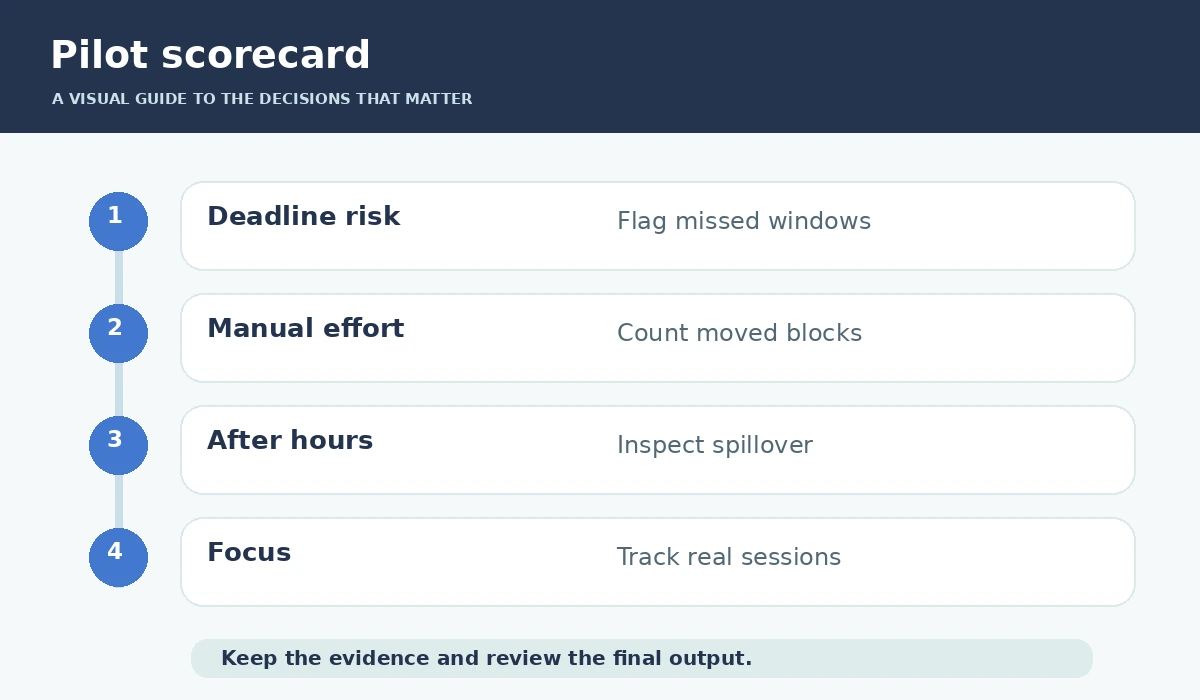
Record four outcomes in a simple table: missed or threatened deadlines, after-hours blocks, number of manual edits and protected focus time. Those are suggested measures for your own pilot, not scores achieved by the services in independent testing. Ask whether the tool warns when too much work has been accepted.
Use priority and estimates honestly
An AI scheduler has no privileged knowledge of how long your stakeholder review or debugging session will take. Provide an estimate based on past work, then add a small buffer for interruptions and quality checks. Tag true deadlines separately from preferred dates and avoid labeling everything urgent. Otherwise the system will optimize against unrealistic inputs.
Keep a visible “cannot fit” list. If a deadline clashes with another, resolve the commitment with the client or manager rather than silently scheduling a late-night block. AI can rearrange time but cannot negotiate scope, grant permission to miss work, or recover hours that are already spent.
Check access and synchronization carefully
Before connecting work and personal calendars, read permissions and data-sharing policies. Some calendars expose meeting titles, participant information and location details that should not pass into an unfamiliar service. If your organization uses admin-managed accounts, confirm that connecting an outside scheduler is approved. Prefer the minimum access that supports the job.
Test a calendar disconnection deliberately. Does the tool warn you, and can you still see where a task was meant to happen? Keep appointments in the authoritative calendar and know how to turn off automated blocking when traveling or during leave. Multiple schedulers fighting over the same slots create duplicated or misleading events.
Evaluate total cost without assuming savings
Calendar AI may be billed by seat, by tier or as part of a broader productivity platform. Compare the cost of active users, integrations, shared calendars and the features you actually need, using current checkout pages rather than outdated screenshots. A free trial is useful for checking behavior, not proof that every advanced capability is free.
Include setup and correction time in the cost. A service that saves ten minutes of planning but requires constant debugging of meetings may be the wrong choice. Your success target can be modest: fewer schedule conflicts and fewer manually moved blocks over a few real weeks.
Adopt a weekly human review
At the start of the week, inspect high-priority commitments and ensure the tasks have sensible durations. During the week, let the tool suggest placements but intervene when a deadline is impossible. At the end of the week, review which blocks were genuinely worked and which merely appeared on a calendar.
Keep your schedule readable to colleagues. If calendar automation generates dozens of opaque busy slots, explain your availability or change event visibility. The final decision is not “Which AI seems smartest?” but “Which scheduling model respects the way I actually work, and remains easy to override?”
How We Research
We compared manufacturer-maintained documentation including Motion auto-scheduling help, Motion scheduling edge cases, Reclaim focus time overview, Reclaim priority guidance. We examined what each source actually documents, then designed a practical decision workflow around identifiable constraints, user verification and safe fallback steps. Where sources describe features, we treat those as vendor claims rather than independent proof of reliability. We did not purchase paid accounts, run independent benchmarks, measure productivity improvements, or verify pricing across every workspace configuration. Our source review was performed on October 27, 2026; features, policies, plan availability and terminology can change.
Frequently Asked Questions
No. A scheduling tool can allocate time, but estimates, interruptions and hard constraints may make delivery impossible.
Motion emphasizes task placement into a changing calendar; Reclaim emphasizes intelligent calendar blocks for focus, tasks and recurring routines.
Some configurations can. Motion documents edge cases with hard deadlines, so inspect working hours and conflicts before relying on the schedule.
Only after reviewing privacy, visibility and permission settings; avoid exposing confidential event details unnecessarily.
Track deadline risk, manual rescheduling effort, after-hours blocks and focus sessions actually completed during a small pilot.